

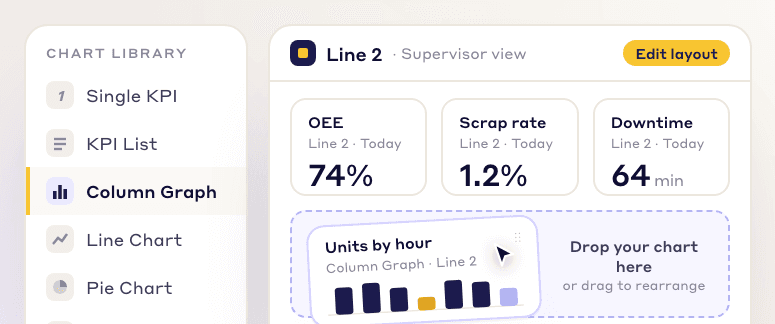
Customizable dashboards
Pick charts and KPIs from a library and arrange them into a view for each role, from the CEO to the frontline operator.
LeanSuite's KPI dashboards for manufacturing track every KPI against its target, with RAG ranges, KPI trees and live huddle boards, so operators and the plant manager act on the same numbers.
By clicking "Schedule Demo," you agree to the use of your data in accordance with LeanSuite's Privacy Notice, including for marketing purposes.
VISUALIZE WHAT MATTERS
Build the views you need from live data, and give each person the dashboard that fits their job.
Pick charts and KPIs from a library and arrange them into a view for each role, from the CEO to the frontline operator.
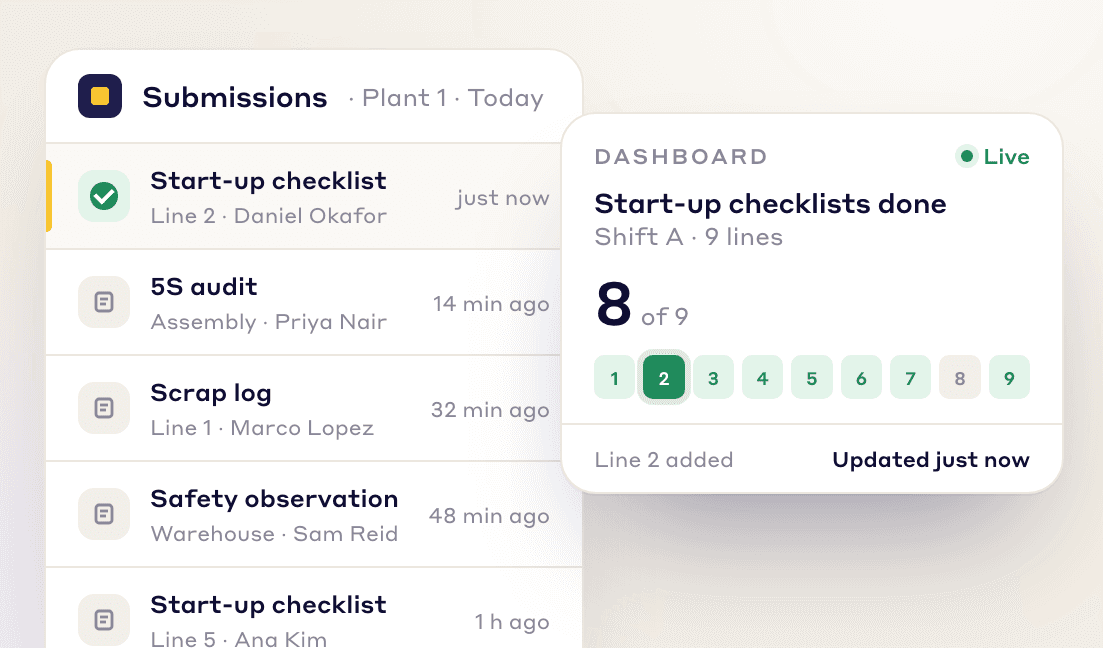
Every form, checklist and audit your team submits shows up on your dashboards right away, so nobody waits for the end-of-shift report.
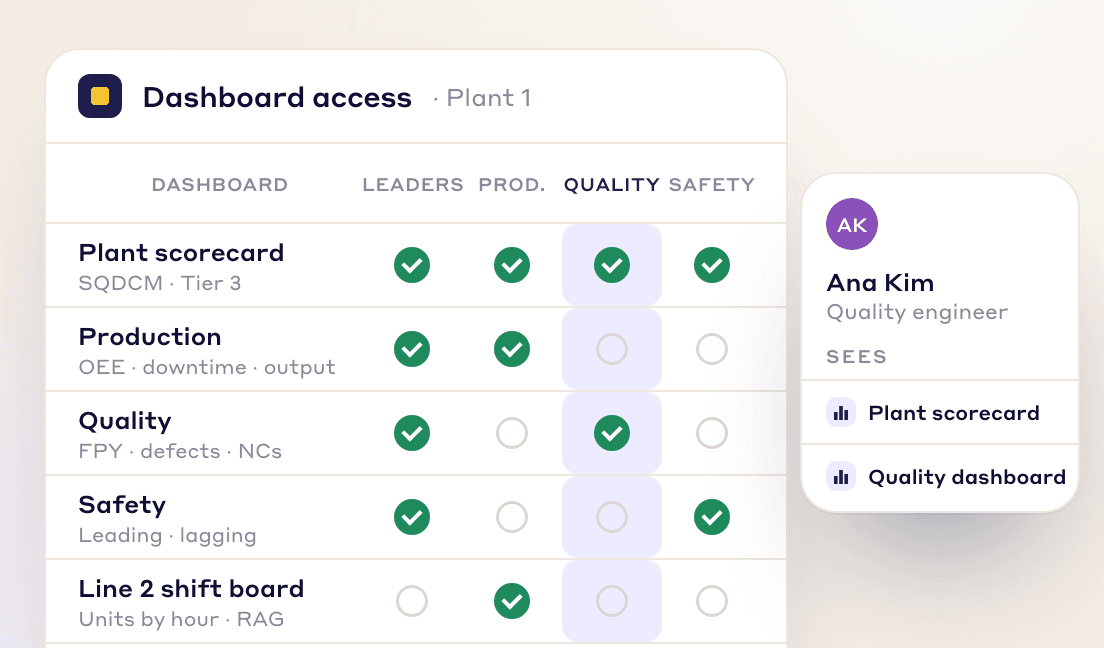
Assign dashboards to teams, departments or leadership levels, so each person sees the numbers that matter to their job.
INTELLIGENT ANALYSIS
LeanSuite connects your data sources, calculates the KPIs you define and flags problems as the numbers come in.
Pull data from LeanSuite forms, ERP systems, MES or Excel files into one view. Values can also come in on a schedule from Excel on SharePoint or OneDrive or from Google Sheets, or from a CSV upload with one-time column mapping.
Combine data points, such as 'Cost' / 'Units Produced', into the metric you need with the formula engine.
Set Red-Amber-Green ranges and whether up or down is good. A KPI is flagged as soon as new data crosses a limit, so you can start an action plan right away.
FOR EVERY ROLE
Each role gets the KPIs it needs, from the shop floor to the top floor.
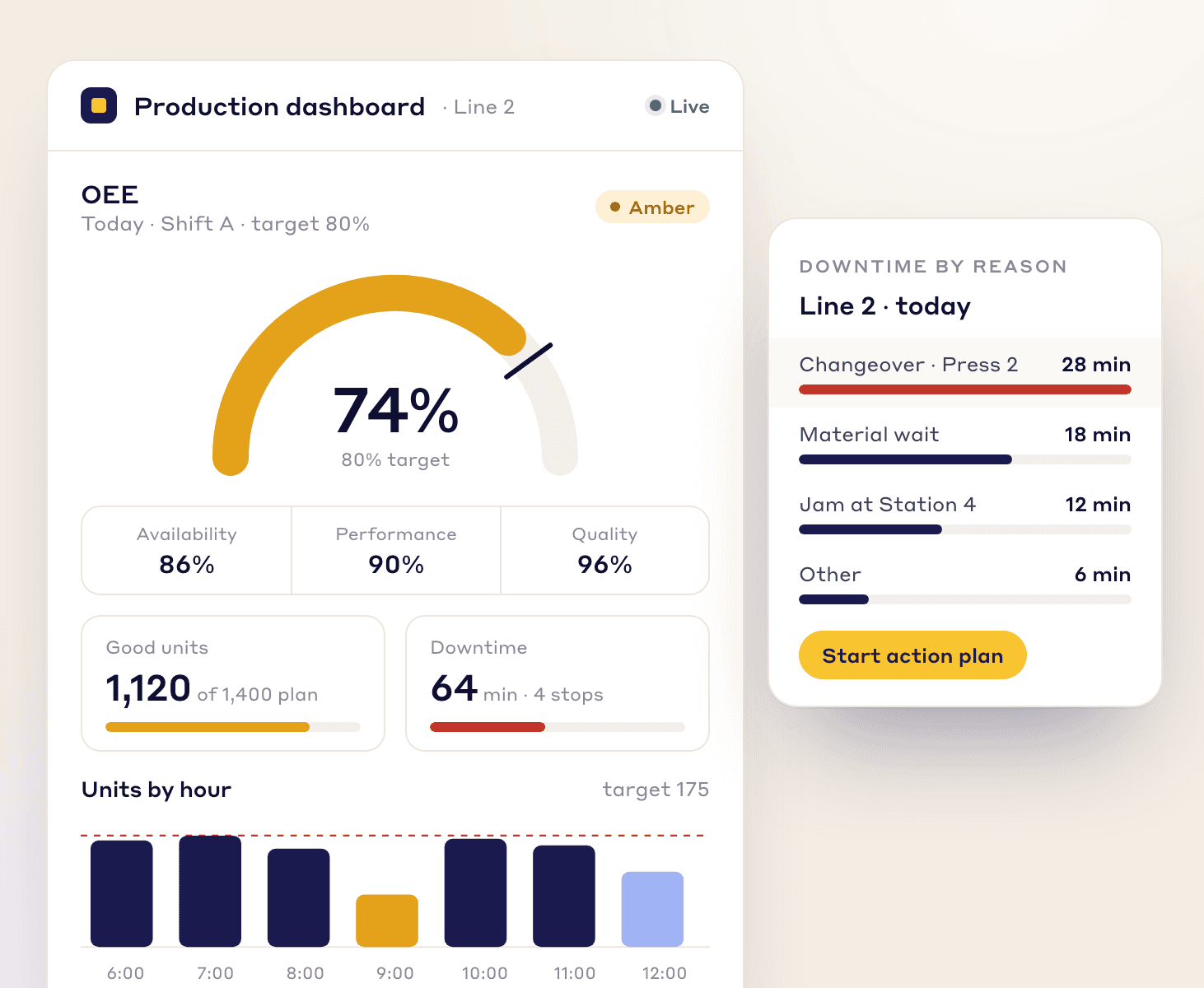
production dashboard
Track OEE, downtime and production counts live, so you can clear bottlenecks early and keep production on schedule.
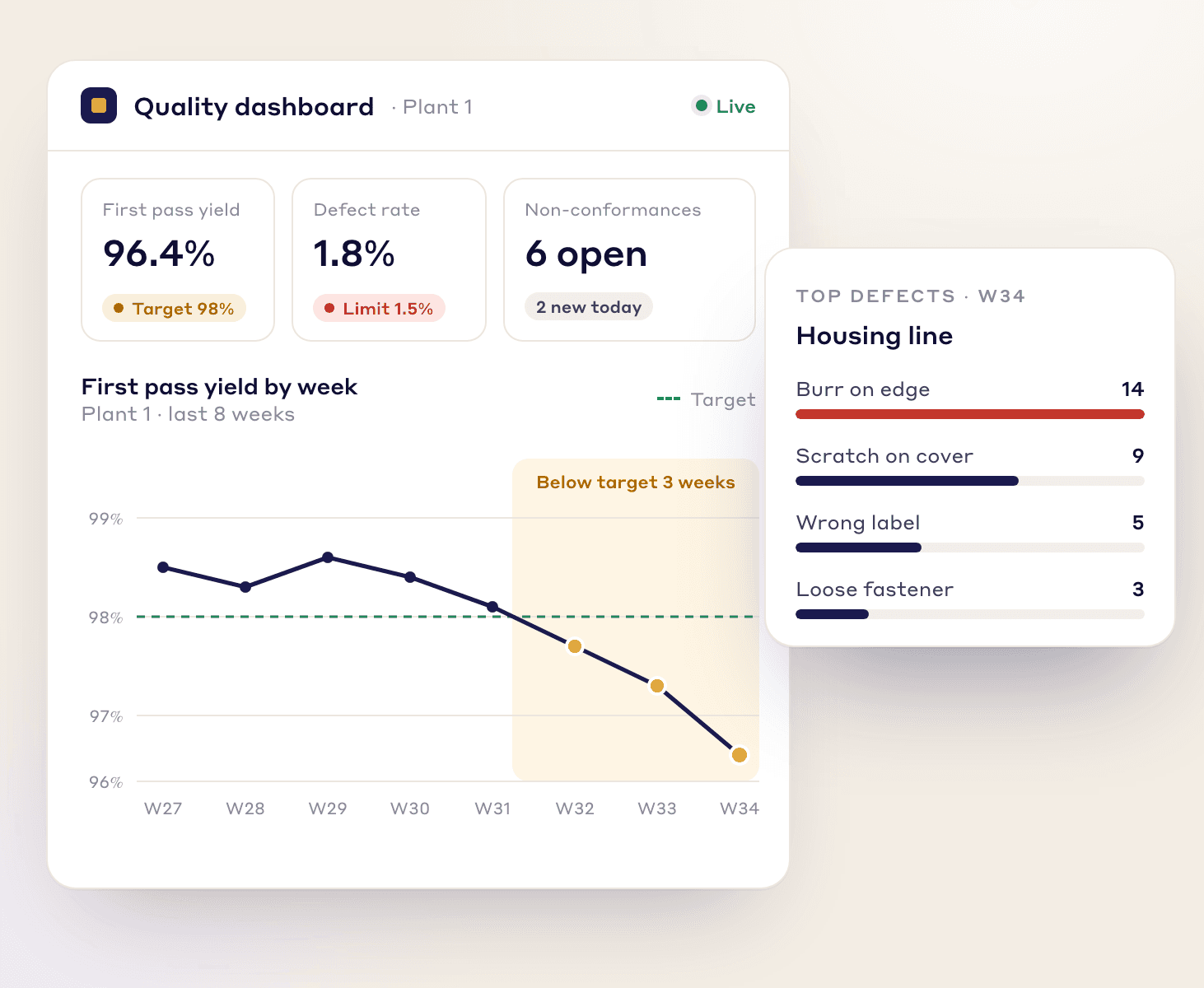
quality dashboard
Watch first pass yield, defect rates and non-conformances as they happen, so you catch trends before they reach customers.
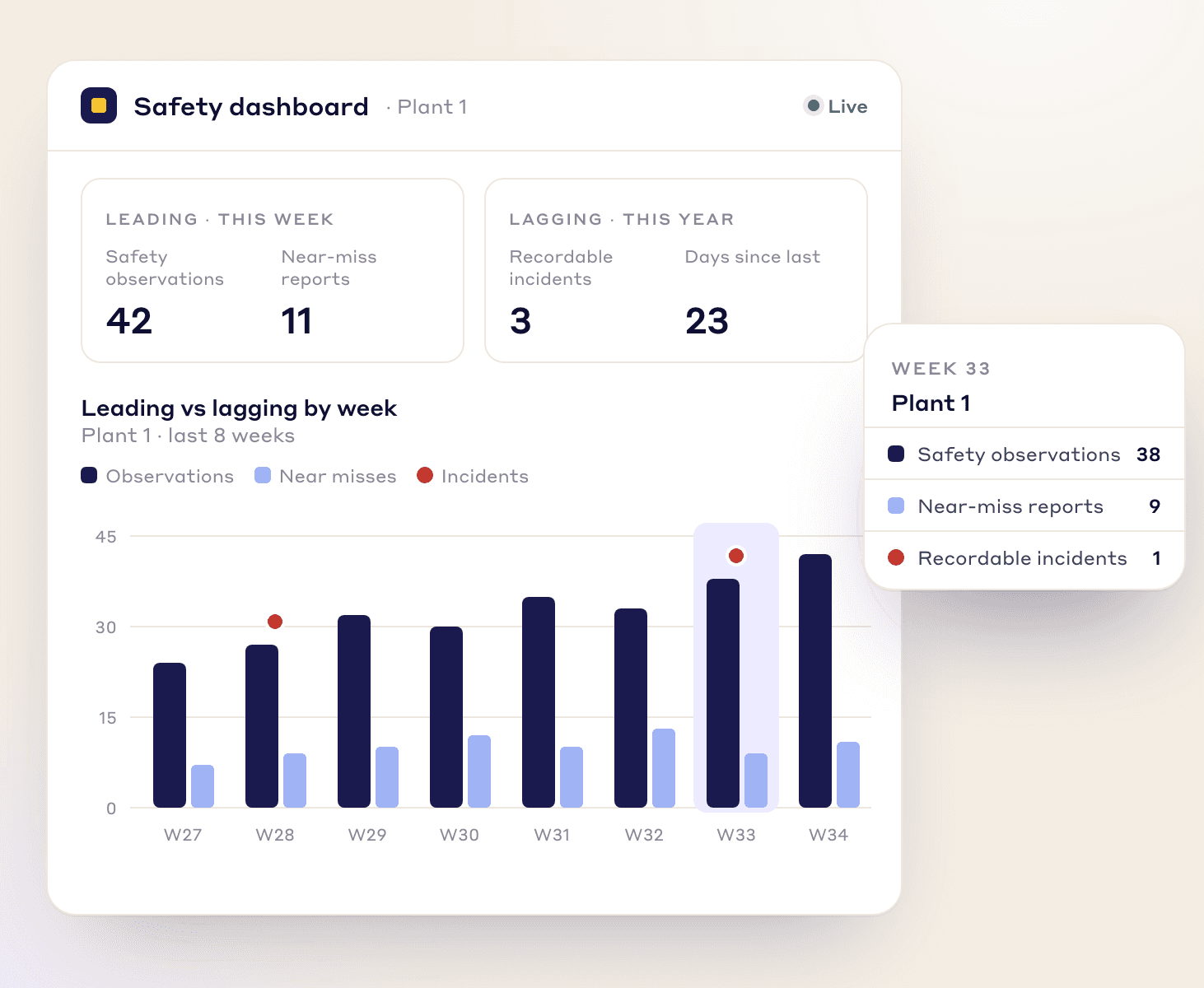
safety dashboard
Track leading indicators like safety observations and near-miss reports next to lagging ones like incident rates, and act on risk early.
KPI BUILDER
Set up each KPI once: its target, ranges, data source, who sees it and how it rolls up.
Set one target for the KPI or a different one per entry, RAG ranges, and whether up or down is good.
Department KPIs roll up to the plant and the company automatically, by sum or average.
Record the reasons behind each result and see them ranked in a Pareto chart.
Pull values on a schedule from Excel on SharePoint or OneDrive or from Google Sheets, or upload a CSV and map its columns once.
Type a single value, fill in several dates at once in a grid, or enter values from a Lean Studio board during a huddle.
Put KPIs on grid or freeform boards for huddles, and embed Power BI or Looker Studio reports on the same board. Lean Studio has 30 ready-made lean board templates and 15 data widgets.
ANY USE CASE
LeanSuite’s KPI Builder can create dashboards for use cases such as:
Operational Overview
Safety and Compliance
Supply Chain Optimization
Daily Production Monitoring
Inventory Management
Strategic Planning
Quality Control
Workforce Productivity
Predictive Maintenance
Cost Management
Equipment Performance
Training and Development
FAQs
FREE RESOURCES
Not ready for software yet? Start with these free resources.
See how LeanSuite's dashboards give you the clarity to drive operational excellence.