1. Tag it on the spot
Scan the QR code on a machine to see its open tags and add to one, or raise a new tag: snap a photo, pick a category such as Safety or Quality, and type or speak a note.
LeanSuite's daily issue management software (the F-Tag module) lets anyone on the floor tag a problem in seconds, sends it to an owner with a due date, and tracks it until it's fixed.
By clicking "Schedule Demo," you agree to the use of your data in accordance with LeanSuite's Privacy Notice, including for marketing purposes.
HOW IT WORKS
Capture, track, and resolve every issue in three steps.
Scan the QR code on a machine to see its open tags and add to one, or raise a new tag: snap a photo, pick a category such as Safety or Quality, and type or speak a note.
Each tag appears on the live dashboard and floor plan straight away, and its owner gets an in-app, email or push notification.
Due dates follow priority, reminders go out before and after a deadline, and each fix waits in Pending Verification before the tag closes.
AI AND VISUALIZATION
Live floor plan mapping and Lean AI show what's happening on your floor, where, and why, in real time.
FLOOR PLAN VISUALIZATION
Your facility layout becomes a live map of open tags, with a heat map of hotspots. Tap an area to raise a tag there, or put the map on a shop-floor TV.
LEAN AI IMAGE RECOGNITION
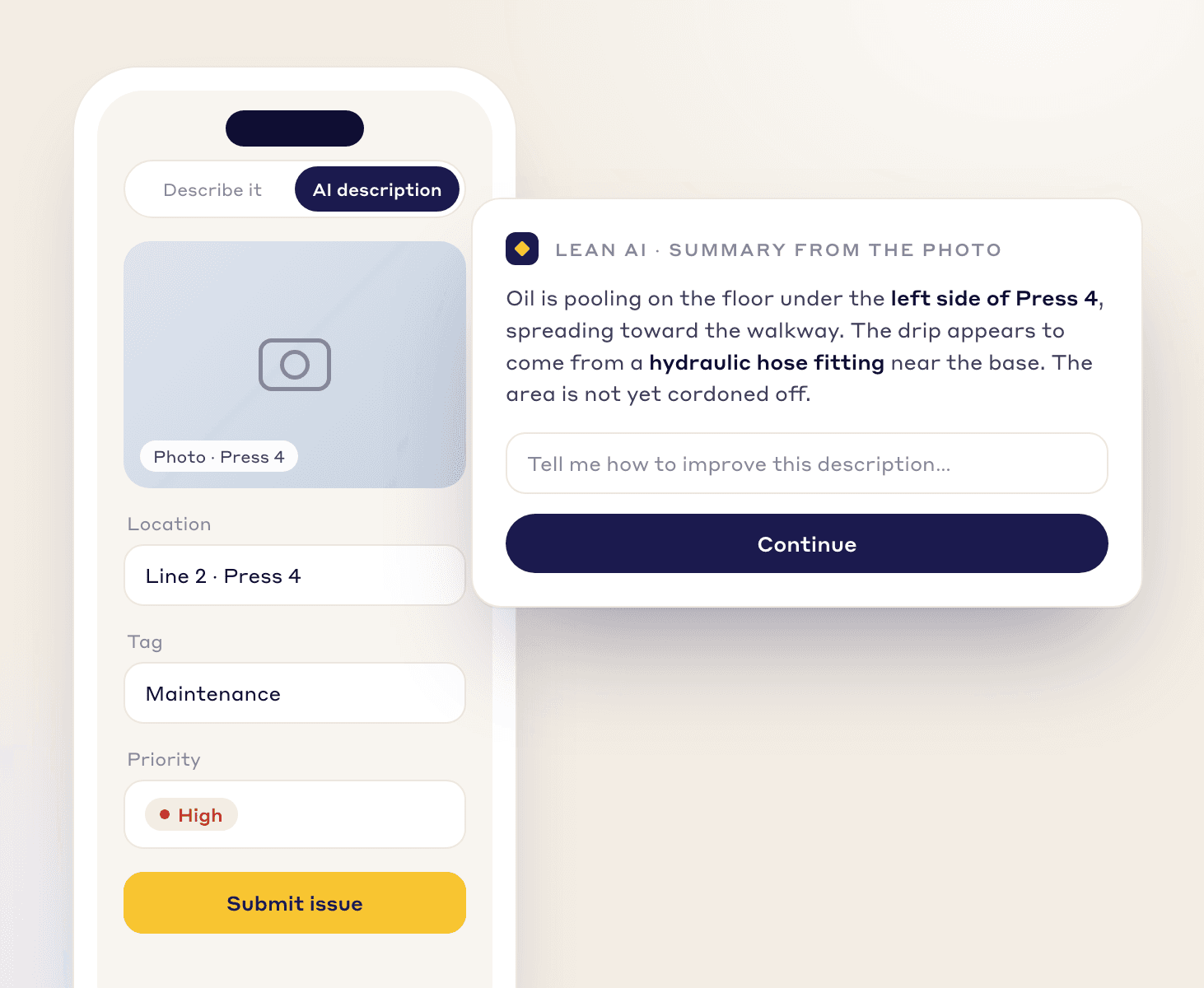
Operators snap a photo and Lean AI writes a detailed description of the problem, so every issue is logged in the same clear way.
AUTOMATION
Rules route each issue, set its deadline, and stop it bouncing between people.
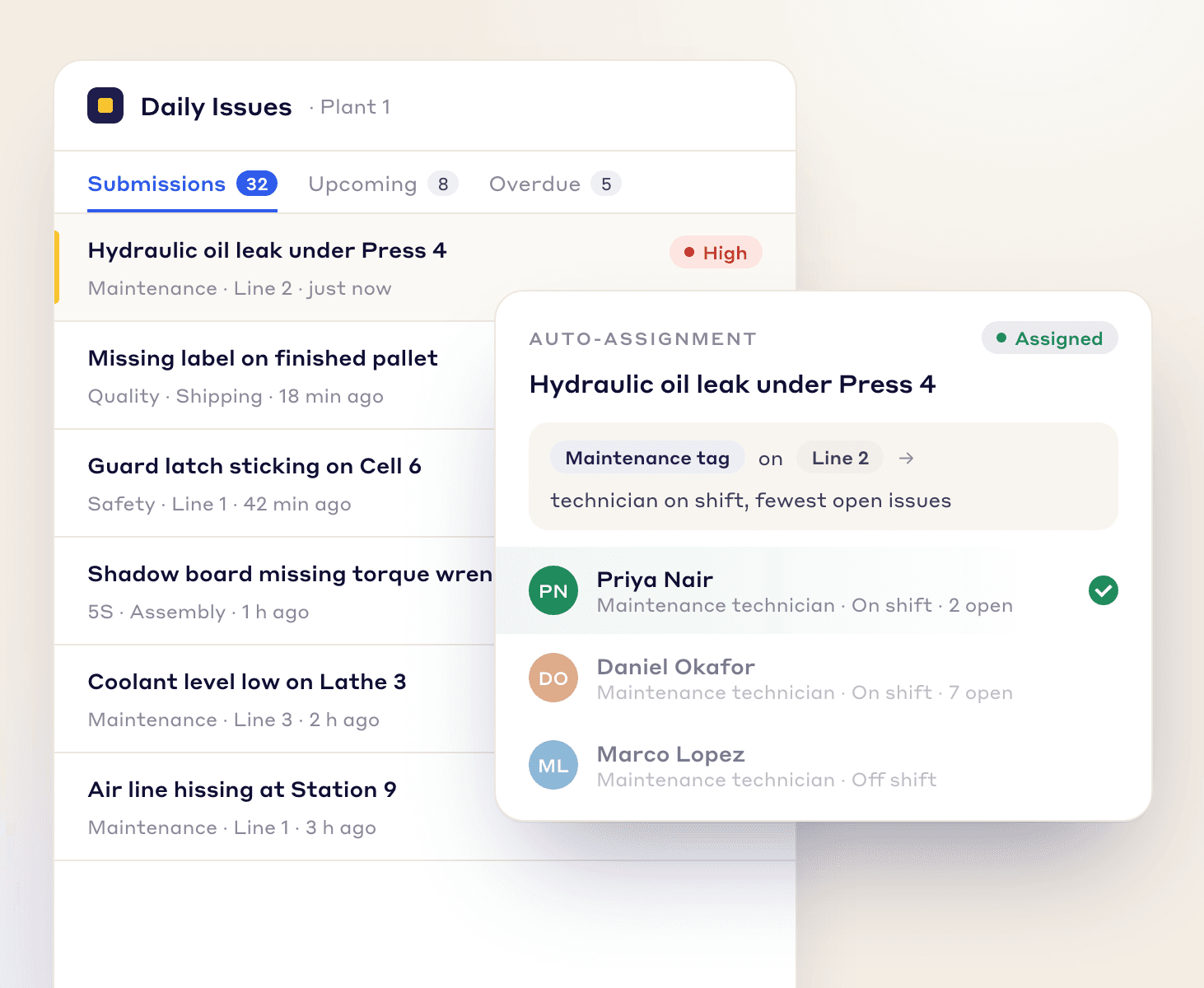
Rules route each issue to the right person by tag type, area, department and priority.
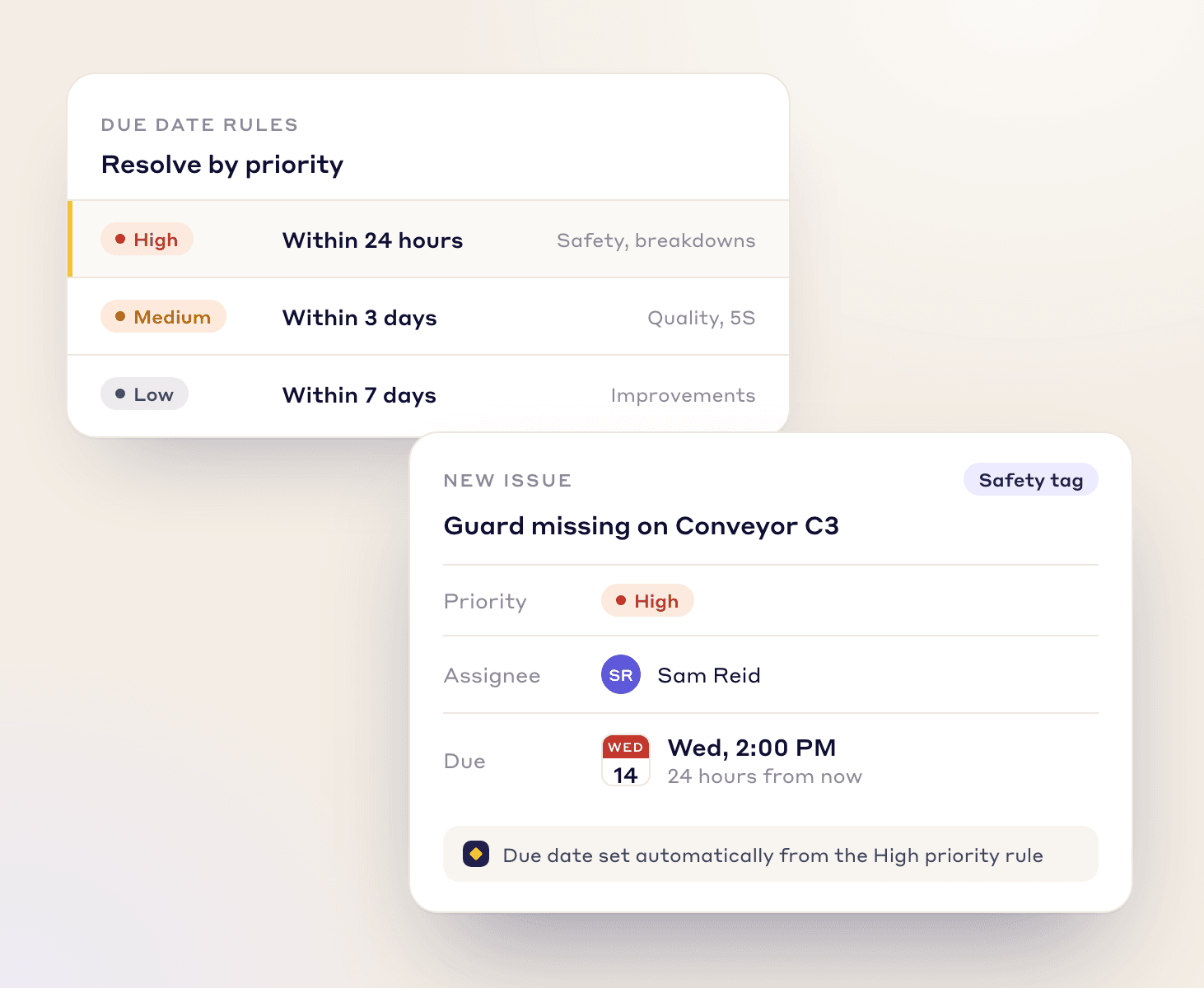
Set due dates automatically from priority, so urgent issues are handled first.
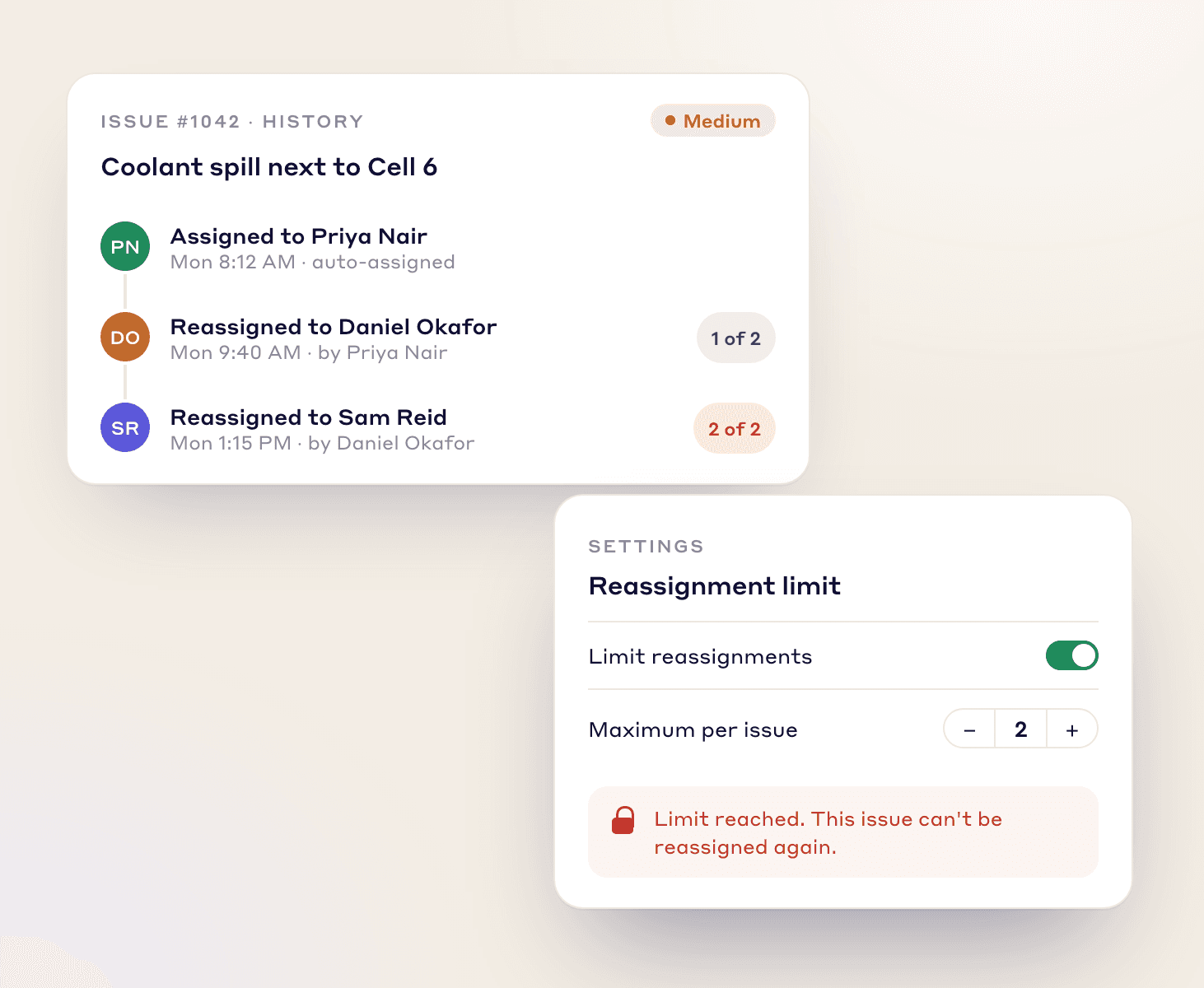
Cap how many times an issue can be reassigned, so it can't bounce around.
MORE IN F-TAG
The details frontline teams and supervisors ask for most.
Scanning a machine's QR code shows its open tags, so people add to one instead of raising the same issue twice. You can print tags for physical boards too.
Operators can dictate a tag in the mobile app instead of typing it.
Drag tags between statuses on a Kanban board, or save a filter as a view you can pin and share with your team.
Show the full-screen floor plan on a TV. It refreshes itself, so open tags stay current all shift.
Escalate a tag from tier 1 to tier 2 or 3, or send it back down, with its history attached. Each tier works from its own saved-view queue.
See opened vs closed trends, hot spots by area, cost by asset and tags per person.
Set your own tag types, colors, priorities, issues, sub-issues and trade types, and choose which form fields are shown, renamed or required.
Operators log in with an employee ID or username on the app or a shared tablet. No email address needed.
In-app, email and push notifications tell owners about new tags, coming deadlines and overdue work.
Lean AI reads a tag's photos, attachments and comments and summarizes the next steps for its owner.
Copy an existing tag to raise a similar issue without filling in the form again.
ISSUE TAGS
Sort every issue by type for cleaner tracking, and create custom tags for any process or department.
Capture unsafe acts and conditions the moment they're spotted.
Learn MoreFlag defects, non-conformances, and other quality deviations.
Learn MoreLet operators tag contamination sources and hard-to-access areas on their equipment.
Learn MoreFlag machine faults, leaks, and other repairs for the maintenance team.
Learn MoreReport spills, waste, or other environmental concerns.
Learn MoreA CONNECTED SYSTEM
Daily issues feed straight into your wider continuous improvement work.
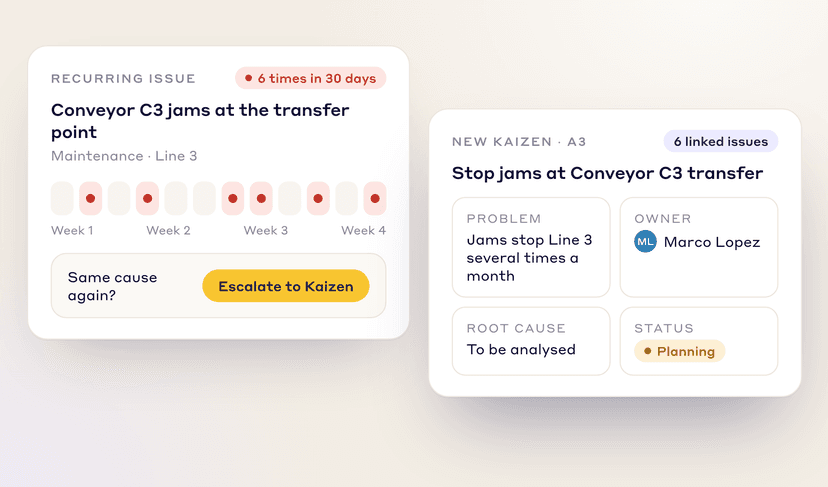
Same issue again? Escalate a recurring problem into a Kaizen or A3 project in one click and fix the root cause.
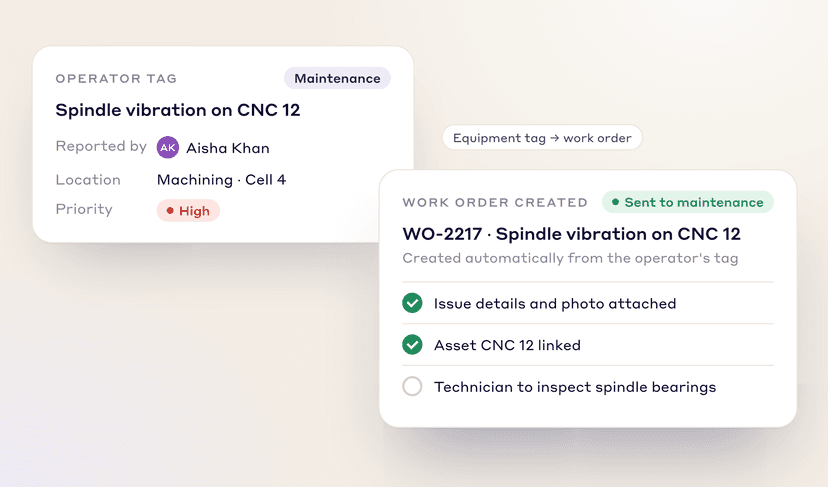
A tag can carry the work-order number from your maintenance system, so the two records stay linked.
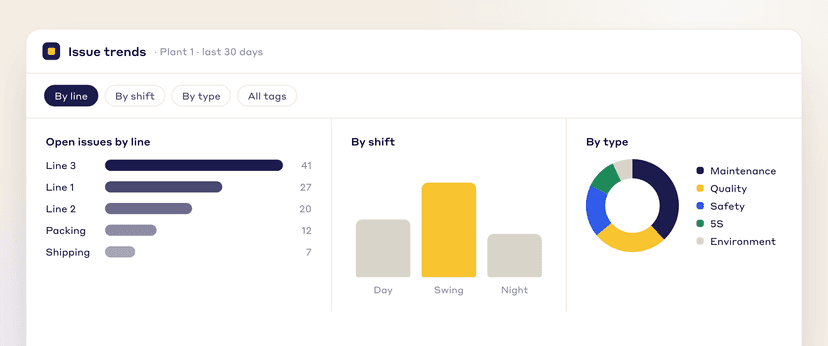
Break issue data down by line, shift, or problem type to find your biggest opportunities for improvement.
EMERGENCY WORK ORDERS (EWO)
An emergency work order records a breakdown or incident from start to fix: downtime and MTTR are worked out, the repair and parts are logged, and the root cause can become a Kaizen.
Enter when the breakdown started and ended. Downtime and MTTR are calculated, with repair time split into waiting, diagnosis and parts time.
Record what was repaired and which spare parts were used on each breakdown.
Classify each breakdown by root-cause category and spot repeat failures with failure curve analysis.
The AI RCA agent drafts the 5 Whys and 4M1D from the description and any attached manuals or SOPs. You edit it.
Set the EWO's statuses, who can move it, and what must be filled in at each step.
When a breakdown needs a lasting fix, convert the EWO into a Kaizen project.
FAQs
FREE RESOURCES
Not ready for software yet? Start with these free resources.
See how LeanSuite helps you build a more proactive operation, one solved issue at a time.