

Before
The spreadsheet chaos
A long spreadsheet of quality issues leads to "squeaky wheel" priorities, low-impact projects and no way to prove ROI.
A quality prioritization matrix, or QA Matrix, ranks your defects so you fix the costly ones first. LeanSuite gives every internal and customer defect an AA, A, B or C priority and turns the top ones into Kaizen or CAPA projects.
By clicking "Schedule Demo," you agree to the use of your data in accordance with LeanSuite's Privacy Notice, including for marketing purposes.
TRUSTED BY INNOVATIVE LEADERS



















Lean AI
Stop reading and sorting customer feedback by hand. Lean AI reads free-text complaints and groups them into standard defect categories you can count and act on.
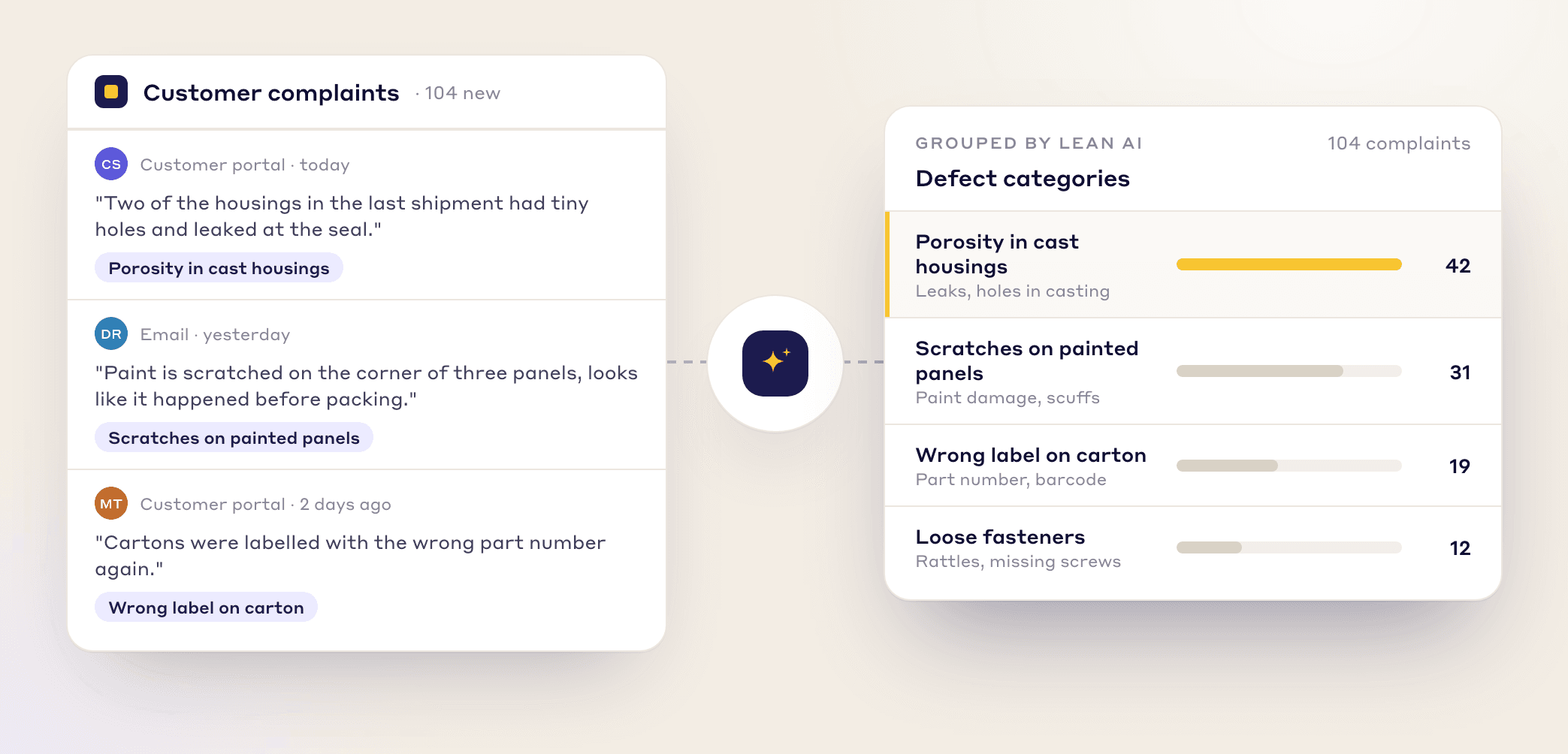
BEFORE AND AFTER
The spreadsheet chaos
A long spreadsheet of quality issues leads to "squeaky wheel" priorities, low-impact projects and no way to prove ROI.
The LeanSuite solution
The QA Matrix pulls your defect data into one place and ranks it, so your team works where it matters most.
key benefits
It ties each problem to what it costs your plant and your customers.
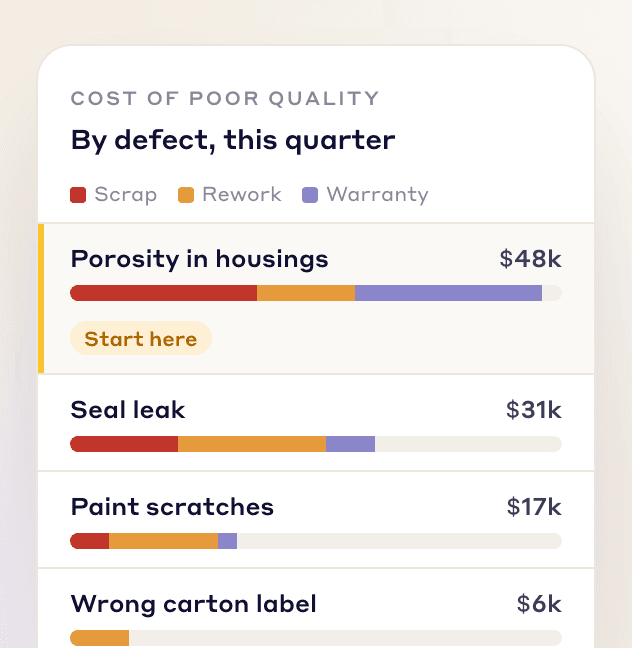
Work on the highest-impact issues first and bring down scrap, rework and warranty costs.
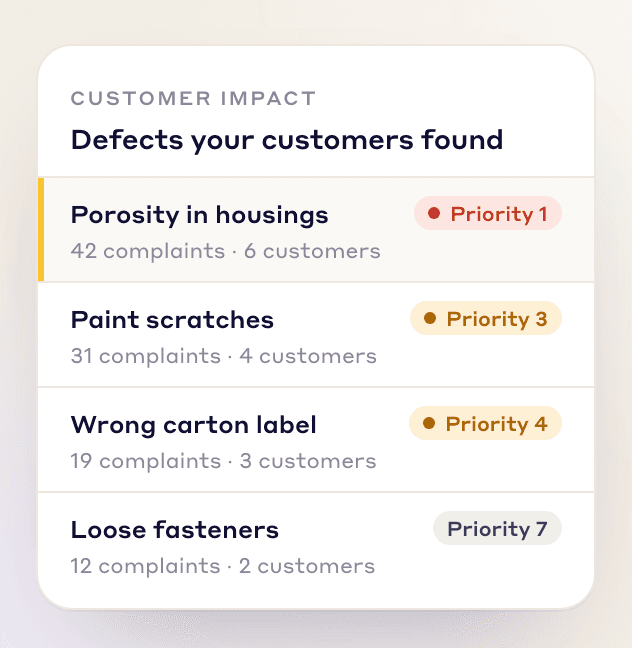
Defects that reach the customer rank higher, so they get fixed first.

Show leadership a cost-backed plan for where the quality team spends its time.
HOW IT WORKS
From scattered defect data to a focused improvement plan.
Import customer complaints, internal non-conformance reports (NCRs) and data from other quality systems, mapping the columns once. Defects are grouped by product category and group.
Each defect gets a priority index of AA, A, B or C from where it was caught, how severe it is, what it costs and how often it recurs.
Analyze causes with 4M1D, then turn a top defect into a Kaizen or CAPA project in one click, with the defect data filled in.
UNDER THE HOOD
Where the matrix gets its data, and how it ranks your defects.
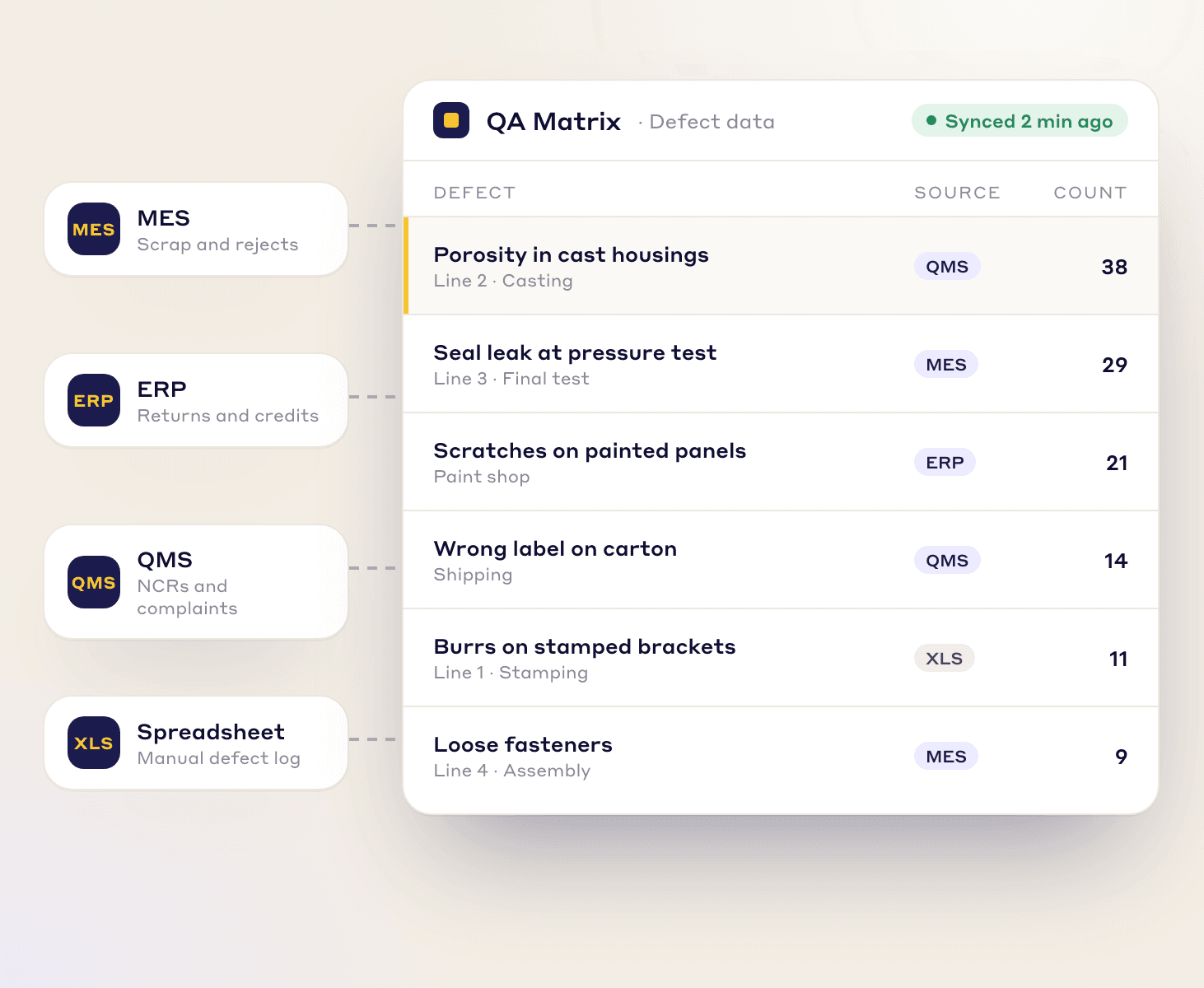
AUTOMATED DATA INFLOW
The matrix is only as good as its data, so all your quality data goes into one place.
→ Connect directly to your MES, ERP, or QMS to stream data automatically.
→ Still on spreadsheets? Upload defect logs from Excel or CSV and map the columns once.
See how it works: What is the QA Matrix?
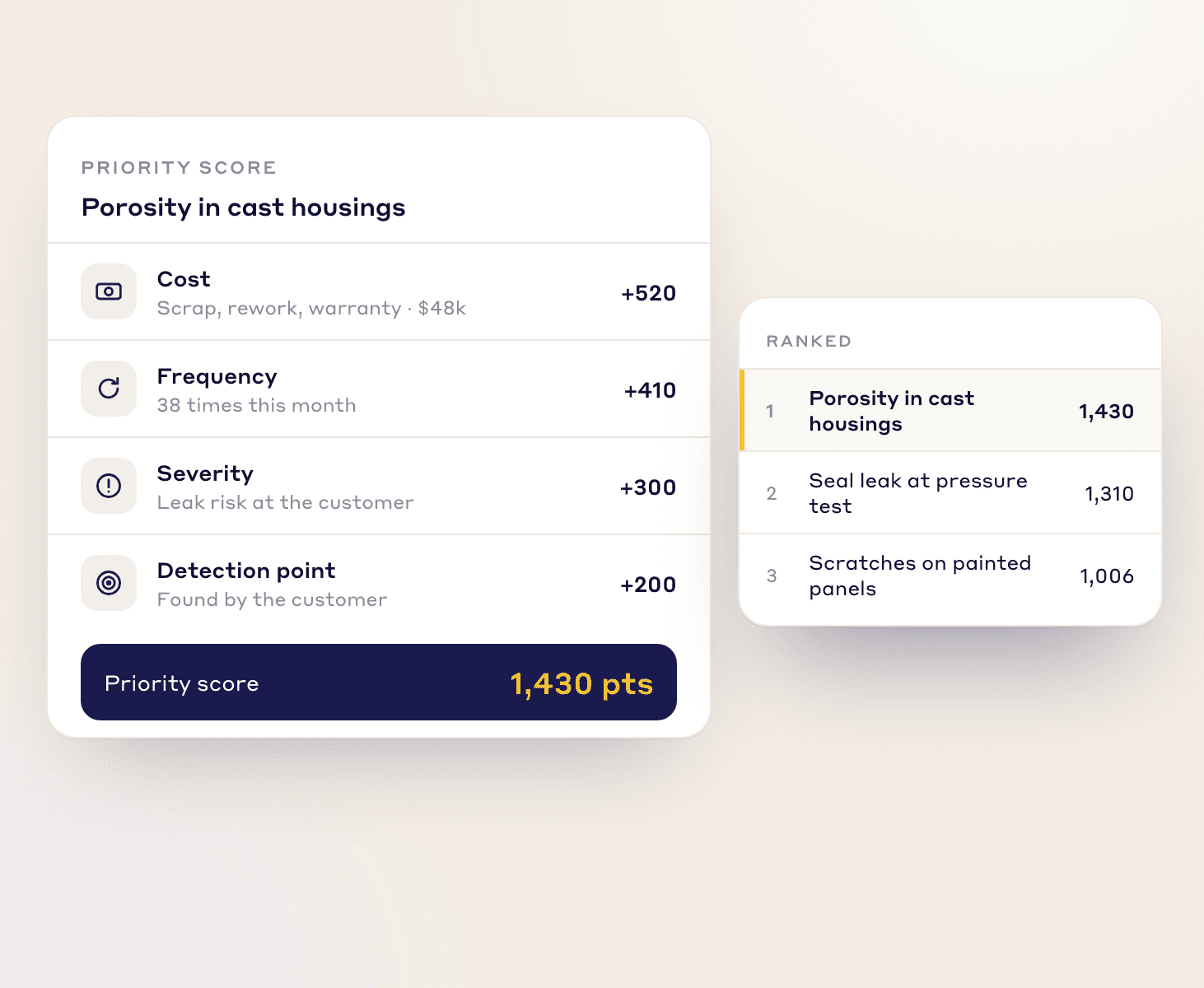
Prioritization logic
Every defect gets a priority index from four factors, and the index sorts it into class AA, A, B or C.
The total cost of the defect, including repairs, scrap, and labor.
How often this specific defect occurs.
The potential impact of the defect (e.g., safety risk, line stoppage).
Where the defect was caught, from the line itself to the customer. The later it is found, the more it costs.
FAQs
FREE RESOURCES
Not ready for software yet? Start with these free resources.
See how LeanSuite's Quality Prioritization Matrix ranks your quality issues by cost and impact, and turns the top ones into projects.