

Question and response types
Yes/no, multiple choice, number, slider, rating, text, date, signature, visual instruction, and department, line, asset, user or shift.
LeanSuite's manufacturing document builder, Lean Creator, is a no-code tool for building digital checklists, audits, SOPs, one point lessons, quizzes and forms, from scratch or from an AI draft.
By clicking "Schedule Demo," you agree to the use of your data in accordance with LeanSuite's Privacy Notice, including for marketing purposes.
BUILT FOR THE SHOP FLOOR
Turn any paper process into a digital form, from a safety observation to a multi-stage quality audit.
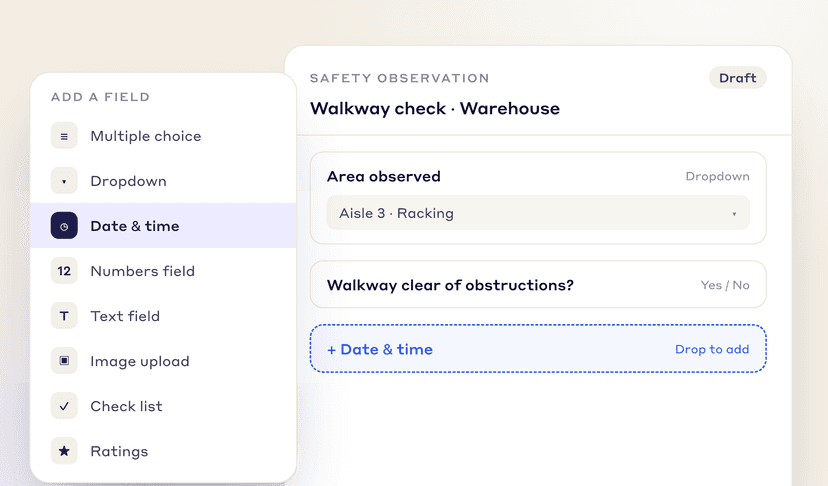
Pick the response types you need from one list, no code required.
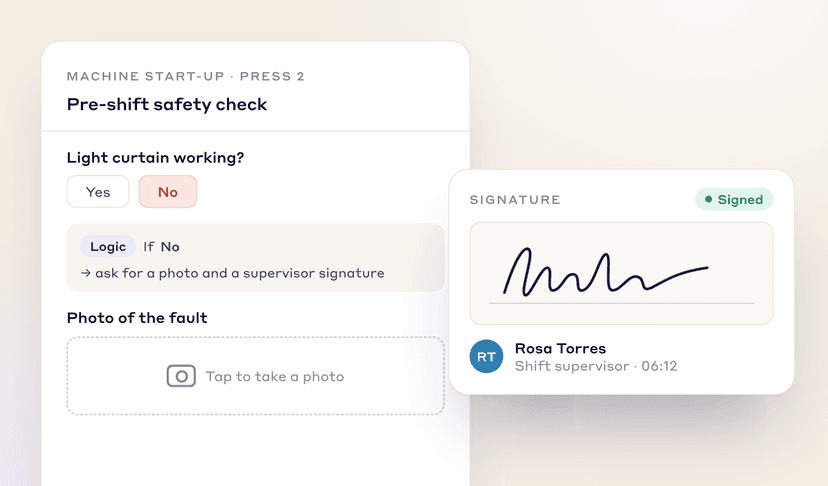
Photos, signatures, dropdowns and conditional logic that reacts to each answer.
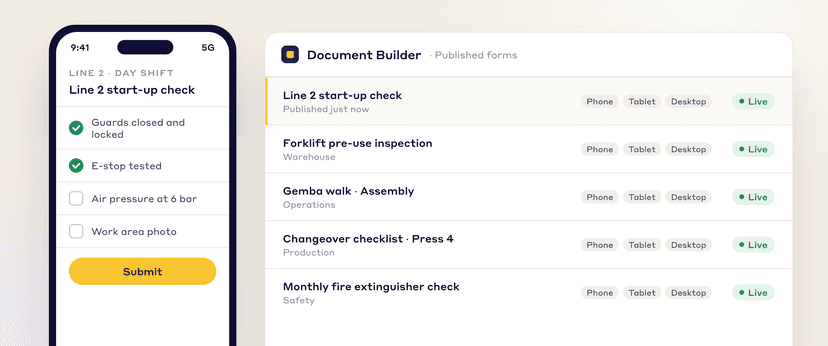
Every published form works on phones, tablets and desktops, so data is collected where the work happens.
LEAN CREATOR IN DETAIL
Yes/no, multiple choice, number, slider, rating, text, date, signature, visual instruction, and department, line, asset, user or shift.
Make it required, set choices or limits, and add rules that flag, follow up, notify or raise a tag, idea or Kaizen.
Critical checks can't be submitted without a photo and comment.
Points per answer and a pass mark; each report shows pass or fail.
Split long forms into pages and sections, with a live preview.
AI drafts are private. Save to review, publish to assign and collect sign-offs.
Your plant, every plant in your company, or the public marketplace.
Assign an SOP, OPL or checklist to people, roles or assets and track who signed.
Recurring checks on a calendar and Kanban board; missed items show in red.
ENDLESS APPLICATIONS
One tool for every document your plant runs on:
Build and share inspection and audit forms, from 5S audits to layered process audits.
Build and share checklists for quality, safety, maintenance and daily production.
Build and share surveys, from 360 reviews and NPS to engagement and onboarding feedback.
Build quizzes, assessments, work instructions and one point lessons for your own processes.
get started faster
Upload an existing paper form or describe what you need and the AI drafts it, or clone a template from the marketplace and customize it.
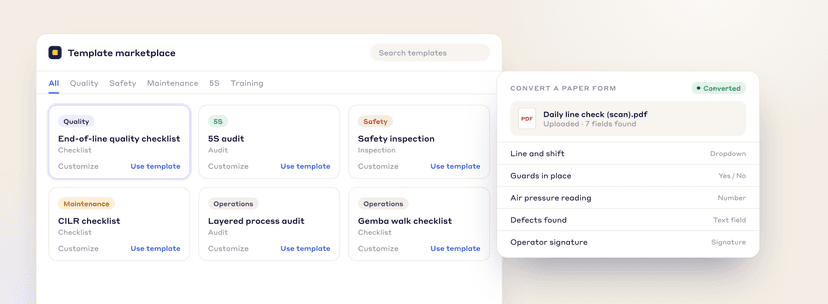
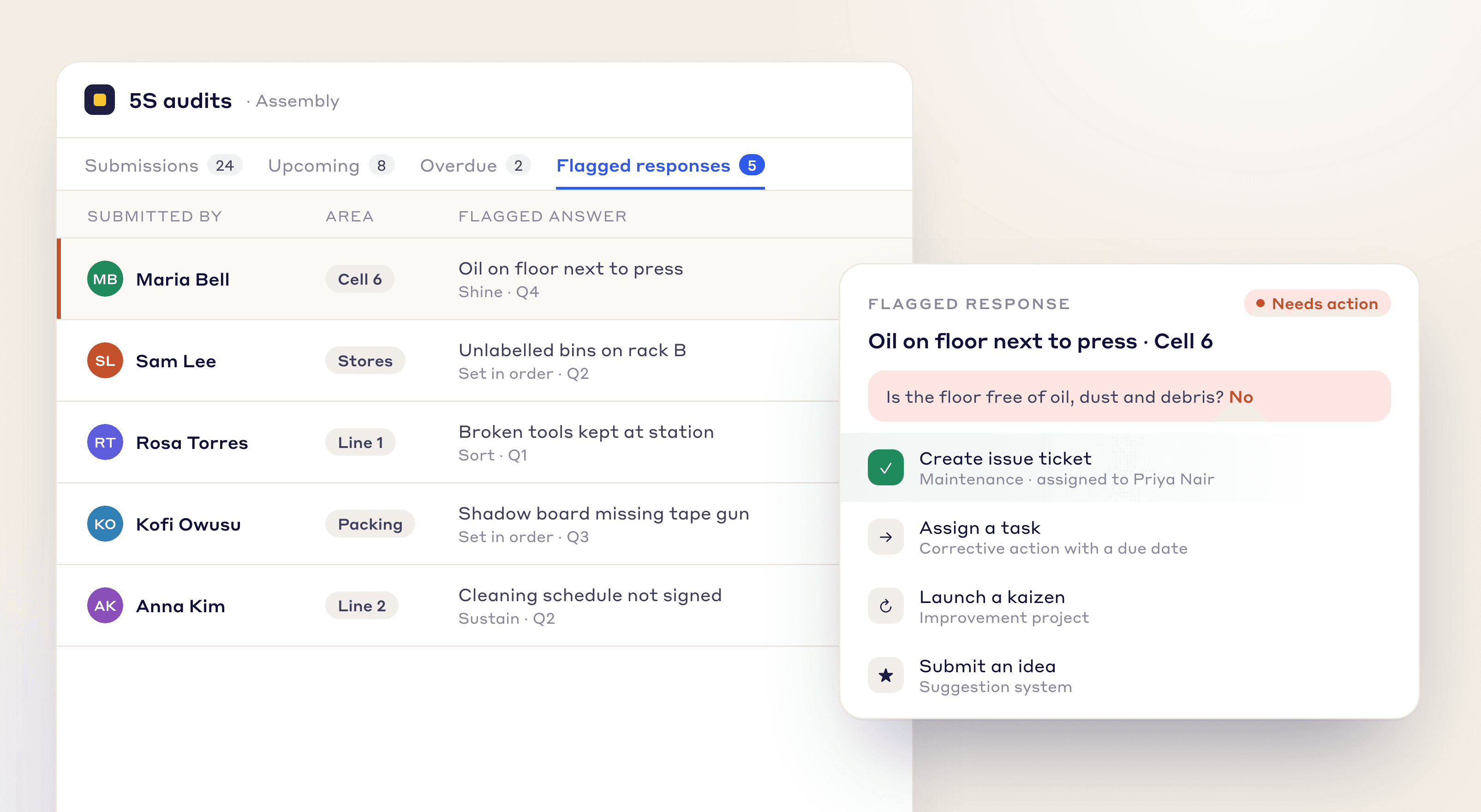
CONNECTED WORKFLOW
A flagged answer can start a task, an issue ticket, a kaizen, an idea or a training assignment in LeanSuite, so nothing falls through the cracks.
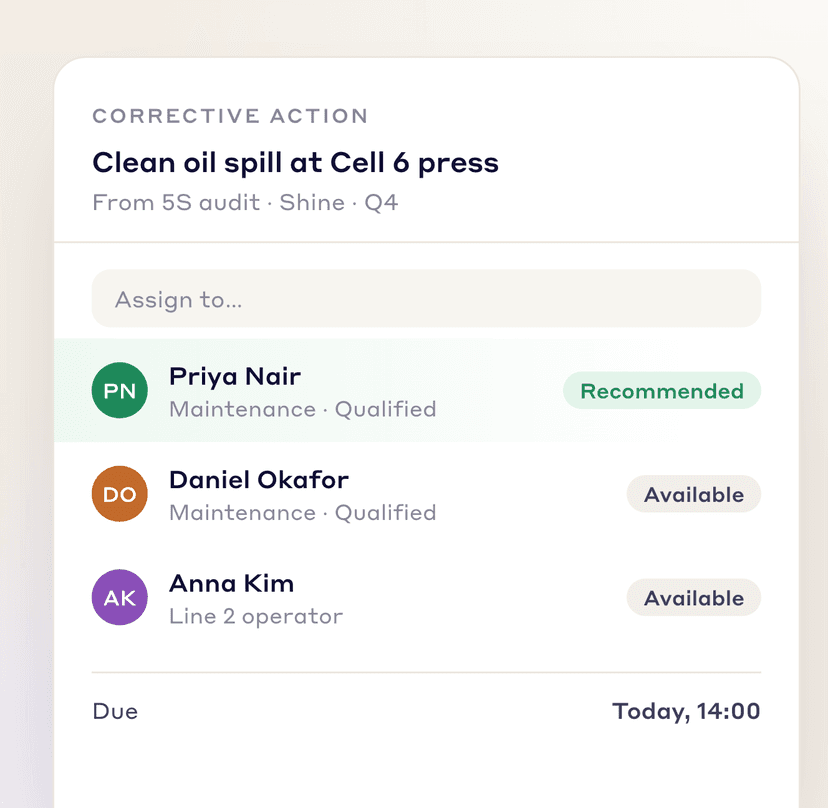
Assign a corrective action straight from the flagged answer.
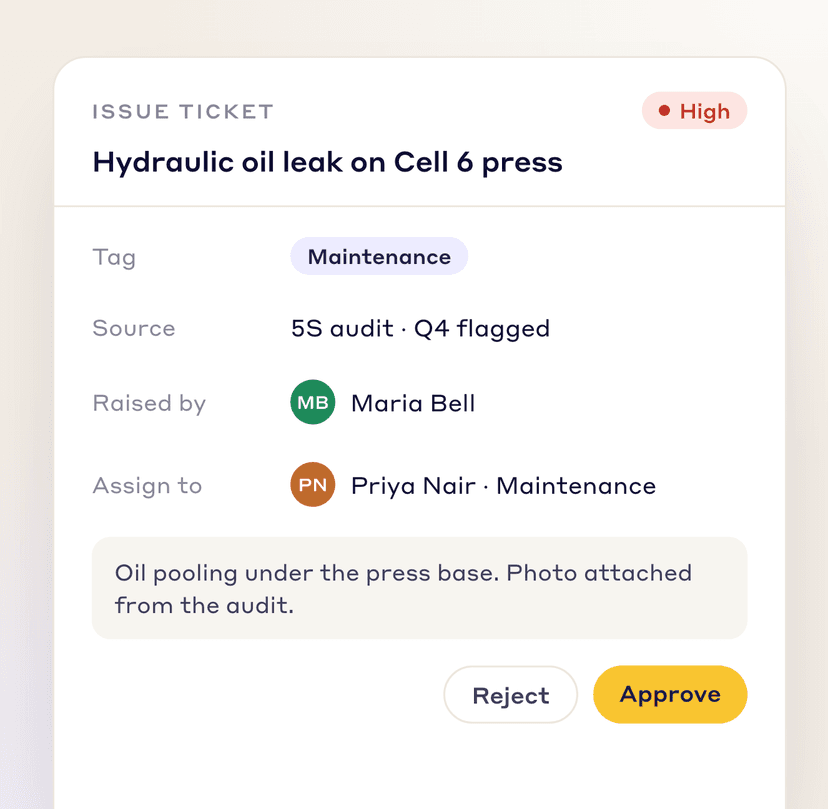
Log an issue ticket for maintenance to pick up.
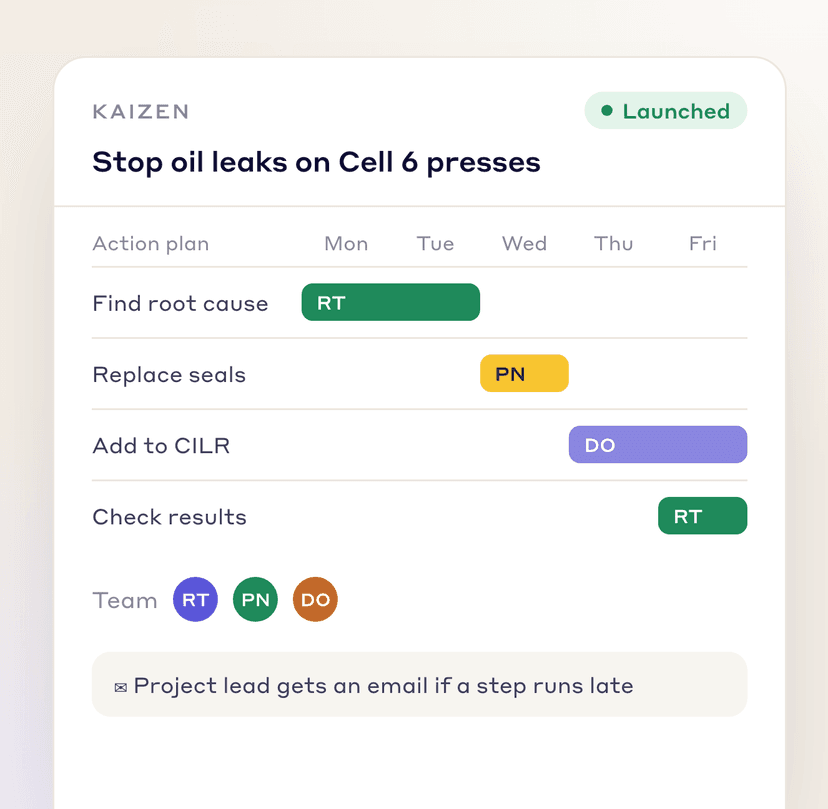
Start a kaizen when the problem needs more than a quick fix.
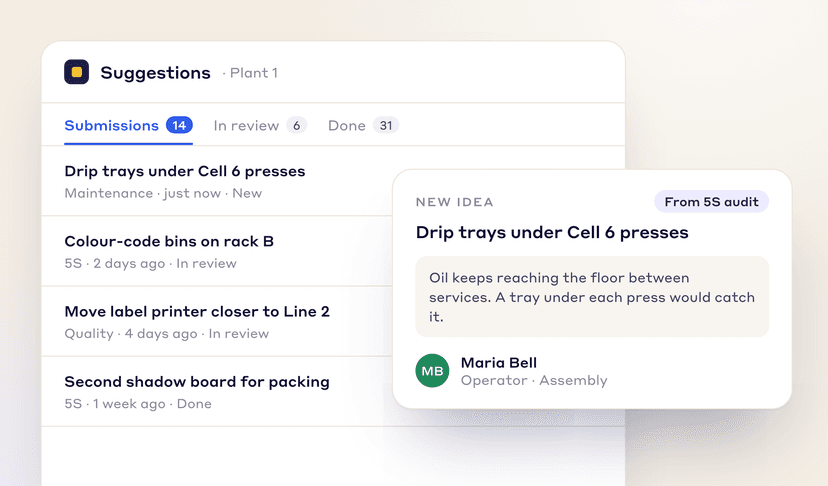
Send it to your suggestion system as an idea.
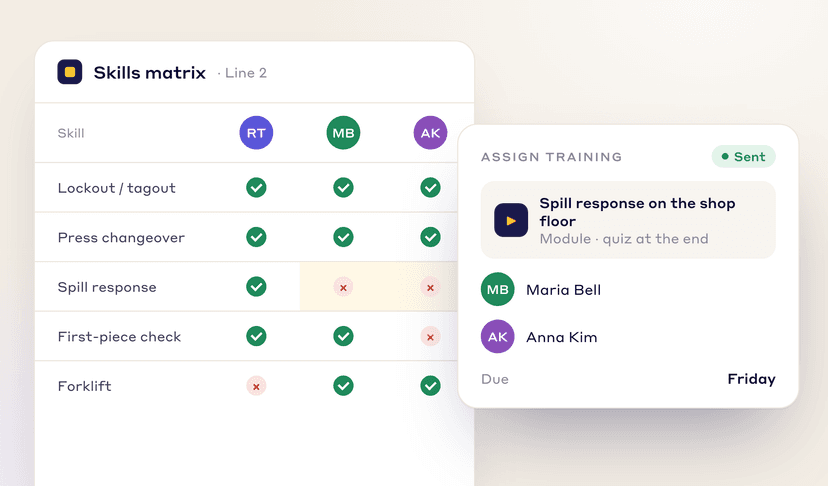
Assign a training module to the employees who need it, with a due date.
AUTOMATED REPORTING
Every answer feeds charts and reports automatically, so you stop building charts in spreadsheets.
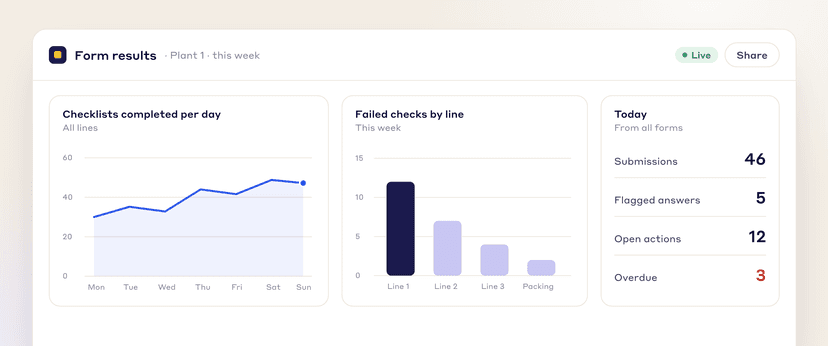
Share live dashboards that show performance from the shop floor to the top floor.
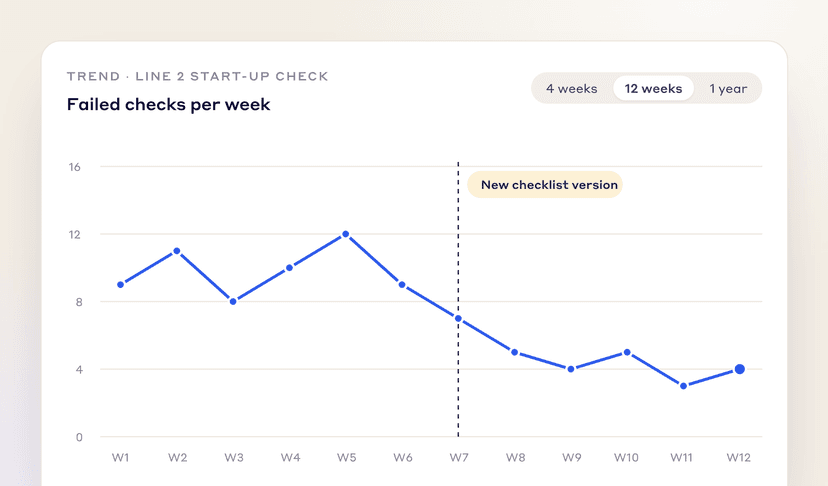
Track metrics over time and measure the impact of changes.
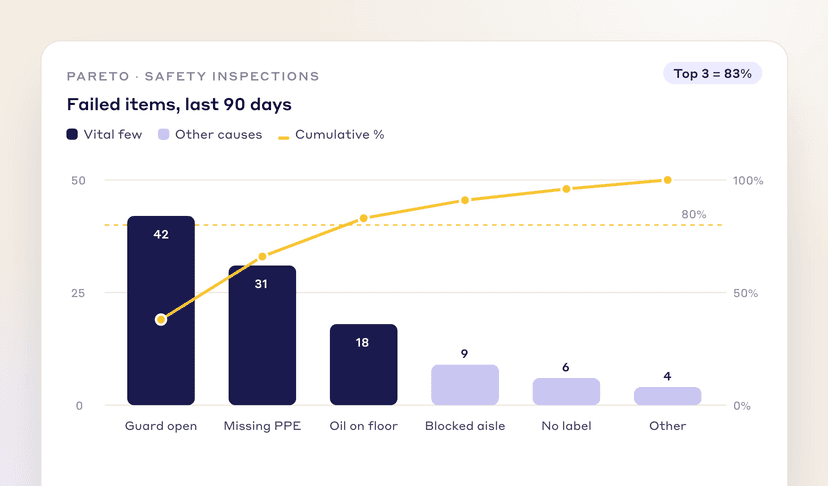
Find the vital few problems behind most of your issues.
FAQs
FREE RESOURCES
Not ready for software yet? Start with these free resources.
See how the Lean Creator helps you build digital forms, cut manual data entry and get more out of your shop floor data.