
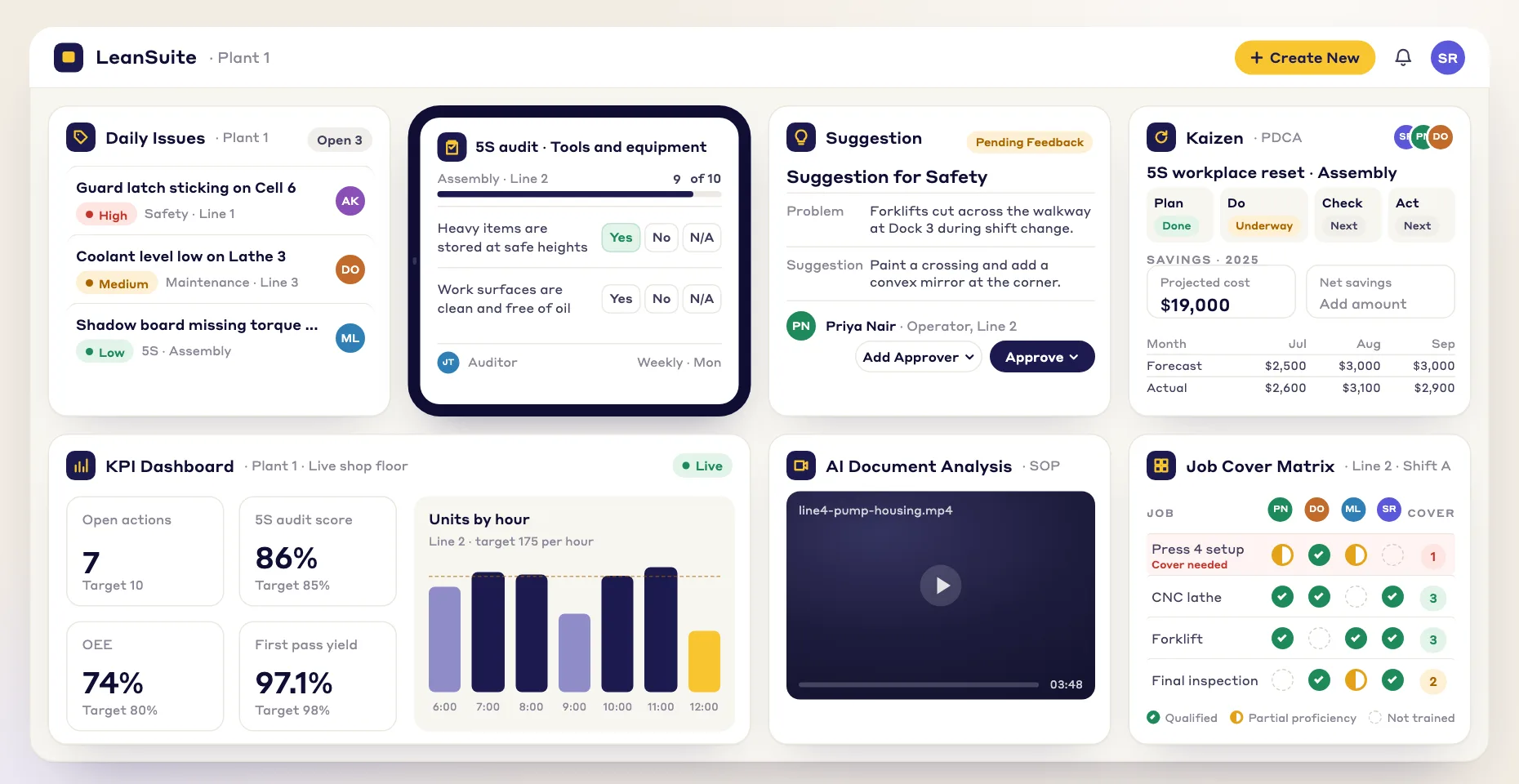
Customized survey templates
Start from a customizable template and shape it to your organization, so every question serves a clear goal.
Build, customize and share surveys that support continuous improvement and employee engagement.
Start from a customizable template and shape it to your organization, so every question serves a clear goal.
Automated features make gathering and analyzing survey data quicker and more accurate.
Turn survey results into clear findings you can act on to improve employee satisfaction and grow the business.
Ask employees and customers for feedback regularly and act on it, building a culture of open communication.
Here are some of the surveys teams build in the Lean Creator:
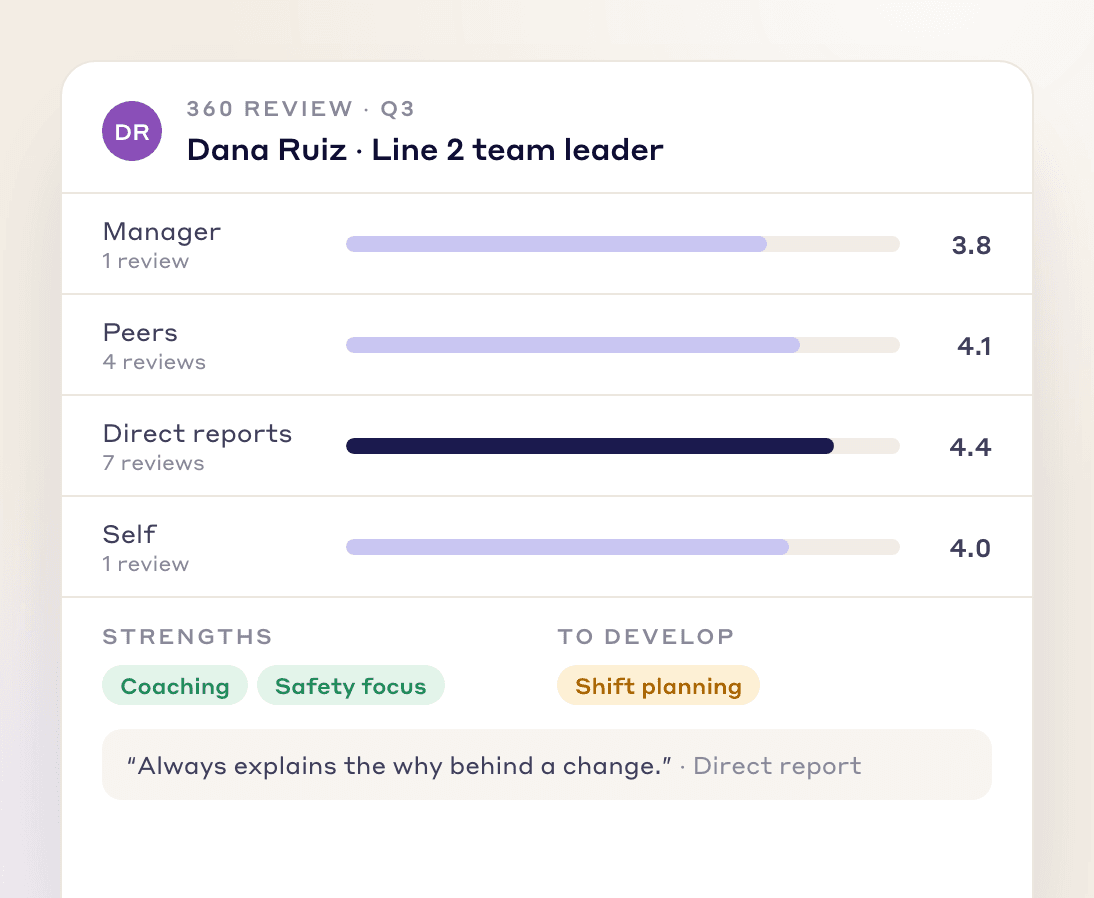
Get a full view of an employee's performance, skills and development areas, and use it to help them grow and strengthen the team.
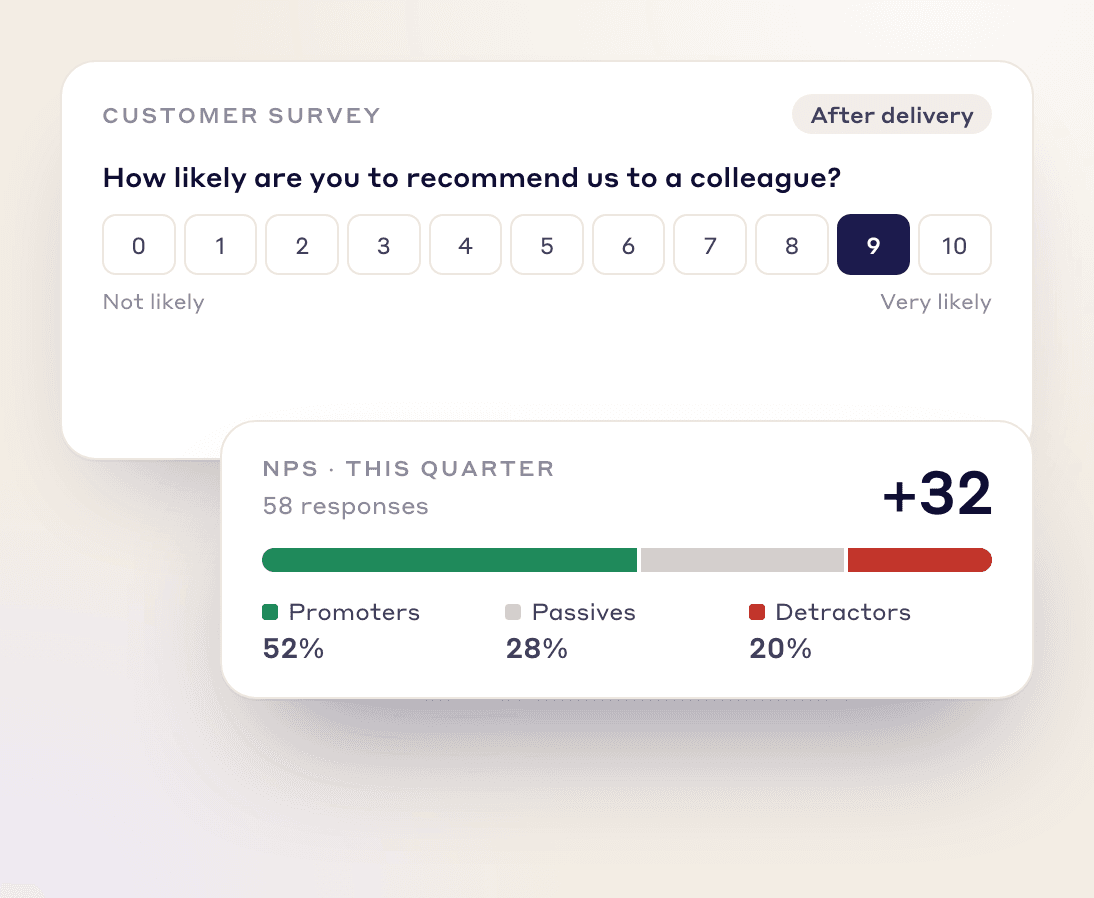
Send NPS surveys quickly, see how customers feel as responses come in, and adjust your approach.
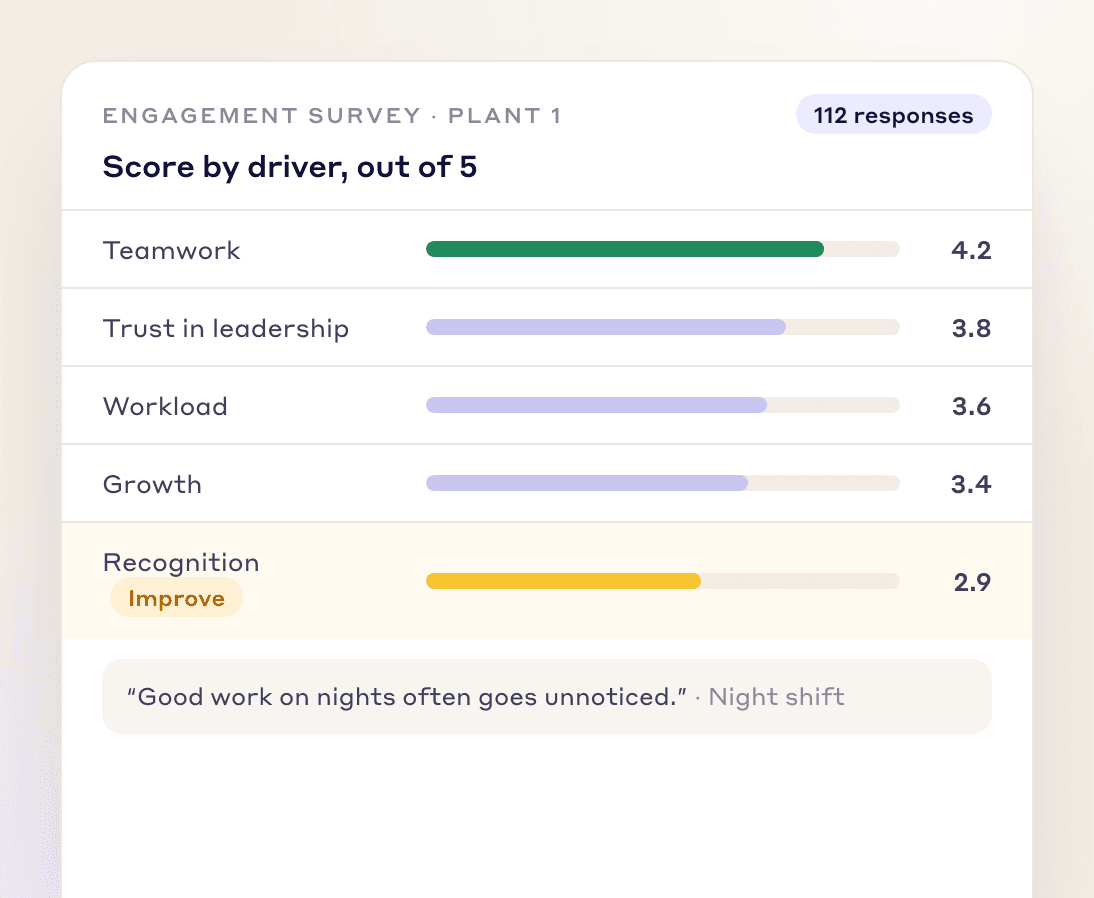
Build surveys around specific engagement drivers to find the strengths and weak spots in your workplace culture.
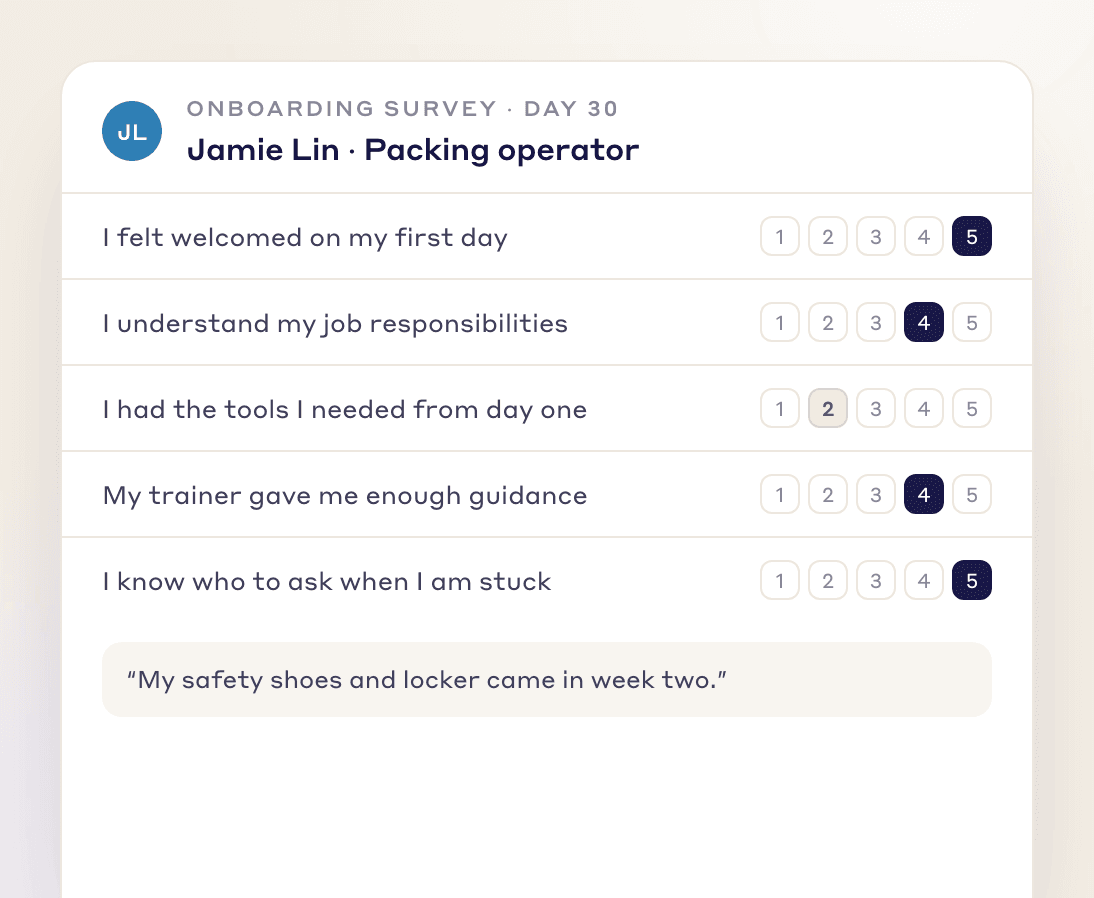
Ask new hires how onboarding went, so you can improve it, reduce turnover and make sure people feel welcome and prepared.
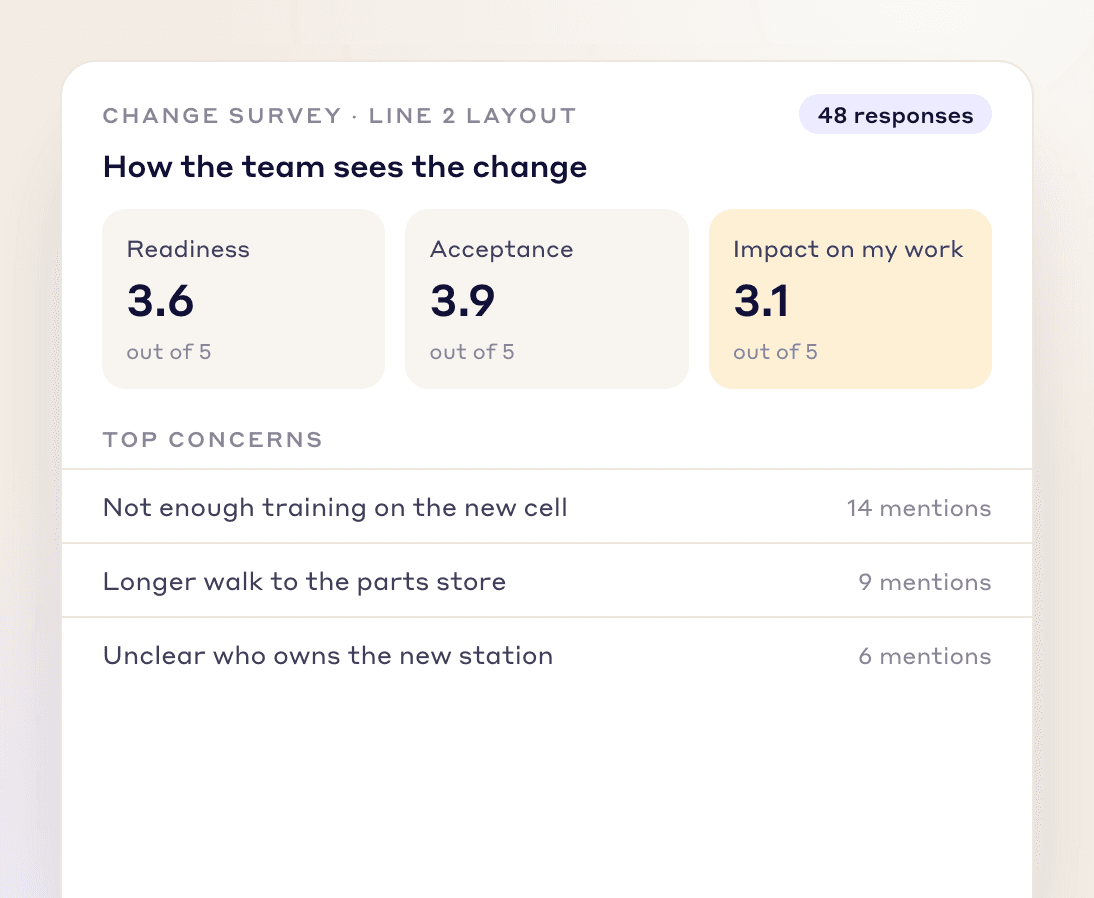
Measure how ready employees are for a change, how well they accept it and how it affects them, then address concerns for a smoother transition.
Ask about one thing at a time, so each answer points to one thing you can fix.
Keep the answer scale and the wording the same from one round to the next, so results compare over time.
Cut any question nobody will act on. A shorter survey is more likely to be finished.
Tell people what you heard and what will change because of it, so the next round is worth their time.
Other document types
FAQs
A manufacturing survey is a set of questions sent to employees or customers to measure things like engagement, onboarding or satisfaction. In LeanSuite you build surveys in the Lean Creator from customizable templates and send them from one place.
Teams build 360 employee surveys, Net Promoter Score (NPS) surveys, employee engagement surveys, onboarding surveys and change management surveys.
Yes. You create, customize and send surveys to employees and customers from the same place. NPS surveys, for example, show how customers feel as responses come in.
Automated features gather and analyze the responses, and the results become clear findings you can act on. An engagement survey, for example, shows the strengths and weak spots in your workplace culture.
It measures how ready employees are for a change, how well they accept it and how it affects them. You can then address concerns for a smoother transition.
Create, customize and send surveys to employees and customers from one place.