
Changeover Drag
Long changeovers lead to the need for large batches and result in excessive inventory buildup.
Leansuite watches your changeover, separates internal and external tasks, and recommends a leaner sequence.
By clicking "Schedule Demo," you agree to the use of your data in accordance with LeanSuite's Privacy Notice, including for marketing purposes.
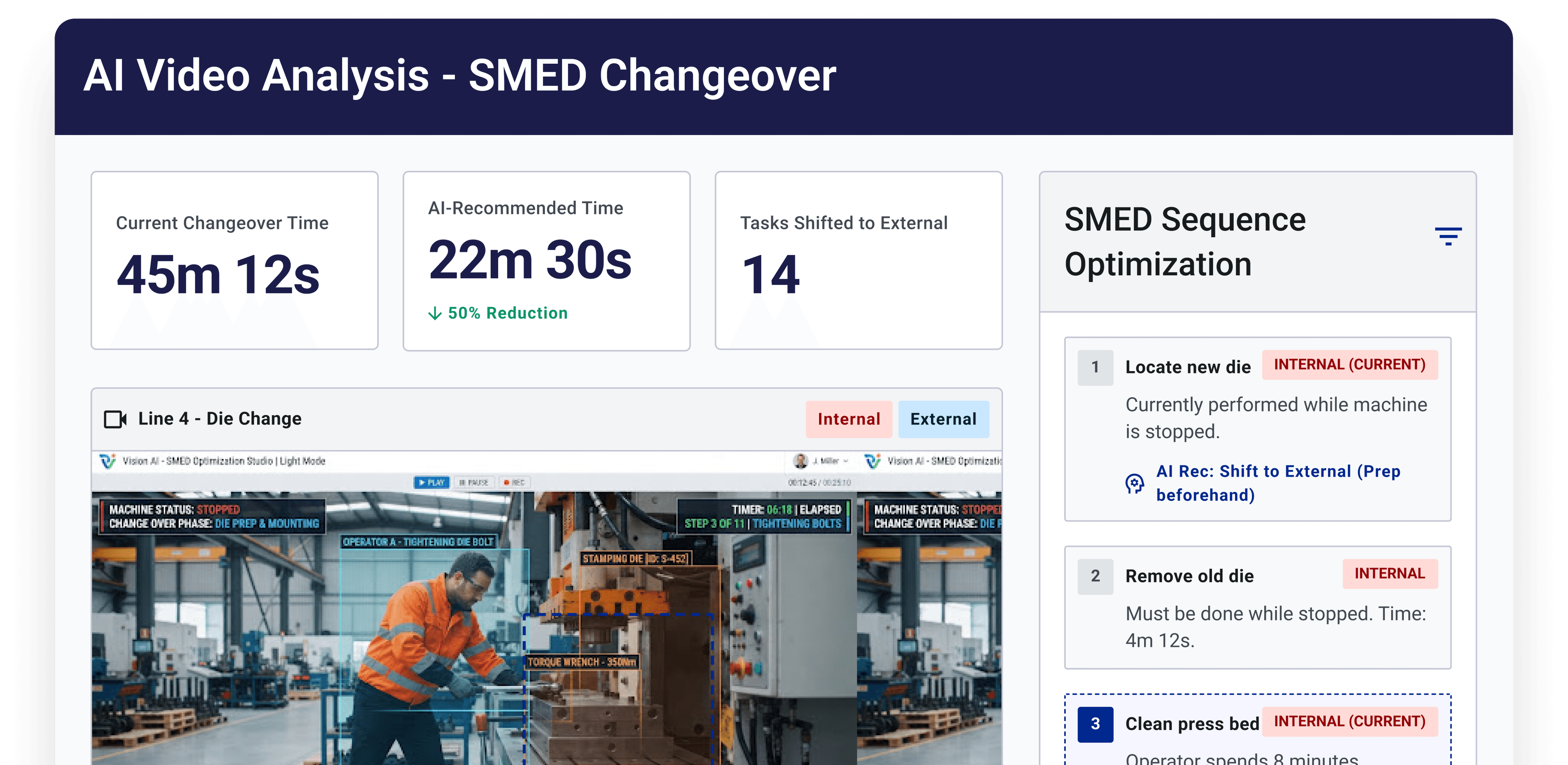
SMED Changeover
Why teams struggle with smed changeover analysis — and what Vision AI changes.
Long changeovers lead to the need for large batches and result in excessive inventory buildup.
Tasks that could easily be completed while the production line is running often are not done.
Each operator performs changeovers in a different manner, leading to inconsistency.
How it works
From video upload to actionable output in three steps.
From the last good part all the way back to the very first good part.
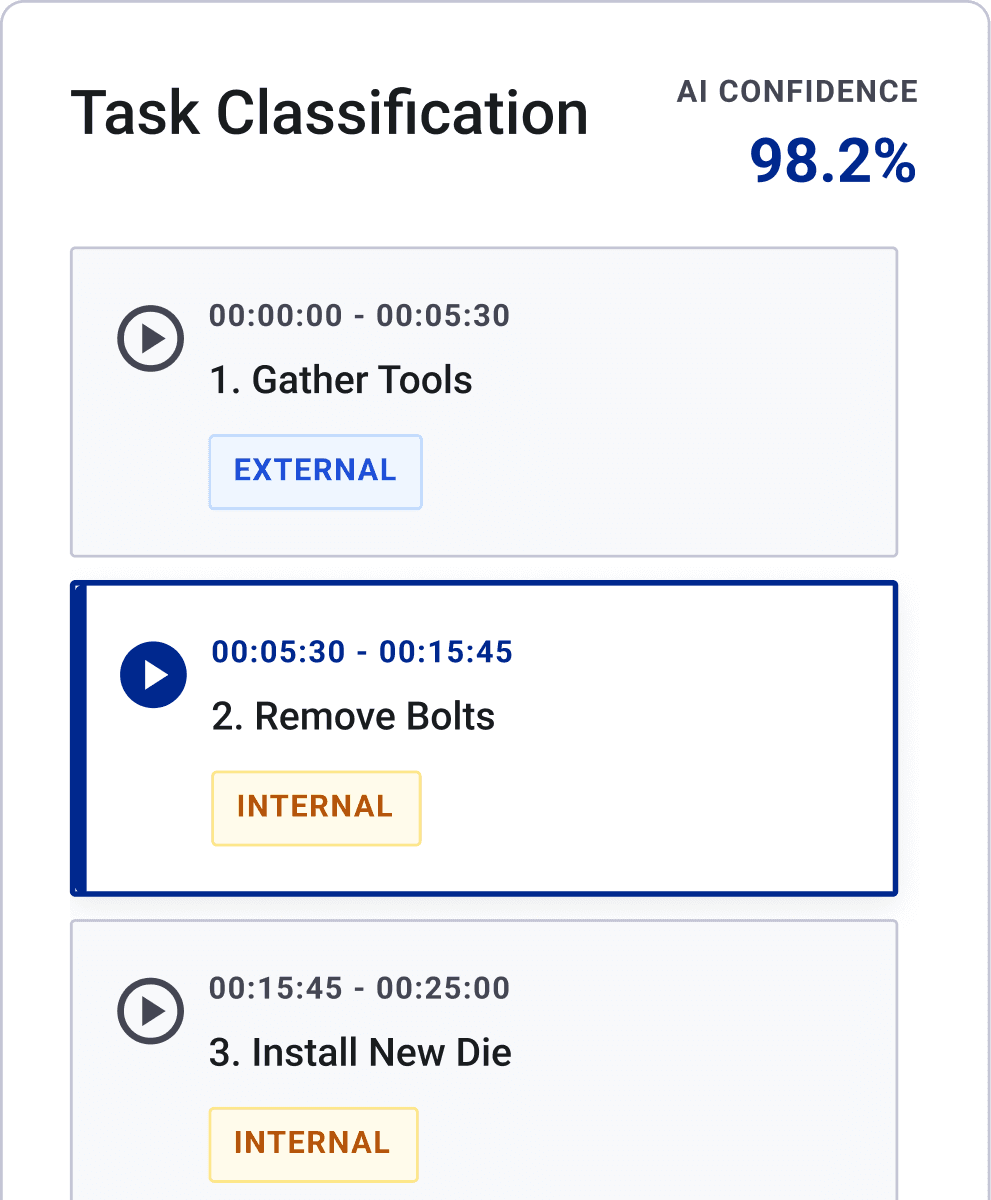
The AI automatically tags each step as either Internal or External for better clarity.
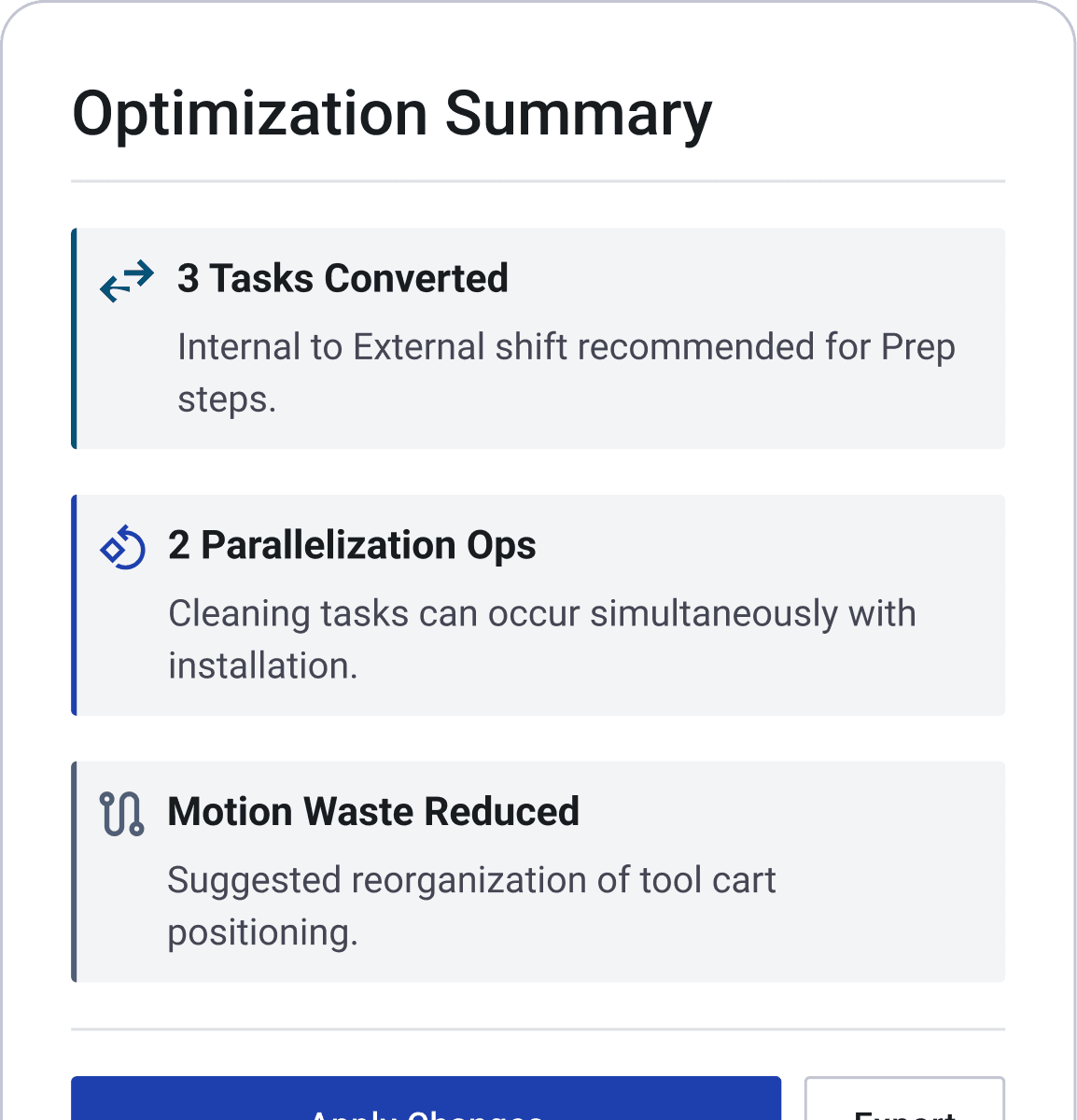
Get a target-state sequence with projected time savings.
LET'S TALK STATS
This section highlights key statistics that provide insight into the current trends and performance metrics relevant to our analysis.
Features
Built for industrial engineers, CI leads, and frontline supervisors — no AI expertise required.
Feature 01
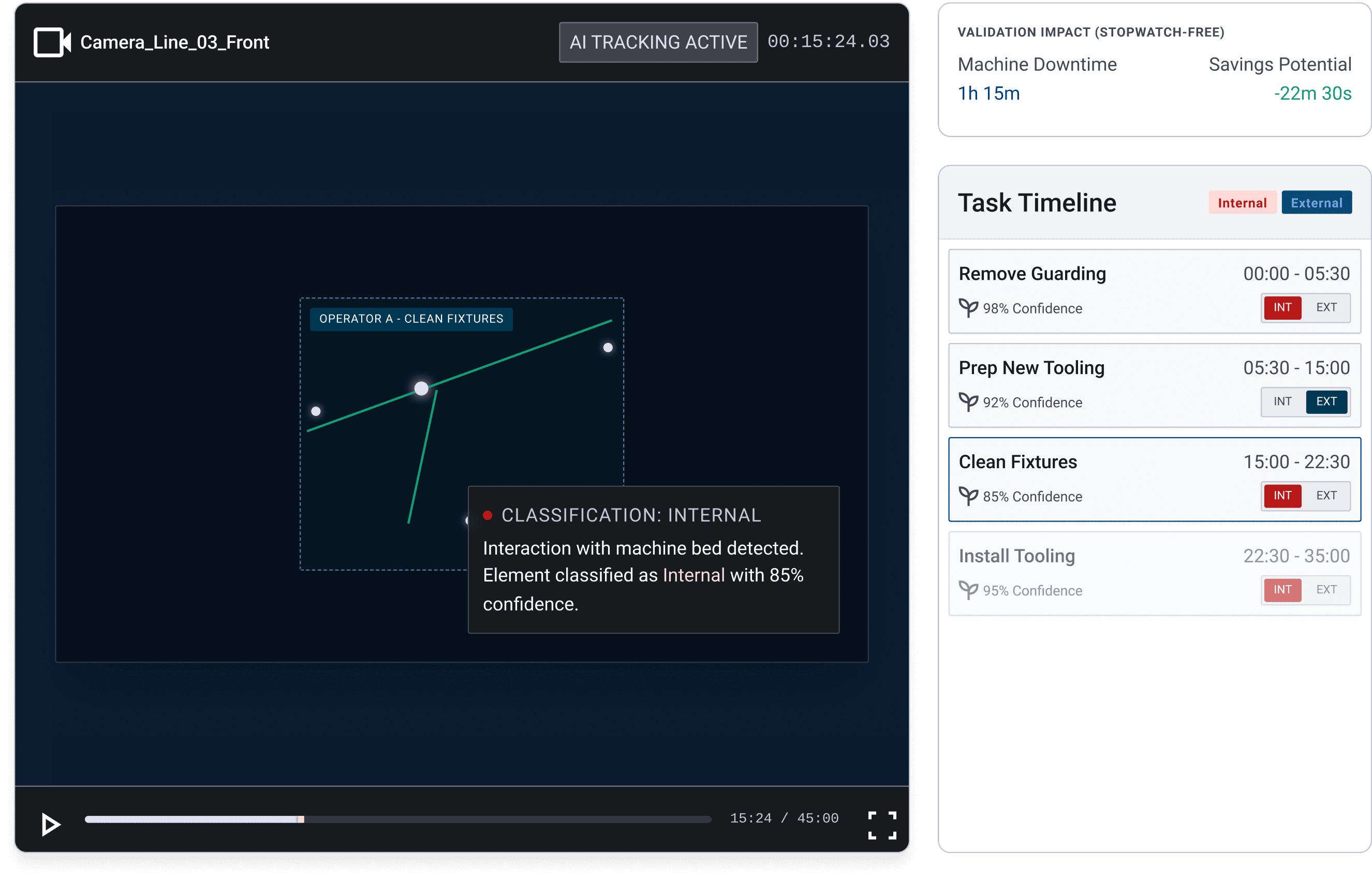
AI classifies every changeover element as internal or external the moment it happens, backing each call with a confidence score and a clip you can review. No stopwatch-and-clipboard pass to sort tasks by hand, and no arguing over which ones can move offline.
Auto internal/external classification
Confidence score per element
Clip evidence for every call
Feature 02
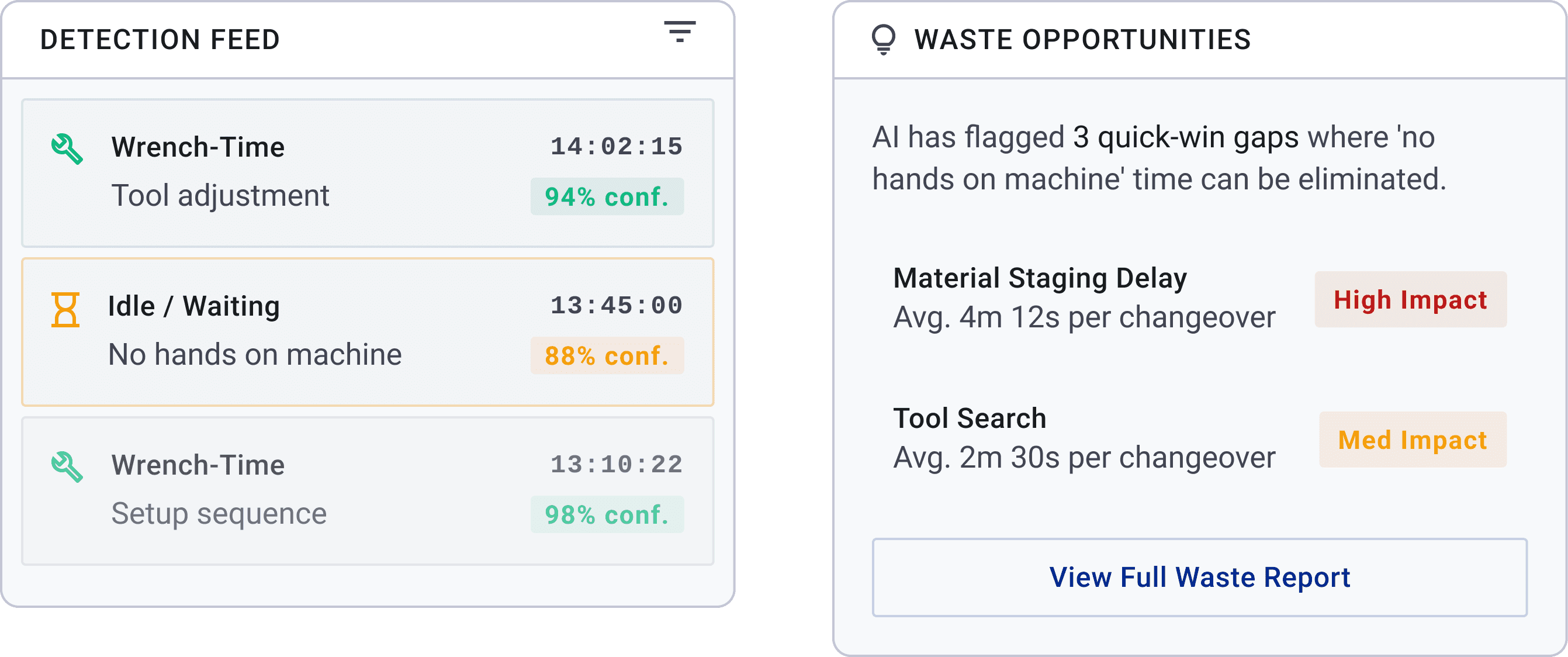
AI separates true wrench-time from idle waiting inside the changeover window and flags the dead time as an immediate quick-win. Instead of eyeballing the whole changeover as one lump C/O number, you see exactly where the clock runs with no hands on the machine.
Wrench-time vs. idle-time split
Auto-flagged quick-win gaps
No manual stopwatch splitting
Feature 03
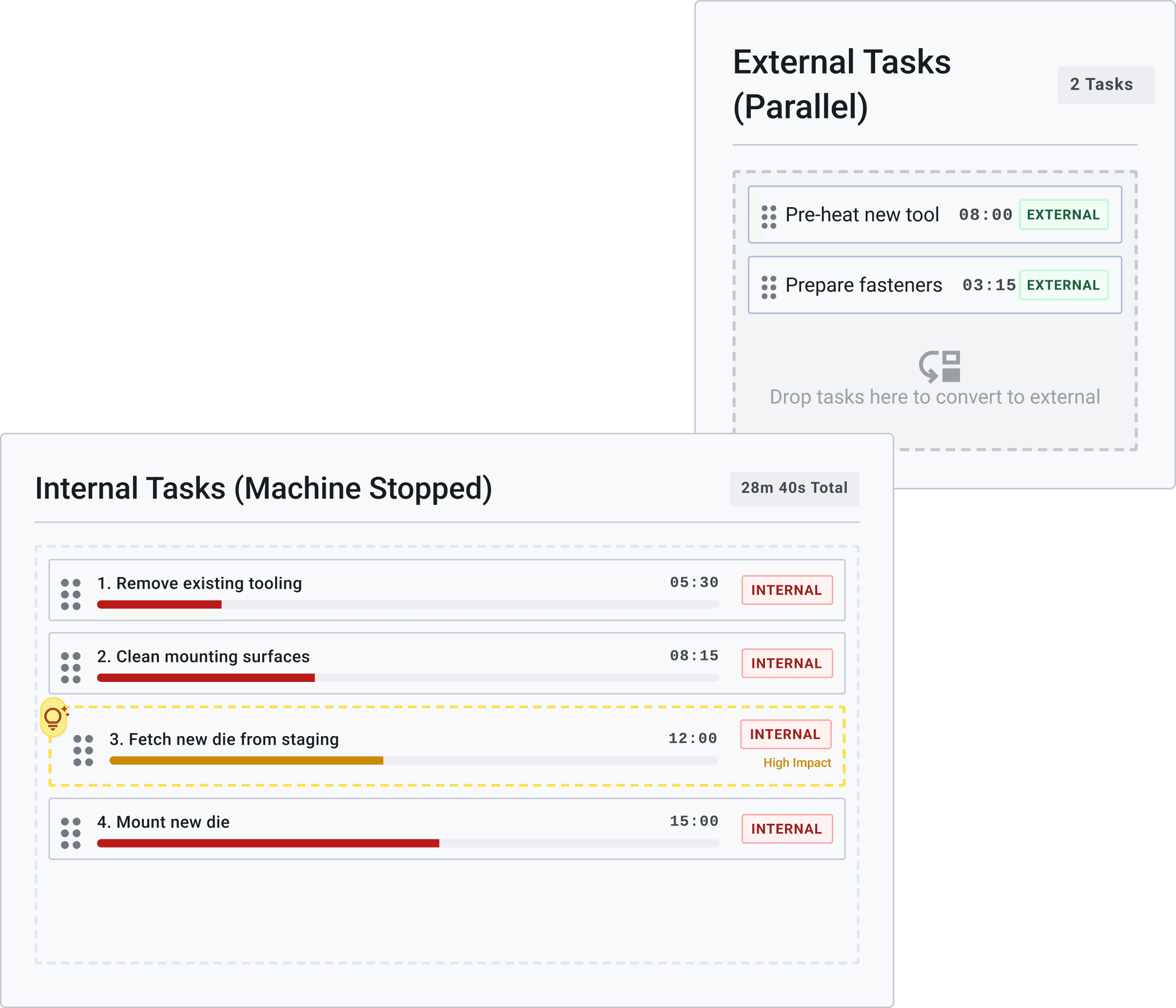
Drag any task into the external bucket and watch the projected changeover time update instantly. Test SMED conversions against the actual sequence before committing the floor to a new standard.
Drag-and-drop task resequencing
Live projected time savings
Risk-free scenario testing
Feature 04
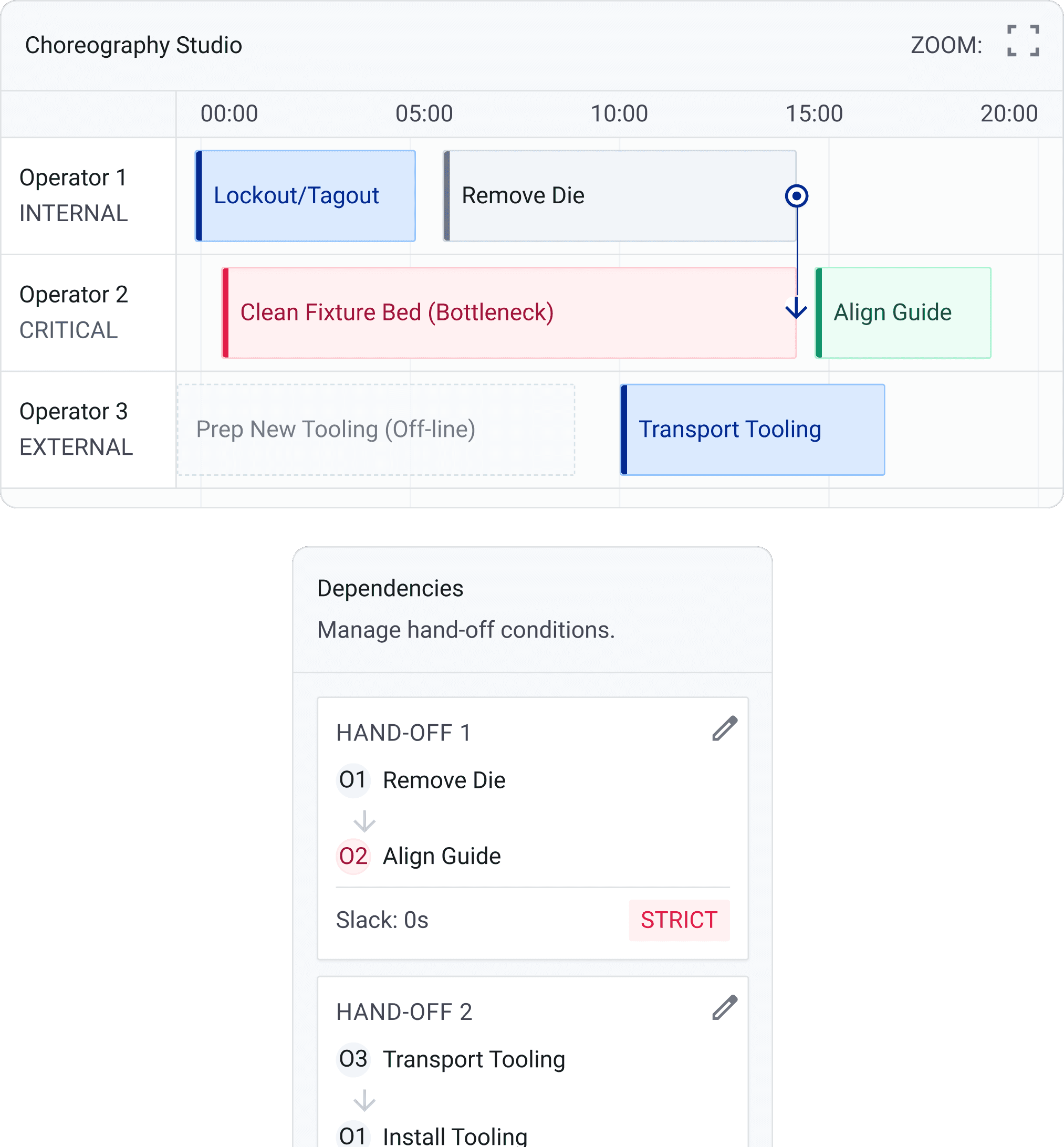
Lay out multi-person changeovers as parallel task lanes so every operator knows their sequence and hand-off points. Instead of one person's timeline dictating the whole changeover, the plan accounts for everyone working the line at once.
Parallel multi-operator lanes
Clear hand-off sequencing
Full-crew changeover planning
Feature 05
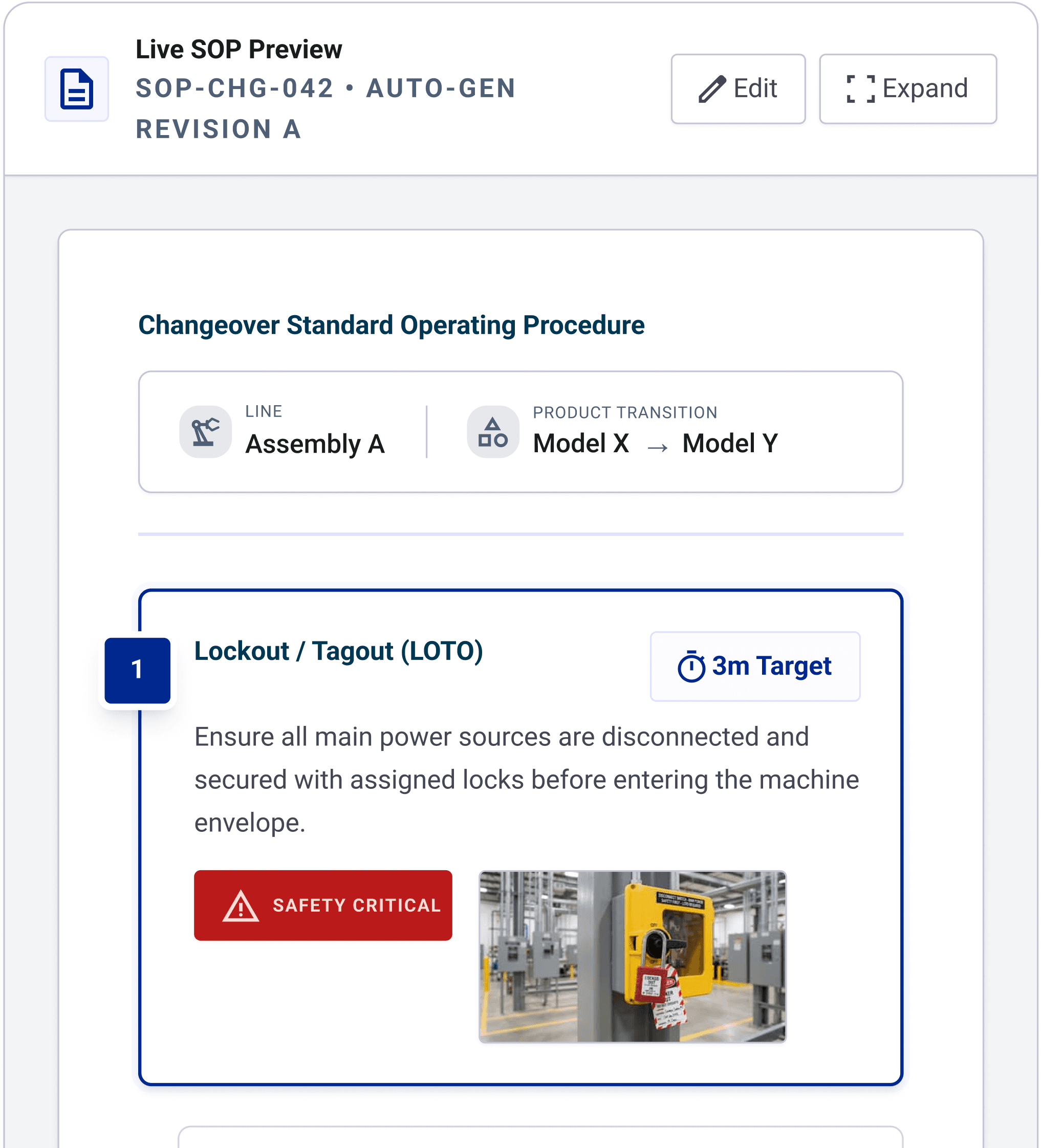
The optimized sequence turns straight into a changeover SOP and checklist, formatted and ready to post at the line. No separate documentation pass after the SMED workshop — the standard work is a byproduct of the analysis, not an extra task.
Auto-generated SOP from sequence
Ready-to-post checklist
No separate documentation step
Feature 06
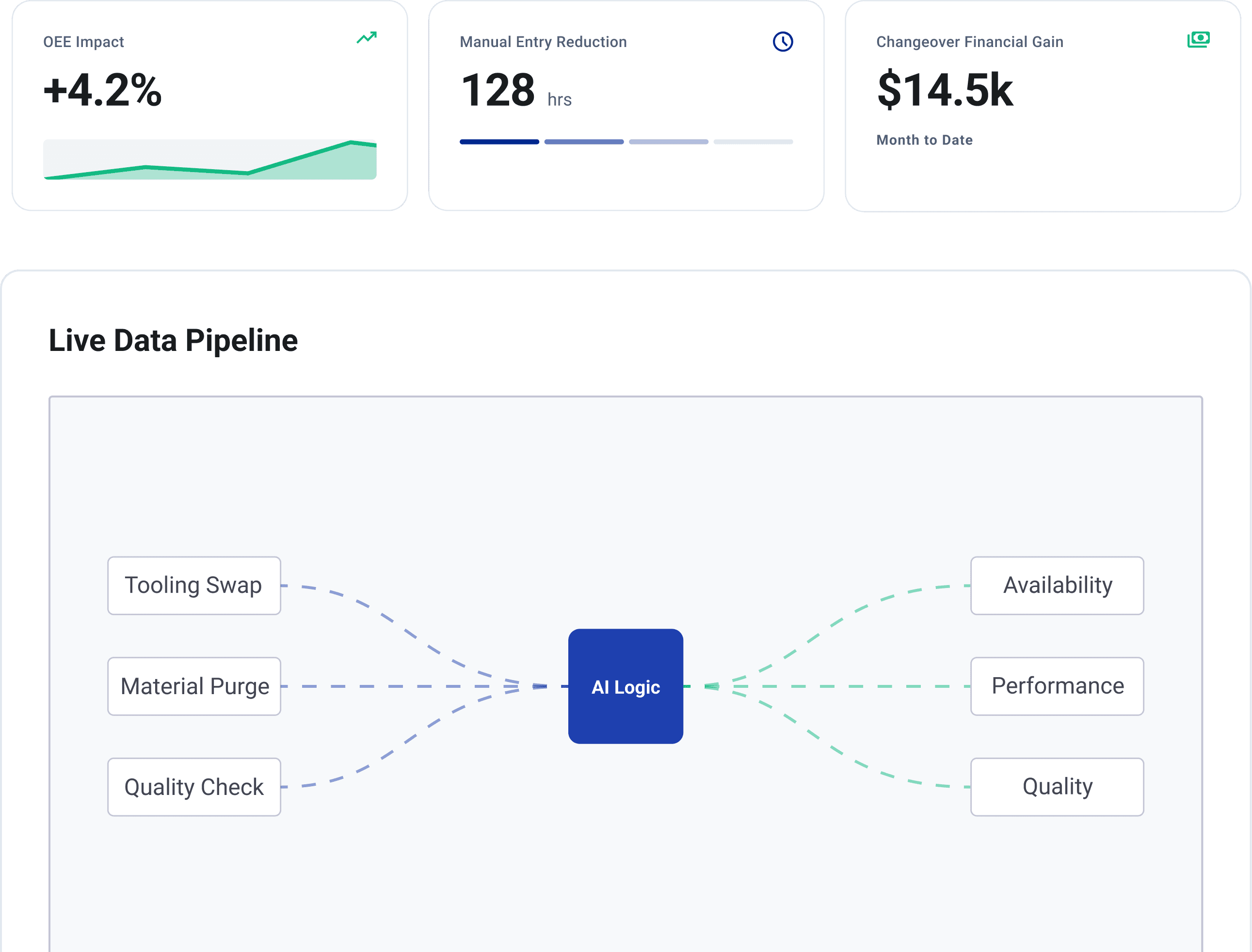
Changeover time pushes straight into your OEE dashboard as it's measured, no manual entry or spreadsheet reconciliation. C/O reduction shows up in the same KPIs the plant already tracks, so the win is visible without a separate report.
Direct OEE dashboard sync
No manual KPI entry
Changeover gains tracked natively
Why It Matters
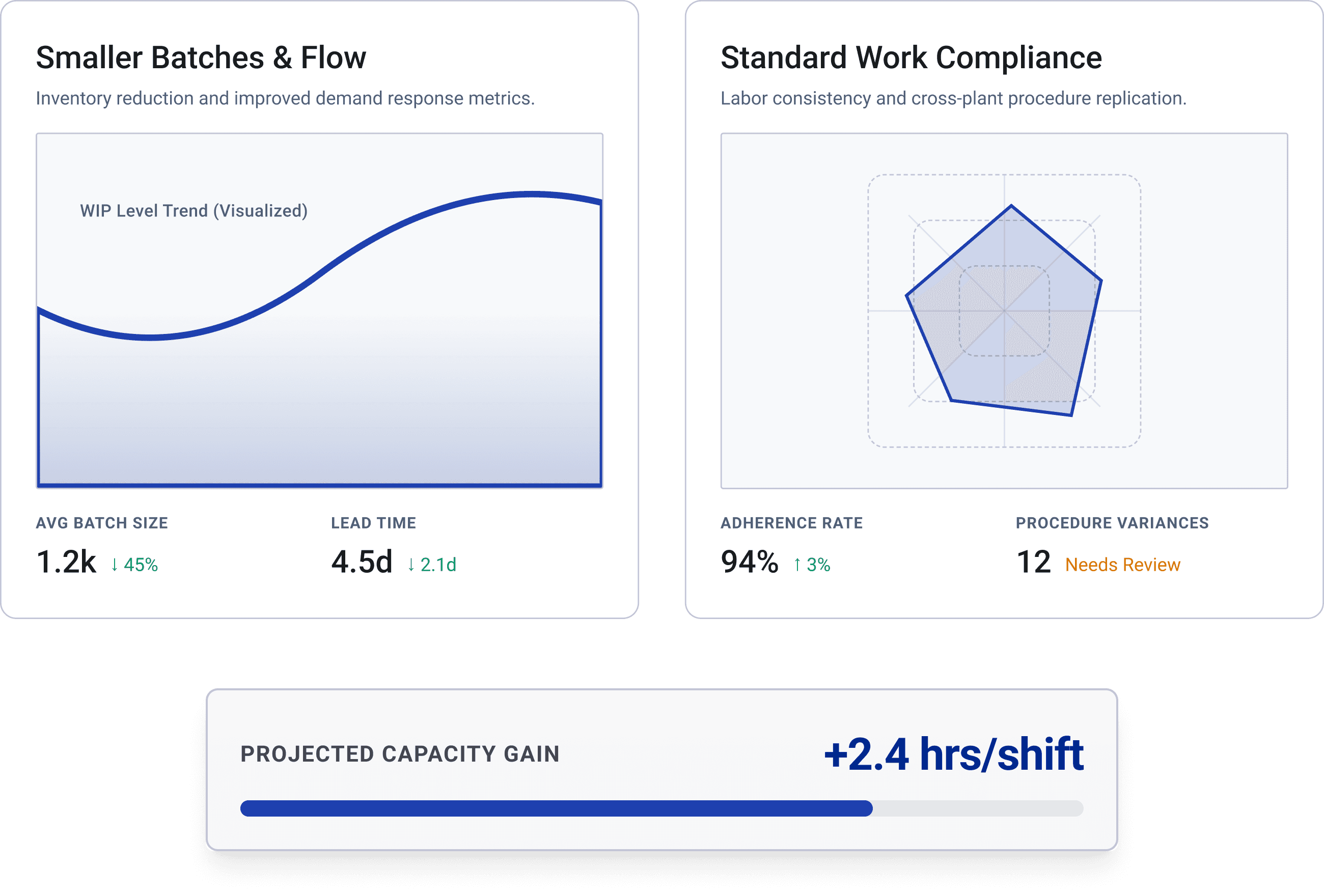
Traditional SMED involves timing changeovers manually and sorting tasks from memory, then redoing studies if sequences change. LeanSuite automates this by analyzing filmed footage, distinguishing active from idle time, and creating optimized standard work—boosting batch size, changeover efficiency, and capacity from one source.
Smaller Batches
Lower work-in-progress inventory, enabling a faster response to changes in demand.
Standard Work
Every operator follows the same optimized sequence.
Capacity Unlock
Recover several valuable hours of run time during each shift.
FAQs