

Outdated Binders
Paper SOPs go stale the day they're printed.
Digital work instructions are step-by-step job instructions on a screen. LeanSuite's AI writes them from a video of your best operator, with photos, tools, PPE and warnings from the video.
By clicking "Schedule Demo," you agree to the use of your data in accordance with LeanSuite's Privacy Notice, including for marketing purposes.
The problem
Paper goes stale, the real method lives in one operator's head, and each new instruction costs an engineer hours.
Paper SOPs go stale the day they're printed.
The real method lives in one operator's head.
Writing one instruction by hand means hours of screenshots and formatting for an engineer.
How it works
Record the expert once, let the AI draft the instruction, then review it and push it to the floor.
Record your best operator running the process from start to finish.
The AI pulls out the steps, the clearest frames, tools and safety callouts.
An engineer reviews and edits the draft, then pushes it to the shop floor.
Features
No AI expertise needed.
Feature 01
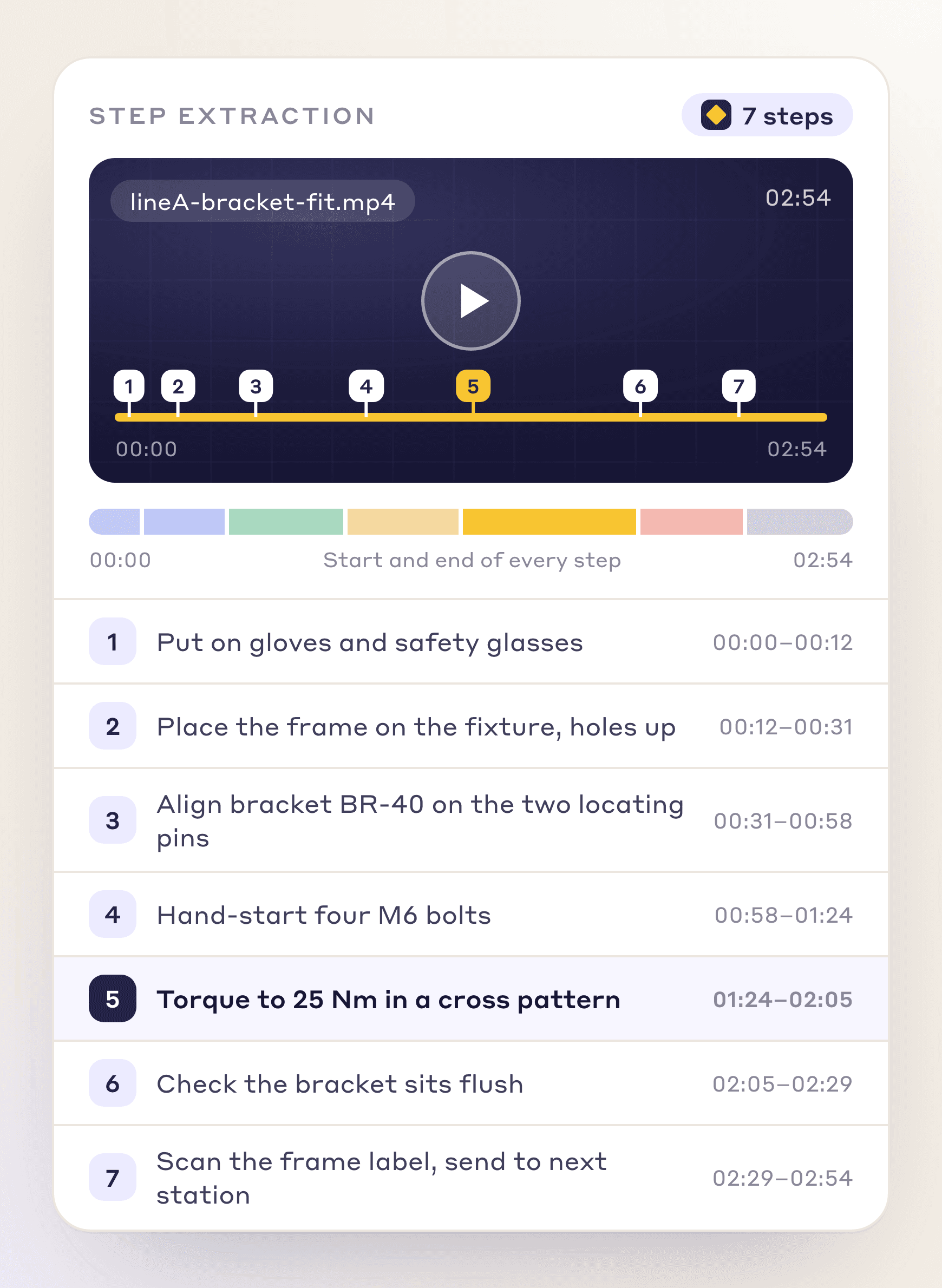
Upload a process video and get numbered steps with start and end times, without scrubbing through footage.
Automatic step segmentation from raw video
Frame-accurate start/end timestamps
Numbered sequence ready for SOP drafting
Feature 02
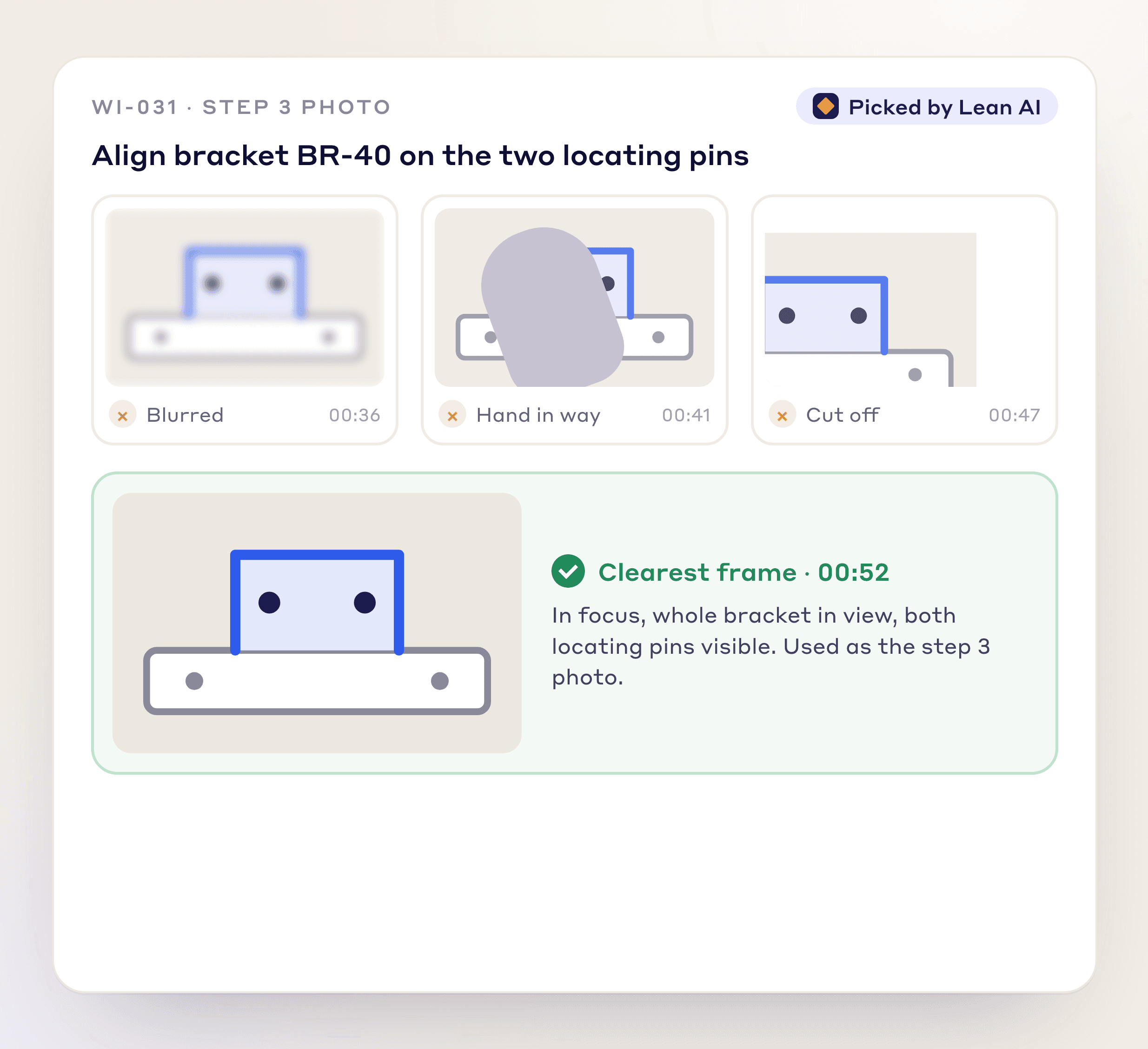
For each step the AI picks the clearest frame in the video, and you can swap it for another.
Automatic best-frame selection per step
No manual screenshotting or scrubbing
Consistently clean visuals across every SOP
Feature 03
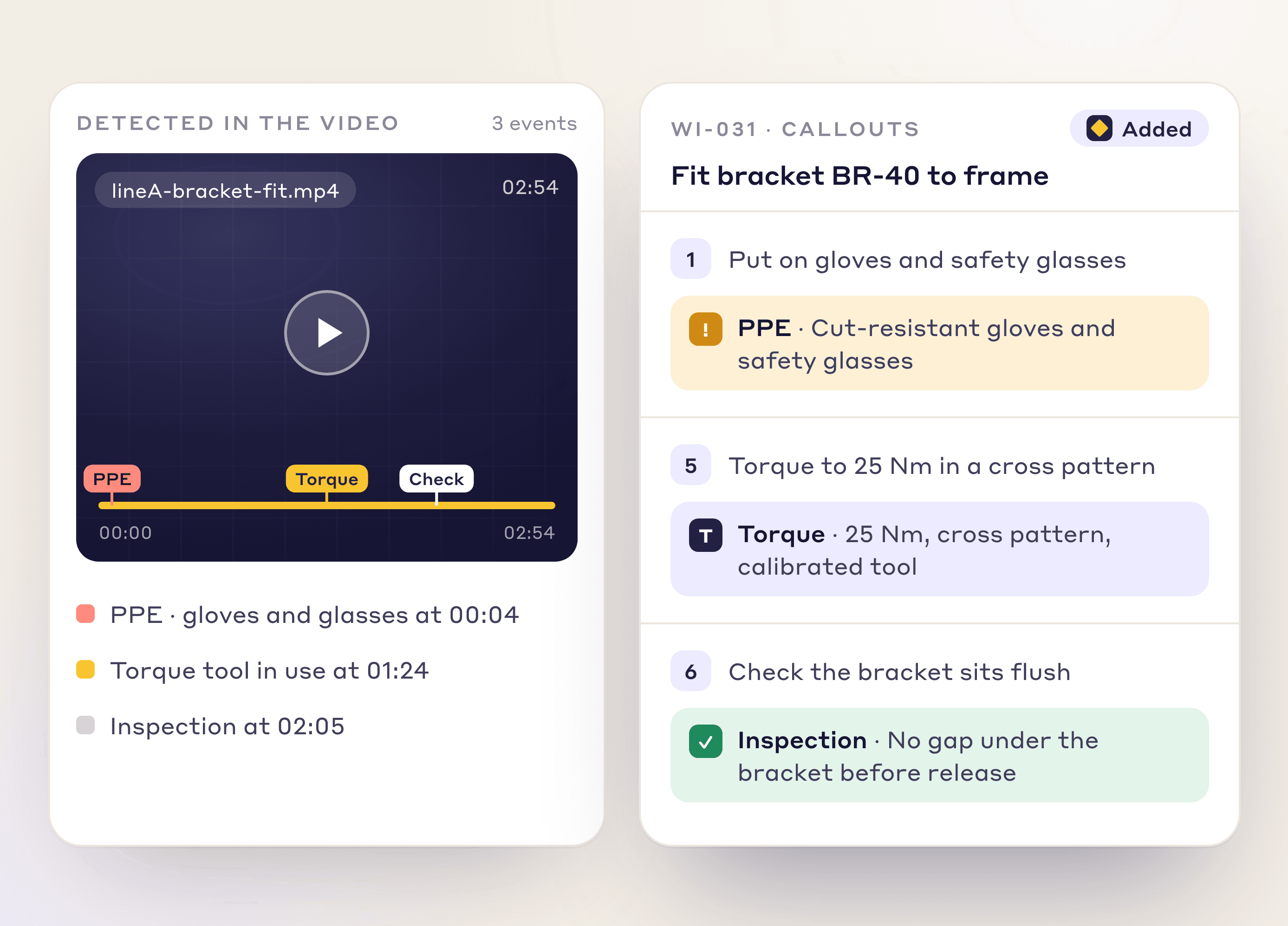
The AI spots PPE, tools and warnings in the video and adds callouts to those steps.
Automatic PPE detection
Tool and warning callouts
Callouts tied to the matching step
Feature 04
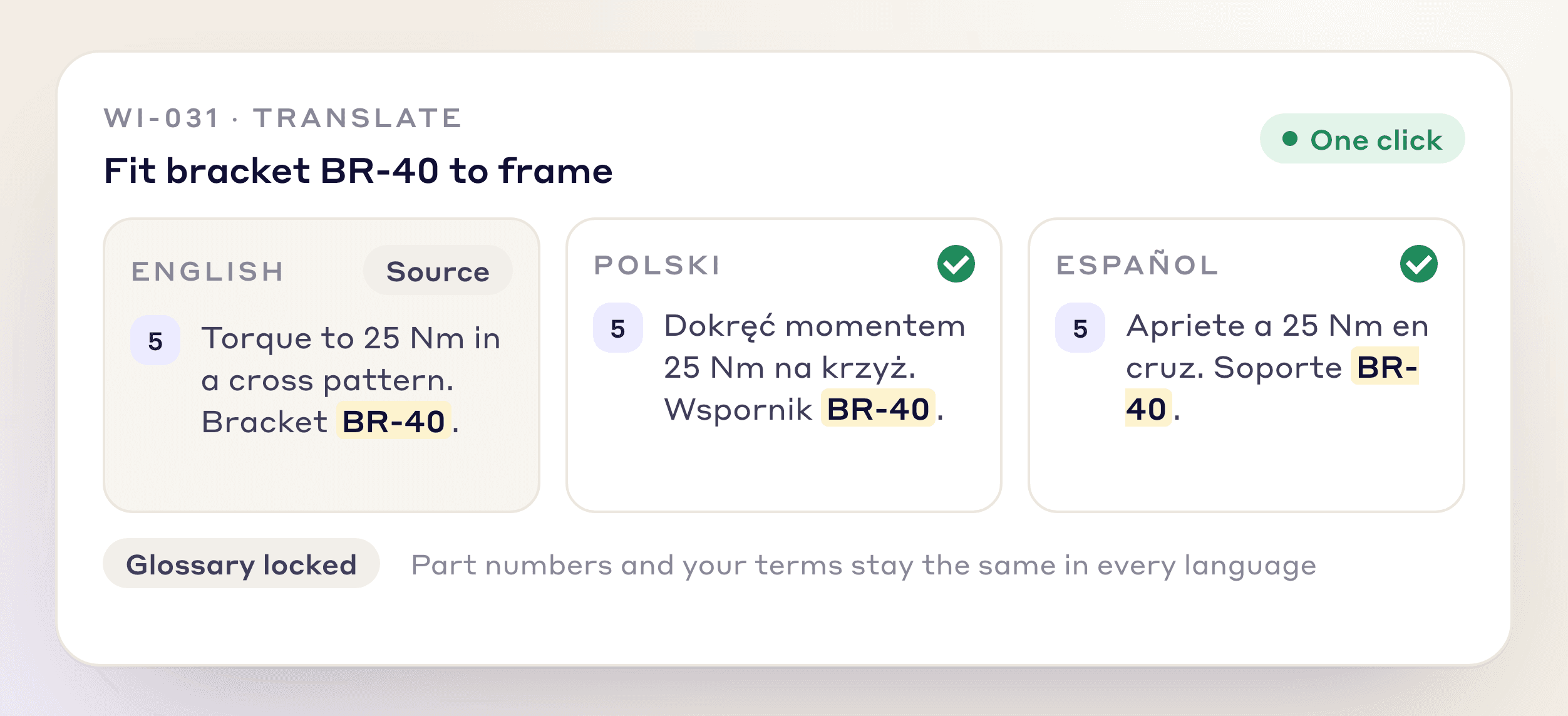
Translate a whole work instruction into the languages your teams speak, with your glossary locked.
AI translation into the languages your teams speak
Glossary-preserved technical terminology
Consistent terms across all translated versions
Feature 05
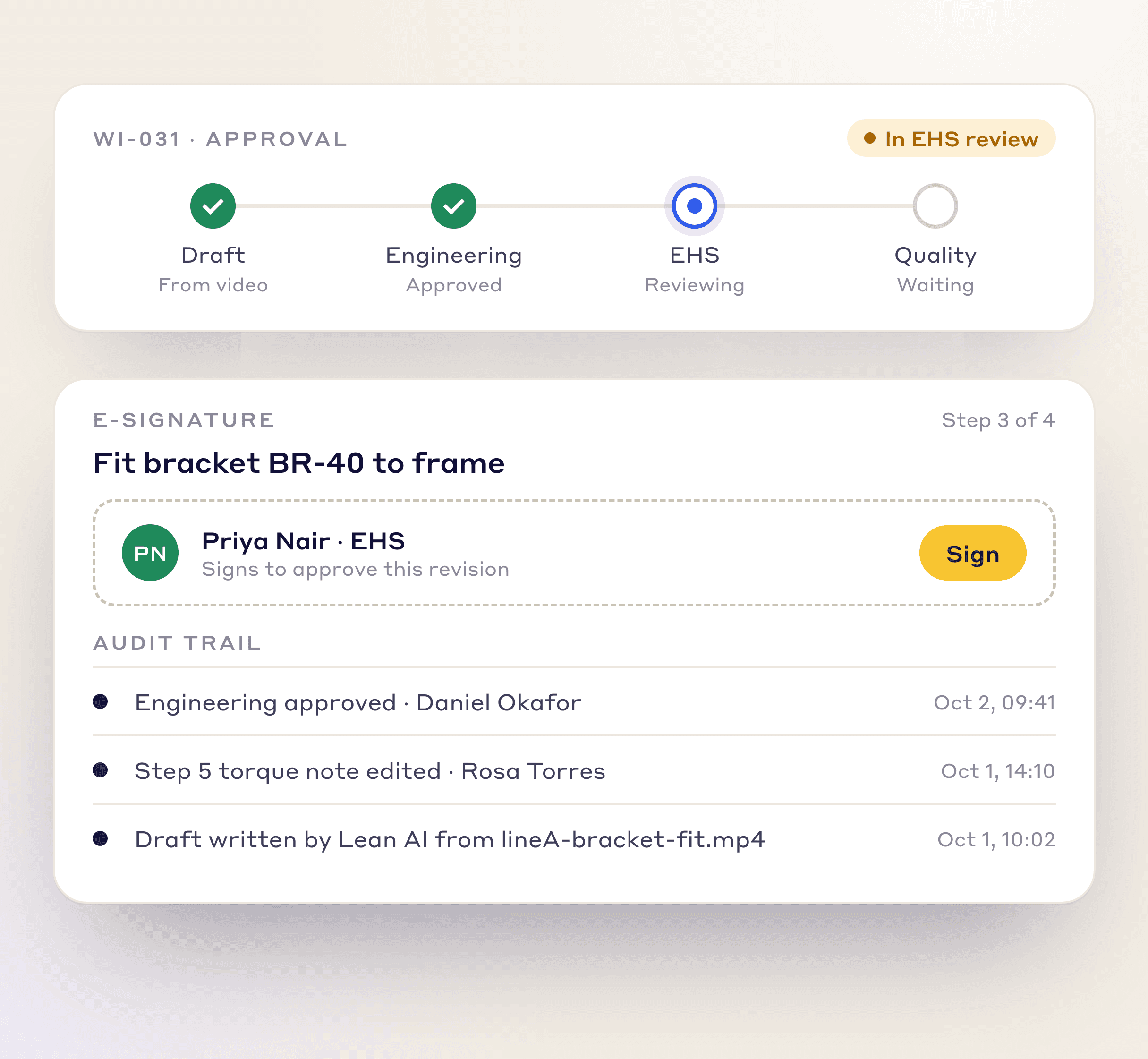
Route drafts to engineering, EHS and quality for e-signature, with an audit trail, instead of chasing sign-off by email.
Multi-stakeholder routing (engineering, EHS, quality)
Built-in e-signature approval
Full audit trail of the sign-off chain
Feature 06
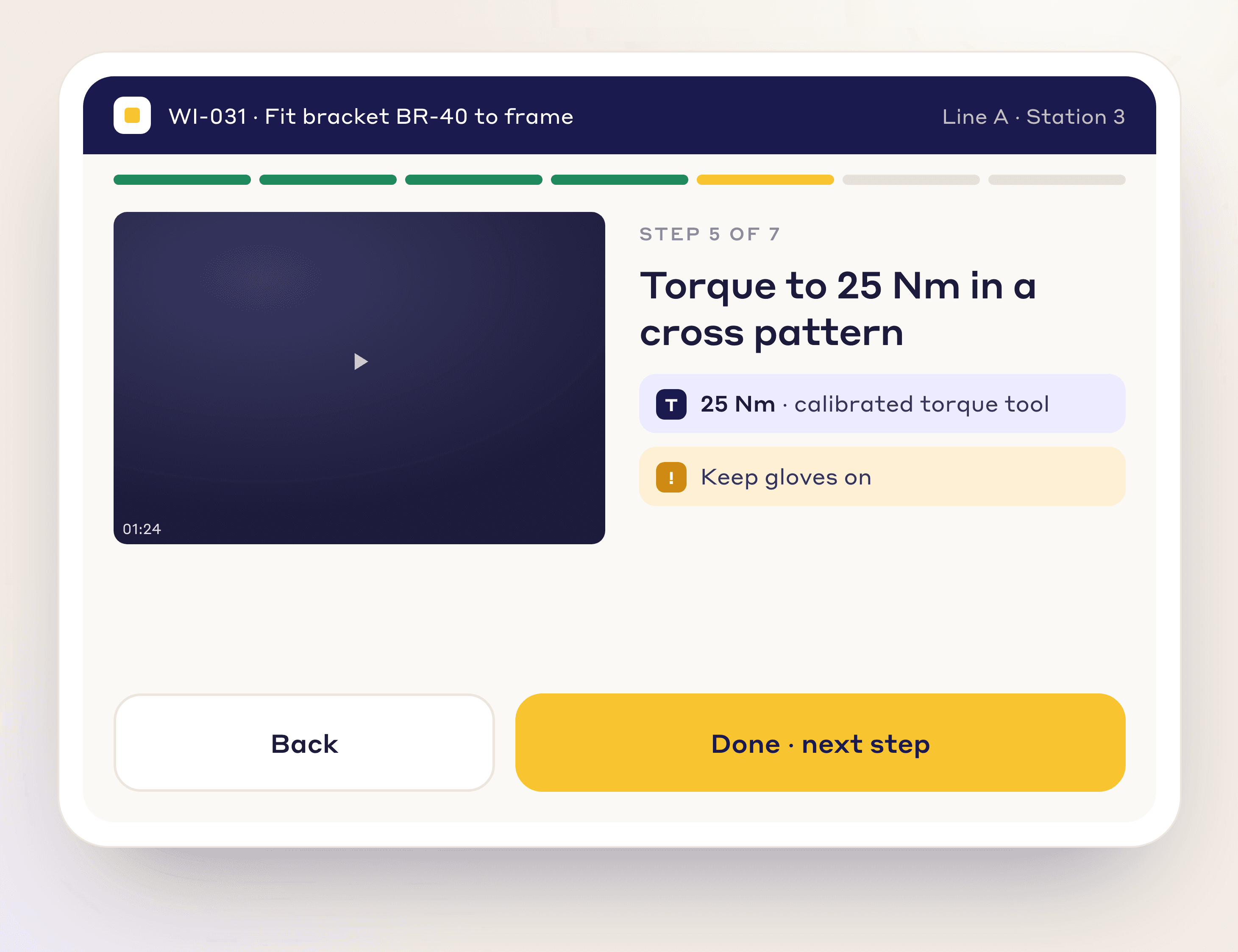
Every instruction works on tablets and kiosks, with large tap targets operators can use in gloves.
Optimized for rugged tablet and kiosk displays
Large, gloves-friendly tap targets
Floor-ready without removing PPE to interact
At the workstation
Each printed step has a QR code that opens its clip in the LeanSuite mobile app, for people who are logged in.
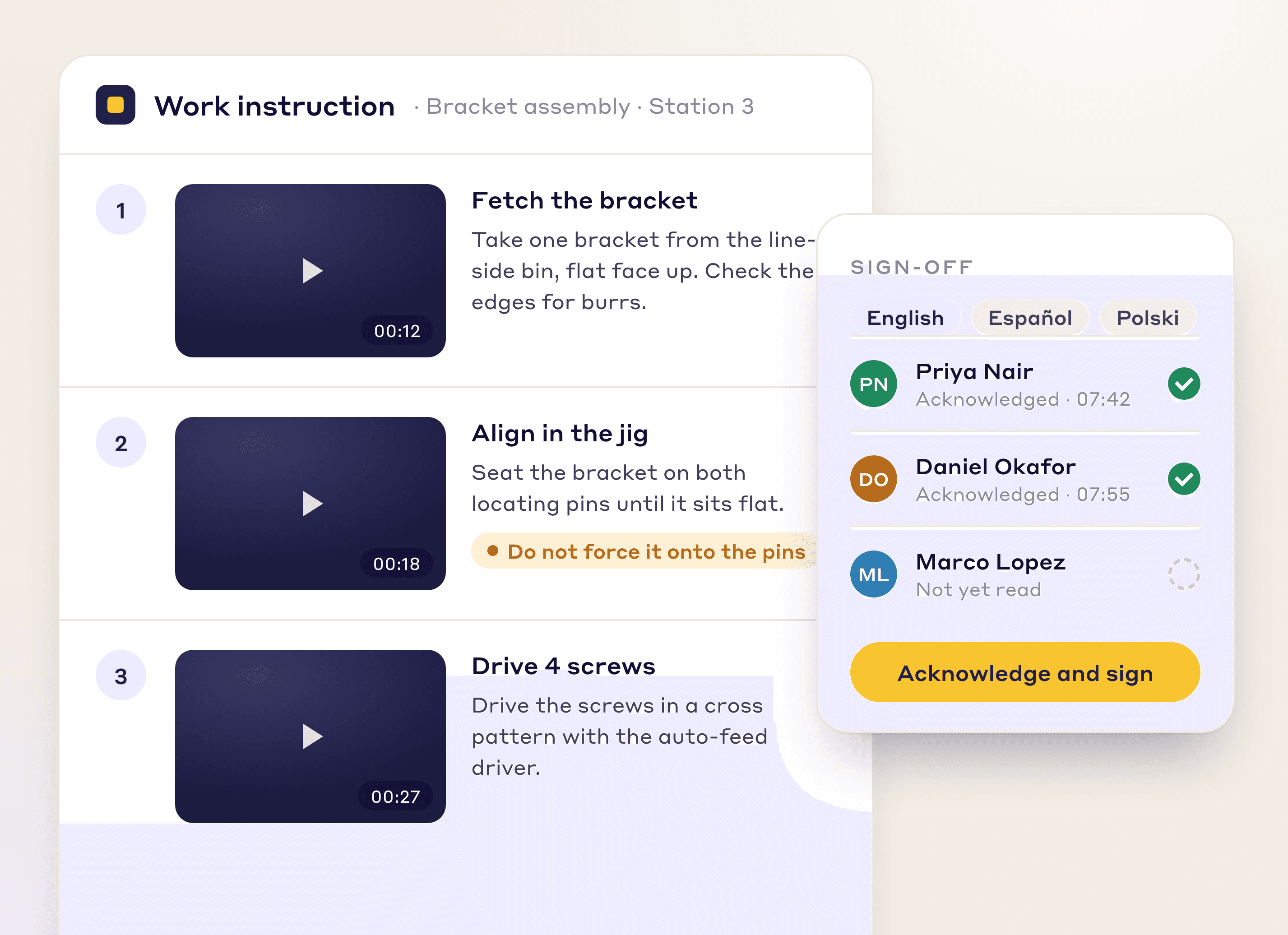
Assign to people, a role or a workstation asset. Operators sign on a tablet and you see who has.
Start from a private AI draft: edit any line or swap step pictures, then publish.
Each instruction gets an owner, a review date with reminders and a version history.
From video
The same footage that gives you a time study gives you the illustrated instruction.
Record your best operator doing the job on a phone. No special hardware required.
Drop the video into LeanSuite and pick the work instruction.
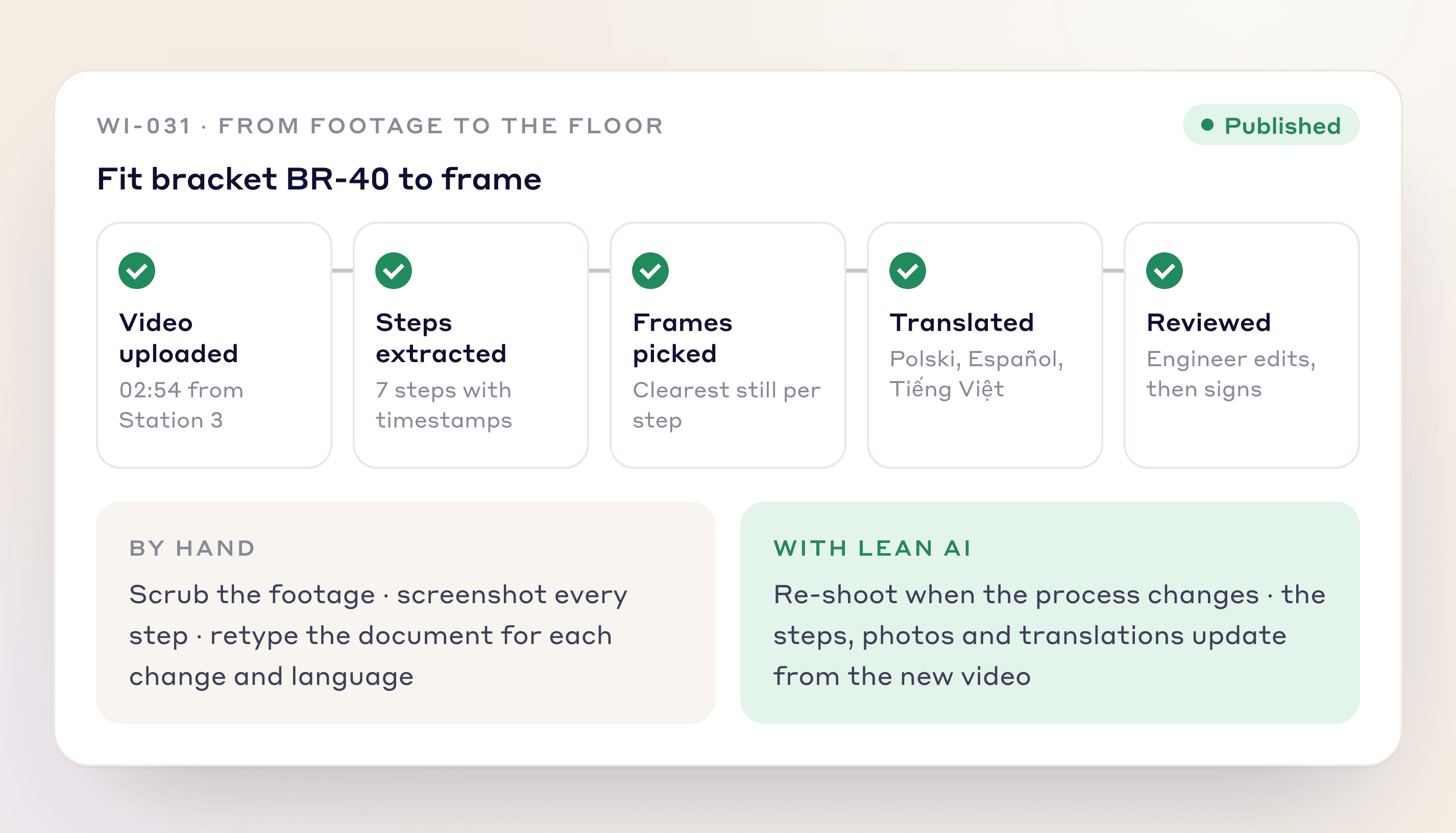
LeanSuite splits the video into steps, picks the best frame for each (you can swap it) and builds the instruction.
Edit the private draft, translate it, publish it and have operators acknowledge and sign off in-app.
Why It Matters
By hand, engineers scrub footage, screenshot each step and rewrite the document for every change. The AI does that from the video, so instructions are published instead of rebuilt by hand.
Faster Authoring
Steps, frames and text come from the video instead of being typed.
Always Current
Re-shoot when the process changes instead of reprinting paper.
Multi-Language
One-click translation for global plants.
FAQs
Digital work instructions are step-by-step job instructions shown on a tablet or screen instead of paper, with a picture for each step.
Upload a video of the task in Create with AI. The AI writes numbered steps with pictures and safety callouts as a draft you edit and publish.
Yes. Every step, photo, callout, and note is fully editable before publishing.
Yes. Work instructions can be translated with AI, and glossaries keep technical terms consistent.
Built-in workflow routes drafts to engineering, EHS, and quality for e-signature with a full audit trail.
Yes. Assign it to individual operators; each opens it and signs, and the time is logged.
Yes. Layouts work on tablets and kiosks, with large tap targets for gloved hands.
FREE RESOURCES
Not ready for software yet? Start with these free resources.
Bring one process video and leave with a draft work instruction your plant can use this week.