1. Tag it on the spot
Anyone can scan the QR code on a machine or part container, snap a photo, categorize the non-conformance, and add a quick note.
Quality tags in LeanSuite give operators one simple way to flag defects, non-conformances and quality deviations the moment they see them, and track each to a corrective action.
HOW IT WORKS
Every quality issue follows one workflow, so everyone knows the next step.
Anyone can scan the QR code on a machine or part container, snap a photo, categorize the non-conformance, and add a quick note.
Each flagged defect creates a Non-Conformance Report (NCR) on a live quality dashboard, and the Quality team and area supervisors are notified automatically.
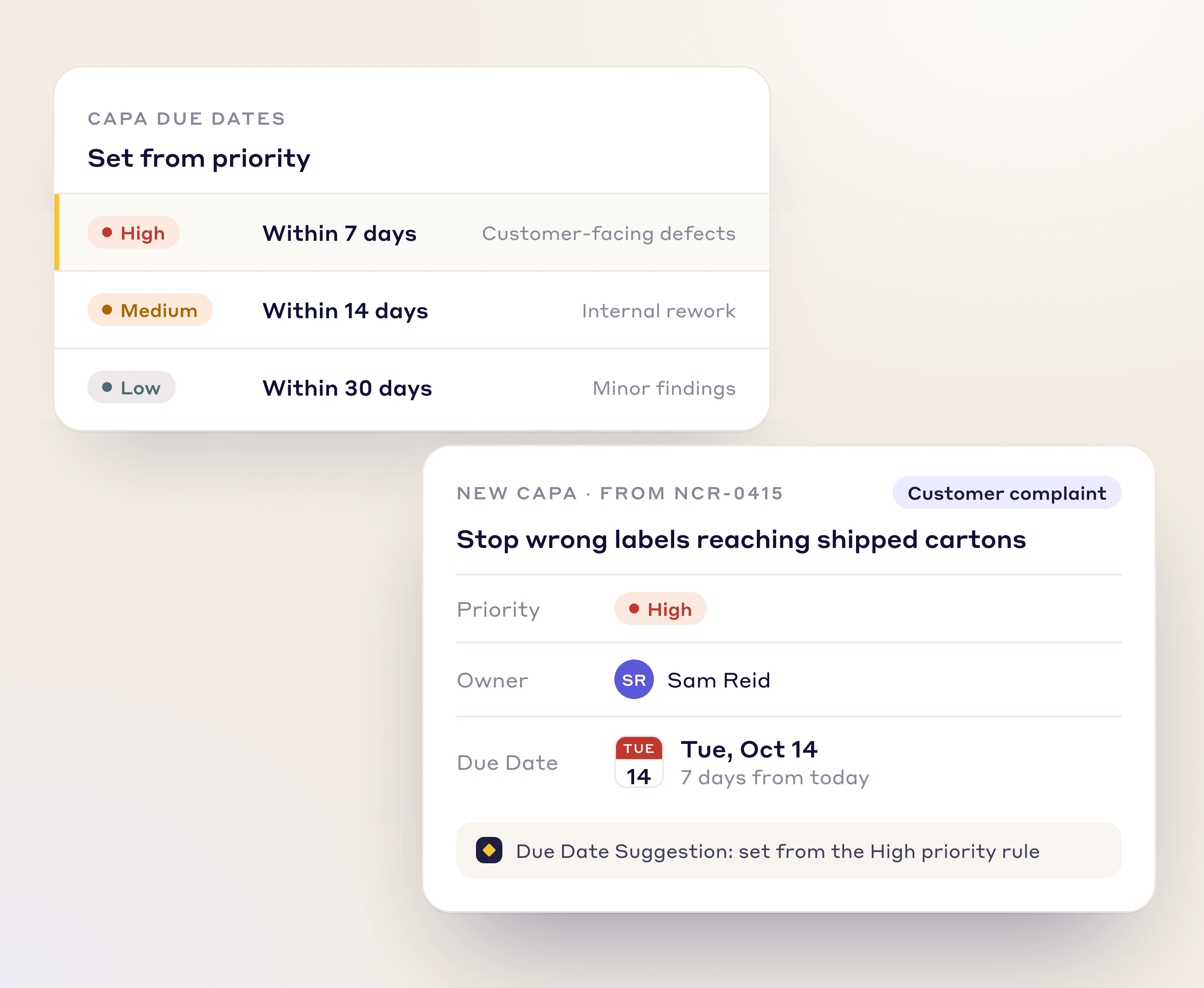
Assign Corrective and Preventive Actions (CAPAs) with due dates and collaborate in the ticket, leaving an auditable trail for compliance.
AI AND VISUALIZATION
A live floor plan shows where defects cluster, and Lean AI writes the defect description from a photo.
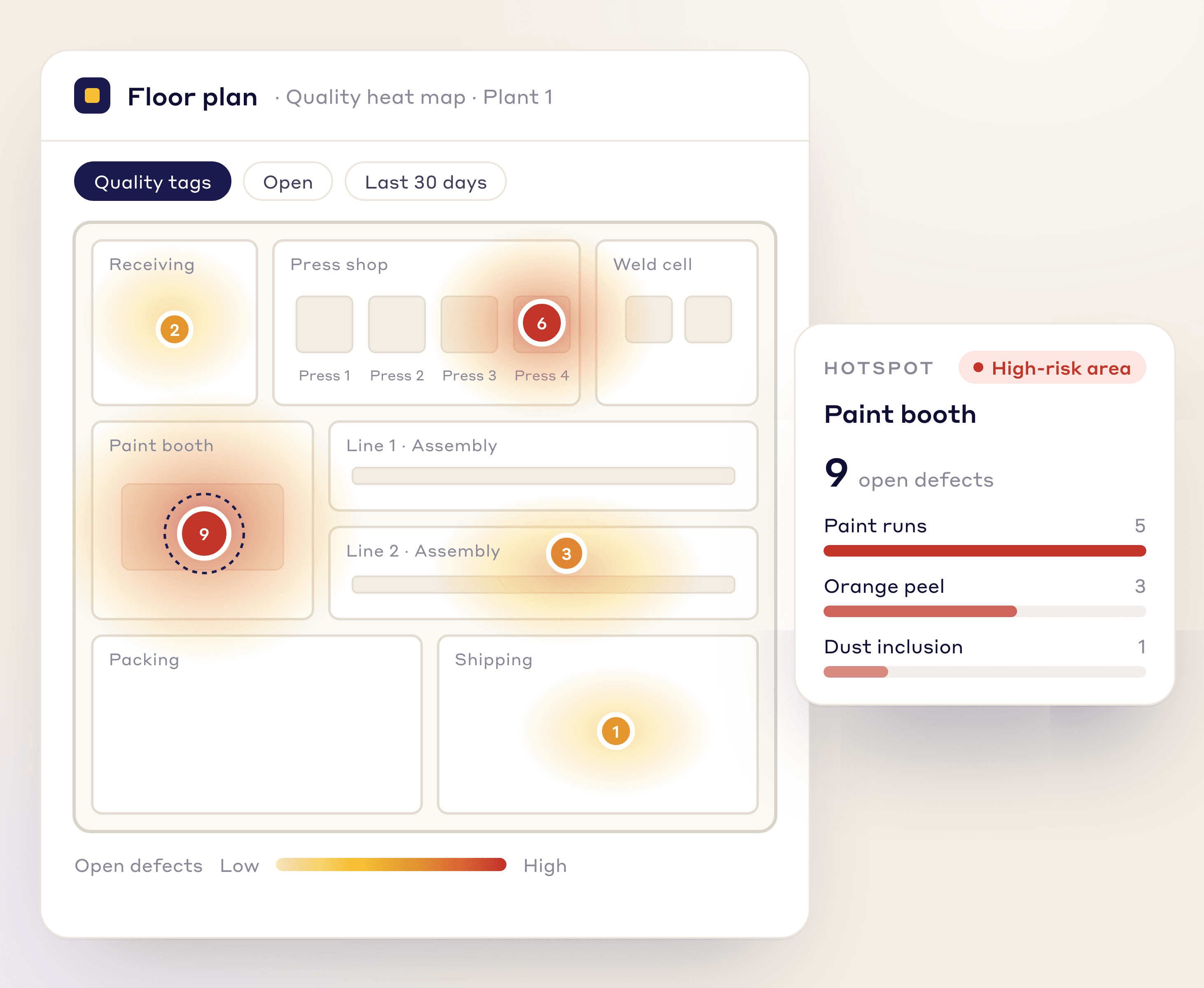
FLOOR PLAN VISUALIZATION
Upload your facility layout and it becomes a live quality heat map, so you can spot high-risk areas and decide where to focus improvement first.
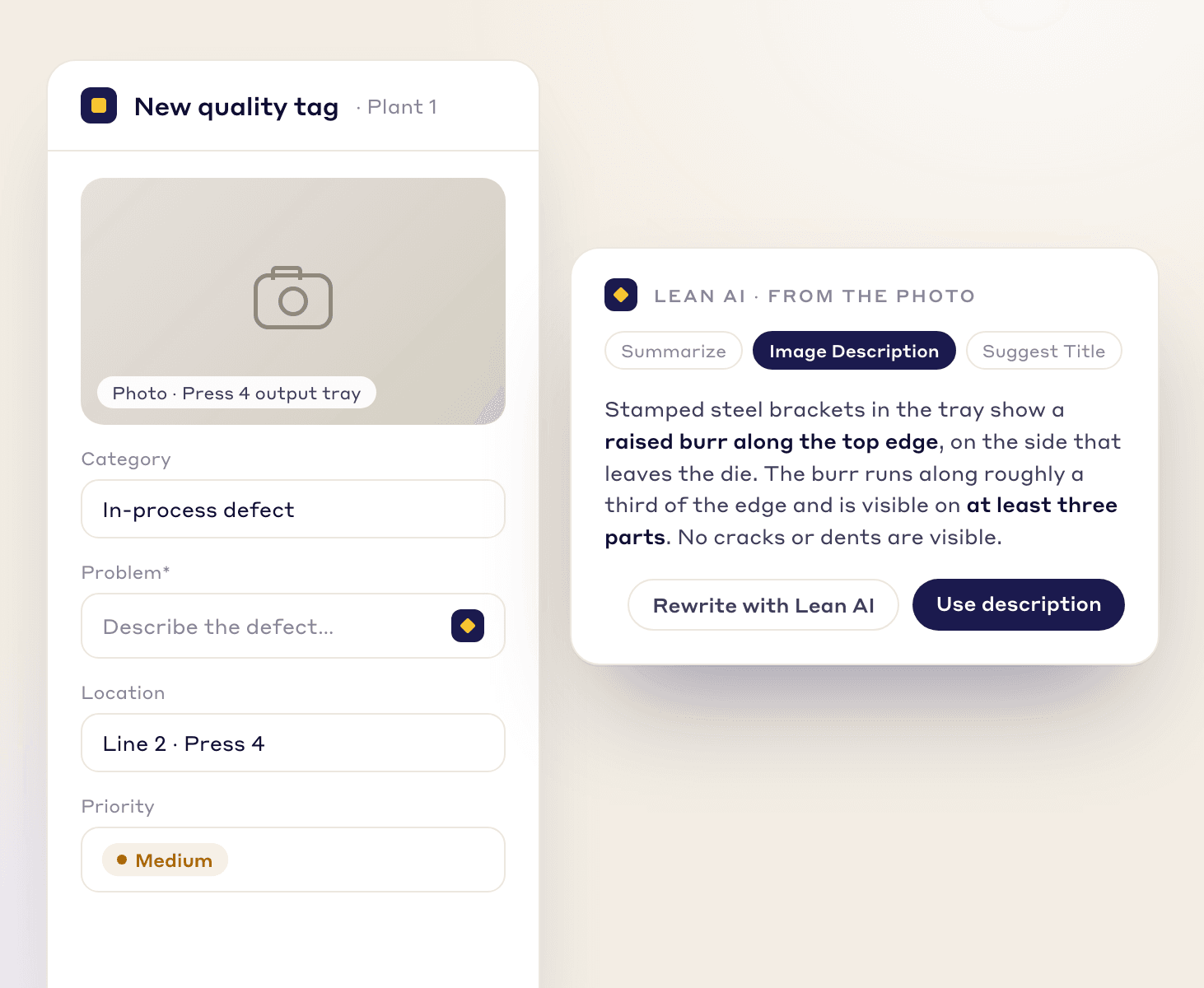
LEAN AI IMAGE RECOGNITION
Operators snap a photo of the defect and Lean AI writes a detailed description, so every defect report is consistent and quick to file.
AUTOMATION
Rules route each NCR to the right engineer, set CAPA due dates, and stop corrective actions bouncing between people.
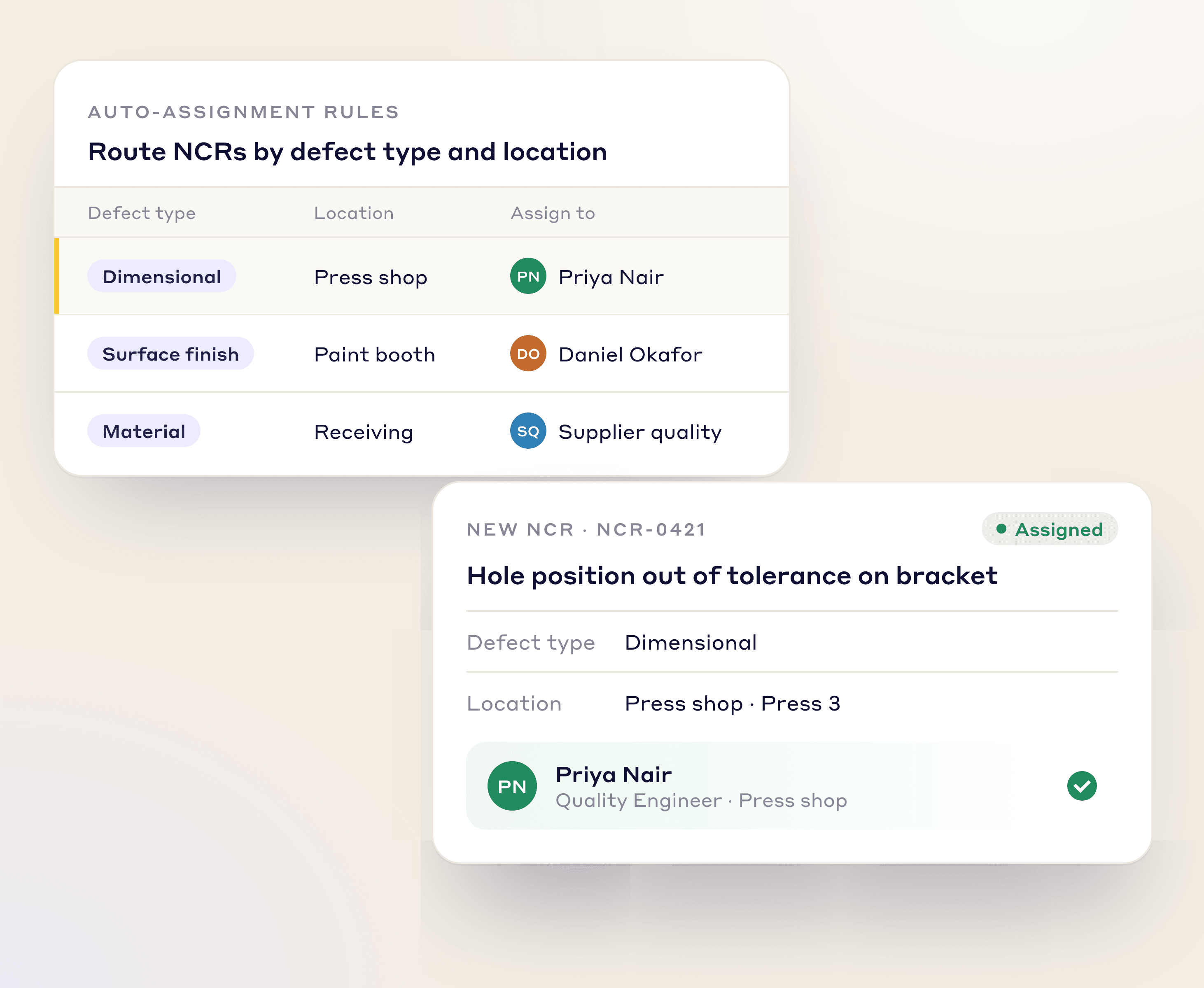
Route each NCR to the right Quality Engineer or team based on defect type and location.
Set CAPA due dates automatically from priority, so the most urgent actions are handled first.
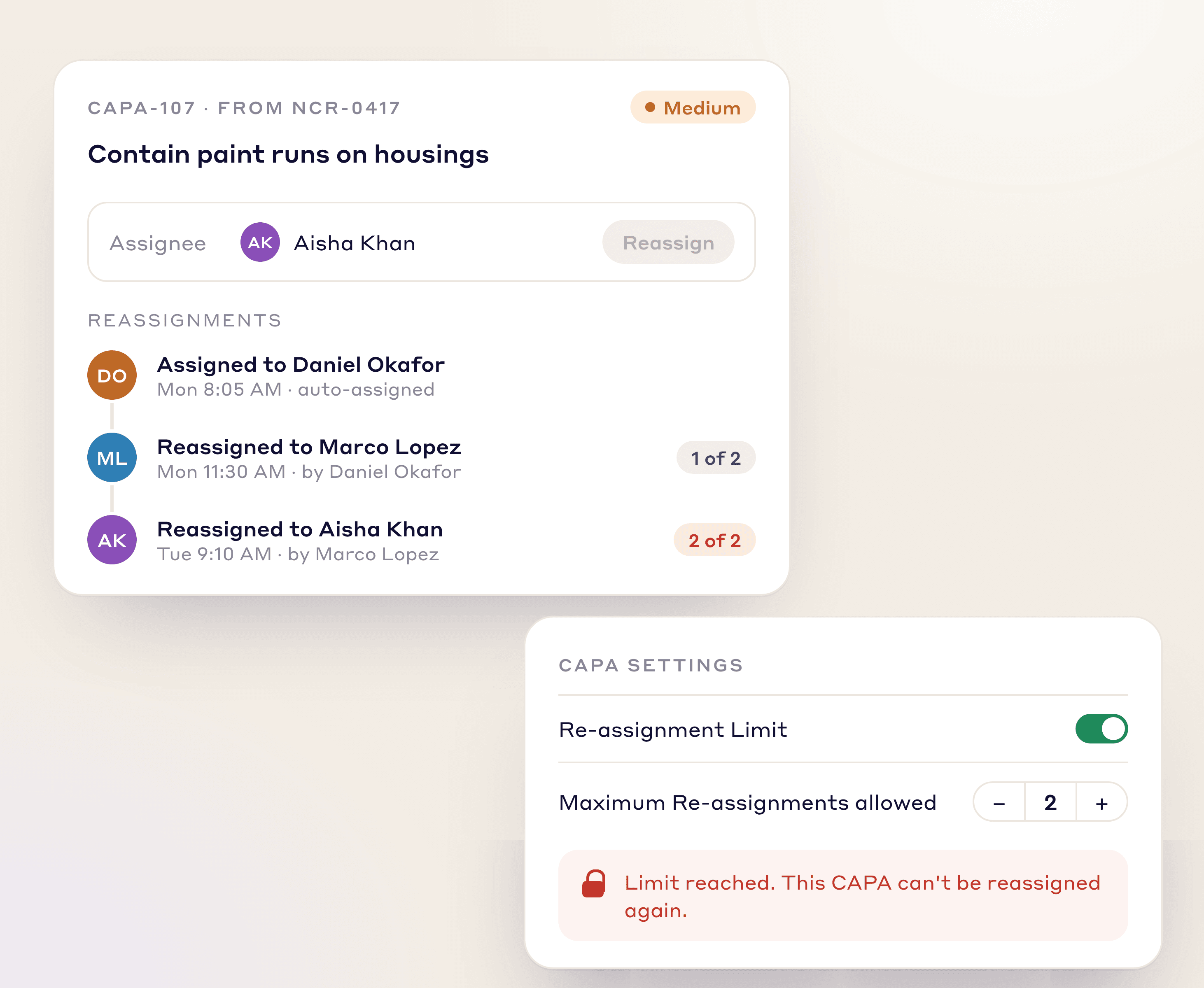
Cap how many times a CAPA can be reassigned, so it can't bounce between people.
QUALITY TAGS
Sort every quality issue by type for cleaner tracking and analysis, and create custom tags for any process or department.
Capture defects found during the manufacturing process.
Flag non-conforming materials from your suppliers.
Document quality issues reported by your customers.
Flag non-conformances found during internal or external audits.
A CONNECTED SYSTEM
Daily quality issues feed straight into your wider continuous improvement work.
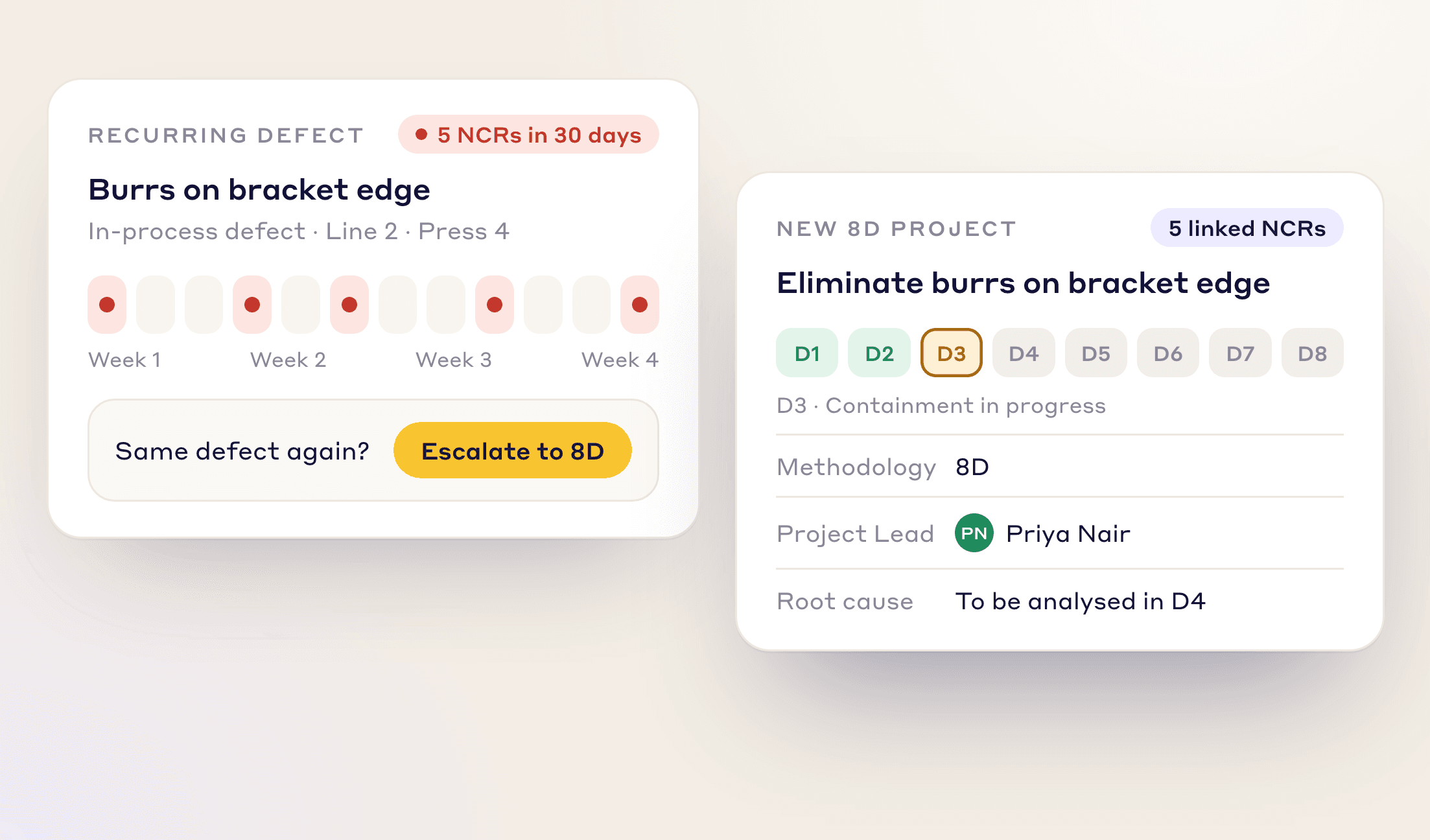
Same defect again? Escalate a recurring problem into an 8D or DMAIC project in a few clicks and fix the root cause.
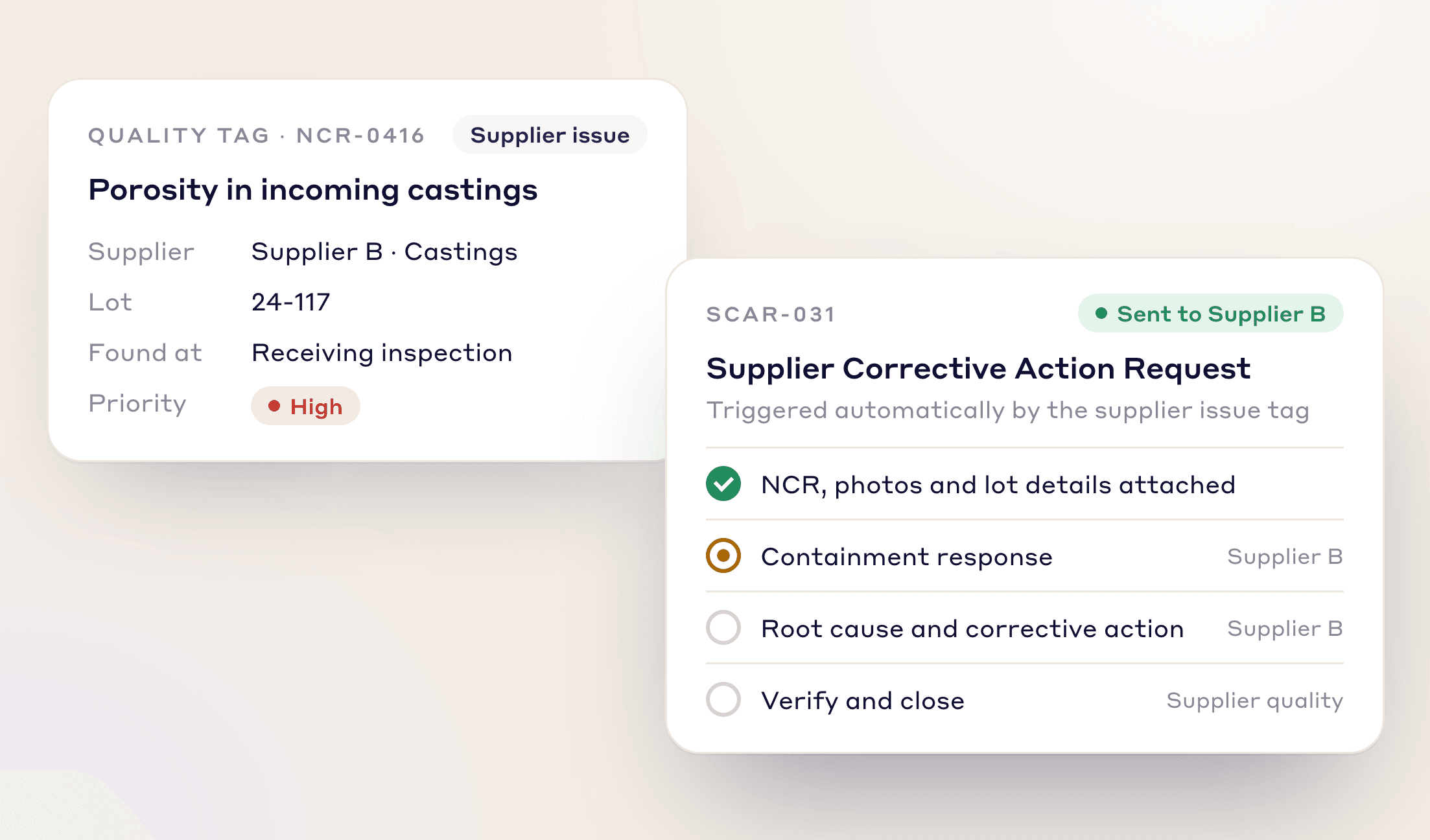
When a supplier issue is identified, it can automatically trigger a Supplier Corrective Action Request (SCAR) workflow.
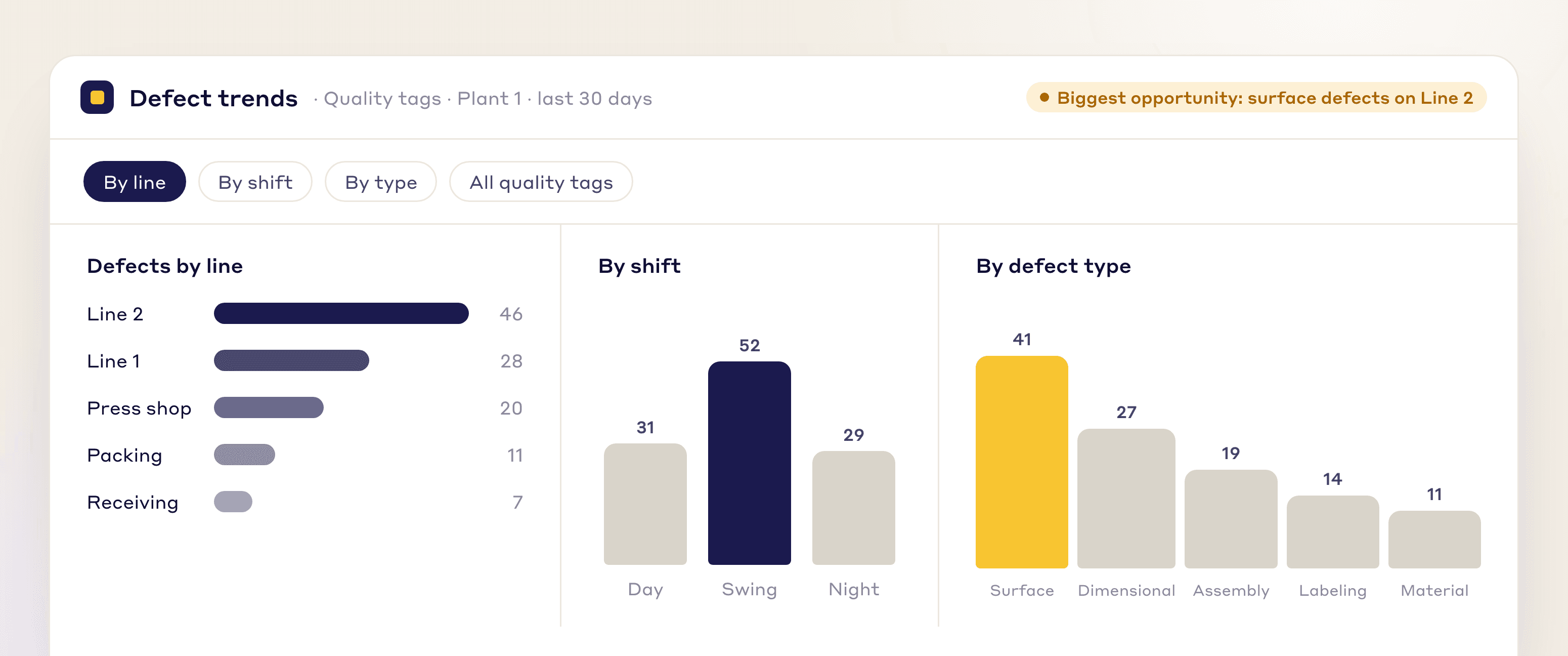
Break defect data down by line, shift, or type to find your biggest opportunities to reduce the Cost of Poor Quality.
RCA, Kaizen, work orders, tags and best practices follow your own steps, fields and approvals.
At each stage you set who can move it, what must be valid first, what updates on its own and who is told.
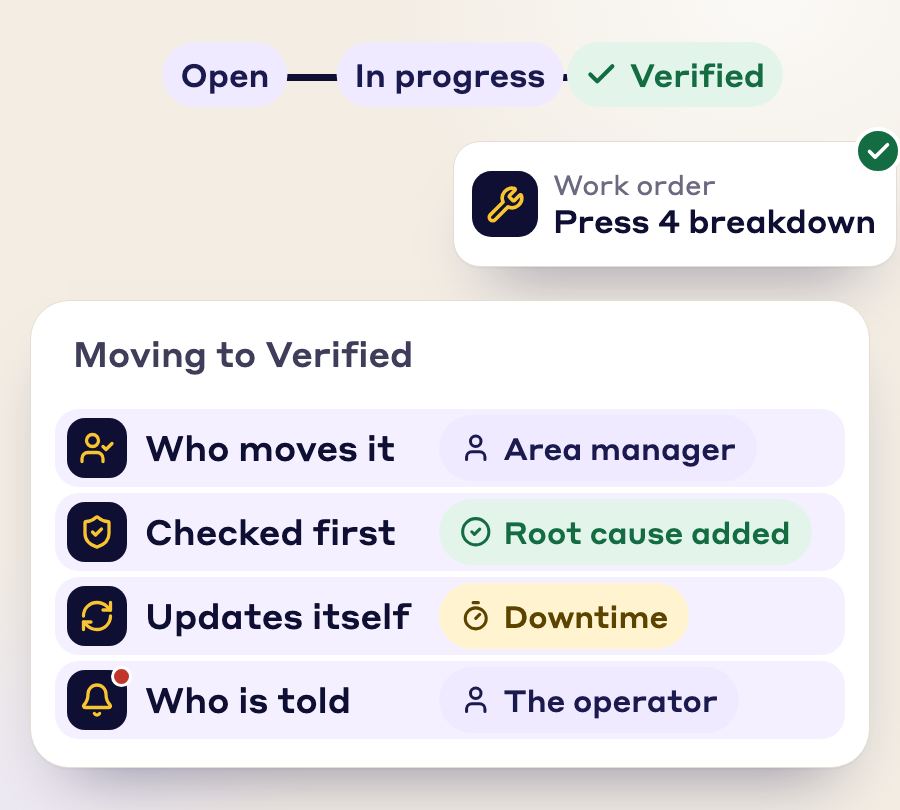
One issue becomes a tag, an RCA, a work order, a Kaizen and a best practice. Nobody retypes it.
Photos, SOP, checklist and signatures stay attached and linked.
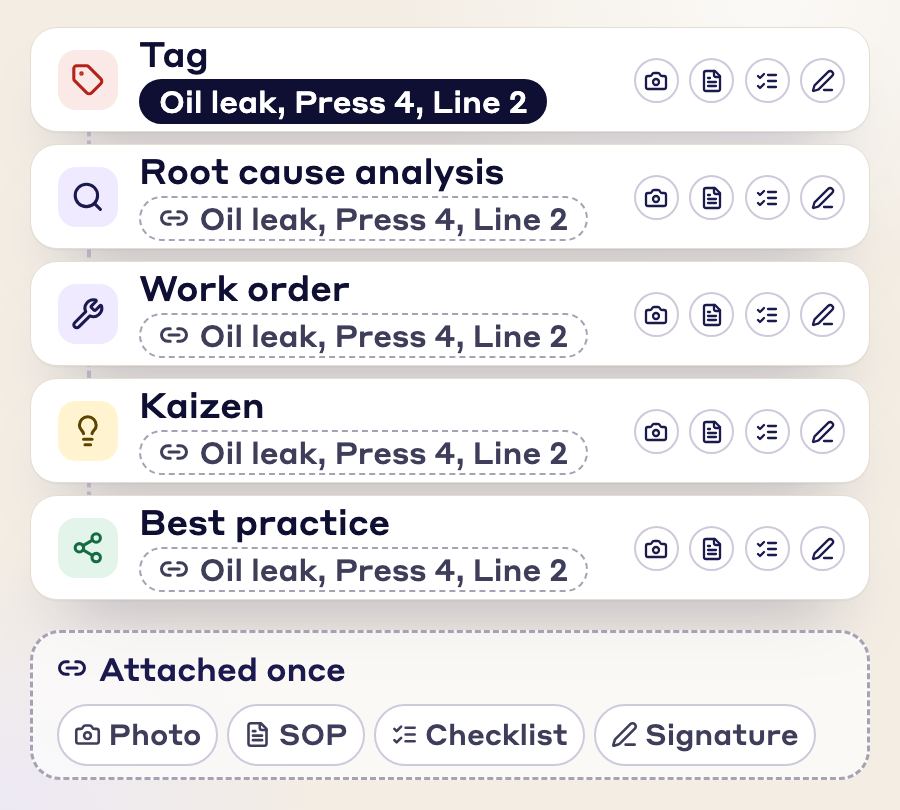
Every module is connected to every other, so you enter the same information once and the paperwork stays linked to each document.
FAQs
A quality tag is a quick report of a defect, non-conformance or other quality deviation, raised by whoever spots it. In LeanSuite, each tag creates a Non-Conformance Report (NCR) on a live quality dashboard and is resolved with a Corrective and Preventive Action (CAPA).
Anyone on the floor. They scan the QR code on a machine or part container, snap a photo, categorize the non-conformance and add a note, and the Quality team and area supervisors are notified automatically.
In-process defects, supplier issues, customer complaints and audit findings. You can also create custom tags for any process or department.
You assign each CAPA with a due date and work on the fix together in the ticket, which leaves an auditable trail for compliance. CAPA due dates can be set automatically from priority, and you can cap how many times a CAPA is reassigned.
Break defect data down by line, shift or type to find your biggest opportunities to reduce the Cost of Poor Quality. Lean AI writes the defect description from a photo, so reports are consistent.
Yes. A CAPA can run as a project with its own approval workflow, root cause sections such as 5 Whys, and an action plan.
See how LeanSuite brings clarity, collaboration, and control to your daily quality operations.