

Lessons Lost
Daily fixes rarely get written up for the next person.
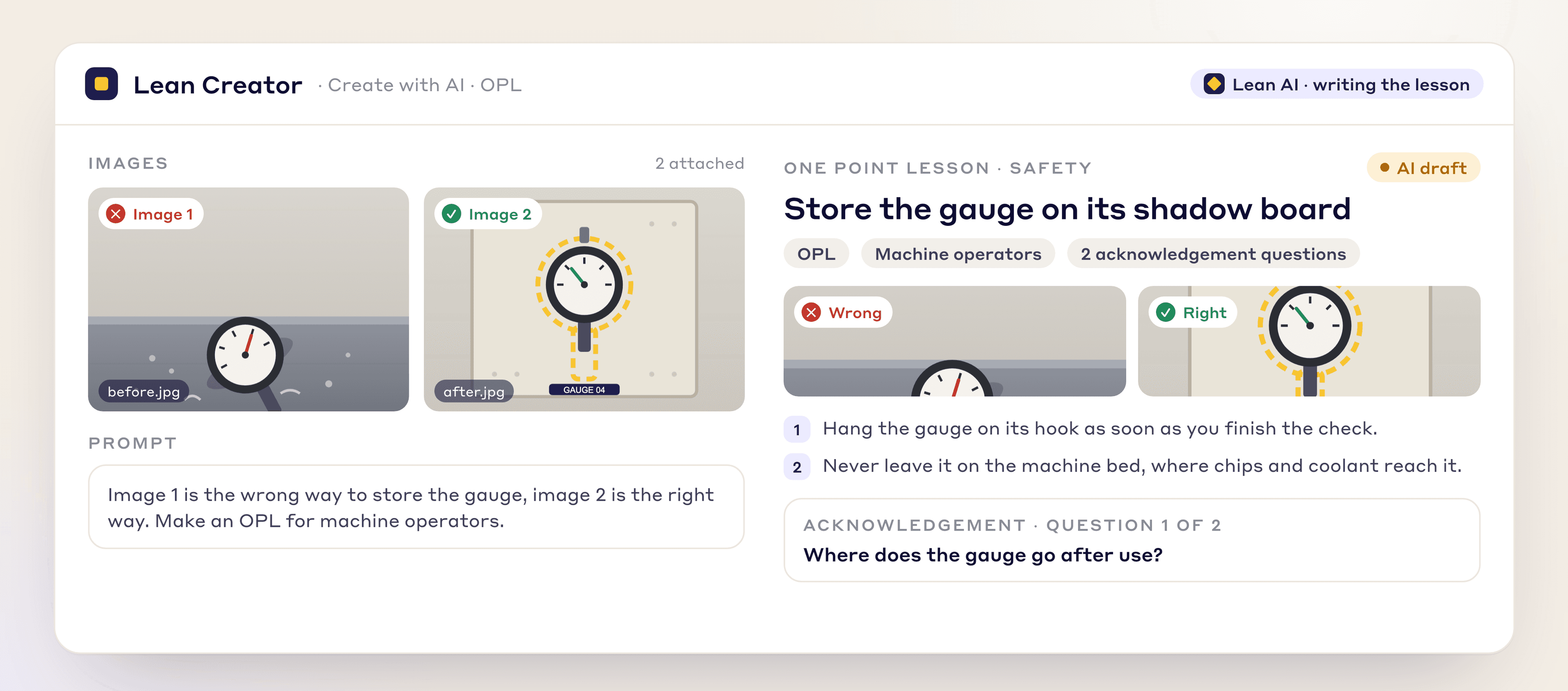
Attach a before-and-after photo pair and LeanSuite's AI writes the one point lesson, with key points and acknowledgement questions, ready to assign and sign off.
By clicking "Schedule Demo," you agree to the use of your data in accordance with LeanSuite's Privacy Notice, including for marketing purposes.
The problem
Fixes rarely become lessons, good ideas stay on one shift, and nobody can show who has read what.
Daily fixes rarely get written up for the next person.
A good fix found in one cell often never reaches the next shift.
There's no easy way to prove each operator read and understood it.
How it works
Attach two photos, let the AI write the lesson, then assign it and track who has signed.
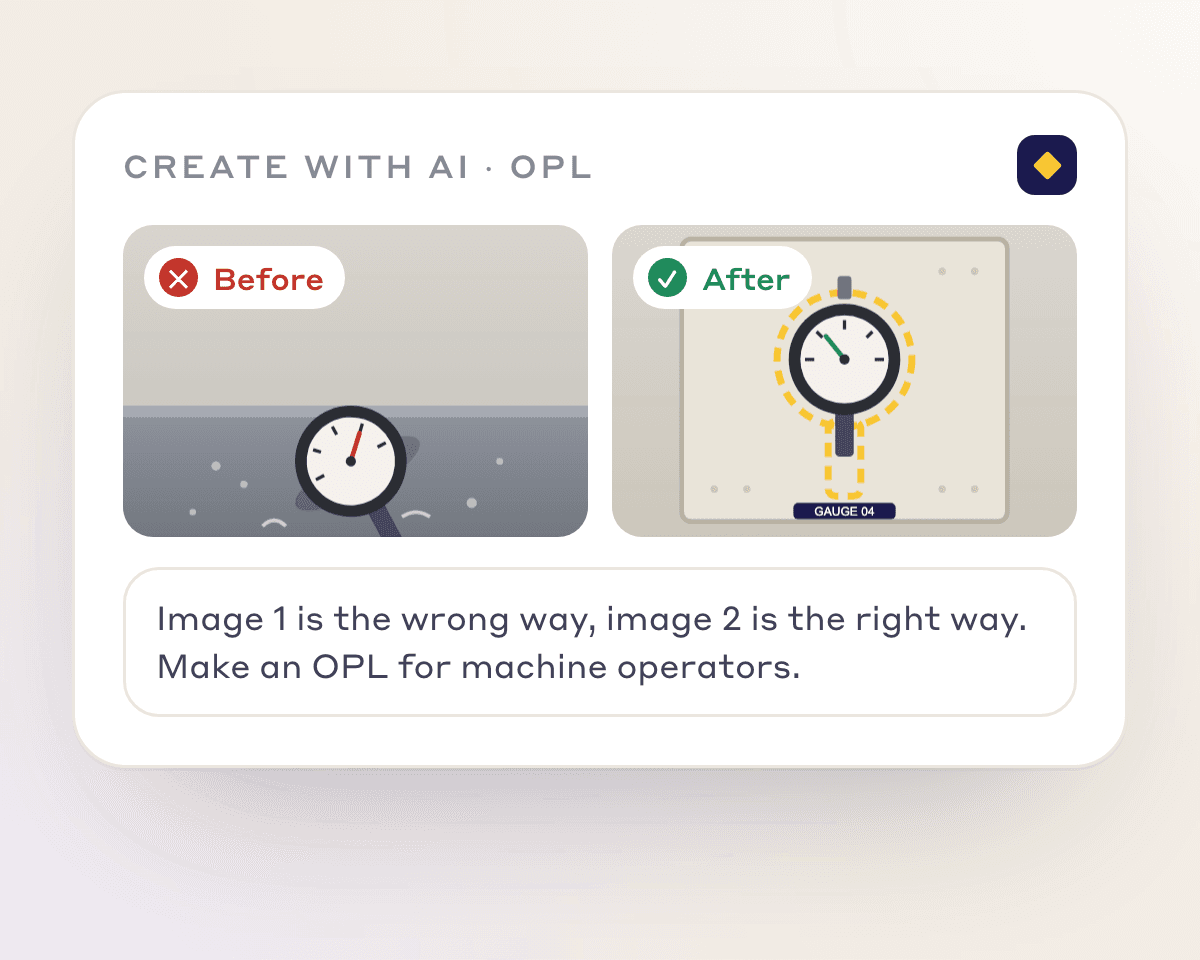
Choose OPL in Create with AI, attach a before and an after photo, and say which is which.
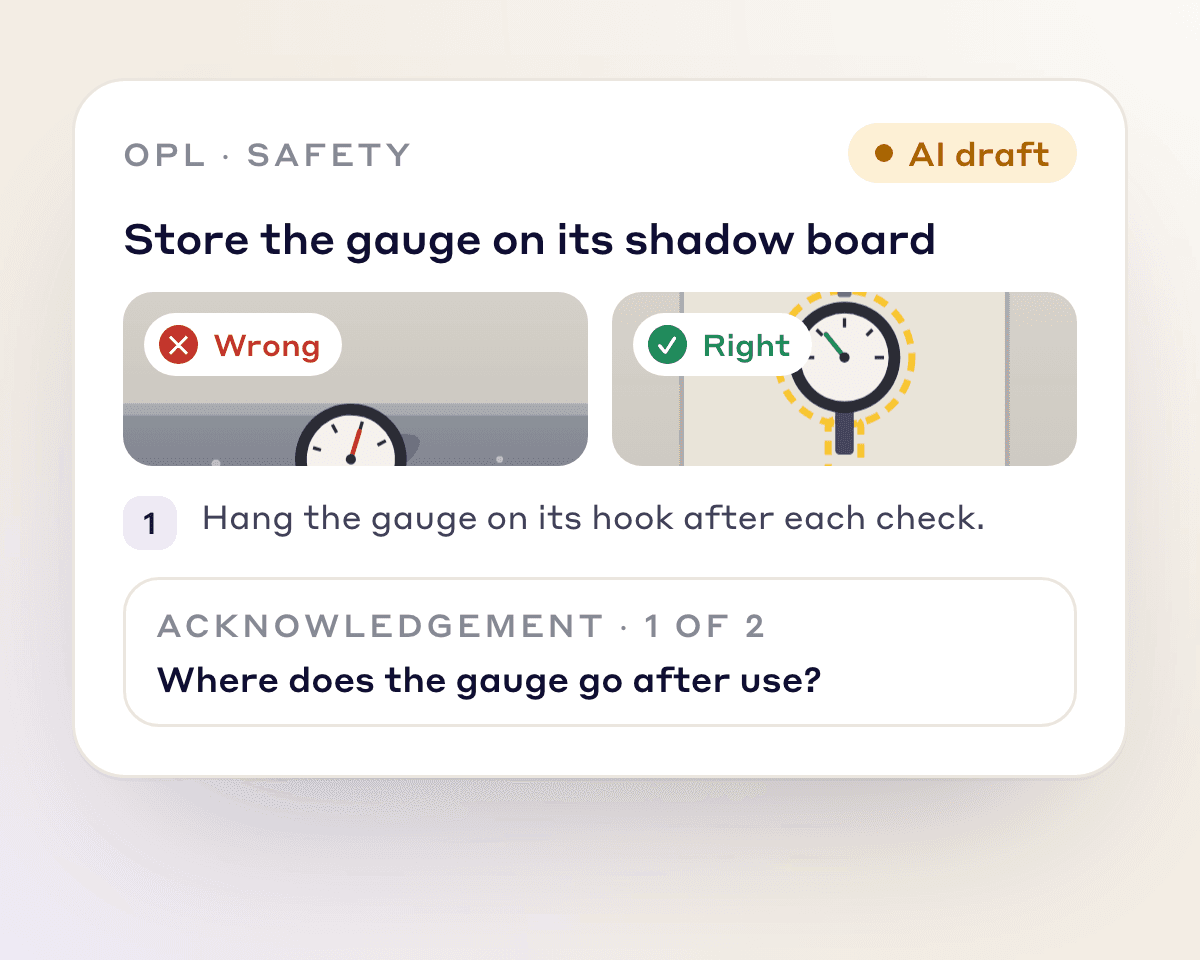
The AI writes the title, key points and acknowledgement questions. Edit, then save and publish.
Assign it to the operators who need it and see who has signed.
Features
No AI expertise needed.
Feature 01
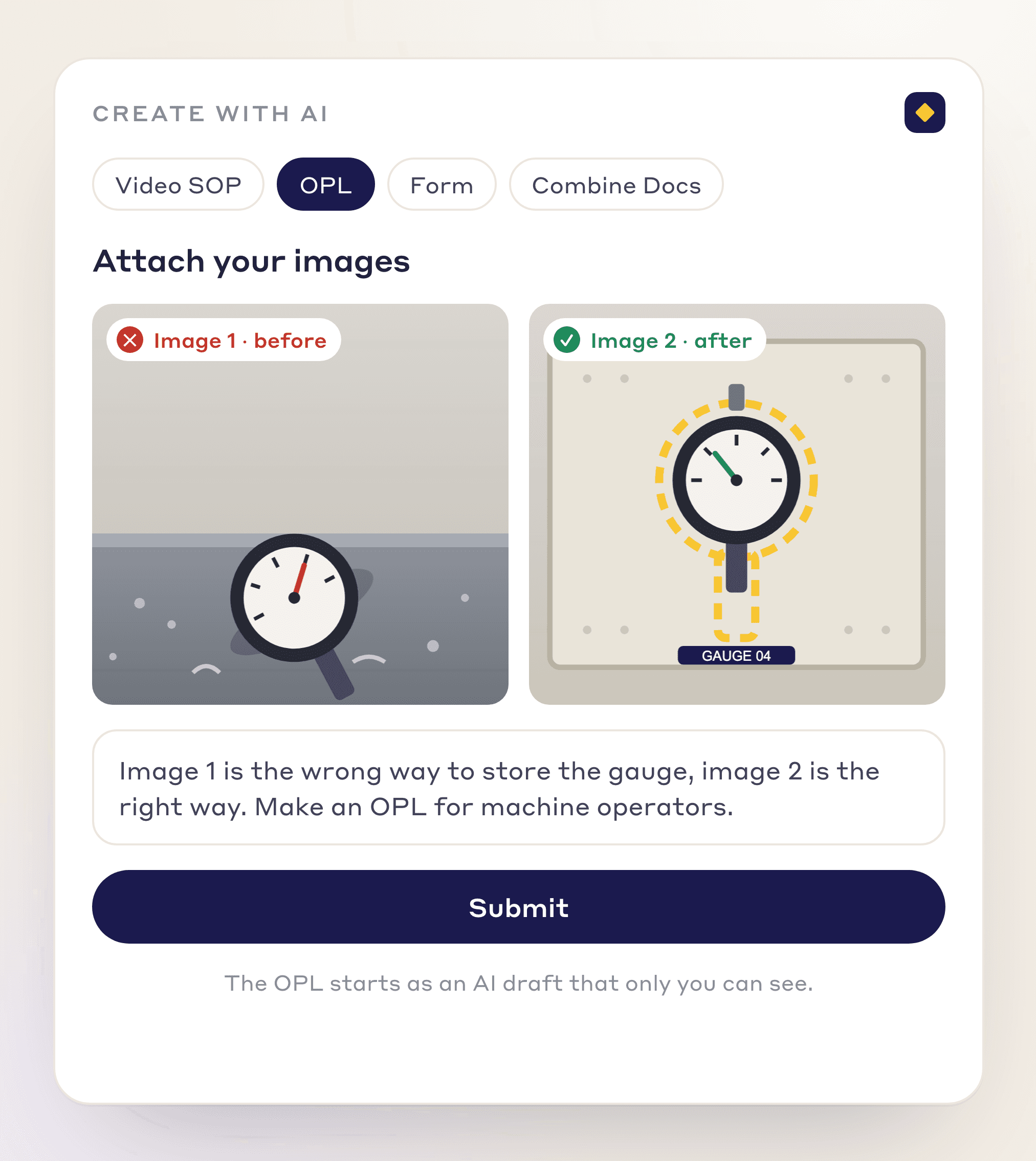
In Create with AI, choose OPL, attach the photos and say which is the wrong way and which the right way.
Before and after, or do and don't, photos
One prompt, no template to fill in
Starts as a private AI draft you can edit
Feature 02
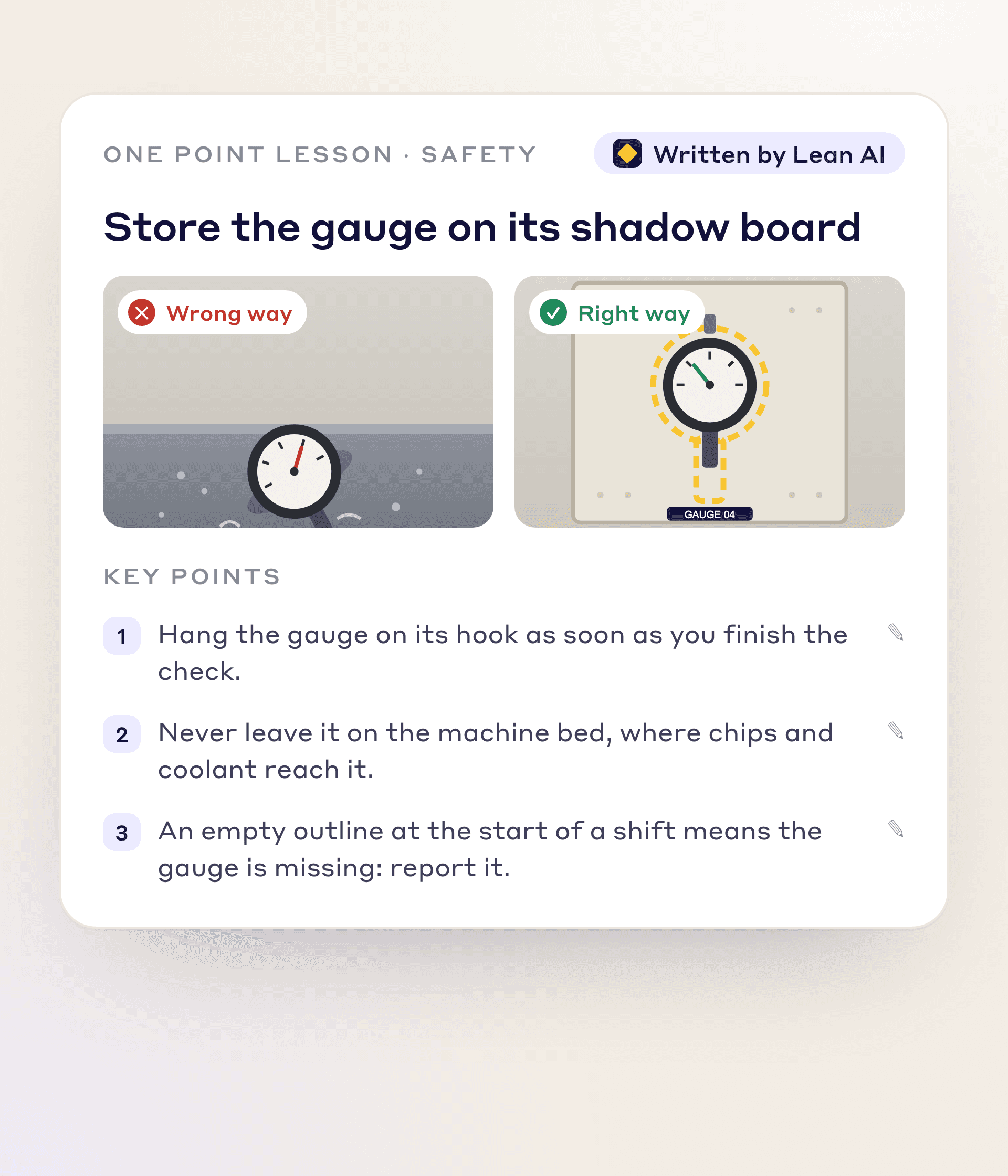
The AI writes the title and key points. Edit any line yourself or ask the AI to change it.
Wrong way and right way side by side
Short key points operators read at the machine
Edit by hand or by chat
Feature 03
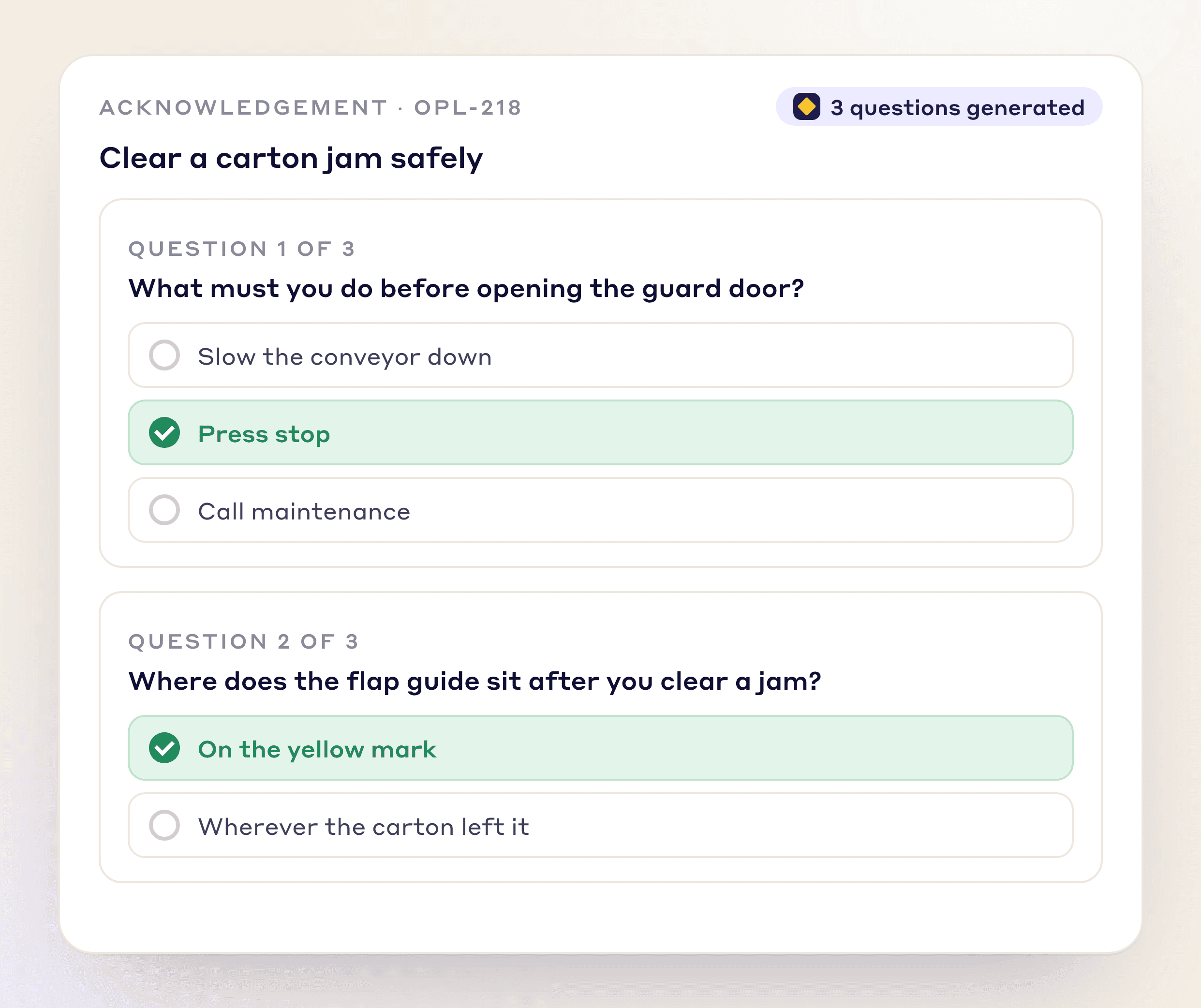
Every OPL comes with acknowledgement questions written for you, so understanding is checked, not assumed.
Generated with the lesson
No manual drafting
Answers kept with each sign-off
Feature 04
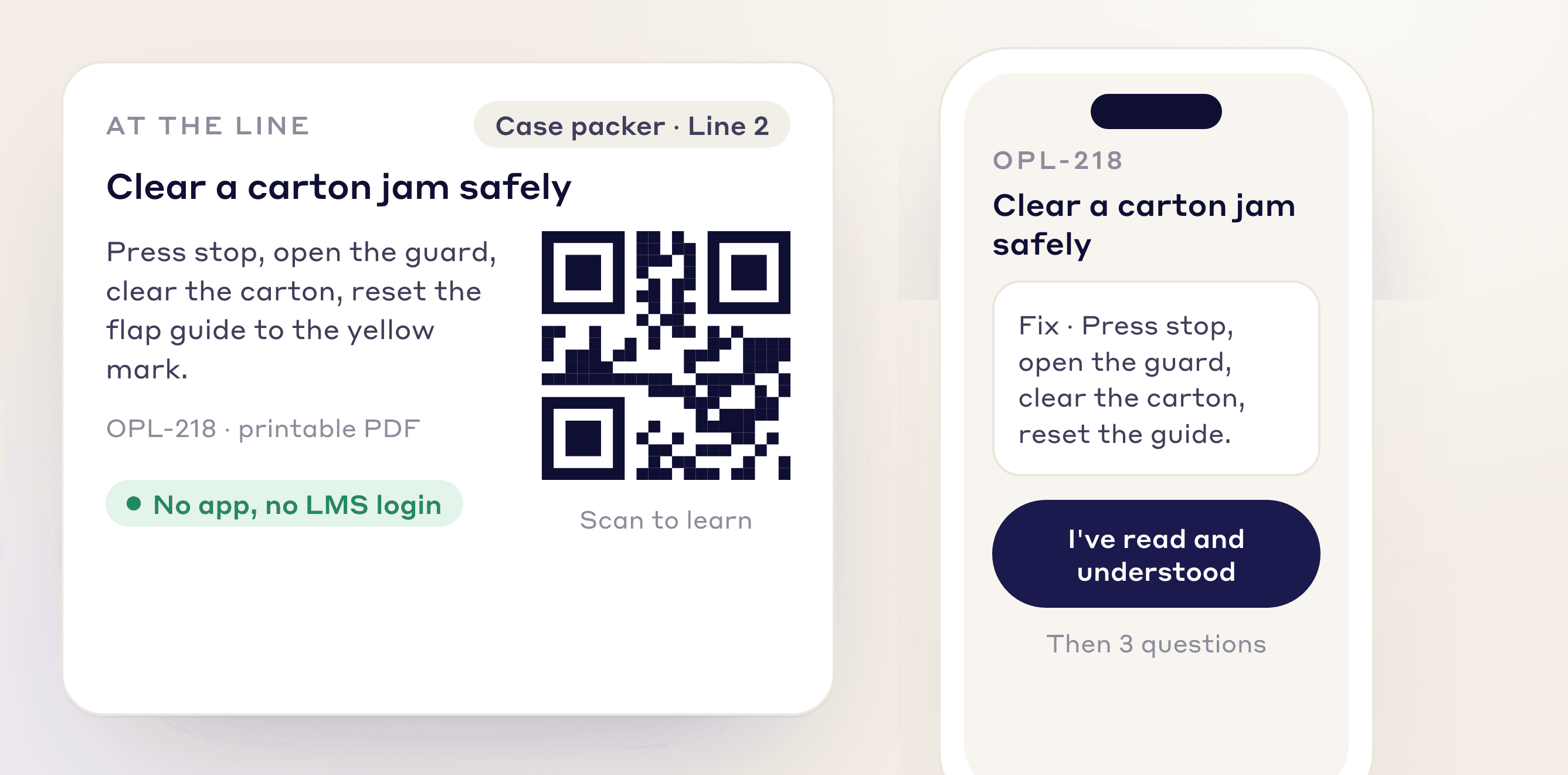
Post a QR code at the line and operators scan, learn and certify on the spot, with no LMS login and no training session to book.
Scan-to-learn at the line
Certify at the line
No LMS login required
Feature 05
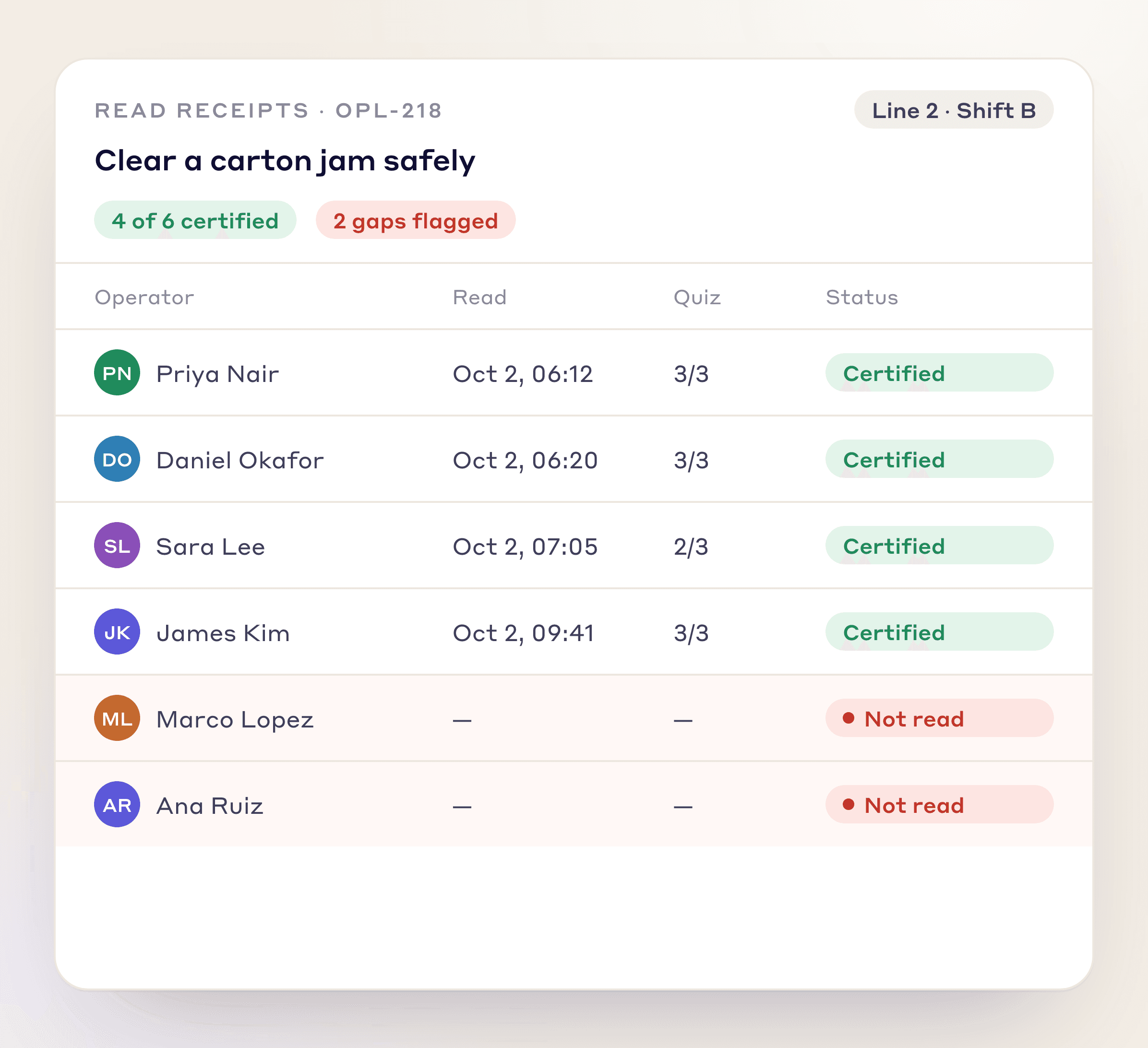
Assign it to the operators who need it. Each one reads, answers and acknowledges; overdue items show in red.
Assign to people, a role or an asset
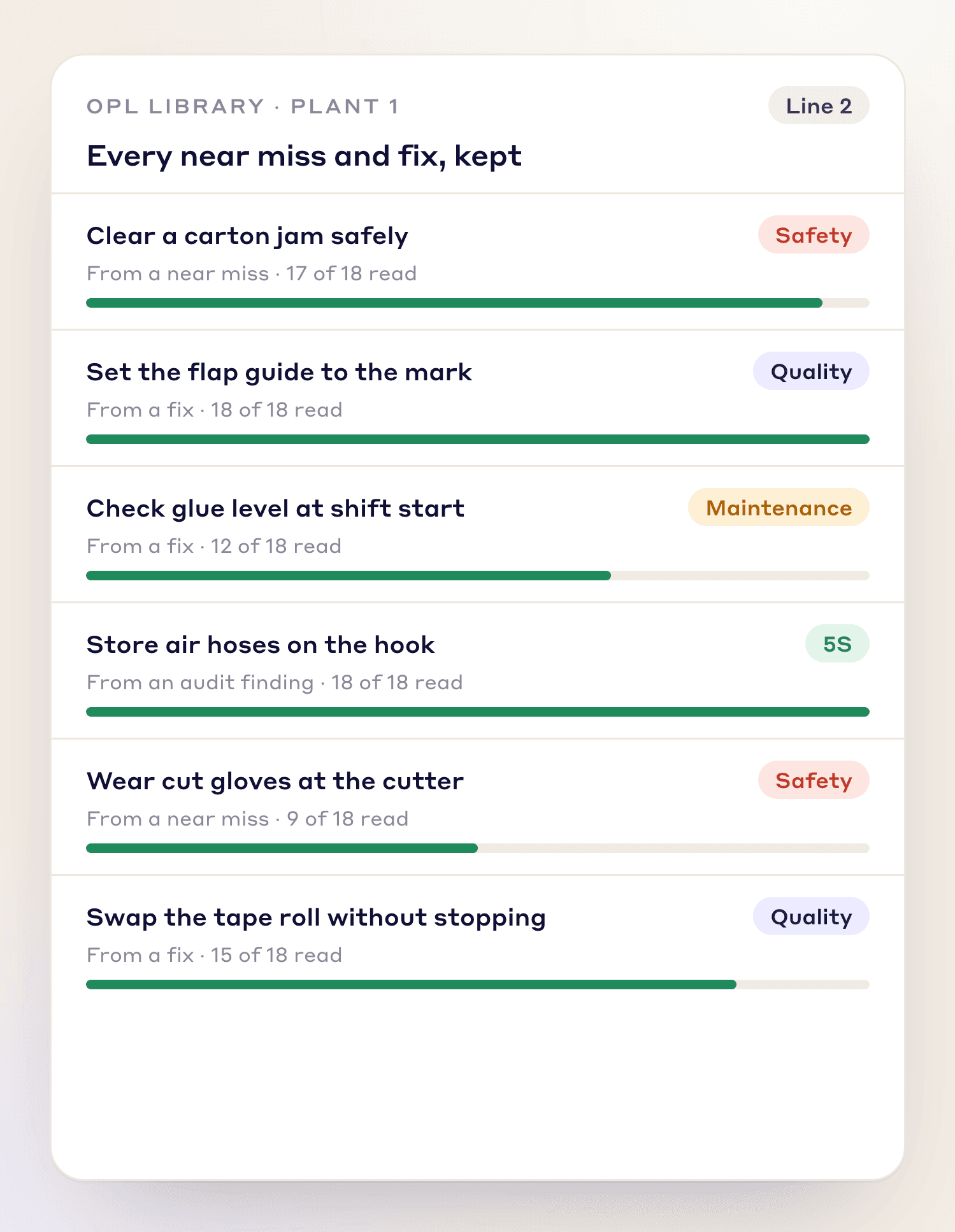
Who signed, and when, per operator
Shows in the Skill Matrix training tracker
Feature 06
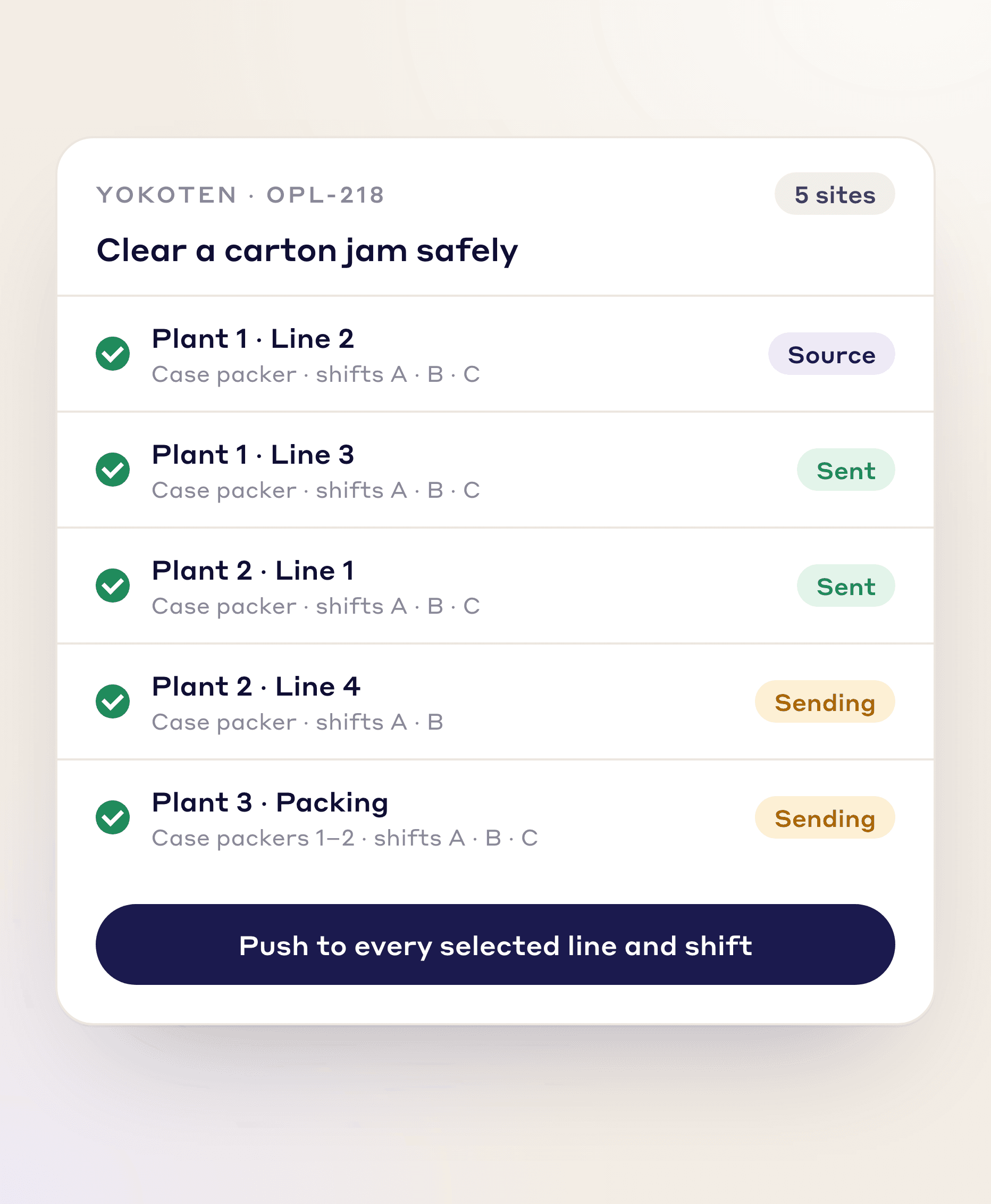
Push a lesson to every plant, line and shift in one click, instead of re-sending the same OPL site by site.
One-click multi-plant push
All shifts covered at once
No repeat manual distribution
Why It Matters
Laminated lessons get lost between shifts, and nobody knows who read them. LeanSuite turns two photos into an OPL with acknowledgement questions, assigns it to every operator who needs it and records who signed.
Faster Spread
Yokoten sends a lesson to every shift in one click.
Measurable Training
Sign-offs and answers for every operator.
Continuous Learning
Turn near-misses and fixes into permanent know-how.
FAQs
FREE RESOURCES
Not ready for software yet? Start with these free resources.
Bring two photos and leave with a one point lesson your plant can use this week.