
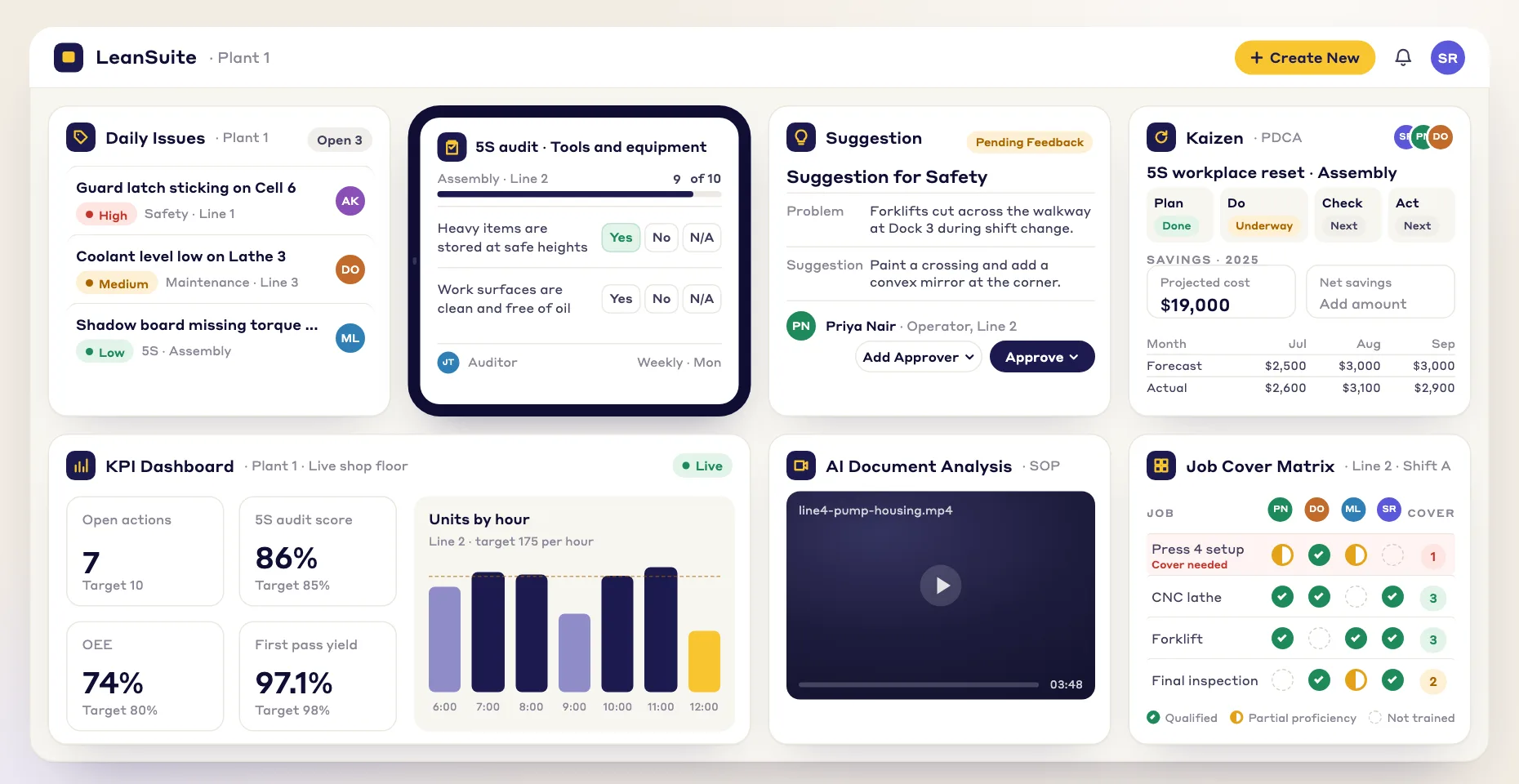
1. Capture
Record any process on a phone, tablet, or fixed camera. No special hardware required.
AI video analysis turns one process video into time and motion studies, SMED analyses, ergonomic scores, line balancing, value stream maps and SMPs, for you to review and certify. SOPs and one-point lessons are made in Create with AI, which comes with the facility plan.
By clicking "Schedule Demo," you agree to the use of your data in accordance with LeanSuite's Privacy Notice, including for marketing purposes.
How it works
Record the process, upload it, and get your studies and documents back in three steps.
Record any process on a phone, tablet, or fixed camera. No special hardware required.
Drop the video into LeanSuite, pick the analysis type, and tag the workstation or line.
Cycle times, ergonomic scores, Yamazumi charts and SOPs come back, linked to the video frames. Review, correct and certify them.
Core Analyses
Run any combination on one video, with no re-shoots.
Analysis 01
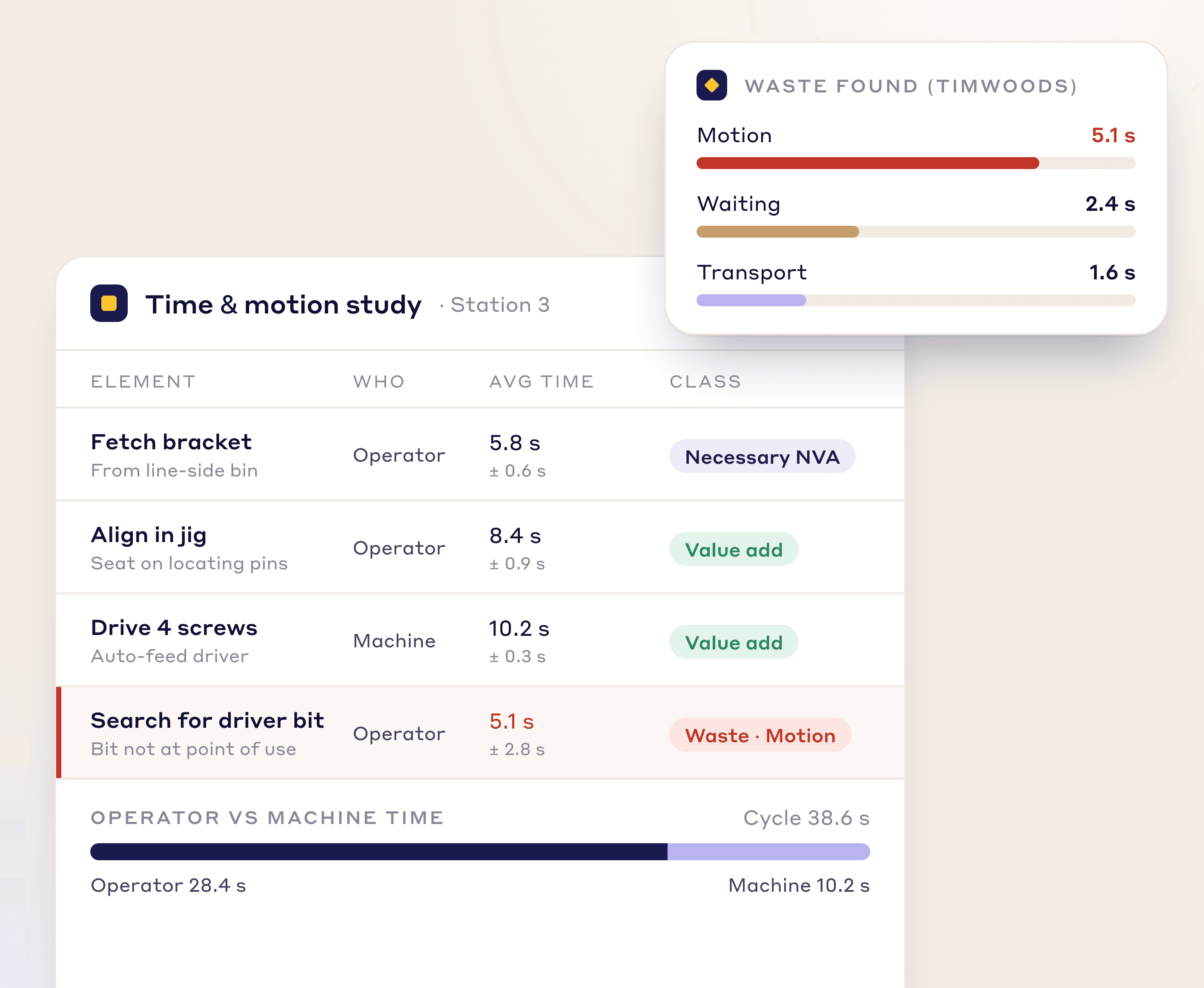
AI detects each operator and splits their time into value-added, semi-value-added and non-value-added on a timeline synced to the video. Findings become Kaizens in one click.
Per-element timing with statistical variance
Auto-detected waste categories (TIMWOODS)
Operator vs. machine time separation
Certify a checked study as the reference for later ones
Analysis 02
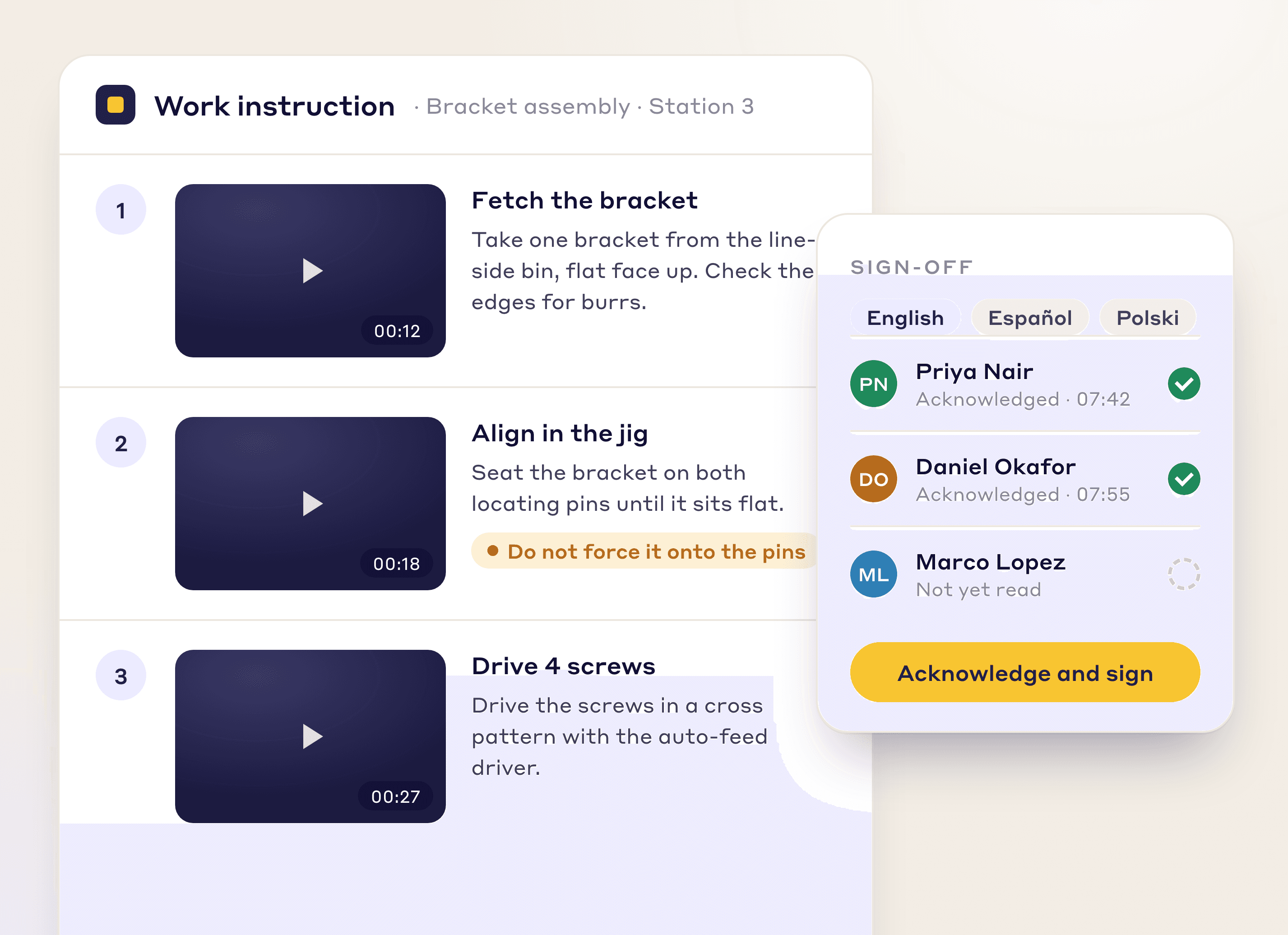
LeanSuite splits the video into steps, picks the best frame for each (you can swap it) and builds an illustrated work instruction.
Numbered steps with frames from the video
Multi-language translation built in
Operators acknowledge & sign off in-app
Analysis 03
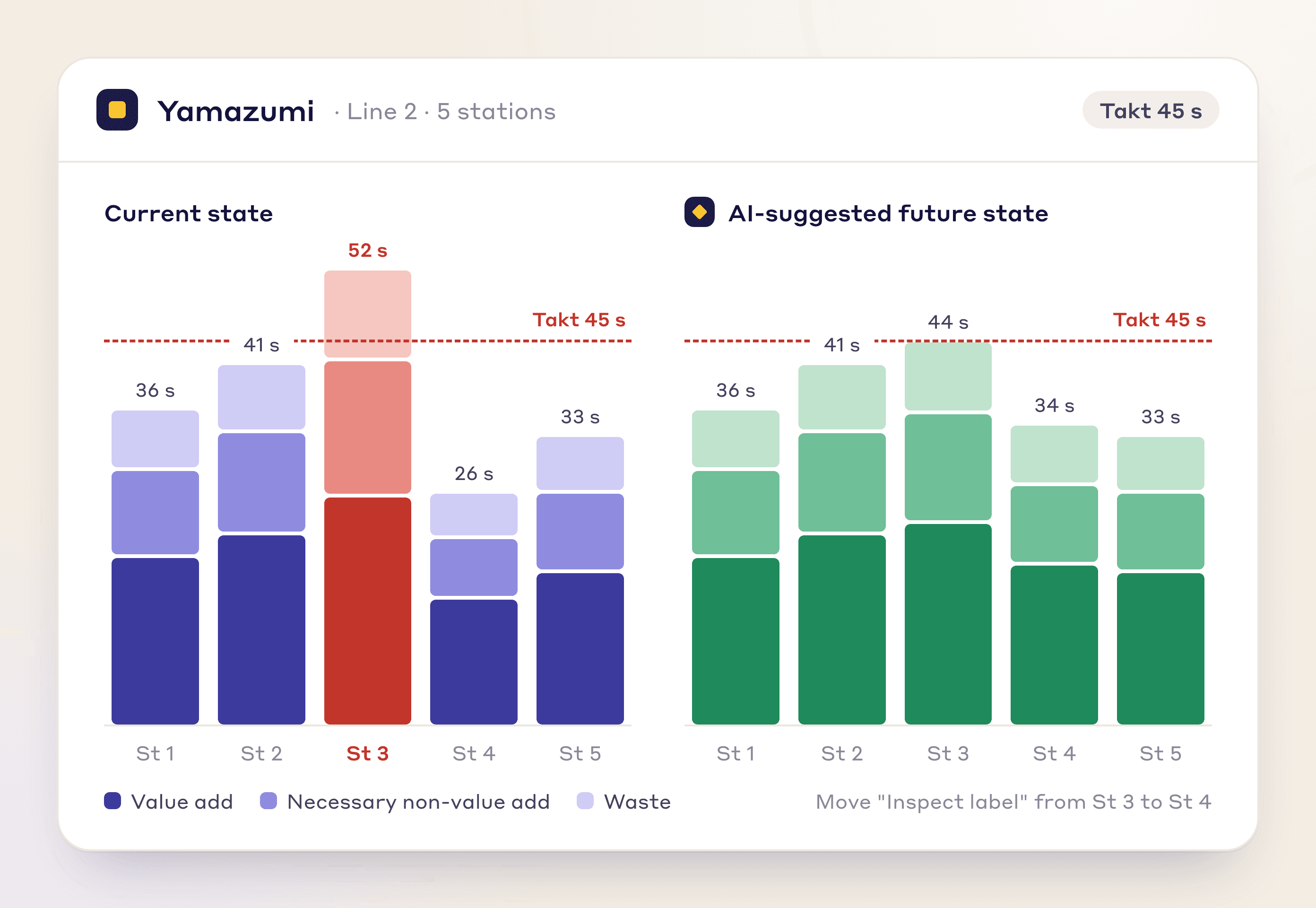
Compare each station with takt, drag tasks between operators to flatten the Yamazumi, and save scenarios with the minutes and cost they save.
Side-by-side current vs. future state
What-if rebalancing simulator
Quantified labor productivity gain
Analysis 04
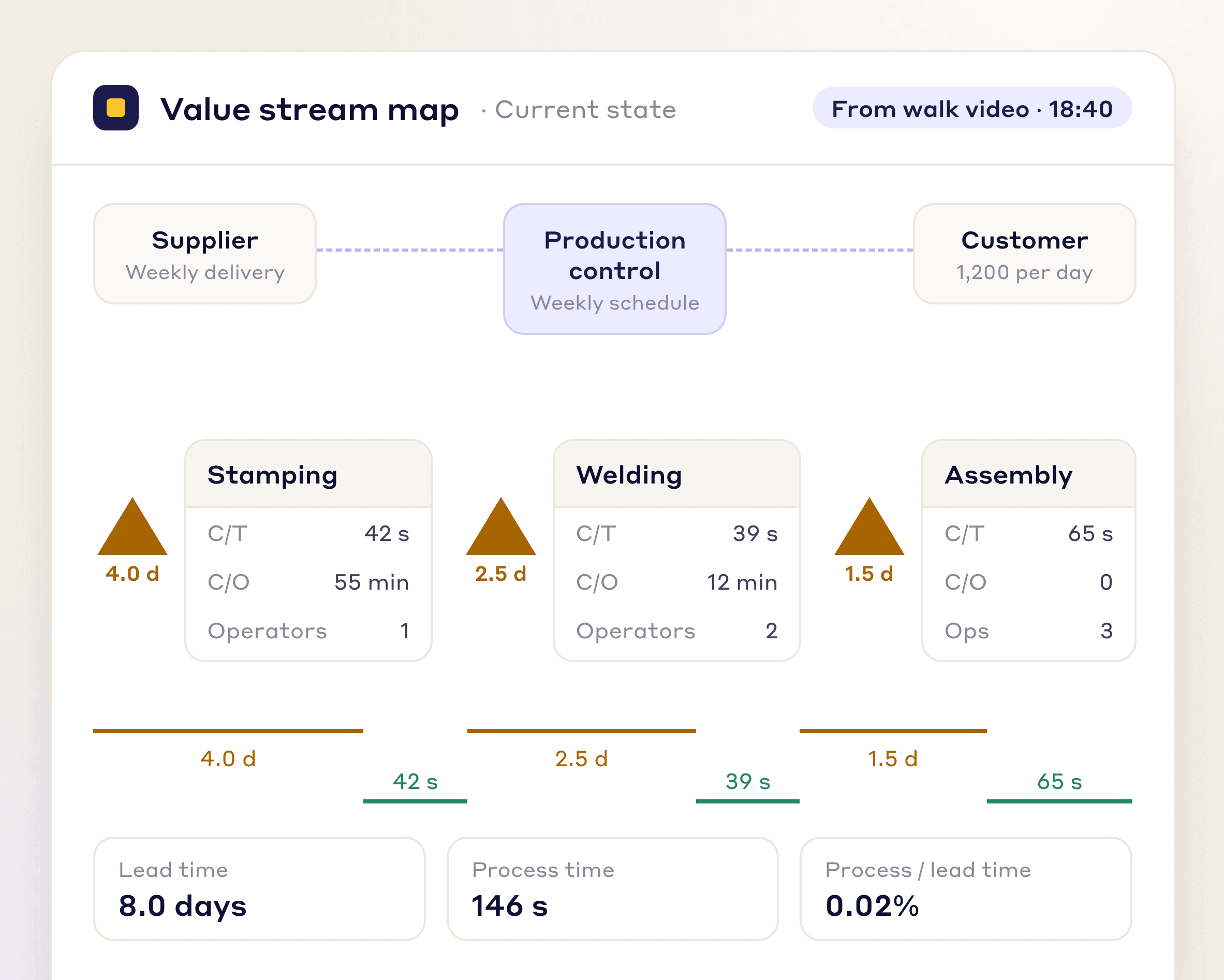
Walk the process once with a phone and LeanSuite builds a current-state map with process times, wait times, inventory and information flow.
Process & lead time ratio calculated
Inventory triangles auto-quantified
AI-recommended future-state map
Analysis 05
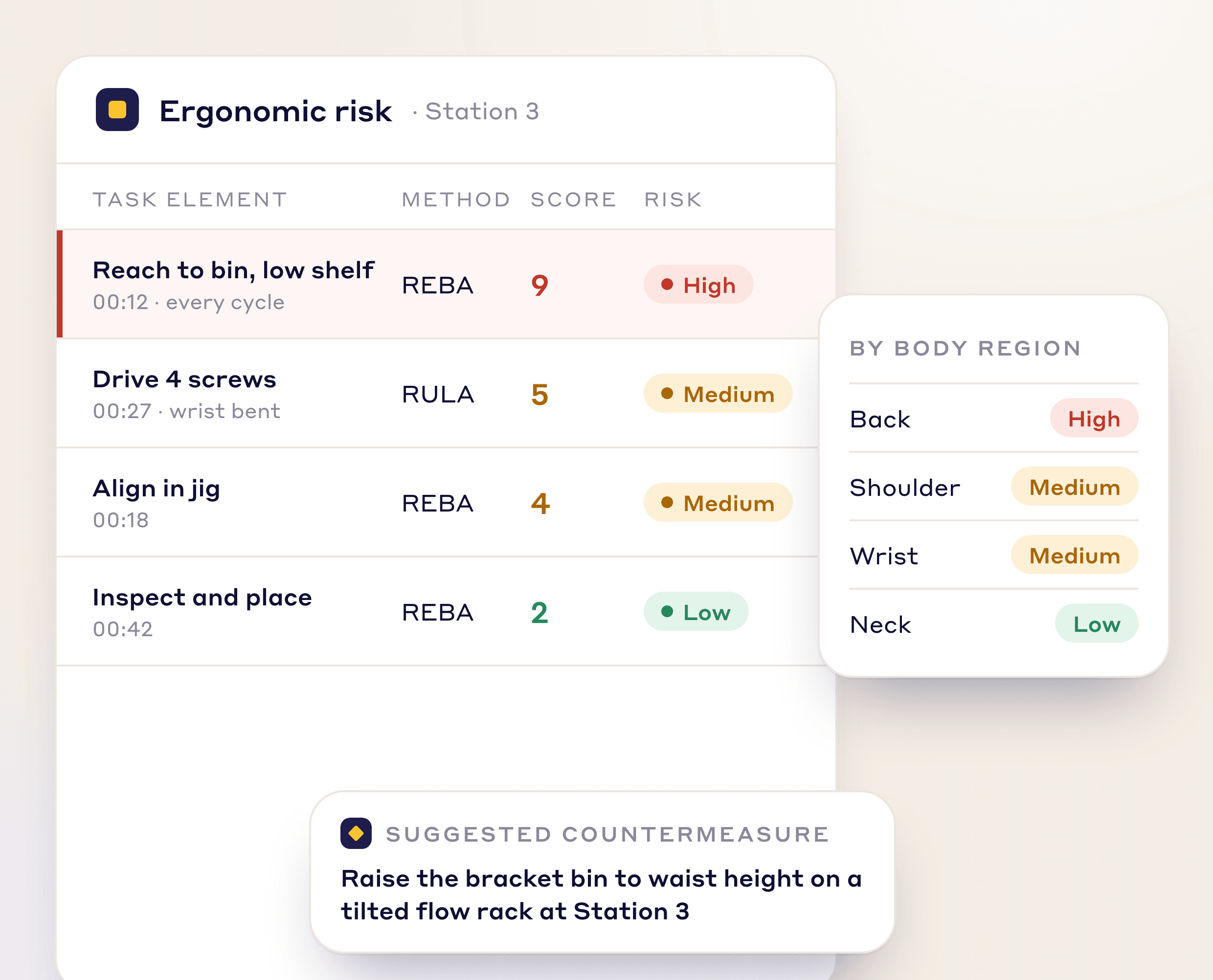
Pose estimation scores every frame with REBA and RULA, so you see which tasks drive injury exposure.
Body-region heatmap (neck, back, shoulder, wrist)
Risk severity by task element
Recommended jig/fixture countermeasures
Analysis 06
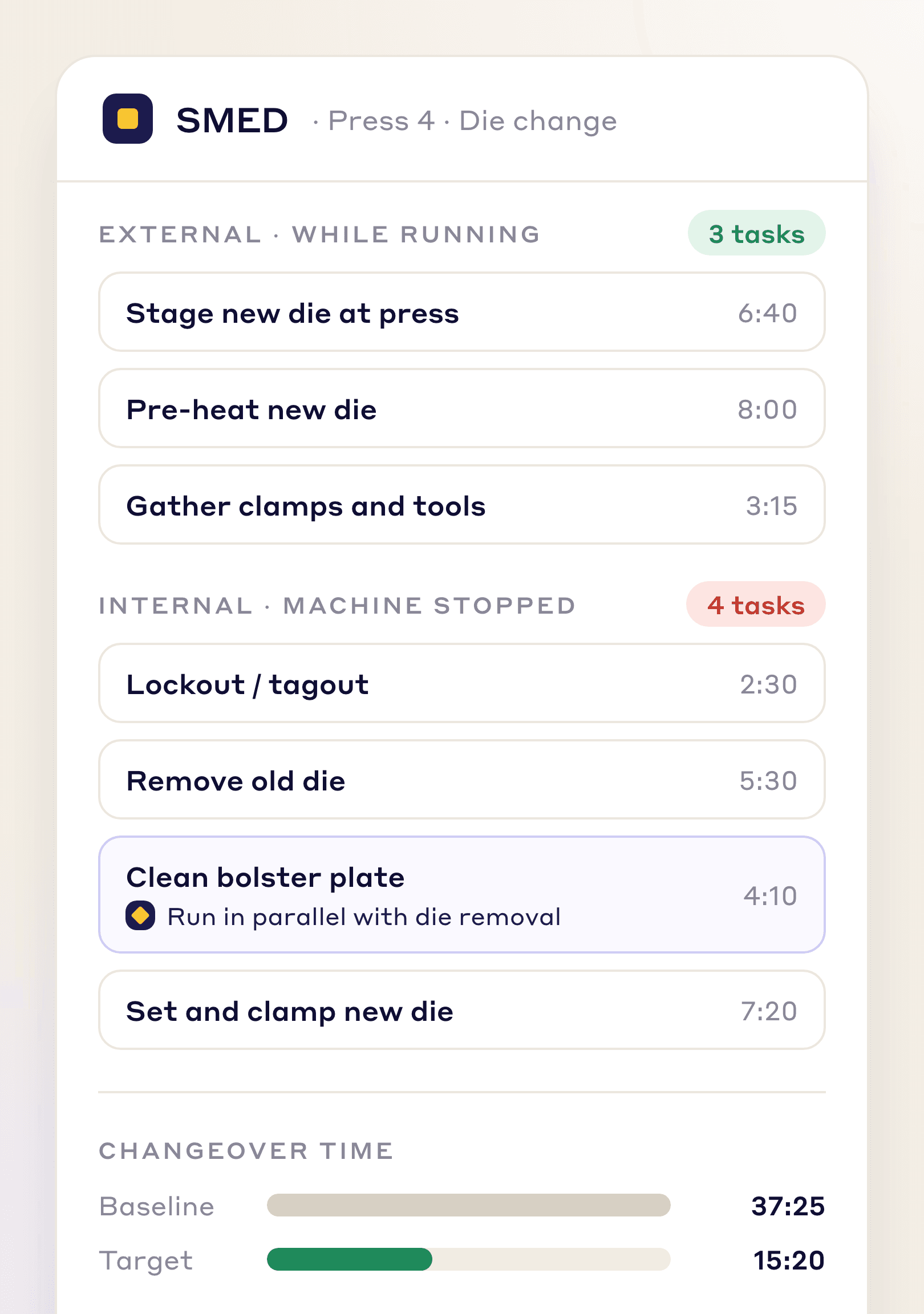
AI splits a filmed changeover into tasks, marks each internal or external, and proposes a shorter sequence.
Automatic internal/external classification
Parallelization opportunities flagged
Target vs. baseline changeover time
Document Generation
The same footage drafts your standard work documents. SOPs and OPLs are made in Create with AI, which is included in the facility plan. SMPs from video are part of Vision AI.
AI turns the video into an SOP with purpose, scope, PPE, tools, steps, safety warnings and a frame per step.
Auto-numbered steps
Embedded photo evidence
Revision control & e-signatures
Film one technician walkthrough and get a maintenance procedure with the steps, tools, PPE and warnings from the video.
PPE and warnings from the video
Tools & parts BOM
Frequency & duration estimates
Upload a before-and-after pair of photos and AI builds a one-page lesson with acknowledgement questions.
Single-page format
Before/after photos
Acknowledgement questions
Why It Matters
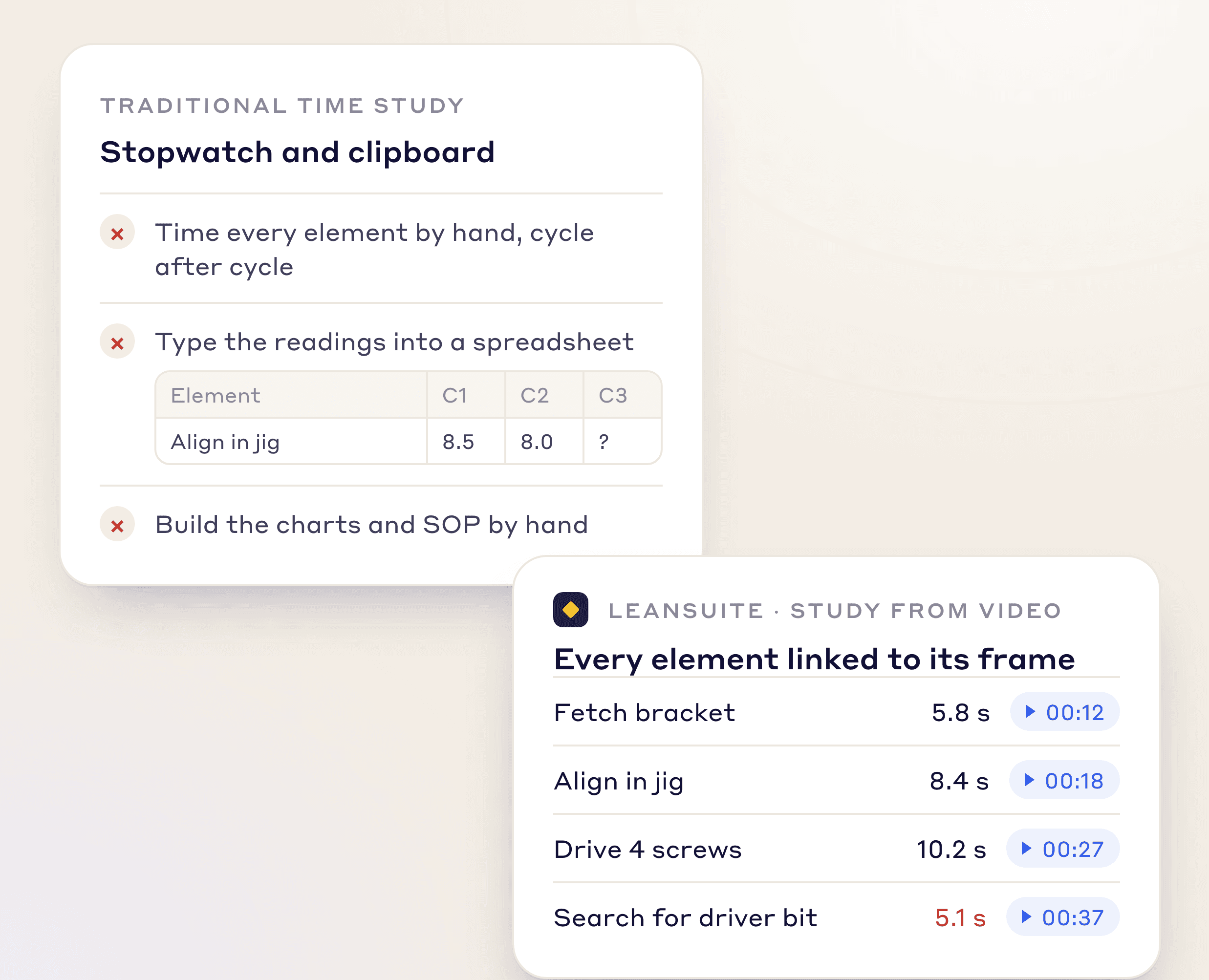
A stopwatch study means timing every element and building charts by hand. LeanSuite lets AI watch the video and do that work, so the engineer reviews instead of measures.
Faster Studies
The AI does the timing and the charts; the engineer reviews and certifies.
Consistent Measurement
AI measures every cycle the same way: no rounded numbers, no missed micro-stops.
Permanent Visual Record
Every output links back to its source frame.
“Customer support has been exceptional. The team is always available to answer questions and consistently provides prompt responses. I have been working closely with them to set up KPIs and time studies for our company, and their level of support throughout the process has been outstanding”
 Luis R.CI Engineer, Tomball Controls
“Great user-friendly software! It's covering everything that WCM or similar Lean Programs are asking to do, in a very effective way.”
 Elena M.Global Head of Marelli Manufacturing System Automotive, Marelli
“The Project Tracking System generates significant savings while ensuring seamless delivery... The Global Kaizen Power Pitch completely transformed our ability to share best practices.”
 Ramsey AljahmiSr. Director of NAR Operations Excellence, Whirlpool Corporation
FAQs
AI video analysis uses computer vision to turn a process video into industrial engineering studies, such as time and motion, line balancing, SMED and ergonomics.
Record the process, upload it and choose the operators to track. The AI builds the timeline, charts and findings; you correct it, certify it and turn findings into Kaizens.
The AI gets you most of the way; you review and correct it. Each certified study becomes the reference for later studies of the same process, so they get more accurate.
Yes. Compare two or more studies by operator or for the whole process, or compare saved scenarios by minutes and cost saved.
Standard 1080p smartphone footage works; no camera crew is needed.
Single uploads can be up to 4 hours. For full-shift studies or VSM walks, you can stitch multiple segments together inside LeanSuite without re-uploading.
All footage is encrypted in transit and at rest, processed in your dedicated tenant, and never used to train external models. You control retention and deletion policies.
Yes. Every generated document opens in Lean Creator for editing and approval.
The scores come from pose estimation on every frame. You can always override and re-score any frame manually.
See LeanSuite's AI video analysis replace the stopwatch and weeks of IE work, and draft the SMPs your floor needs. Vision AI is priced separately.