
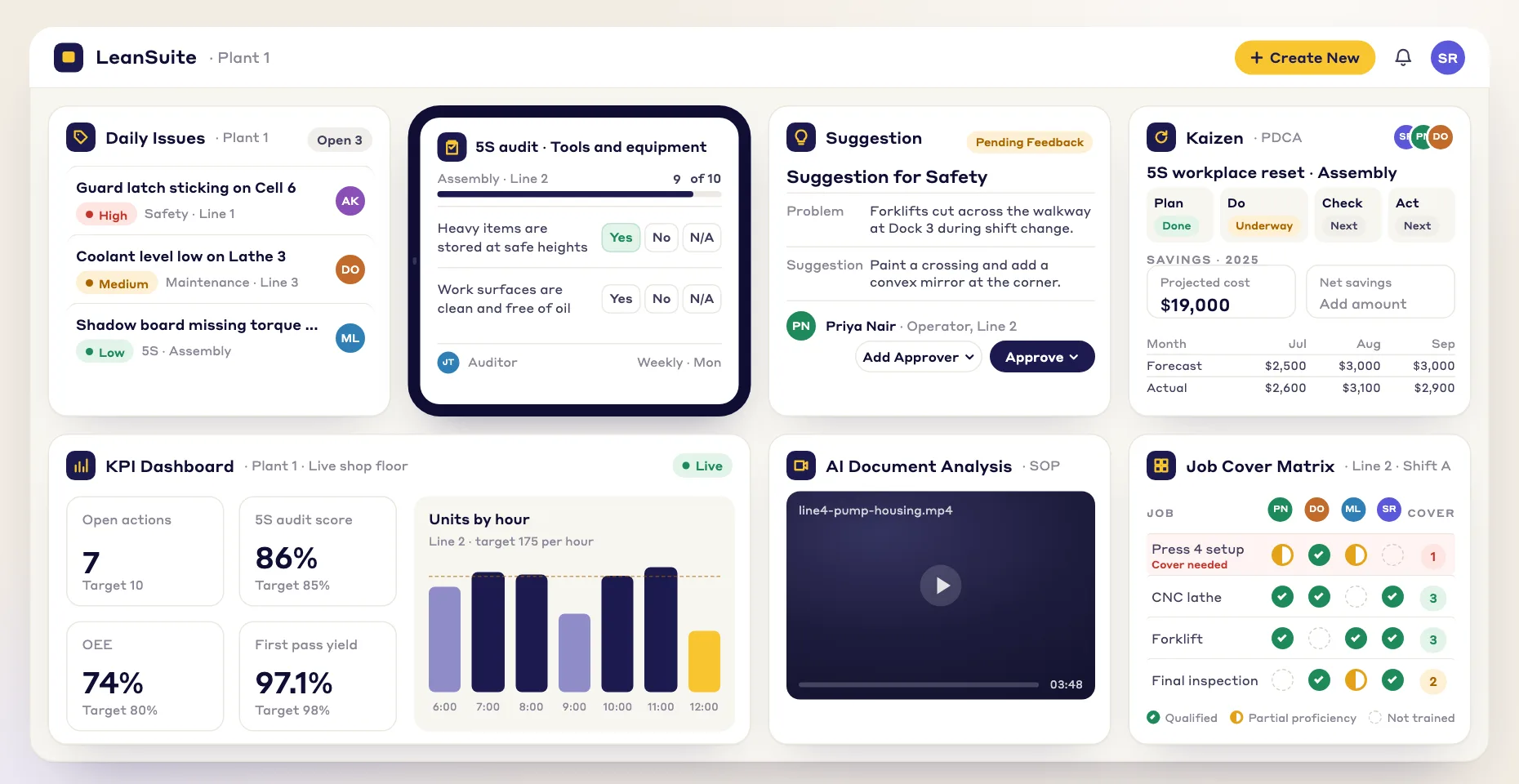
Why does this keep happening?
The RCA Agent suggests a 5 Whys, 4M1D and fishbone from the problem, your attached manuals and SOPs, and your plant's past problems.
AI root cause analysis in every Kaizen and EWO: the RCA Agent drafts a 5 Whys, 4M1D and fishbone from the problem, your attached manuals and SOPs, and your plant’s past problems.
What it answers
Describe the problem and attach what you know. The RCA Agent drafts the analysis and your team checks it.
The RCA Agent suggests a 5 Whys, 4M1D and fishbone from the problem, your attached manuals and SOPs, and your plant's past problems.
Operators, supervisors and engineers can start a root cause analysis themselves and edit the draft with their team.
Push the countermeasures you keep into the Kaizen action plan, where each gets an owner and a due date.
It drafts and people decide. Your team checks every suggestion against what they see on the floor before any fix is assigned.
Watch
· 4:33
A press leaks. Maintenance fixes it. The ticket closes. The press leaks again. This happens three times before anyone asks why. In this episode the crew chases one hose leak until the root cause is dead. They find what was rubbing the hose, find the other presses with the same edge, and make sure both shifts hear about the fix. A problem is not solved when…
Press play to load the player from YouTube, or watch it on YouTube.
How it works
Three steps, from a problem description to an action plan your team owns.
Fill in the problem, then attach manuals or SOPs, link documents from Document Management, or add a web link.
The agent reads the problem, your documents and your plant’s past problems, and suggests a 5 Whys, 4M1D and fishbone. Edit anything.
Push the countermeasures into the Kaizen action plan, where each gets an owner and a due date.
From problem to action plan
The AI writes the first draft. Your team decides what is true and owns the fix.
You
Write what is happening and attach manuals, SOPs, Document Management files or a web link.
The AI
The RCA Agent suggests a 5 Whys, 4M1D and fishbone from your problem, documents and past problems.
You
Your team edits the draft and keeps the causes that match what they see.
You
Send the countermeasures to the Kaizen action plan with an owner and a due date each.
Use Lean AI to automate root cause analysis
Lean AI
Without it, every problem waits for the one CI expert. With it, operators, technicians and supervisors get expert-level guidance the moment a problem shows up.
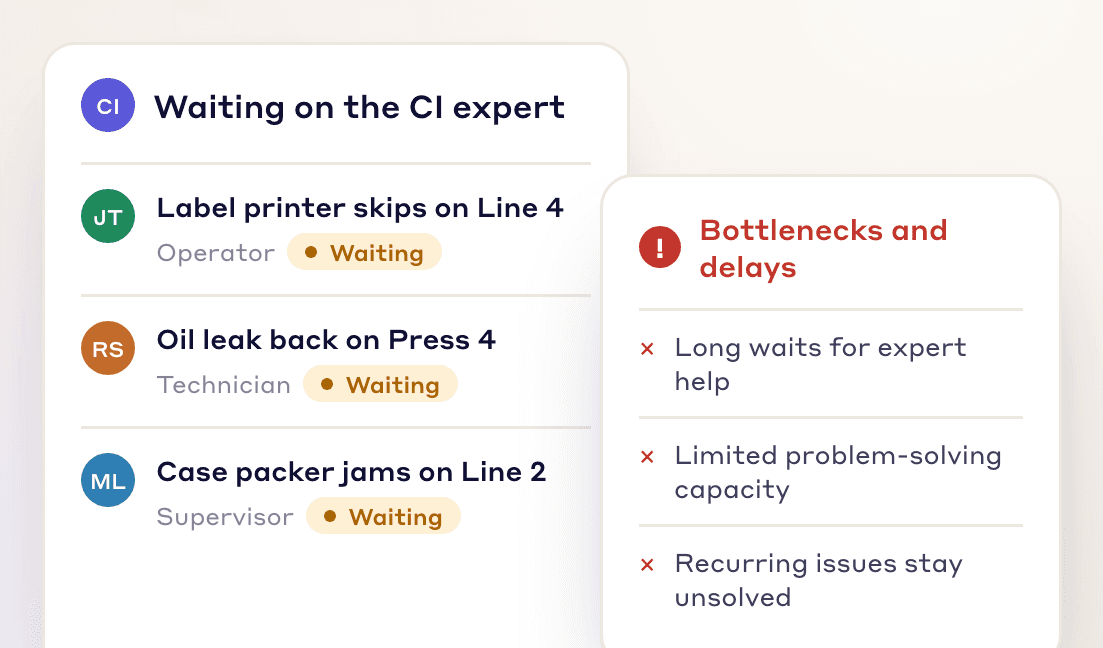
Manual root cause analysis waits on the one expert, so problems stay open longer.
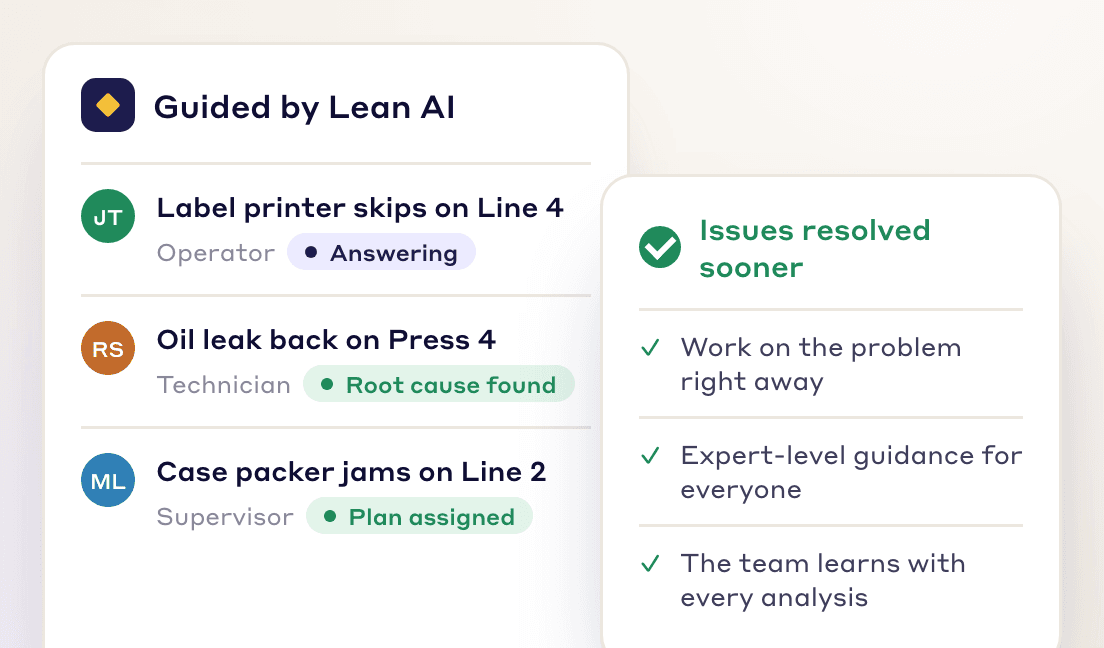
The RCA Agent drafts the analysis and points to likely root causes, so problems get fixed sooner.
Frontline Teams
Operators, supervisors and engineers can start a root cause analysis without waiting for the CI expert.
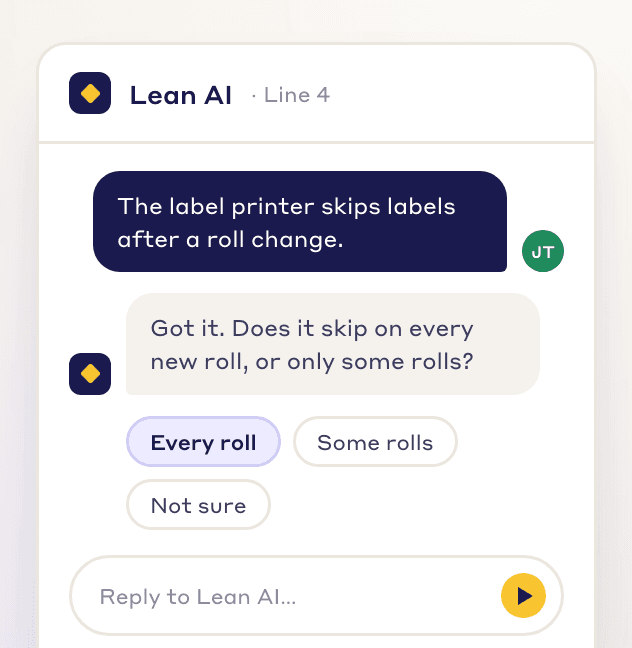
Operators, supervisors and engineers get a draft analysis the day a problem happens.
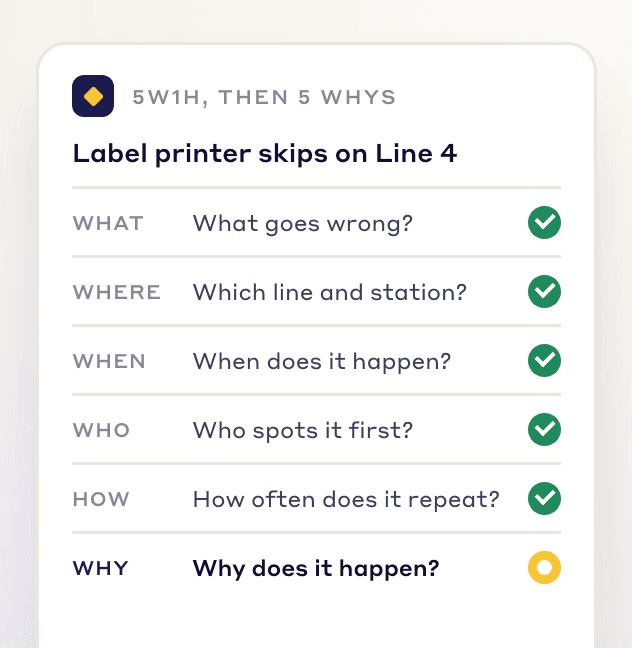
Every draft follows the same 5 Whys, 4M1D and fishbone structure, whoever raises the problem.
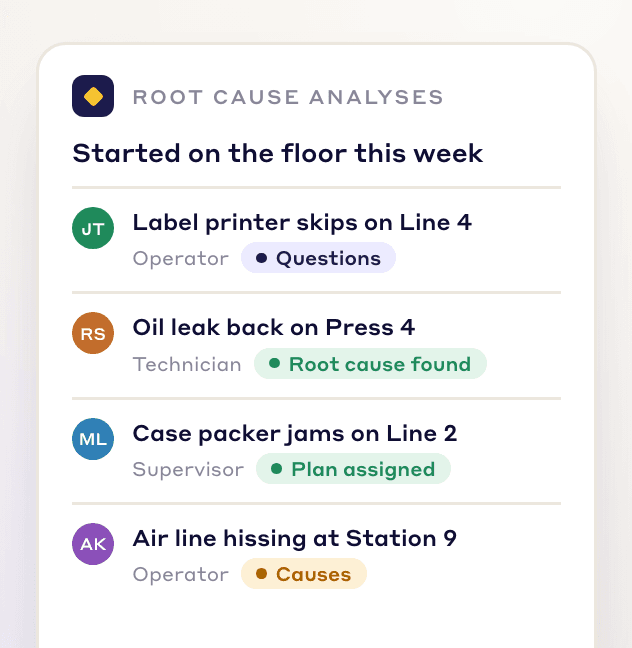
Everyone takes part in solving problems, not just the CI team.
Who it is for
A way to start a root cause analysis on the line without waiting for the CI expert.
A draft to work through with the team, with the countermeasures going into an action plan with owners.
A first-draft 5 Whys, 4M1D and fishbone to check and edit, using your manuals, SOPs and past problems.
Analyses that live inside every Kaizen and EWO, and an RCA workflow built to your plant's own steps.
Book a demo and watch the RCA Agent turn a problem and your manuals into a 5 Whys, a fishbone and an action plan.
Beyond the chatbot
A generic chatbot can suggest causes. The RCA Agent works inside the Kaizen, reads your documents and past problems, and turns its findings into actions.
| Capabilities | Manual RCA | Generic LLMs | LeanSuite RCA |
|---|---|---|---|
| Structured RCA guidance | No | Partial | Yes |
| Knowledge of lean methodologies | Partial | Partial | Yes |
| Collaboration support | Partial | Partial | Yes |
| Ease of use for frontline teams | No | Partial | Yes |
| Uses your manuals, SOPs and past problems | Partial | Partial | Yes |
| Sends actions to the Kaizen action plan | No | No | Yes |
Honest limits
LeanSuite AI
Lean AI also groups suggestions, sorts complaints, describes photos and brainstorms fixes.
AI-powered idea management
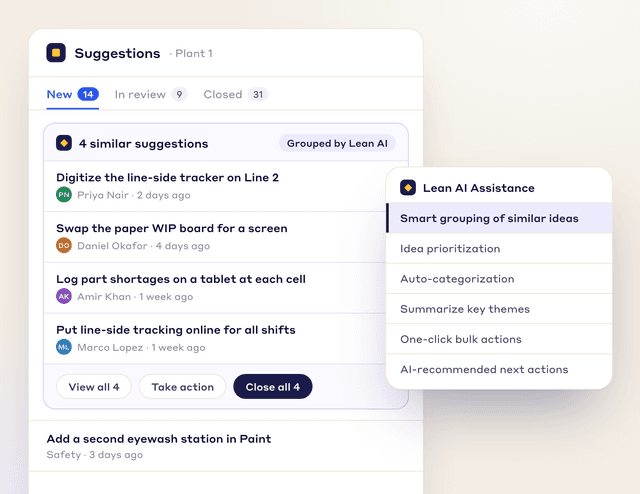
Lean AI groups similar suggestions so you close them together.
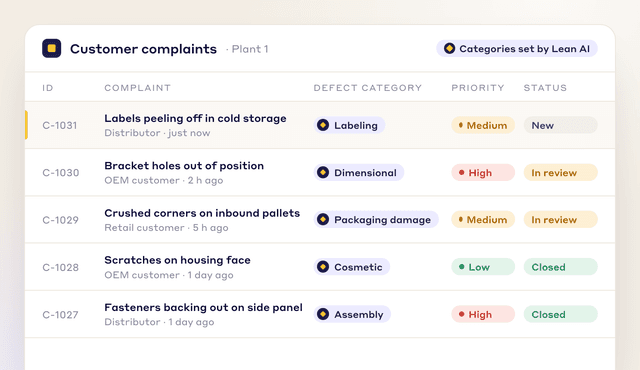
Automated complaint sorting
Lean AI sorts each customer complaint into its likely defect category.
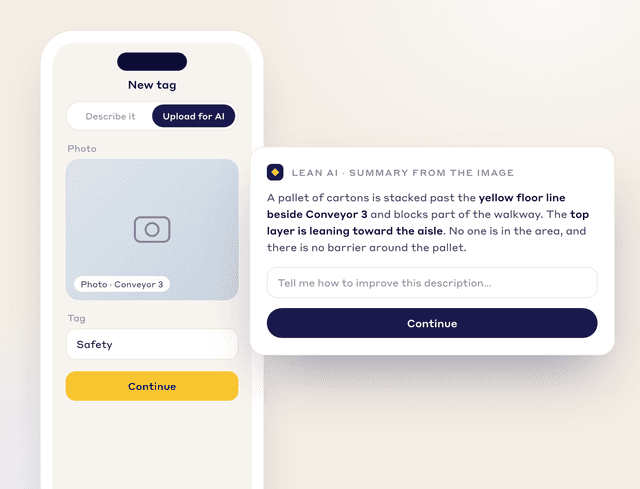
AI image descriptions
Lean AI describes each tag photo and lists the hazards it sees.
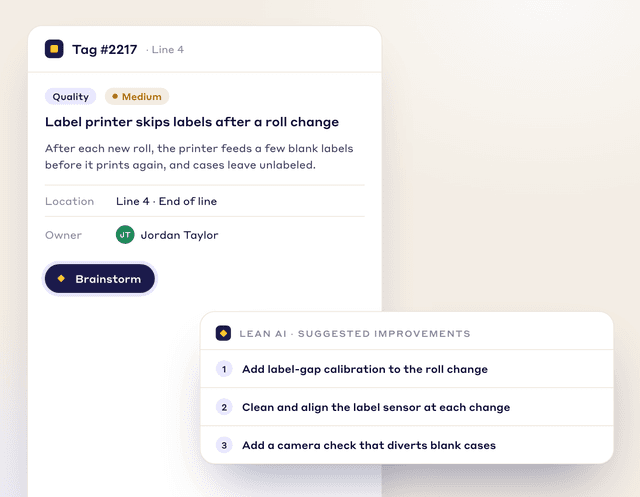
AI-driven brainstorming
Press “Brainstorm” and Lean AI suggests improvements.
AI-powered idea management
Act on similar suggestions together
Lean AI groups similar suggestions so you close them together.
Schedule Demo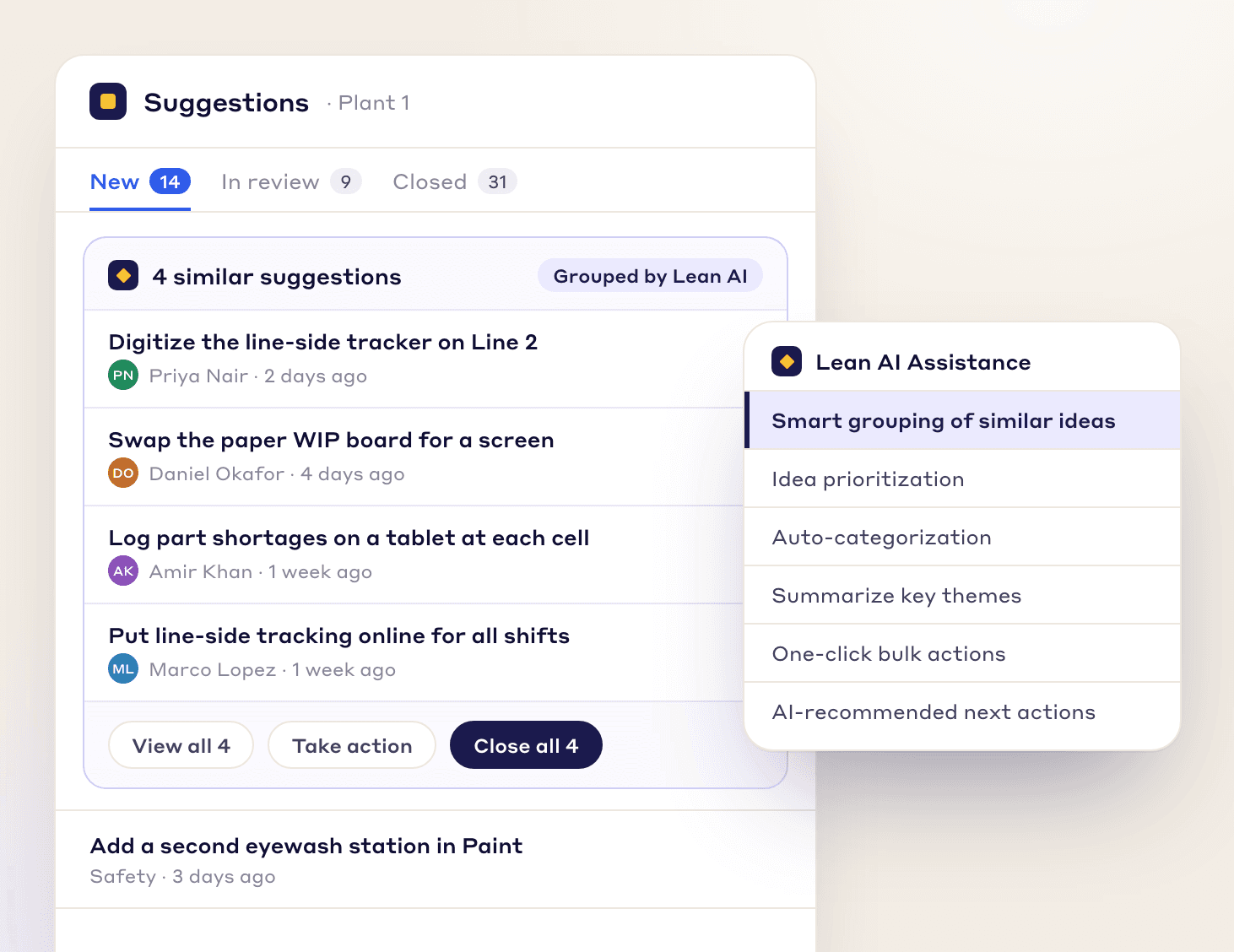
FREE RESOURCES
Not ready for software yet? Start with these free resources.
RCA, Kaizen, work orders, tags and best practices follow your own steps, fields and approvals.
At each stage you set who can move it, what must be valid first, what updates on its own and who is told.
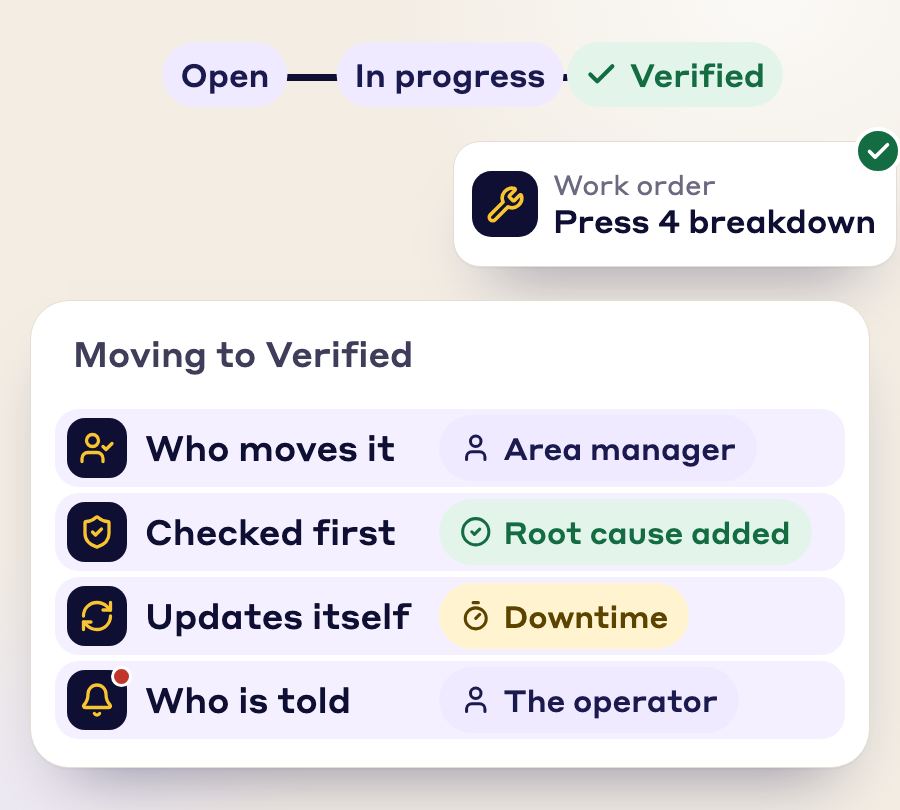
One issue becomes a tag, an RCA, a work order, a Kaizen and a best practice. Nobody retypes it.
Photos, SOP, checklist and signatures stay attached and linked.
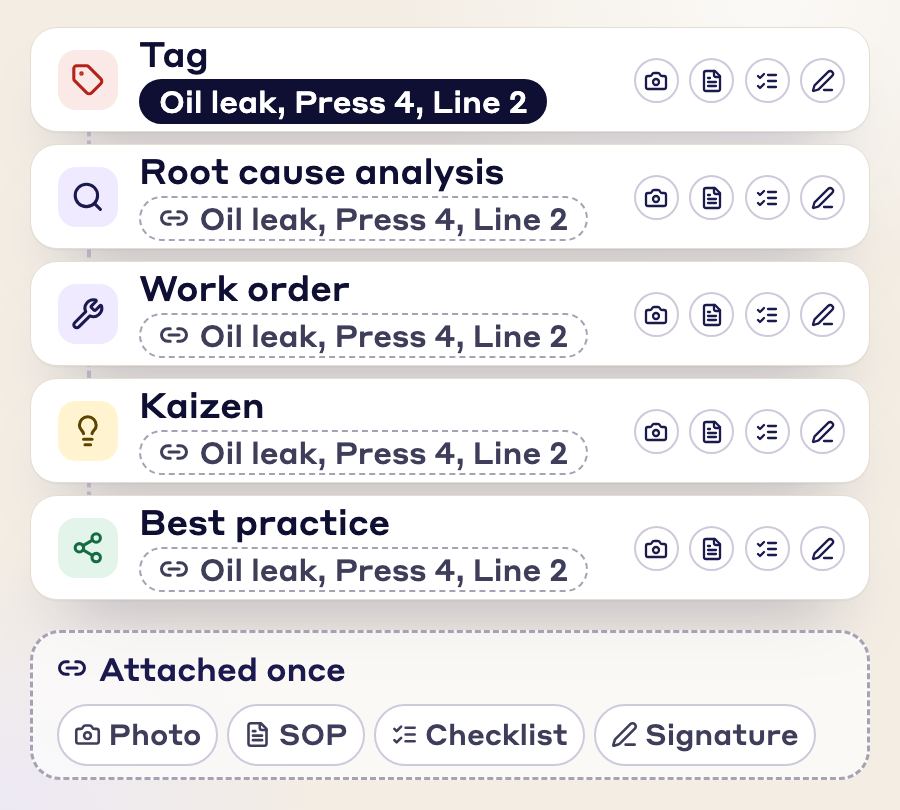
Every module is connected to every other, so you enter the same information once and the paperwork stays linked to each document.
“Customer support has been exceptional. The team is always available to answer questions and consistently provides prompt responses. I have been working closely with them to set up KPIs and time studies for our company, and their level of support throughout the process has been outstanding”
 Luis R.CI Engineer, Tomball Controls
“Great user-friendly software! It's covering everything that WCM or similar Lean Programs are asking to do, in a very effective way.”
 Elena M.Global Head of Marelli Manufacturing System Automotive, Marelli
“The Project Tracking System generates significant savings while ensuring seamless delivery... The Global Kaizen Power Pitch completely transformed our ability to share best practices.”
 Ramsey AljahmiSr. Director of NAR Operations Excellence, Whirlpool Corporation
FAQs
In manufacturing, AI root cause analysis uses a language model to draft a 5 Whys, fishbone or similar analysis from the facts of a plant problem: a defect, a breakdown, scrap or a safety incident. People then check the draft, confirm the root cause and assign the fixes. It is a different thing from AI root cause analysis in IT, where observability tools trace a software outage through logs and metrics.
The RCA Agent is the AI tab in every Kaizen and EWO. Press Run RCA Analysis and it suggests a 5 Whys, 4M1D and fishbone analysis, which you can edit before use.
Describe the problem, attach or link helpful material, and run the RCA Agent. Review its draft with your team, then push the countermeasures you keep into the action plan.
Yes. The RCA workflow is built to your plant's own steps, fields and approvals, with rules at each stage for who can move it, what must be valid first, what updates on its own when the status changes and who is told. The analysis stays linked to the tag or work order it came from, so nothing is typed twice.
The problem description, attached files such as machine manuals and SOPs, documents from Document Management, web links, and your plant's past problems.
No. Operators, supervisors and engineers can start a root cause analysis themselves. Describe the problem, run the RCA Agent and edit the draft with your team.
Yes. Attaching manuals, SOPs or links helps, but you start from the problem description. The agent also draws on your plant's past problems.
No. It works in three layers: a general language model, a layer built on lean methods, and your own plant's data, such as its past problems.
No. Your data isn't shared with AI providers to train their models, and each facility's data is kept separate. If your policies require it, AI features can be switched off for your company.
It drafts the analysis, and your team confirms the cause. Describe the defect and attach what you know, such as the SOP or the machine manual, and the RCA Agent suggests a 5 Whys, 4M1D and fishbone, drawing on your plant's past problems too. People check the draft against what they see on the floor before any fix is assigned.
It depends on where your problems come from. For problems raised on the line every day, with an AI draft your people check and the fixes tracked as owned actions, LeanSuite. For one formal method for serious safety and quality incidents, TapRooT or Causelink, which also suggests causes with AI. For causes hidden in historian and sensor data, Seeq. Our buyer's guide to AI root cause analysis software compares the four from their own pages.
Root cause analysis (RCA) finds the underlying reason a problem occurred, so the fix stops it coming back. Common tools are the 5 Whys, fishbone diagrams and Pareto analysis.
Powered by AI
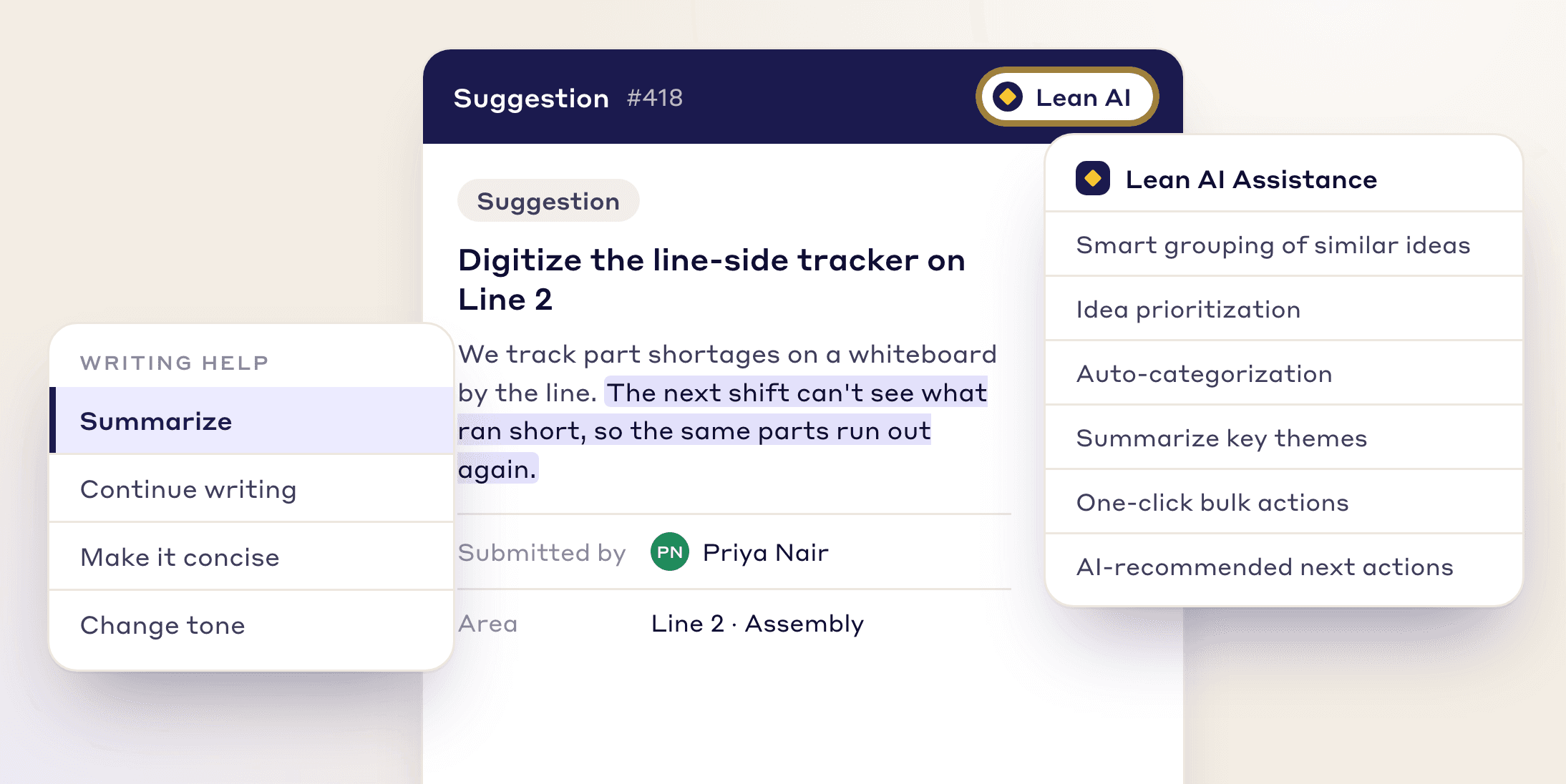
Inside each suggestion, Lean AI summarizes the write-up, groups similar ideas and recommends the next action.
Book a demo and see a 5 Whys, 4M1D and fishbone drafted from one of your own plant problems.