

It gets stored
The tag lands in a list that only grows, so status gets settled by whoever remembers most. The person who raised it hears nothing back.
Nobody knows what's open
Tags get written up and drop into a list that only grows. You can pull a report of everything ever raised, but not the short list of what is still open and whose it is.
By clicking "Schedule Demo," you agree to the use of your data in accordance with LeanSuite's Privacy Notice, including for marketing purposes.
TRUSTED BY INNOVATIVE LEADERS
Same tag, two paths
The tag lands in a list that only grows, so status gets settled by whoever remembers most. The person who raised it hears nothing back.
A rule assigns it, the due date is set, and it stays visibly open until a supervisor verifies the fix. The operator who raised it gets the answer in the comments.
Sound familiar?
Someone asks what is still open on line two, and three people give three answers. Your list has every tag ever raised in it, so open only means nobody deleted it. A daily management system in manufacturing is meant to answer that question, and a list that just stores tags never will.
Open means unknown
The list shows everything ever reported, so nobody trusts the word open on it.
Ownership goes quiet
A tag gets handed to someone in passing and no record says where it stopped.
The meeting becomes a hunt
The stand-up burns its time asking around instead of deciding what happens today.
Rules assign the owner
You can have rules around if it's a high priority, what should be the due date. If it's coming from safety, who should it go to and what should be the due date for it.
Status you can read live
Each module has its own reporting built in there, so you could visually see how things are going, open versus closed.
Closed only when verified
The supervisor is notified on submission and can mark it complete or reopen it with a comment.
On your floor
The same missing answer lands differently depending on where you stand.
You write up the same leak twice and never hear what happened to either one.
With LeanSuiteYou see the status of what you raised, and you get the reply in the comments when it is closed or reopened.
You spend the first part of the meeting asking around who is on what.
With LeanSuiteYou can visualize what are the open issues, what are the open action items, and comment on if there's anything that's missing.
Tags reach you in three places and you triage them from memory and volume of complaint.
With LeanSuiteRules route tags to you with priority and due date already set, and reassignments stay on the record.
How it works
Tags get written up and drop into a list that only grows. You can pull a report of everything ever raised, but not the short list of what is still open and whose it is.
Step 1
It's as simple as leak under the conveyor. They can put in more details if they need to, and they can put in the issue type. People from the shop floor have the ability to work inside the system.
Step 2
There's rules that can be set up based on which it can automatically assign it to the right individuals with the right due date as well. So if it's something safety related in a particular area and that's their model area to begin with, it could have a higher urgency and the right individual that the tag goes to.
Step 3
There are floor plans in the tagging module, so you could directly visually see where the heat map is forming and where all the issues are happening. You could pretty much build any view to visually see what is really going on.
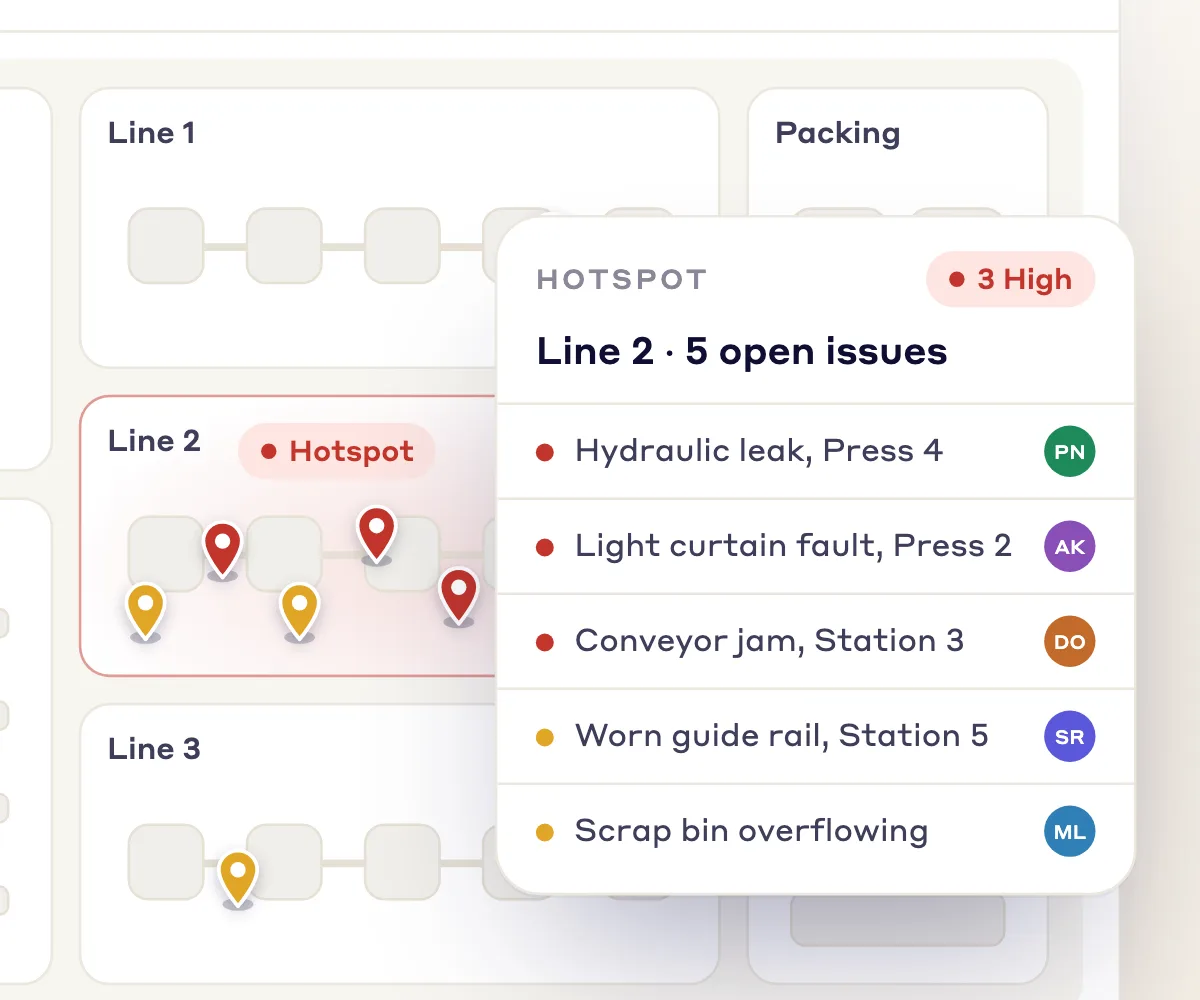
Step 4
Those issues get put through a process where it can go into verification and then completion of that task. People can mention others, or just comment that we were supposed to get parts and we didn't get them, so you have the full picture when you're looking at that particular item, why it's not closed yet.

From our co-founder
“There's rules that can be set up based on which it can automatically assign it to the right individuals with the right due date.”
Where to go next
If nobody can say what's open right now, the fix is in how issues get raised, reviewed, and closed out. These three pages cover those parts.
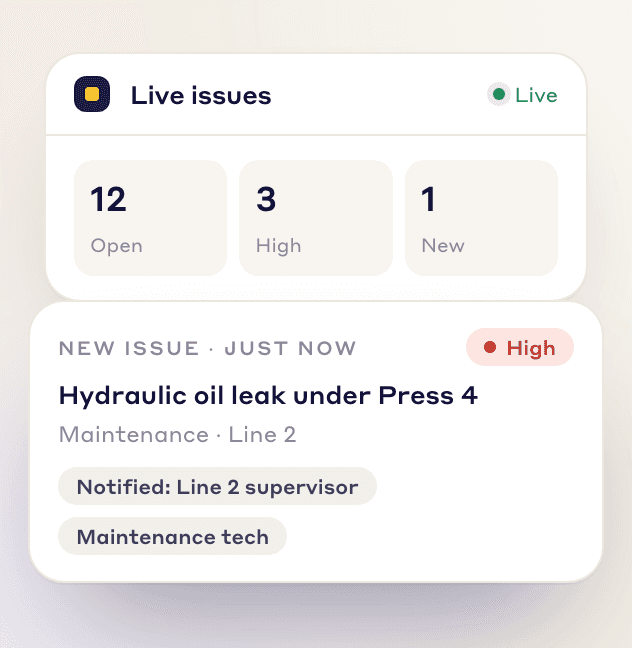
Gives the frontline team a way to flag, track, and resolve issues in real time. That is what makes an open list reflect what the line is actually dealing with.
See how it works →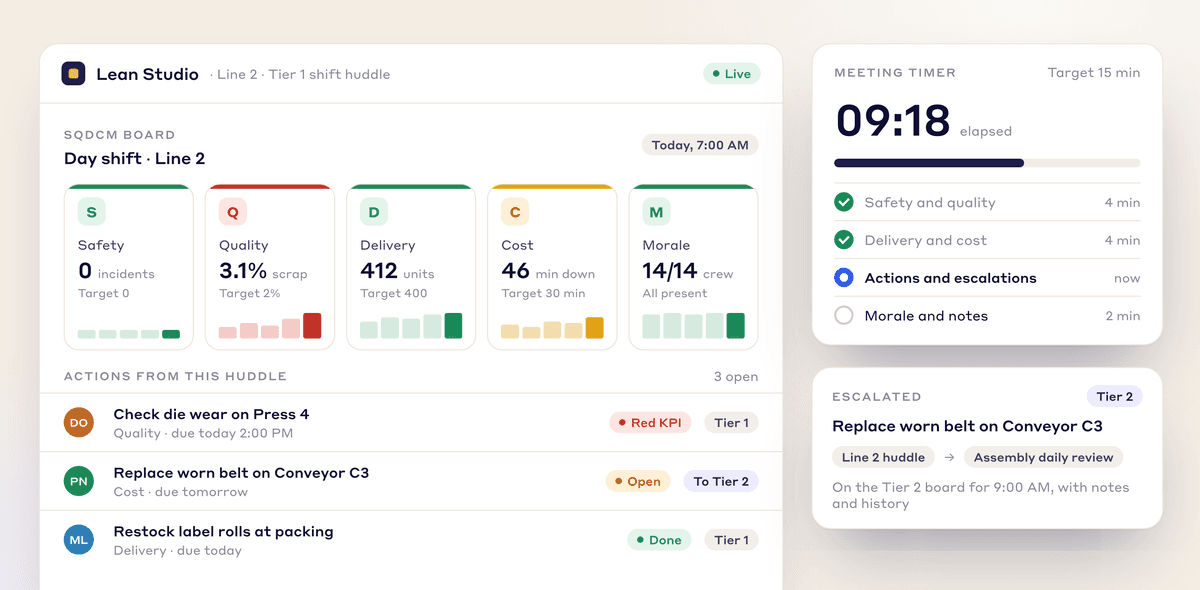
Tiered meetings run off live dashboards instead of whiteboards, cascading from shop floor to top floor. Everyone in the room is looking at the same thing when the question gets asked.
See how it works →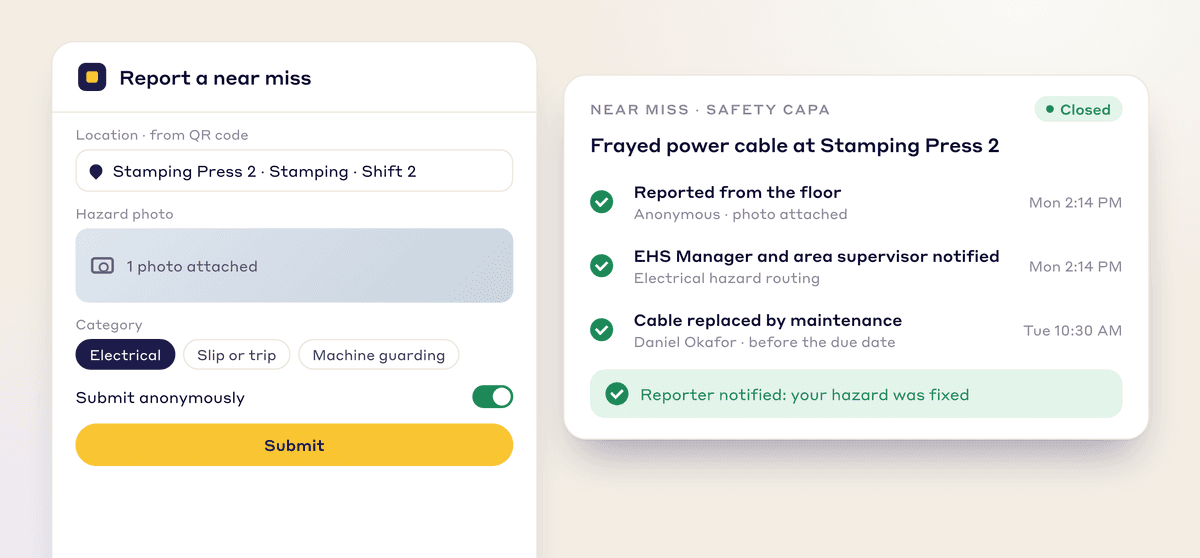
Near misses get logged on mobile, then corrective actions are tracked through to completion. Close calls get closed out instead of sitting on the list.
See how it works →For daily issue management, there's a whole tagging module tied right in there, to identify the daily issues that are happening on the shop floor. There's another integration that we worked on through tags, where we were asked to connect with their CMMS system for work order management, so that's totally doable.
You could run rules in here. Let's say a certain thing was identified at a certain department, and if it's a safety related issue, it can automatically assign it to the right individual. You could build rules in there that if it's coming from this line, this workstation or this machine, this type of issue, assign it to this individual, otherwise assign it to this other individual.
Yes. Access can be given through an employee ID instead of an email address, and plants run it on a basic tablet, a kiosk or employees' own phones. Licensing is per facility with no user limit, so everyone in the plant can have access.
They can manage all these issue types or anything that they're tracking, whether it's spills, whether it's from a safety perspective, unsafe acts, unsafe conditions, or from maintenance like leaks and spills. They can build their own list, so it's fully configurable. If they wanted to start with something super simple, they can even cut down the list of fields that they don't want to track and make the form as easy as just title, submitted by, and that's it.
Bring a week of your own tags and we will show how they would be routed, tracked and verified closed.