
Typed up after the fact
Someone has to watch the clip back and retype every step, then go hunting for photos and tool lists. The document keeps losing to whatever the floor needs today.
The unwritten SOP
The walk-around is done and the clip is sitting on someone's phone, while the SOP is still a blank page nobody has time to fill. Create an SOP from video instead: upload the clip and LeanSuite drafts the steps out of the footage.
By clicking "Schedule Demo," you agree to the use of your data in accordance with LeanSuite's Privacy Notice, including for marketing purposes.
TRUSTED BY INNOVATIVE LEADERS
















Two ways to get it written
Someone has to watch the clip back and retype every step, then go hunting for photos and tool lists. The document keeps losing to whatever the floor needs today.
It highlights the PPE, the tool requirement and it breaks it down into step by step. And then you can fine tweak it, depending on what you feel is right.
Sound familiar?
You walked the line with your phone out and got the whole job on video. The clip is still sitting there, because writing it up means a blank page, numbering every step and hunting for photos. So the job keeps running the way whoever trained last remembers it.
The clip never becomes a document
The footage stays on a phone or a shared drive because writing it up takes an afternoon nobody has.
Two operators, two methods
Without a written standard, the job runs the way whoever trained each person remembers doing it.
Sign off means a signature
People sign the SOP without anything checking whether they actually read it or understood it.
One upload, a full draft
You can attach a video of that process and it can actually break it down into steps and build that SOP for you with just the video, which you can send out to get people's signature there.
A frame on every step
Once you print this, you would see a QR code where if somebody on the shop floor scans that QR code, rather than showing it in a screenshot format, it would play that clip of just that step of the video right on the phone or the tablet.
Questions built into sign off
What it also does is that it puts certain questions in between. So it's making sure that the person actually understood the SOP.
Before this
The first few get written properly, then the line needs someone and the rest stay as bullet points in a draft. Six months on, the folder holds two finished SOPs and a lot of half pages.
The photos get taken, but somebody still has to caption them, order them and write the safety notes around them. The album ends up in a shared drive nobody opens.
It is quicker, but the fixtures, tools and sequence are not the same, so operators learn to ignore the parts that do not match. Once they ignore part of it, they ignore all of it.
How it works
The walk-around is done and the clip is sitting on someone's phone, while the SOP is still a blank page nobody has time to fill. Create an SOP from video instead: upload the clip and LeanSuite drafts the steps out of the footage.
Step 1
You could actually record a video while you're talking about the process. So you can use that feature to build all your SOPs.
Step 2
You upload the video and pick video SOP, and it will pick up all those essential things: what's the purpose of this work instruction, what's the scope, any PPE requirements, any materials or tools or equipment that are needed. And then it just puts that in a step by step format for you.
Step 3
If you require someone to sign off on it, you can add a field for signature. And if you assign this SOP to somebody to sign off on, it will make sure to ask certain questions that are relevant to certain steps.
Step 4
You can assign all those templates to different individuals or different roles in the factory with a certain frequency. That becomes your daily standard work. Things like audits and checklists could have a repeatable pattern, but for something like an SOP, it can only have one occurrence.
Who feels it
Three people, the same clip.
Learns the job from whoever is free that shift.
With LeanSuiteKnows exactly what to do today. Scans the QR code, the clip plays.
The clip is on the phone. The SOP is still on the list.
With LeanSuiteAttach the video, fine-tune the draft, save.
Gemba walk footage nobody turns into a document.
With LeanSuitePublish it, assign it to a role, set the frequency.

From our co-founder
“You can upload a video, it will analyze that video for you, it highlights the PPE, the tool requirement, and it breaks it down into step by step.”
Where to next
The video already has the job in it. These pages cover turning it into a document, putting that document in front of operators, and pulling what's in the footage without watching it again.
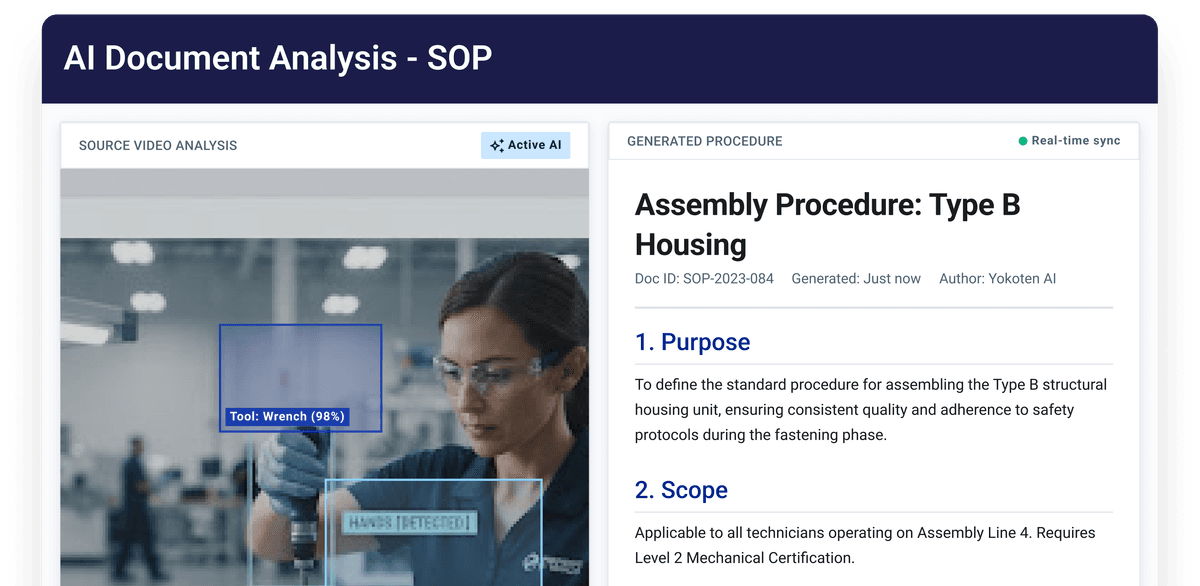
Turns what you know about the process into a structured, step-by-step SOP instead of a blank page. Keeps the write-up consistent so the job reads the same no matter who documents it.
See how it works →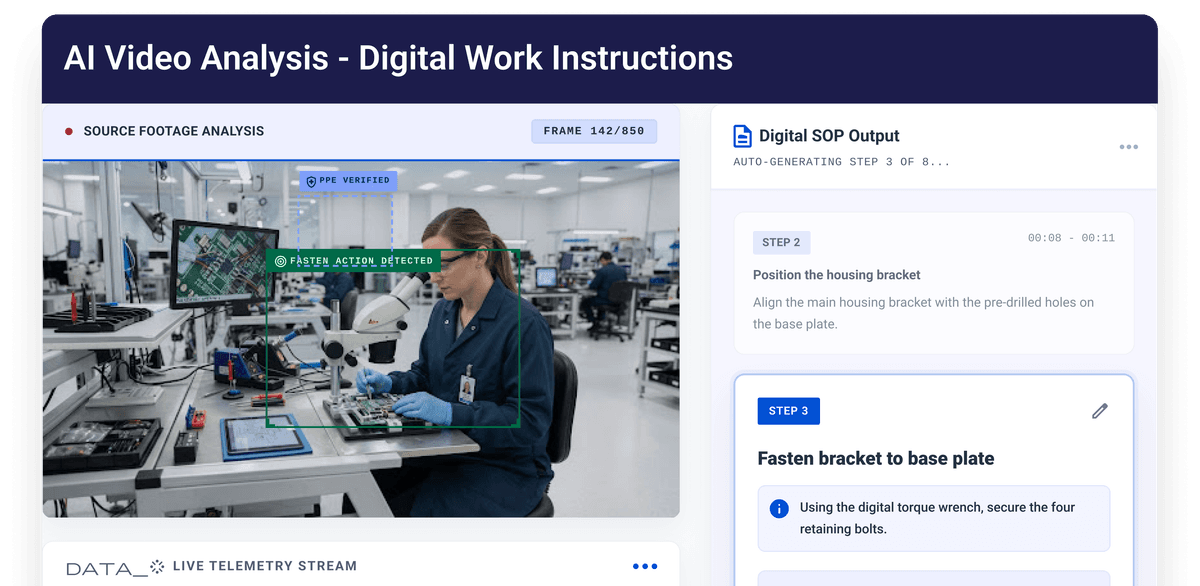
Once the job is written up, this is where it lives as step-by-step digital instructions operators follow at the station. Stops the job from running on whatever the last trainer remembers.
See how it works →
Upload the clip and get a summary, issues it spots, and recommendations back without rewatching it. Saves the manual review before you sit down to document the job.
See how it works →Send us a video of one of your own jobs and we will run it through LeanSuite on the call so you can see the draft it produces and what you would still correct.