
Buyer's guide
Best connected worker software
Connected worker platforms share a core of work instructions, checklists and skills on phones and tablets, and differ by focus. Poka leads on large multi-site programs, Augmentir on AI-guided work, Tulip on apps you build, Dozuki on visual instructions, L2L and Redzone on machine data, and LeanSuite on the lean routines around the frontline.
In more detail: Connected worker platforms share a core (digital work instructions, checklists, skills and training on phones and tablets) and differ in what they add. For the lean system around the frontline, with daily issues, tiered meetings, audits and kaizen, look at LeanSuite. For work instructions and training first, look at Dozuki, Augmentir, Azumuta or Operations1. For machine-connected production data, look at Redzone or L2L, and for no-code apps you build yourself, Tulip. Poka suits large enterprises, especially IFS customers, and Parsable suits plants that want no-code digital procedures tied to SAP.
Who wrote this: LeanSuite publishes this guide, and LeanSuite is one of the ten products on it. It is listed first because it is our product; the others follow in alphabetical order, which is not a ranking. Every other product is described only from its own public pages, and each entry says where that product fits better than ours.
Last updated . Vendor facts last reviewed October 2026. Based on each vendor's public information; tell us if something has changed at info@theleansuite.com.
At a glance
LeanSuite's whole platform next to each product, capability by capability. A question mark means the vendor does not publish it or we could not verify it, not that the product lacks it; the detailed table below has the specifics.
- Yes, on the vendor's own site
- Partial, limited or a paid add-on
- No, outside the product's published scope
- Not published, or we couldn't verify it
Swipe sideways to see every product.
| Capability | LeanSuite | Augmentir | Azumuta | Dozuki | L2L | Operations1 | Parsable | Poka | Redzone | Tulip |
|---|---|---|---|---|---|---|---|---|---|---|
| Skills and training | ||||||||||
| Live skills matrix | Yes:Competency Management | Yes | Yes | Partial: Skills tracking | Yes | Not published | Not published | Yes | Yes | Not published |
| Job cover matrix: who can cover each job | Yes:Job Cover Matrix | Partial: Skills-based assignment | Not published | Not published | Partial: By machine or process | Not published | Not published | Partial: Shift view | Partial: By job | Not published |
| Training (LMS): courses, quizzes, learning plans | Yes:Trainings (LMS) | Partial: Learning paths | Yes: Training paths | Yes: Learning pathways | Partial: Training content | Partial: Training | Not published | Yes: Learning module | Yes | Not published |
| SOP and OPL sign-off per person | Yes:Signed on a tablet | Partial: Who read each OPL | Not published | Partial: Workers acknowledge critical updates | Partial: Instruction sign-off | Not published | Not published | Not published | Not published | Not published |
| Continuous improvement | ||||||||||
| Any method: DMAIC, PDCA, A3, 8D or your own | Yes: Incl. your own | Not published | Not published | Not published | Partial: Root cause analysis | Not published | Not published | Not published | Partial: 5 Whys, CAPA | Not published |
| Engineering and CapEx projects with stage-gates | Yes:Four stage-gates | Not published | Not published | Not published | Not published | Not published | Not published | Not published | Not published | Not published |
| Non-manufacturing teams and projects | Yes: Any project type | Not published | Not published | Not published | Not published | Not published | Not published | Not published | Not published | Not published |
| Ideas and suggestions with configurable approvals | Yes:Approvals per idea type | Not published | Not published | Not published | Partial: Suggestions | Not published | Not published | Not published | Not published | Not published |
| Savings verified before they count | Yes:Finance signs off | Not published | Not published | Not published | Not published | Not published | Not published | Not published | Not published | Not published |
| Share what worked across sites (yokoten) | Yes:Best Practice Management | Not published | Not published | Not published | Not published | Not published | Not published | Not published | Not published | Not published |
| Your own workflow per record, with stage rules: who moves it, what must be valid, what updates, who is told | Yes: RCA, kaizen, work orders, tags, best practices | Not published | Not published | Not published | Not published | Not published | Not published | Not published | Not published | Not published |
| AI | ||||||||||
| AI root cause analysis | Yes:RCA Agent | Not published | Not published | Not published | Yes: Root Cause Intelligence | Not published | Not published | Not published | Not published | Not published |
| AI time and motion study from video | Partial:Vision AI, priced separately | Not published | Not published | Not published | Not published | Not published | Not published | Not published | Not published | Not published |
| Video to SOP | Yes:SOP from one video | Yes: Video to procedure | Not published | Yes: Forge AI | Not published | Not published | Not published | Not published | Not published | Not published |
| AI one-point lessons (OPLs) | Yes:OPL from before-and-after photos | Not published | Not published | Not published | Not published | Not published | Not published | Not published | Not published | Not published |
| AI drafts checklists and forms | Yes:Lean Creator AI drafts | Not published | Not published | Not published | Not published | Not published | Not published | Not published | Not published | Yes: AI Composer |
| AI sorts and triages ideas | Yes:Lean AI | Not published | Not published | Not published | Not published | Not published | Not published | Not published | Not published | Not published |
| Frontline operations | ||||||||||
| Daily issue management with tier escalation | Yes:F-Tags, escalation | Not published | Partial: Tickets | Not published | Yes: Real-time dispatch | Not published | Not published | Partial: Issues module | Yes | Partial: Digital andon app; escalates when overdue |
| Tiered meetings and huddle boards | Yes:Lean Studio | Not published | Not published | Not published | Partial: Production boards | Not published | Not published | Yes | Yes: Huddles | Partial: Tier board app suite |
| Audits and checklists (5S, LPA, CILR), scheduled | Yes:Daily Standard Work scheduling | Partial: Checklists, forms | Yes | Partial: Operational workflows | Yes | Yes: Checklists and 5S audits | Partial: Data capture for audits | Partial: Forms and checklists | Yes | Partial: Inspection apps |
| Breakdown reporting and maintenance work orders | Yes:EWO; works alongside a CMMS | Not published | Not published | Not published | Yes | Not published | Not published | Not published | Yes | Not published |
| Data and platform | ||||||||||
| KPI dashboards | Yes:KPI Dashboards | Not published | Not published | Not published | Yes | Not published | Not published | Not published | Yes | Yes |
| One issue linked from tag to RCA, work order, kaizen and best practice, entered once | Yes: Enter it once; paperwork stays linked | Not published | Not published | Not published | Not published | Not published | Not published | Not published | Not published | Not published |
| SSO and a security certification | Yes:SOC 2 Type 1; Entra ID, Okta | Partial: SSO add-on | Partial: SSO listed; says it has a SOC 2 certificate | Yes: SOC 2 Type II; ISO 27001 listed; SSO | Partial: SOC 2-based program | Yes: ISO 27001; SSO in its packages | Partial: SOC 2 badge | Yes: SOC 2 Type II | Yes: SOC 2 Type II | Yes: Varies by plan; check the vendor |
| Operator sign-in with an employee ID, no email | Yes:Employee ID | Not published | Not published | Not published | Not published | Not published | Not published | Not published | Not published | Not published |
| Free plan or published prices | Yes:Free plan for ideas | Not published: Pricing request form, no figures | No: Quote only | Not published: Pricing request form, no figures | Not published | No: Offer on request | Not published | Not published: Pricing request form, no figures | No: Quote only | Yes: Per interface |
| Mobile app (iOS and Android) | Yes:iOS and Android | Yes | Yes | Yes | Yes | Yes: iOS and Android; offline | Not published | Not published | Yes | Not published |
| Digital work instructions | Yes | Yes | Yes | Yes | Yes | Yes | Yes | Yes | Yes | Yes |
| Build your own apps without code | Partial:Document Builder | Yes | Not published | Not published | Not published | Not published | Yes: No-code authoring | Partial: AI Studio | Not published | Yes |
Based on each vendor's public website, reviewed October 2026; tell us if something has changed at info@theleansuite.com.
How we chose these tools
Connected worker software puts standard work, training and data capture in the hands of frontline staff on phones, tablets and shared screens, so work is done the same way on every shift and problems are recorded where they happen. Each product on this list meets all of these:
How a tool gets onto this list
Products we researched
from vendors' own public pages
Frontline staff are the users
Operators and technicians use it at the line, not only engineers and managers at a desk.
Standard work on a screen
Digital work instructions, procedures or checklists are a main module.
Skills or data from the floor
It tracks skills and training, or captures data from the work, or both.
Built for manufacturing
Manufacturers are a main market, named on the vendor's own pages.
Active in 2026
A live site, still sold under the name listed, with 2026 releases, news or updates.
Public information
Enough on the vendor's own pages to describe what it does, how it is priced and how it handles security.
10
tools on this list
each one passes every check
Worked example
One week on one line: what each kind of platform records
An illustrative 40-person assembly line over one week, not a customer. It shows which parts of the work each kind of connected worker platform covers, so you can match the tool to the gap you actually have.
- 1
Changeovers
The line runs 10 changeovers. Each time, the operator opens the current setup instruction at the station instead of a binder copy. Every product on this list covers this step; instruction-first tools such as Dozuki and Augmentir go deepest here. - 2
Problems at the machine
Operators raise 14 problems by scanning a machine's QR code and adding a photo, and each goes to an owner with a due date. The table above shows which products publish issue reporting; several instruction-first tools do not. - 3
Absences
Two operators call out. The skills matrix shows who is qualified for each open station, and the supervisor picks cover from the list instead of walking the line asking. Every product here except Parsable and Tulip publishes skills or training features. - 4
The weekly review
Of the 14 problems, 11 closed by their due date: 11 divided by 14 is 79 percent. The 3 late ones go to the tier 2 meeting. Platforms that carry huddles and daily management (LeanSuite, Poka) cover this roll-up; machine-focused ones (L2L, Redzone) add stops counted from the equipment.
Ten connected worker platforms: LeanSuite first, then alphabetical
1. LeanSuite: best for the lean routines around the frontline
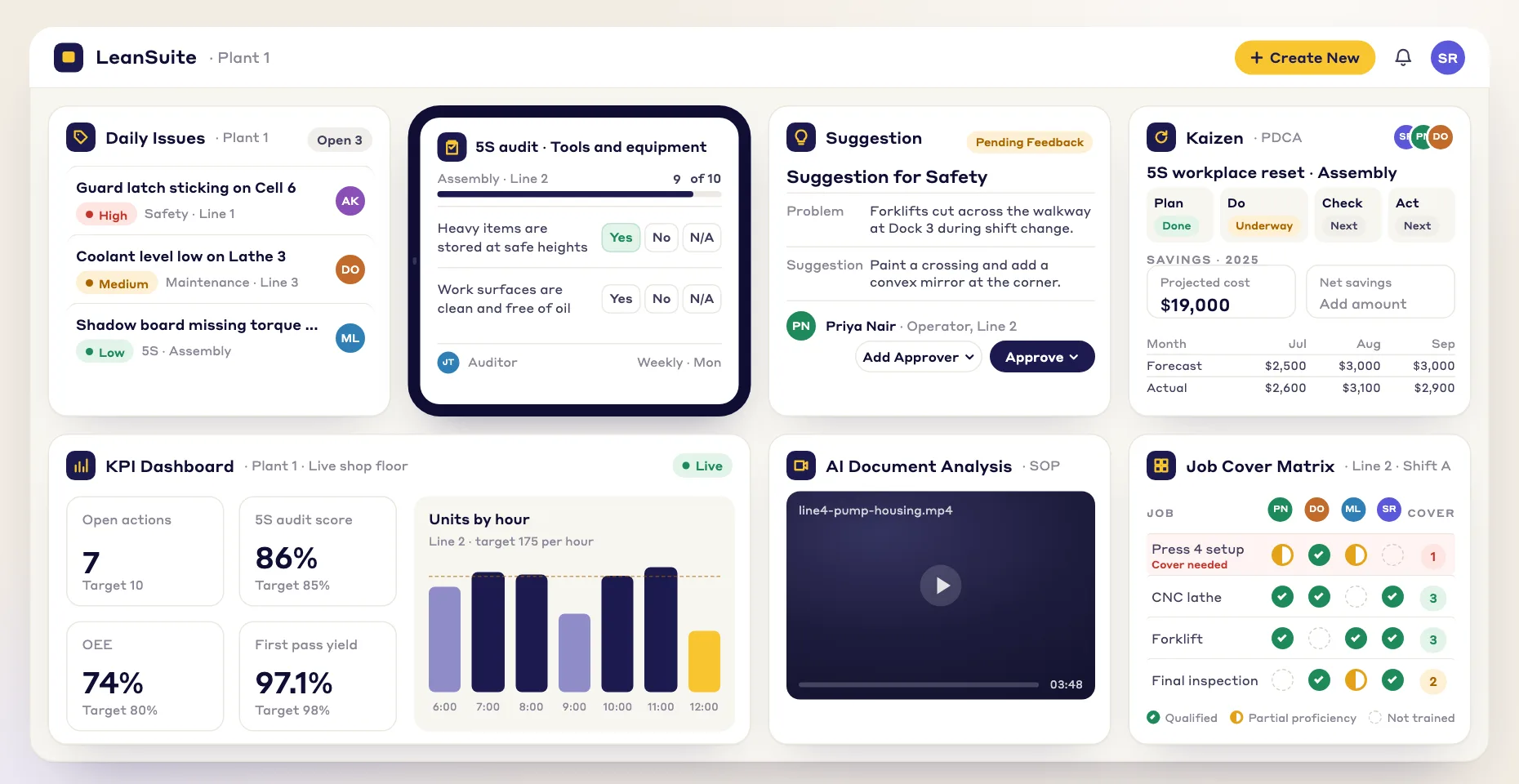
Lean manufacturing software built for the people on the line. Frontline staff sign in with an employee ID or username on the mobile app or a shared tablet, with no company email needed. Digital Work Instructions are drafted by AI from a video of your best operator, with a frame for each step, safety callouts and translation, then routed to engineering, EHS and quality for e-signature and signed off by operators on a tablet; each printed step can carry a QR code that plays its clip. Operators raise an issue by scanning a machine's QR code and adding a photo or a spoken note, and it goes to an owner with a due date. Audits and checklists run on a phone or tablet, scheduled to a person, a role or a machine through Daily Standard Work. Competency Management keeps a live skills matrix, and courses in Trainings (LMS) and on-the-job checklists signed by designated trainers raise skill levels automatically. Lean Studio runs tiered meetings, and Vision AI turns one process video into time and motion, line balancing, ergonomic and SMED studies, priced separately. One flat price per facility with unlimited users; a 90-day pilot costs $3,000 per facility.
Best for: Plants that want work instructions, skills and frontline issue reporting tied to tiered meetings, audits and kaizen, with no company email needed for operators.
2. Augmentir: best for AI-guided work instructions and skills
An AI-native connected worker platform founded in 2018. It offers digital work instructions, checklists and smart forms with no-code authoring (including turning videos into step-by-step procedures), skills management with a digital skills matrix, collaboration, asset management and augmented reality, plus AI agents built in its Agent Studio. Work runs on phones, tablets, desktops and AR smart glasses, with an offline mode. It is SOC 2 Type 2 compliant, audited annually. Pricing is by request, with single sign-on listed as an add-on.
Best for: Teams that want AI-assisted work instructions and skills management, including on smart glasses.
3. Azumuta: best for instructions, quality checks and skills from one vendor
A connected worker platform for manufacturing, founded in 2016 in Ghent, Belgium, with offices in Detroit and Paris. Its modules cover digital work instructions, quality assurance, a skill matrix with training, and audits and digital checklists, plus MES features and dashboards, on iOS, Android and the web. It connects to LMS and HR systems, lists single sign-on among its integrations and refers to a SOC 2 certificate on its site. Pricing is quoted, on monthly or annual plans.
Best for: Plants that want work instructions, quality checks and the skills matrix from one vendor.
4. Dozuki: best for visual work instructions and training
A connected worker platform founded in 2011, built around visual, media-rich work instructions. It adds learning pathways and skills, operational workflows that turn SOPs into digital jobs, document control with approvals, and analytics, with iOS and Android apps; Forge AI turns documents and frontline video into guides and quizzes. Dozuki says it is SOC 2 Type II compliant and lists ISO 27001 among its security standards, with an ITAR option and single sign-on. Pricing is not published.
Best for: Standardizing visual work instructions and frontline training across many sites, including regulated and defense manufacturers.
5. L2L: best for frontline tools next to maintenance and machine OEE
A connected manufacturing operations platform (also known as Leading2Lean), in business since 2010, which acquired SwipeGuide in 2024. Its Connected Workforce Platform covers digital work instructions that can be translated into 47 languages with AI, a skills matrix, skills development and knowledge capture with approval workflows, next to shop-floor execution, a CMMS, production management with OEE from PLCs, SCADA and IIoT devices, and Execution AI. It runs in the browser and on Windows, Mac, Android and iOS. Its compliance program is based on SOC 2 Type 2 and NIST 800-171, hosted single-tenant on AWS or AWS GovCloud. Pricing is quoted.
Best for: Plants that want frontline instructions and skills in the same platform as maintenance and machine-connected OEE.
6. Operations1: best for assembly instructions and inspections tied to SAP
A connected worker platform from cioplenu GmbH in Augsburg, Germany, founded in 2017; Fortino Capital announced a strategic investment in July 2026. It covers digital work instructions with images and video, interactive checklists and 5S audits, training, assembly and as-built documentation, quality inspection reports, and task management with chat, on the web and on iOS and Android apps with an offline mode. It is hosted on Microsoft Azure, ISO 27001 certified and an SAP partner. Plans (Professional and Enterprise) use named-user licenses and are quoted, and it targets manufacturers with 500 or more employees.
Best for: Mid-size and large discrete manufacturers, especially in German-speaking markets, that need assembly instructions and inspections tied to SAP.
7. Parsable: best for no-code digital procedures tied to SAP
Connected worker software owned since September 2024 by CAI Software, a portfolio company of STG. Teams build digital procedures with no-code authoring, map complete processes into standardized workflows and collect operational data for audits and analytics through in-app prompts (lists, numbers, photos, yes or no answers and signatures), with SAP integration and offline work on synced jobs. CAI describes AI that drafts SOPs from existing documents. Its site shows a SOC 2 badge. Pricing is not published.
Best for: Large food, beverage and consumer goods plants that want no-code digital procedures and data capture tied to SAP.
8. Poka: best for large multi-site programs, especially on IFS
A connected worker platform owned by IFS since 2023 and also sold as IFS Connected Worker. Its modules cover digital work instructions, forms and checklists, skills management, learning and development, issues management, daily management, huddle boards and communications, with AI agents; AI Studio, for building your own agents, is listed on Poka's site as available as part of Poka Advanced AI. Poka is SOC 2 Type 2 compliant, hosted on AWS in the United States, Canada or Germany, and supports SAML 2.0 single sign-on. Pricing is not published.
Best for: Large multi-site manufacturers standardizing instructions, skills and daily management, especially those already on IFS.
9. Redzone: best for production performance with frontline engagement
Frontline manufacturing software owned by QAD, which calls itself a connected worker platform built for the frontline. Its modules are Productivity (real-time OEE, downtime, huddles and shift handover), Compliance (digital inspections, CAPA, SPC), Reliability (maintenance work orders and CIL checks), Learning (LMS and skills matrix) and Scheduling, with ChampionAI agents, sold as a premium add-on. It is SOC 2 Type II certified, uses controls from the ISO 27001 framework and supports SAML 2.0 single sign-on, hosted on AWS. Pricing is not published.
Best for: Food and beverage and CPG plants that want production performance and frontline engagement first.
10. Tulip: best for building your own frontline apps
A no-code frontline operations platform. Manufacturers build their own apps for work instructions, quality inspections, production tracking and electronic batch records, connect machines through edge devices, OPC UA and MQTT, and add AI and computer vision; apps run on mobile devices, desktops, touchscreens and wearables. It maintains a SOC 2 Type II report and is certified to ISO 9001:2015. It publishes pricing: $100 (Essentials) or $250 (Professional) per interface per month, billed annually with a 10-interface minimum.
Best for: Engineering-led teams that want to design and maintain their own frontline apps, especially on connected machines.
The ten platforms side by side
From each vendor's public pages. "Not published" means we could not find it publicly, not that the product lacks it.
Swipe the table sideways to see every column.
| Capability | LeanSuite | Augmentir | Azumuta | Dozuki | L2L | Operations1 | Parsable | Poka | Redzone | Tulip |
|---|---|---|---|---|---|---|---|---|---|---|
| Connected worker | ||||||||||
| Main focus | Lean management modules for the frontline | AI-guided work instructions and skills | Work instructions, quality and skills | Visual work instructions and training | Manufacturing operations: execution, maintenance, OEE | Work instructions and checklists for assembly | No-code digital procedures and data capture | Connected worker suite with daily management | Production performance with frontline engagement | No-code frontline operations apps |
| Work instructions | AI drafts from video; e-signature; operator sign-off | No-code; video to procedure; AR | Digital work instructions | Media-rich guides; Forge AI | Guides with AI translation into 47 languages | With images and video | No-code procedures and workflows | Digital work instructions | Not published as a module | Built as apps |
| Skills and training | Skills matrix, LMS, OJT signed by trainers | Digital skills matrix; in-line training | Skill matrix and training | Learning pathways and skills | Skills matrix and skills development | Training and staff development | Not published | Skills management; learning and development | LMS and skills matrix | Not published as a dedicated feature |
| Checklists and audits | Audits and checklists scheduled by Daily Standard Work | Checklists and smart forms | Audits and digital checklists | SOPs as digital jobs | Digital checklists | Checklists and 5S audits | Data capture for audits | Forms and checklists | Digital inspections and CIL checks | Quality inspection apps |
| Issue reporting | QR-code tags with a photo or a spoken note | Not published | Not published | Not published | Abnormalities dispatched in real time | Incident tracking | Not published | Issues management | Downtime and defect capture | Built as apps |
| Devices | Web, iOS, Android and shared tablets | Phones, tablets, desktop, smart glasses; offline mode | iOS, Android and web | iOS and Android apps | Browser, Windows, Mac, Android, iOS | Web, iOS and Android; offline mode | Offline work on synced jobs | Not published | iOS and Android | Mobile, desktop, touchscreens, wearables |
| Buying | ||||||||||
| Pricing | Per facility, quote; $499 per month for smaller teams; Suggestions module free for teams up to 25; 90-day pilot $3,000 | Not published; SSO is an add-on | Not published; monthly or annual plans | Not published | Not published | Not published; named users | Not published | Not published | Not published | Published: $100 or $250 per interface per month |
| Security | SOC 2 Type 1 report; secure cloud hosting | SOC 2 Type 2 | SOC 2 (per its site) | SOC 2 Type II; ISO 27001 listed | Program based on SOC 2 Type 2 and NIST 800-171; AWS | ISO 27001; Azure | SOC 2 badge | SOC 2 Type 2; AWS | SOC 2 Type II; AWS | SOC 2 Type II report; ISO 9001 |
| Sign-in | Employee-ID sign-in; SAML 2.0 / OAuth SSO | SSO add-on | Single sign-on | Single sign-on | LDAP and SAML (help article) | Single sign-on in its packages | Not published | SAML 2.0 | SAML 2.0 | SSO varies by plan; check the vendor |
Where LeanSuite is different
This part is about our own product, so read it as LeanSuite's pitch; the entries above describe every other tool from its own pages. Each point links to the LeanSuite page that shows it.
Operators sign in with an employee ID
Frontline staff sign in with an employee ID or username on the mobile app or a shared tablet, with no company email needed. Office staff use SAML 2.0 or OAuth single sign-on with Microsoft Entra ID or Okta.
Security and sign-inWork instructions written from a video
Film your best operator and the AI drafts numbered steps with a frame for each, safety callouts and translations. Drafts go to engineering, EHS and quality for e-signature, and operators sign off on a tablet.
Digital work instructionsImprovement next to the daily work
Issues, audits, tiered meetings, skills and training sit in the same platform. A failed audit question can become a new kaizen, and when you launch a kaizen or engineering project you see who has the skills it needs. Every module is connected to every other: you enter the same information once, and the photos, documents and related work stay linked to each record.
How the modules connectStandard work that shows when it is missed
Daily Standard Work assigns a checklist to a person, a role or a machine and repeats it every shift, daily, weekly or monthly. Missed checks show in red, and a failed check can raise a tag automatically.
Checklists and Daily Standard WorkA 90-day pilot at a published price
$3,000 per facility for 90 days, with the first module live in under a week. Pricing is per facility with unlimited users.
The pilot
Where LeanSuite is not the right choice
The honest limits of our own product for this category, so you can rule it out quickly if one of these matters to you.
- LeanSuite does not read signals from machines. If downtime and OEE should be counted from PLCs or sensors, L2L and Redzone do that next to their frontline tools.
- There is no augmented reality guidance in LeanSuite and it does not run on smart glasses; Augmentir does both.
- LeanSuite ships ready-made modules, not an app builder. If your engineers want to design their own app for each station, Tulip is made for that.
- LeanSuite has no ready-made SAP connector; a link to an ERP goes through its API and is set up case by case. Operations1 and Parsable name SAP integration on their own pages.
Which one fits
Start from what your plant needs
Which of these sounds most like your plant?
- Work instructions, skills and issue reporting tied to tiered meetings, audits and kaizenLeanSuite
- Visual work instructions and frontline training across many sitesDozuki
- AI-guided work and smart glassesAugmentir
- Work instructions, quality checks and the skills matrix from one vendorAzumuta or Operations1
- Machine-connected OEE and maintenance with the frontline toolsL2L or Redzone
- You want to build your own appsTulip
- A large enterprise already on IFSPoka
- No-code digital procedures tied to SAPParsable
Is LeanSuite right for you?
Two ways the answer goes
Is LeanSuite right for your plant?
Choose another tool if
- Augmentir: you want AI-assisted work instructions and skills management, including on smart glasses.
- Azumuta: you want work instructions, quality checks and the skills matrix from one vendor.
- Dozuki: you are standardizing visual work instructions and frontline training across many sites, including regulated or defense manufacturing.
- L2L: frontline instructions and skills should live in the same platform as maintenance and machine-connected OEE.
- Operations1: you are a mid-size or large discrete manufacturer, especially in German-speaking markets, that needs assembly instructions and inspections tied to SAP.
- Parsable: you run large food, beverage or consumer goods plants and want no-code digital procedures and data capture tied to SAP.
- Poka: you are a large multi-site manufacturer standardizing instructions, skills and daily management, especially on IFS.
- Redzone: you run a food and beverage or CPG plant and want production performance and frontline engagement first.
- Tulip: your engineering team wants to design and maintain its own frontline apps, especially on connected machines.
LeanSuite is likely a fit if
- Work instructions, skills and frontline issue reporting should sit in the same system as tiered meetings, audits and kaizen.
- Operators should sign in with an employee ID on a phone or shared tablet, with no company email needed.
- You want AI to draft work instructions from a video of your best operator, with each sign-off moving the skills matrix.
- You want one price per facility with unlimited users, and a 90-day pilot at $3,000 per facility.
See the frontline tools in one place
Try LeanSuite in your browser with sample data, or run it on your own lines for 90 days with the setup done by our team.
What customers say
“Customer support has been exceptional. The team is always available to answer questions and consistently provides prompt responses. I have been working closely with them to set up KPIs and time studies for our company, and their level of support throughout the process has been outstanding”
 Luis R.CI Engineer, Tomball Controls
“Great user-friendly software! It's covering everything that WCM or similar Lean Programs are asking to do, in a very effective way.”
 Elena M.Global Head of Marelli Manufacturing System Automotive, Marelli
Next step, if you want one
What the 45-minute demo shows
For connected worker software, the demo starts with an operator signing in at the line and follows their day.
Bring one process you want to fix, and how you run it today. We show the same job in LeanSuite and answer your questions.
In the demo
- Operators signing in with an employee ID on a phone or shared tablet, with no company email needed.
- Work instructions drafted from a video of your best operator, sent for e-signature, and signed off per operator on a tablet.
- An operator scans a QR code and adds a photo, the issue reaches its owner by rule with a due date, and a repeat issue becomes a Kaizen in one click.
Want to run LeanSuite on your own lines instead? The 90-day pilot is $3,000 per facility, set up by our team, with the first module live in under a week.
FAQ
Best Connected Worker Software: common questions
Software that gives frontline staff their standard work, training and data capture on phones, tablets and shared screens. The core is digital work instructions and checklists, skills and training records, and a way to report problems or record data from the work. Platforms differ in what they add, such as machine data, maintenance, daily management or no-code app building.
It depends on what you need beyond the core. For daily issues, tiered meetings, audits and kaizen around the frontline tools, look at LeanSuite. For work instructions and training first, look at Dozuki, Augmentir, Azumuta or Operations1. For machine-connected OEE and maintenance, look at L2L or Redzone, and for building your own apps, Tulip. Poka suits large enterprises, especially IFS customers, and Parsable suits plants that want no-code procedures tied to SAP. LeanSuite is our product.
On this list, by focus: Augmentir for AI-guided work and skills, Azumuta for instructions, quality and skills, Dozuki for visual instructions and training, L2L for frontline tools with maintenance and machine OEE, LeanSuite for the lean routines around the frontline, Operations1 and Parsable for procedures tied to SAP, Poka for large multi-site programs, Redzone for production performance and Tulip for apps you build. LeanSuite is our product.
Ask how each vendor prices extra sites and users, and how a standard written at one plant reaches the others. Poka targets large multi-site manufacturers, especially IFS customers, and Dozuki standardizes visual instructions and training across many sites. L2L and Redzone add machine data at every plant. LeanSuite prices per facility with unlimited users and shares best practices across sites. LeanSuite is our product.
They overlap. Connected worker software centers on the individual at the line: instructions, checklists, skills and data capture. Lean manufacturing software centers on the improvement system around that work: problems raised and closed, tiered meetings, audits and kaizen. Some products, such as LeanSuite, Poka and Redzone, cover parts of both.
Of the ten, only Tulip publishes prices: $100 (Essentials) or $250 (Professional) per interface per month, billed annually with a 10-interface minimum. Augmentir, Azumuta, Dozuki, L2L, Operations1, Parsable, Poka and Redzone quote on request. LeanSuite quotes per facility with unlimited users and publishes its pilot price: 90 days for $3,000 per facility.
It depends on the product, so ask each vendor how shared devices and sign-in work for people without a company email. In LeanSuite, operators sign in with an employee ID or username on the mobile app or a shared tablet, while office staff can use SAML 2.0 or OAuth single sign-on with Microsoft Entra ID or Okta.
Because it is our page and we would rather say so than hide it in the middle. Read it with that in mind. The other products follow in alphabetical order, each is described only from its own public pages, each entry says who it fits best, and we will correct anything a vendor or reader shows us is wrong.
We read each vendor's own public pages in September 2026 and used only what they publish. Where we could not find something, the table says not published, which does not mean the product lacks it. LeanSuite is our product. If something has changed, email info@theleansuite.com and we will update the page.
Sources
- Augmentir home page
- Augmentir about
- Augmentir digital work instructions
- Augmentir skills management
- Augmentir pricing
- Augmentir SOC 2 statement
- Azumuta home page
- Azumuta company
- Azumuta integrations
- Azumuta pricing
- Azumuta medical devices (SOC 2)
- Dozuki home page
- Dozuki platform overview
- Dozuki Forge AI
- Dozuki mobile app
- Dozuki security
- Dozuki pricing
- L2L platform
- L2L skills and work instructions
- L2L Execution AI
- L2L security and compliance
- L2L about
- L2L connected workforce platform
- L2L acquires SwipeGuide
- Operations1 home page
- Operations1 pricing
- Fortino Capital invests in Operations1
- Parsable home page
- Parsable product
- Parsable at CAI Software
- CAI Software on AI in Parsable
- Poka connected worker platform
- Poka security, privacy and compliance
- Poka pricing
- IFS acquires Poka
- Redzone product overview
- Redzone Productivity
- Redzone pricing
- Redzone security and compliance
- Tulip platform
- Tulip pricing
- Tulip trust center: compliance
- Tulip trust center: security
- Tulip Player on iOS
- LeanSuite facts come from our own pages: Daily Issue Management, Tiered meetings, Idea Management, Continuous improvement, Engineering and CapEx projects, CI portfolio, Competency Management, Job Cover Matrix, Audit Management, KPI Dashboards, Micro-stops, AI Video Analysis, Pilot, Pricing, Security.
Last reviewed October 2026. Based on each vendor's public information; tell us if something has changed at info@theleansuite.com.
More comparisons
- LeanSuite vs KaiNexus
- LeanSuite vs Tulip
- LeanSuite vs Redzone
- LeanSuite vs Tervene
- LeanSuite vs iObeya
- LeanSuite vs Rever
- LeanSuite vs L2L
- LeanSuite vs mlean
- LeanSuite vs Weever
- LeanSuite vs DeepHow
- KaiNexus alternatives
- Tulip Alternatives
- Redzone Alternatives
- SafetyCulture (Mitti) Alternatives
- L2L Alternatives
- Best Idea Management Software
- Best Kaizen Software
- Best Continuous Improvement Software
- Best Skills Matrix Software
- Best Audit Management Software
- Best Lean Manufacturing Software
- MaintainX Alternatives
- Best Gemba Walk Software
- Best Time and Motion Study Software
- Best Vision AI Manufacturing Software
- Best Operational Excellence Software
- Best Lean Management Software
- Best A3 Problem Solving Software
- Best Lean Six Sigma Software
- Best COPQ Software
- Best One Point Lesson Software
- Best Tiered Meeting Software
- Best Leader Standard Work Software
- Best AI Root Cause Analysis Software
- Best SMED Software
- Best 5S Audit Software
- Best Autonomous Maintenance Software
- Best Digital Work Instructions Software
- Best LMS for Manufacturing
- Best Layered Process Audit Software
- Best Manufacturing KPI Dashboard Software
- Best Near Miss Reporting Software
- Best Value Stream Mapping Software
- Best CAPA Software
- Tervene Alternatives
- Best Standardized Work Software
- Best Andon System Software
- Dozuki Alternatives
- Best Line Balancing Software
- iObeya Alternatives
- Best OEE Software
- Lean Data Point Alternatives
- Best LOTO Software
- Best NCR Software
- Best Strategy Deployment Software
- Best OKR Software for Manufacturing
- Viva Goals Alternatives
- LeanSuite vs spreadsheets and paper
- LeanSuite vs homegrown software
- LeanSuite vs Power Apps and SharePoint lists
See LeanSuite on your own floor's problems
A 45-minute demo: bring the process you want to fix, and we will show how LeanSuite handles it and what a 90-day pilot would cover.