1. Capture work orders instantly
Work orders are created automatically when an operator tags an issue or a scheduled PM is due, with photos, location, and equipment ID attached.
Professional maintenance tags in LeanSuite turn radio calls and firefighting into work orders every technician can see, own and close out.
HOW IT WORKS
One digital process, so every job has a clear owner from the first flag to the final fix.
Work orders are created automatically when an operator tags an issue or a scheduled PM is due, with photos, location, and equipment ID attached.
Every new work order lands on a live maintenance dashboard, where you track status, technician assignments, and the whole backlog in one place.
Technicians document the fix, log parts used, and close the work order from any device, building a searchable repair history for every asset.
MAINTENANCE INTELLIGENCE
AI gives technicians better information before they reach the machine, and a live floor plan shows equipment health.
FLOOR PLAN VISUALIZATION
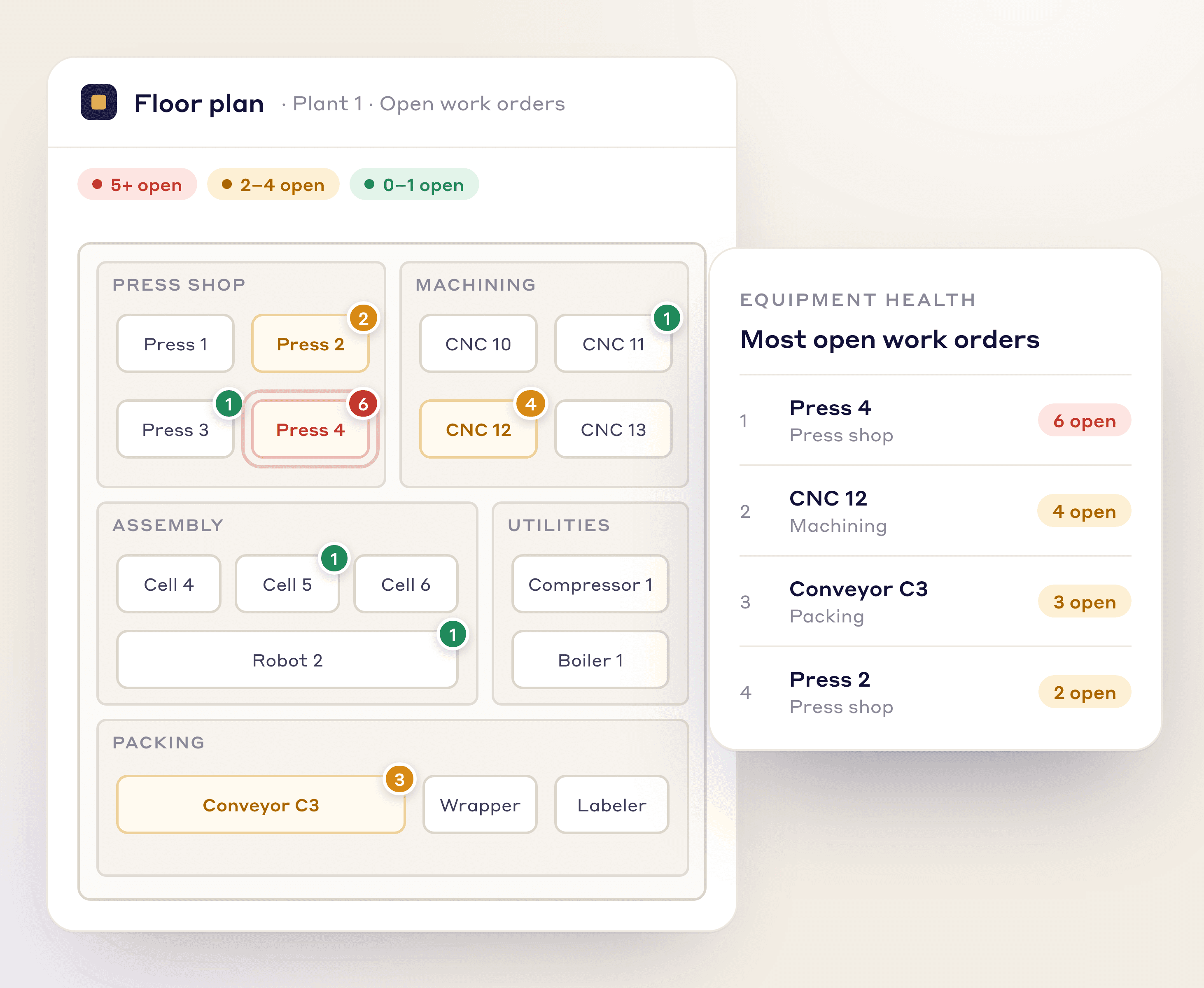
Retire the maintenance whiteboard. Upload your facility layout and LeanSuite builds a live equipment health map showing which machines have the most open work orders.
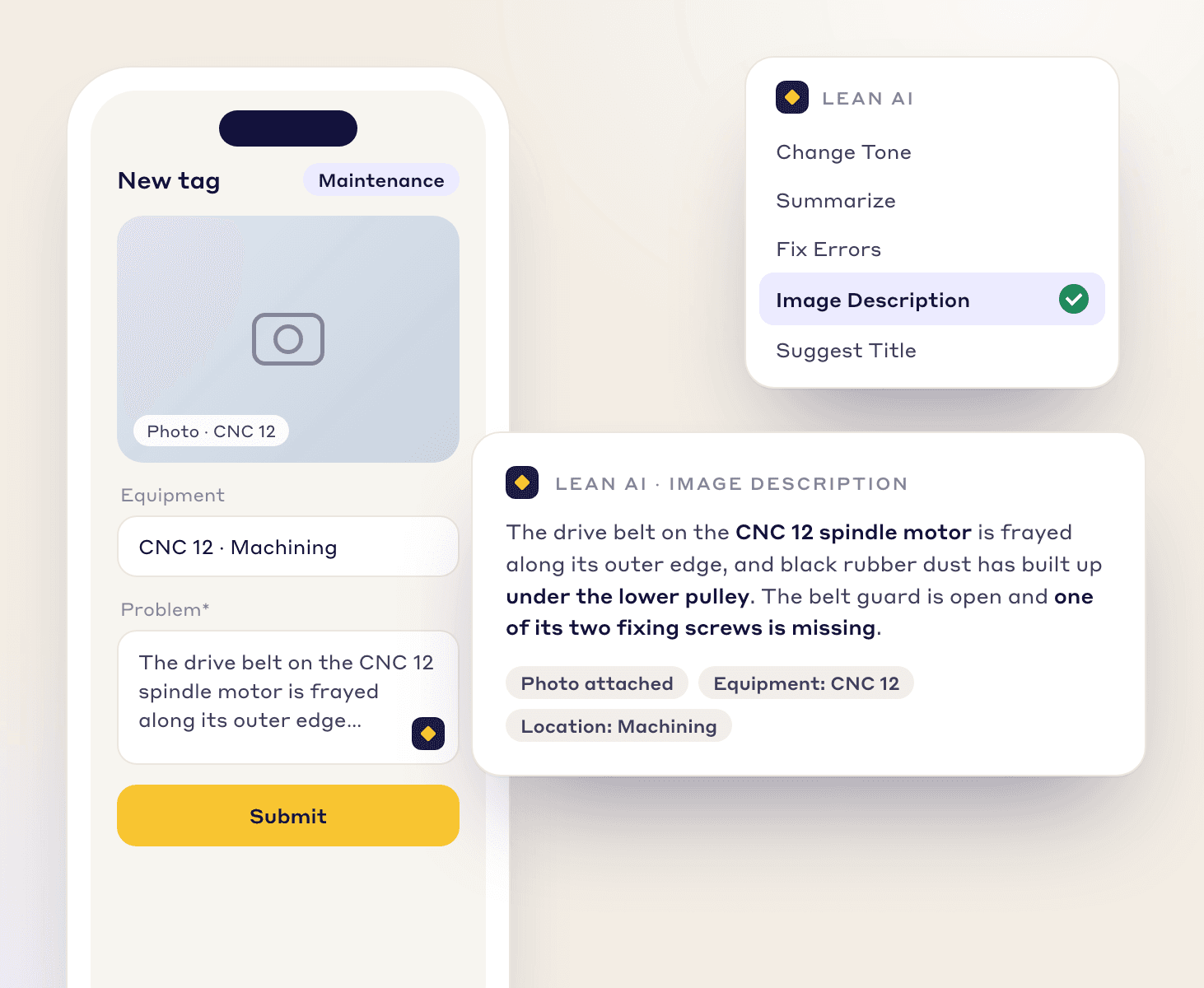
LEAN AI IMAGE RECOGNITION
Operators snap a photo of a fault and Lean AI writes a detailed description, so technicians arrive with the right tools and context.
AUTOMATION
Rules route each work order to the right technician, set its due date by priority, and stop it bouncing between people.
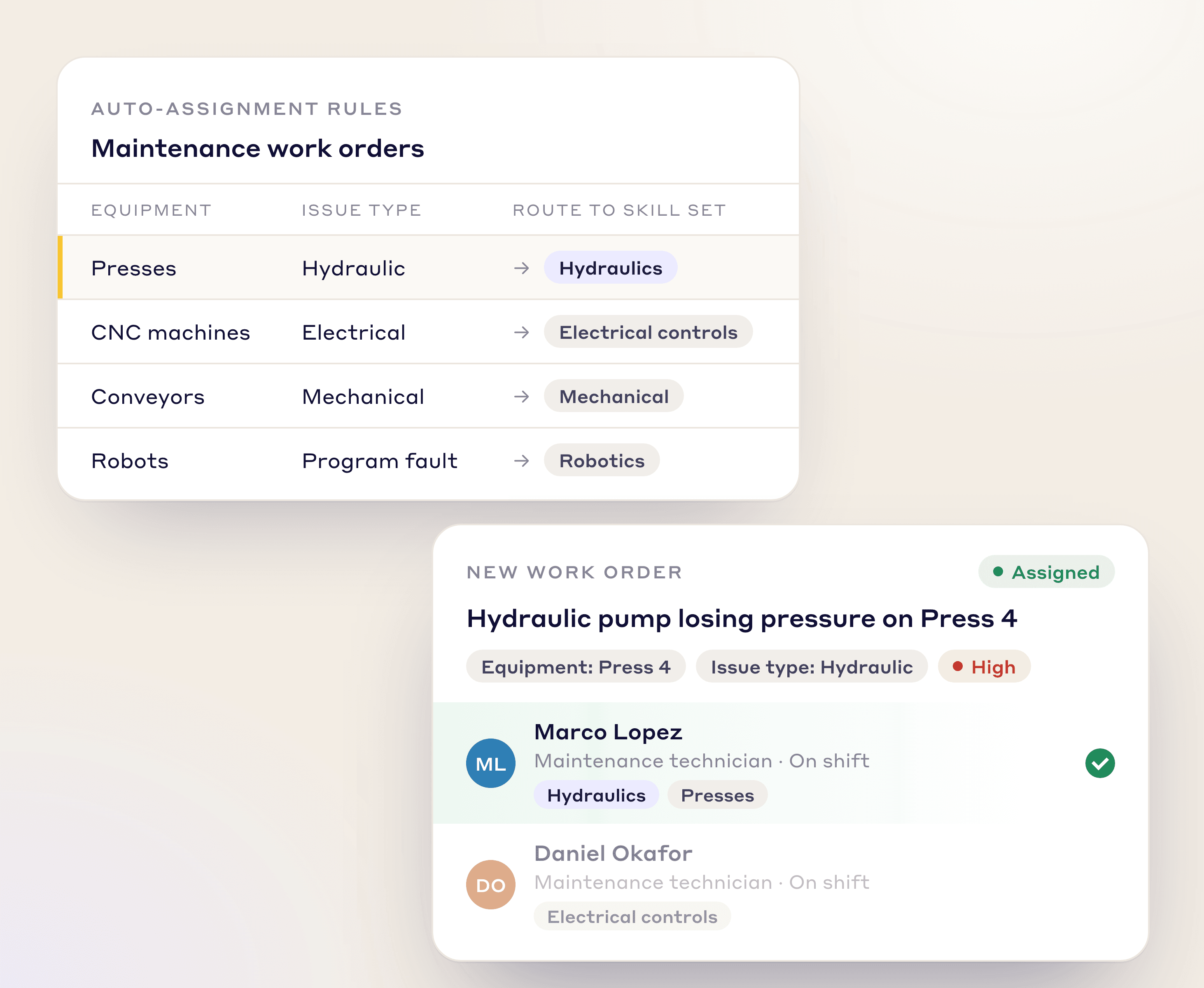
Route each work order to the right technician based on equipment, issue type, and skill set.
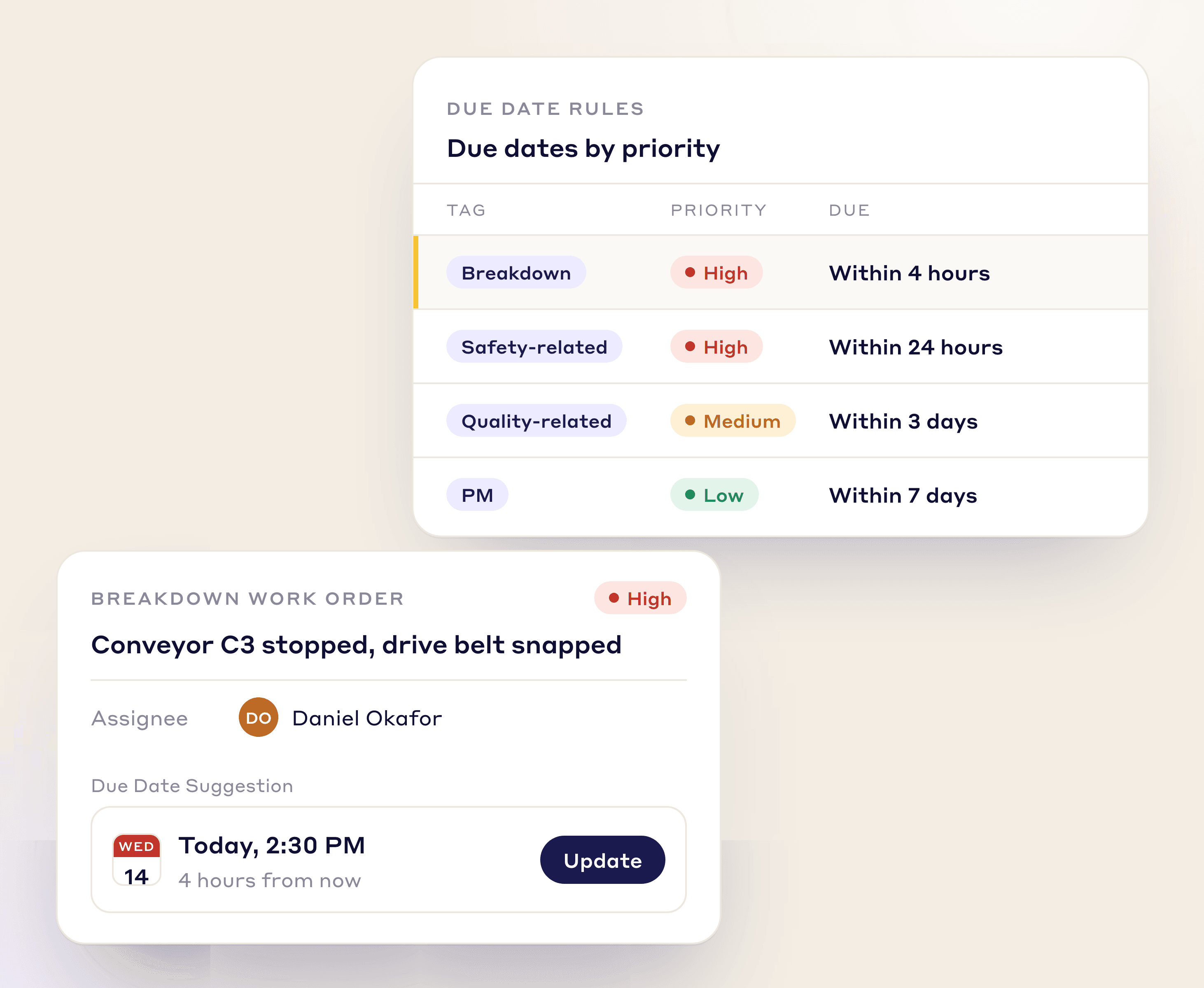
Set due dates automatically from priority level, such as breakdown or PM, to keep SLAs on track.
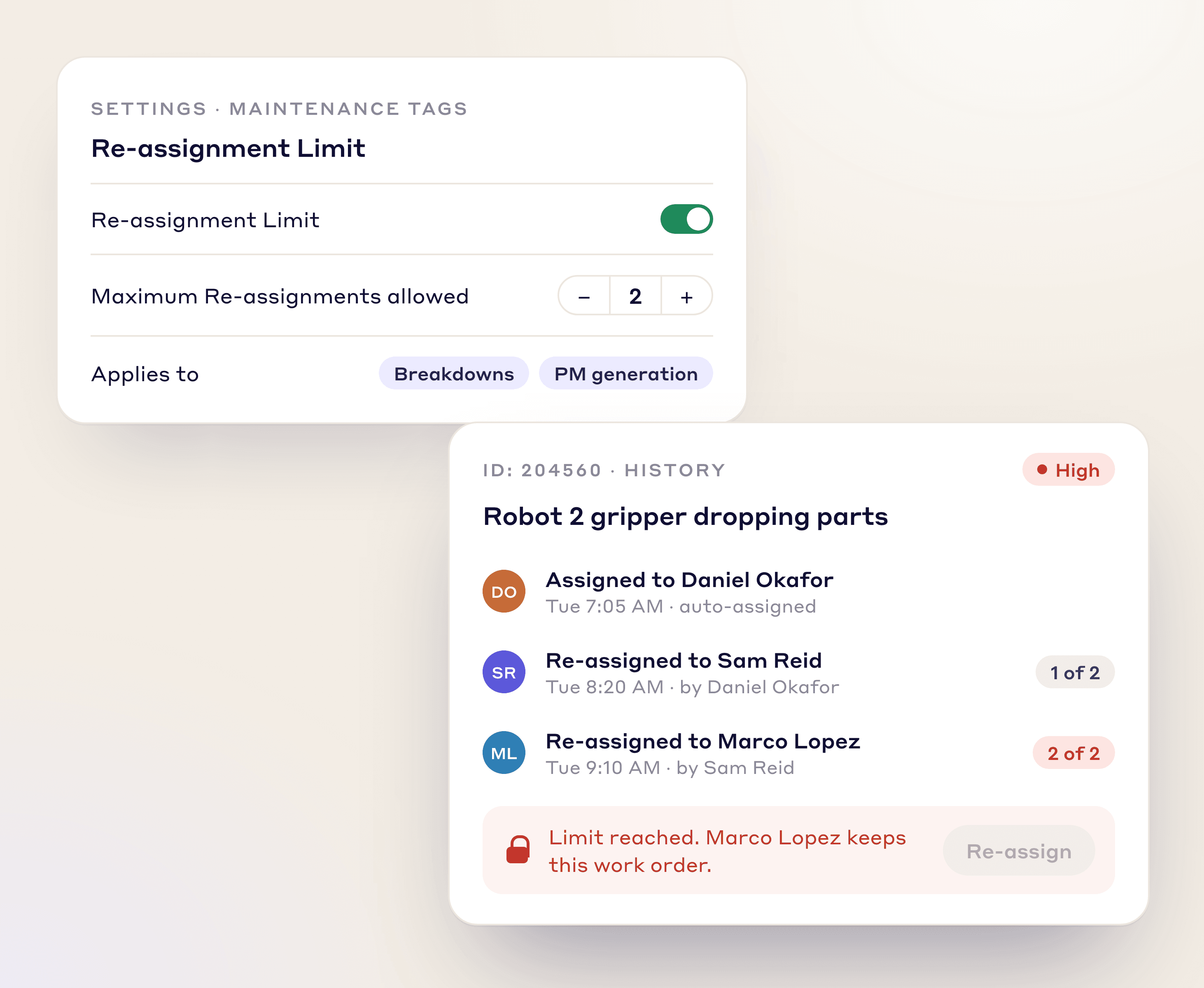
Cap how many times a tag can be reassigned, so repairs don't stall between technicians.
MAINTENANCE TAGS
Sort every issue by type for cleaner tracking and analysis, and create custom tags for any process or department.
Flag equipment that is down and not producing.
Spot where a new preventive maintenance task is needed.
Tag maintenance issues that pose a direct safety risk.
Flag equipment issues that are causing product defects.
A CONNECTED SYSTEM
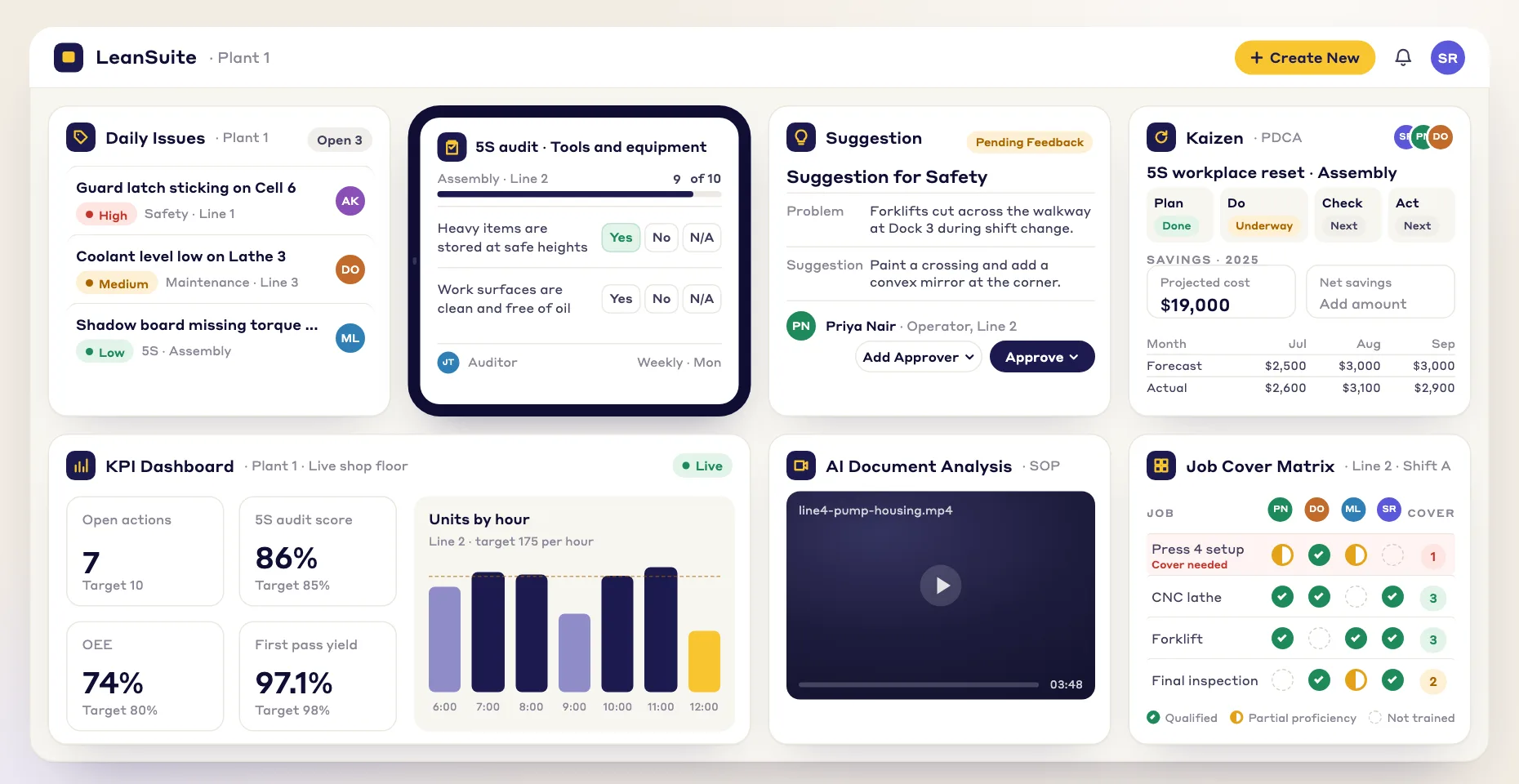
Maintenance work feeds straight into your wider continuous improvement program.
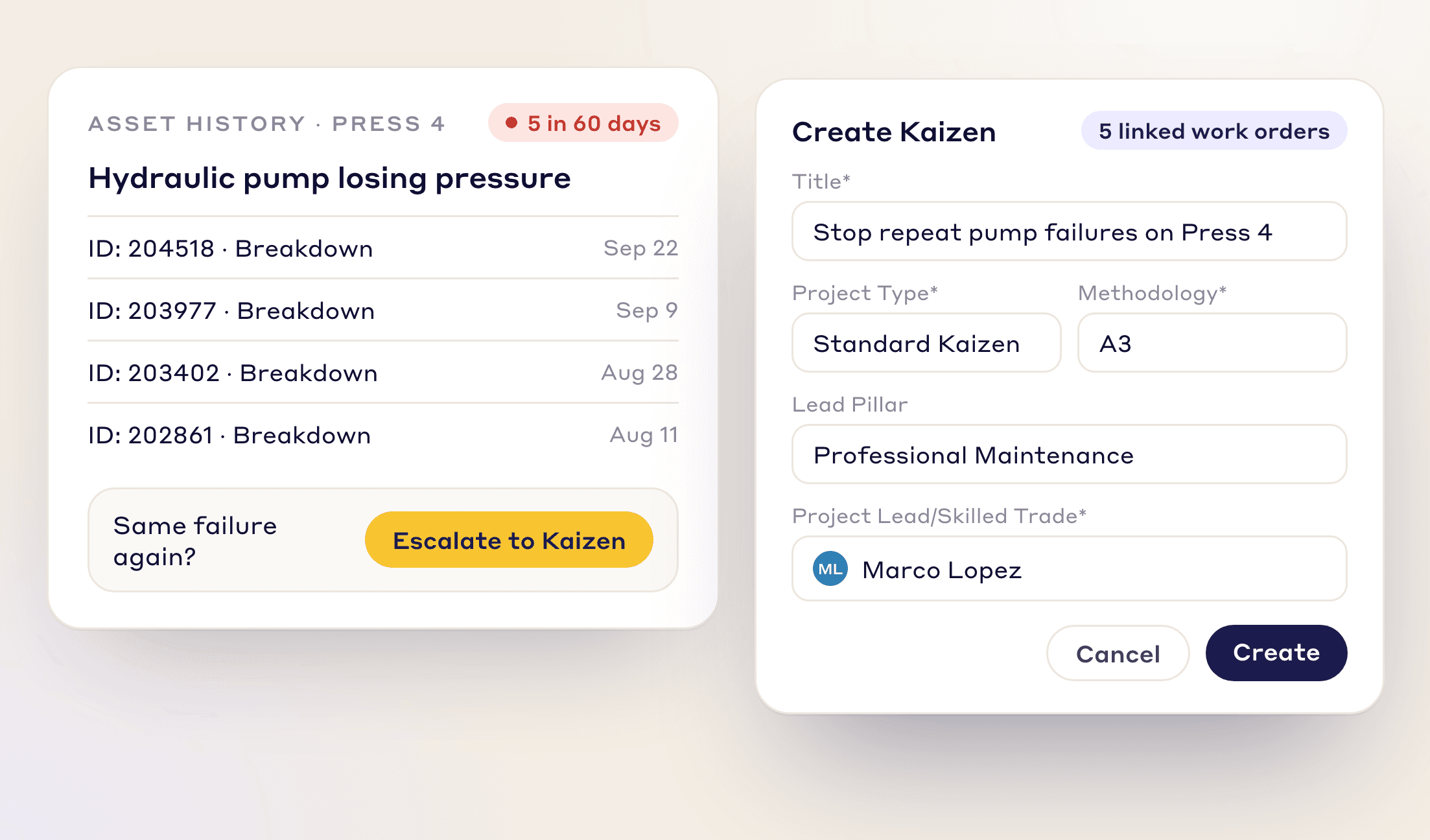
Same breakdown again? Escalate a recurring problem into a Kaizen or A3 project in one click and fix the root cause.
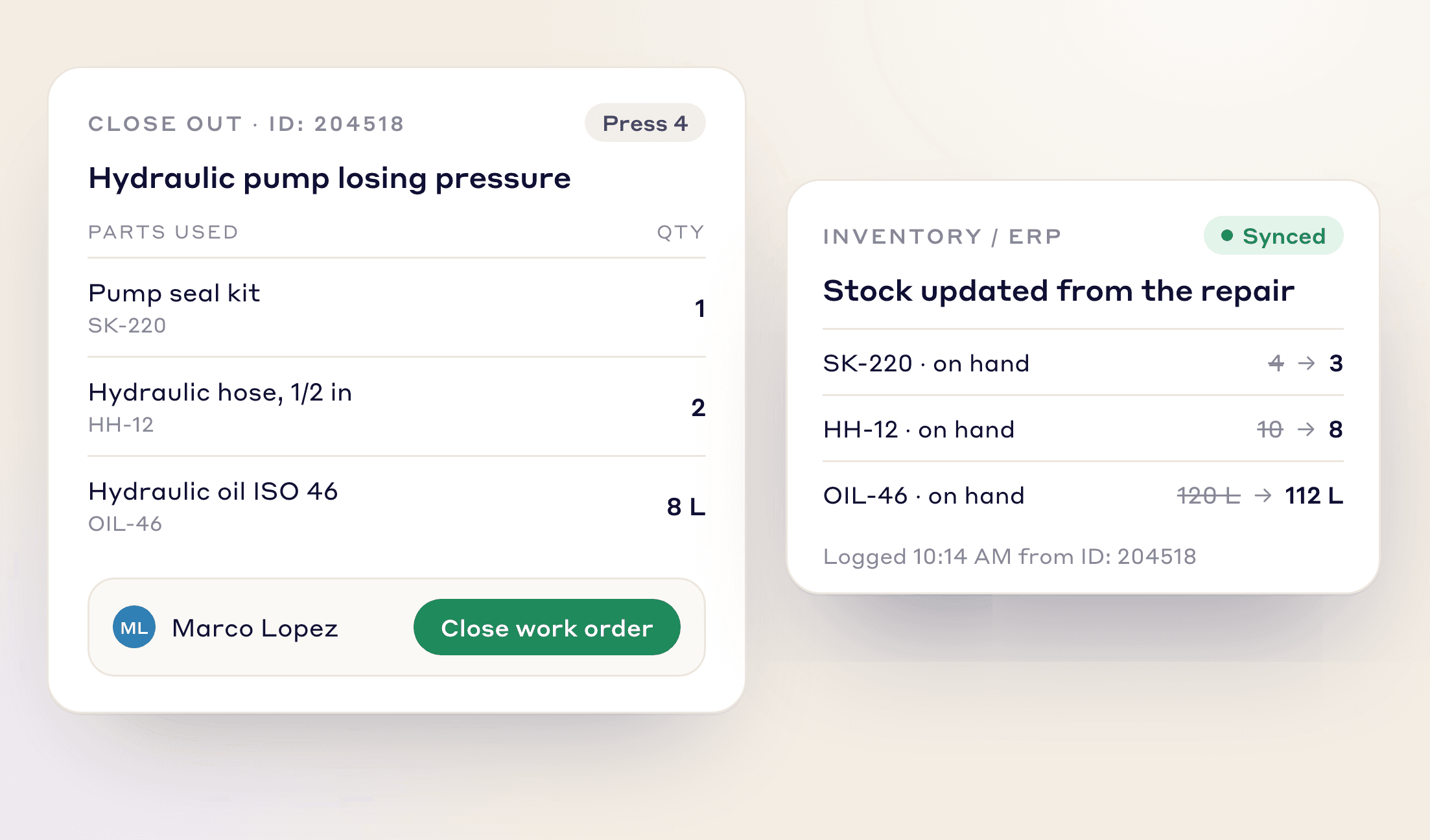
Record the spare parts used in each repair on its emergency work order, next to what was repaired.
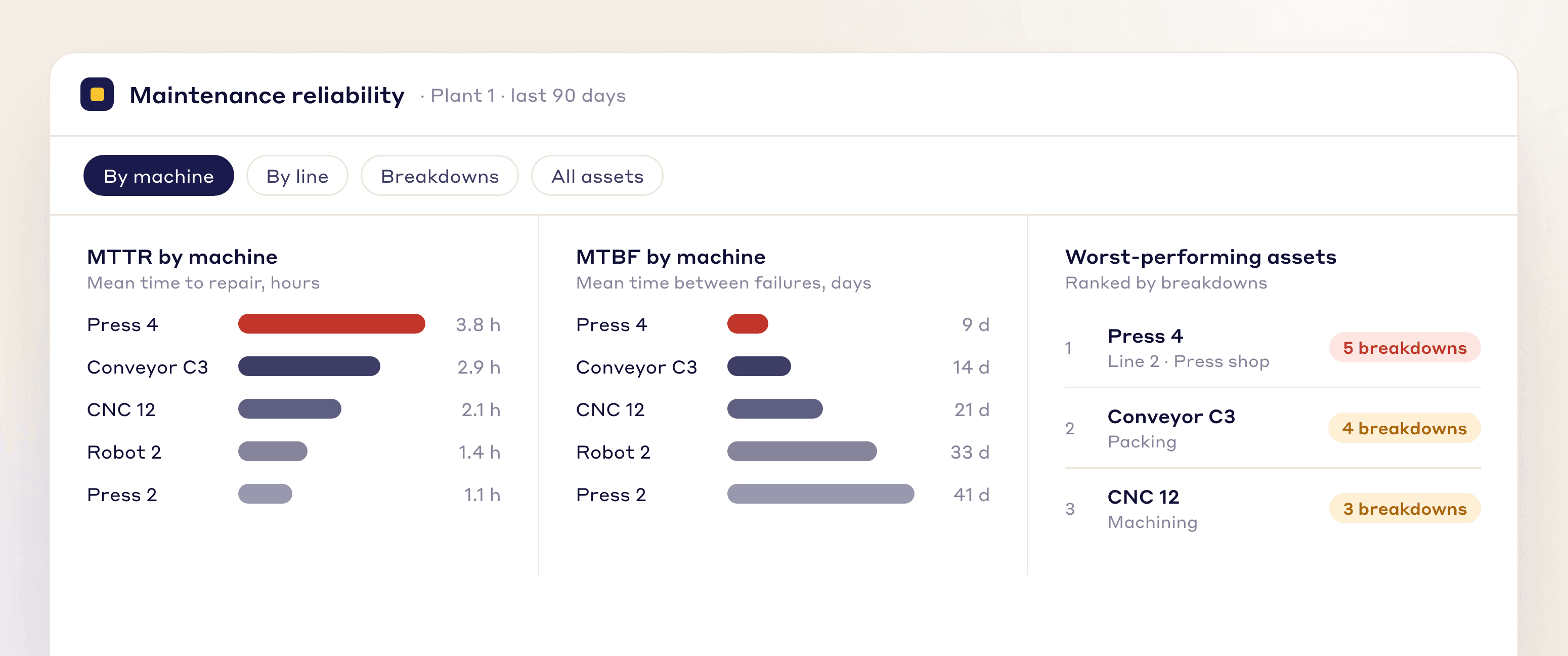
Built-in dashboards show MTTR, MTBF, and other key metrics by machine or line, so you can find your worst-performing assets.
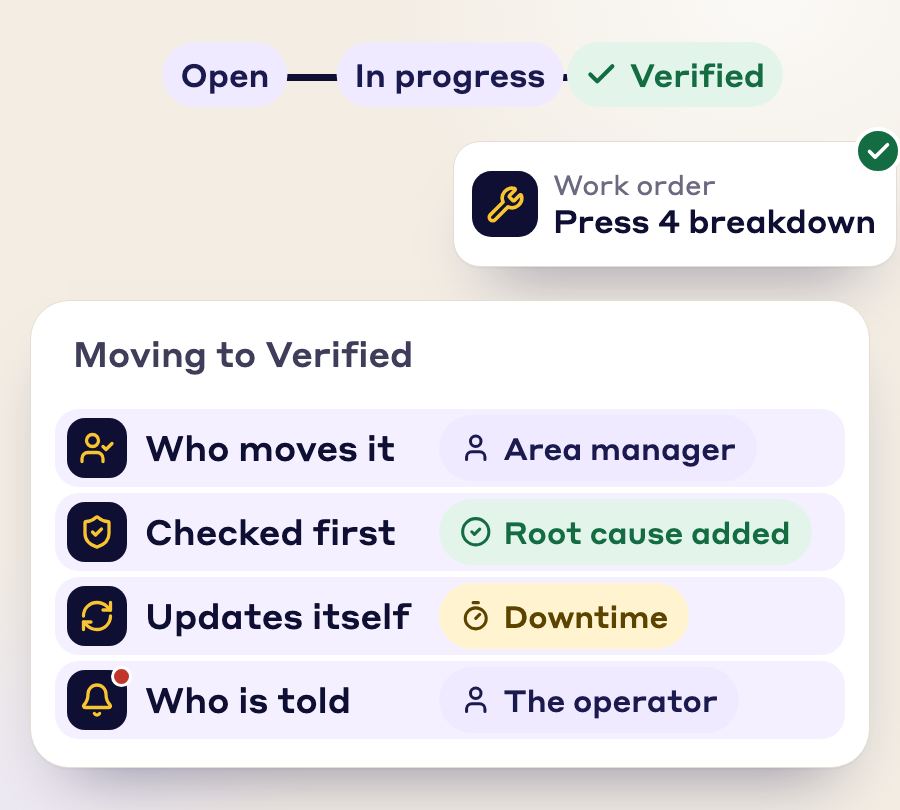
RCA, Kaizen, work orders, tags and best practices follow your own steps, fields and approvals.
At each stage you set who can move it, what must be valid first, what updates on its own and who is told.
One issue becomes a tag, an RCA, a work order, a Kaizen and a best practice. Nobody retypes it.
Photos, SOP, checklist and signatures stay attached and linked.
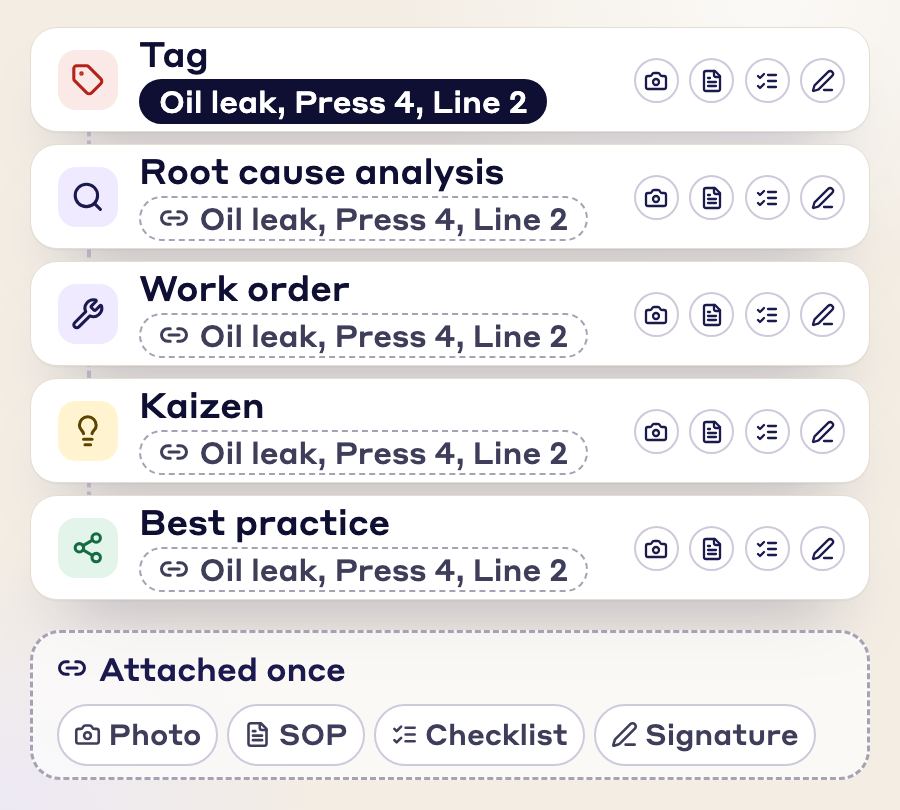
Every module is connected to every other, so you enter the same information once and the paperwork stays linked to each document.
FAQs
A professional maintenance tag is a repair request for the maintenance team, raised when equipment has a fault, a breakdown or another problem that needs a technician. In LeanSuite, each tag becomes a work order with photos, location and equipment ID attached, which a technician can see, own and close out.
Autonomous maintenance tags cover the care operators give their own equipment. Professional maintenance tags cover the repairs the maintenance team carries out, such as machine faults, leaks and breakdowns.
Rules route each work order based on the equipment, issue type and skill set, and set its due date from priority level, such as breakdown or PM. You can cap how many times a tag is reassigned, so repairs don't stall between technicians.
They document the fix, log the parts used and close the work order from any device. Over time this builds a searchable repair history for every asset.
Breakdowns, PM generation for spotting where a new preventive maintenance task is needed, safety-related issues and quality-related issues. You can also create custom tags for any process or department.
Escalate the recurring breakdown into a Kaizen or A3 project in one click and fix the root cause.
Log a breakdown as an emergency work order (EWO) with its start and end times. Downtime and MTTR are calculated, and the repair, parts used and root cause are recorded.
Yes. The AI RCA agent drafts the 5 Whys and 4M1D from the breakdown description and any attached manuals or SOPs, and you edit the result.
FREE RESOURCES
Not ready for software yet? Start with these free resources.
See how LeanSuite brings clarity, collaboration, and control to your daily maintenance work.