1. Tag it on the spot
During CILR (Clean, Inspect, Lubricate, Retighten) checks, operators scan the QR code on the equipment, snap a photo, categorize the abnormality, and add a note.
Autonomous maintenance tags in LeanSuite let operators flag abnormalities on their own equipment during daily CILR checks, and every tag is tracked until the fix is done.
HOW IT WORKS
Every abnormality is captured, tracked and resolved with a clear owner.
During CILR (Clean, Inspect, Lubricate, Retighten) checks, operators scan the QR code on the equipment, snap a photo, categorize the abnormality, and add a note.
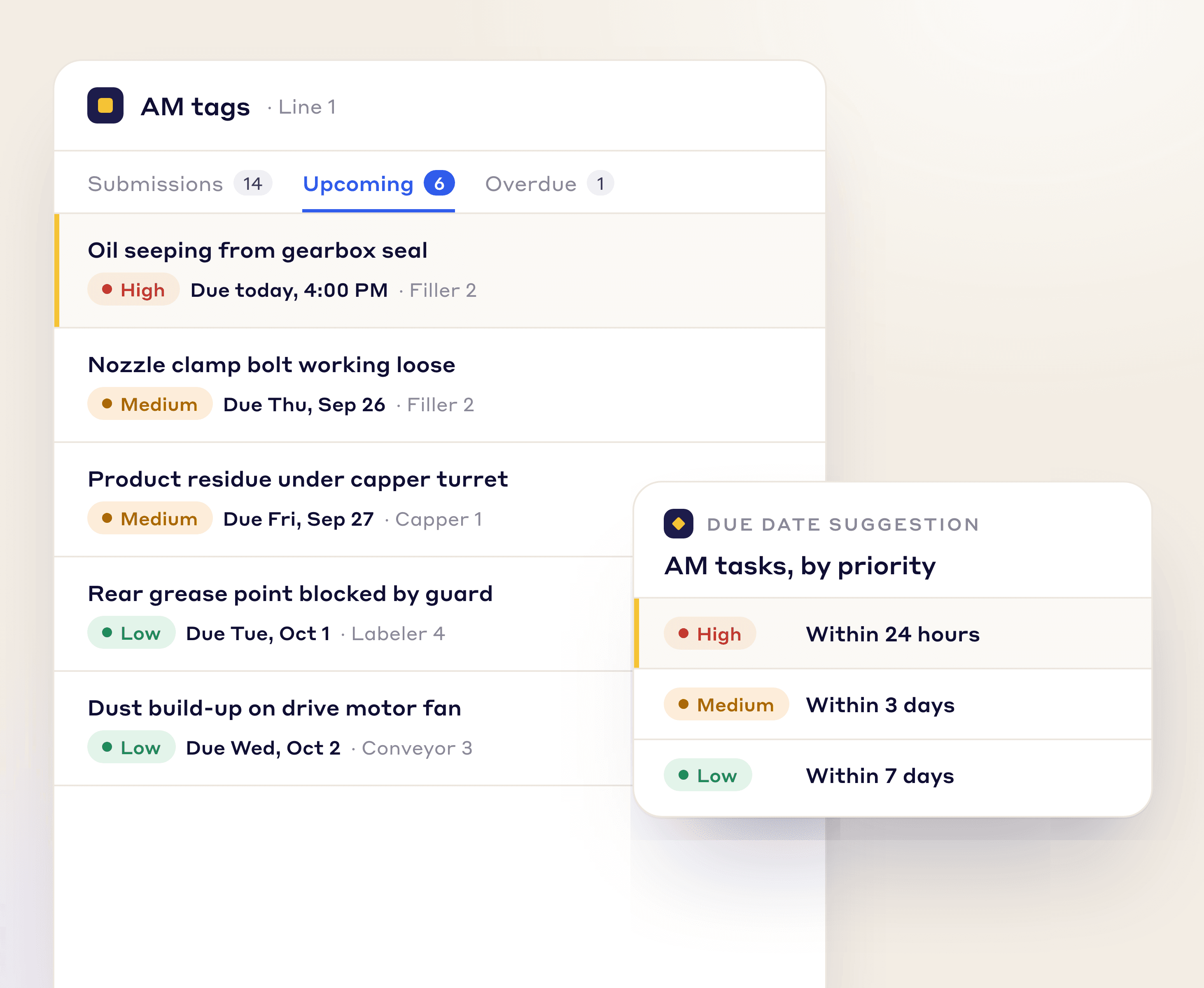
Each tag appears on a live AM dashboard straight away, and the Area Lead and Maintenance team are notified automatically.
Assign the fix to the operator or maintenance, set a due date, and track it to completion, building a knowledge base of equipment issues.
AI AND VISUALIZATION
A live floor plan shows which machines need attention, and Lean AI helps operators describe abnormalities faster.
FLOOR PLAN VISUALIZATION
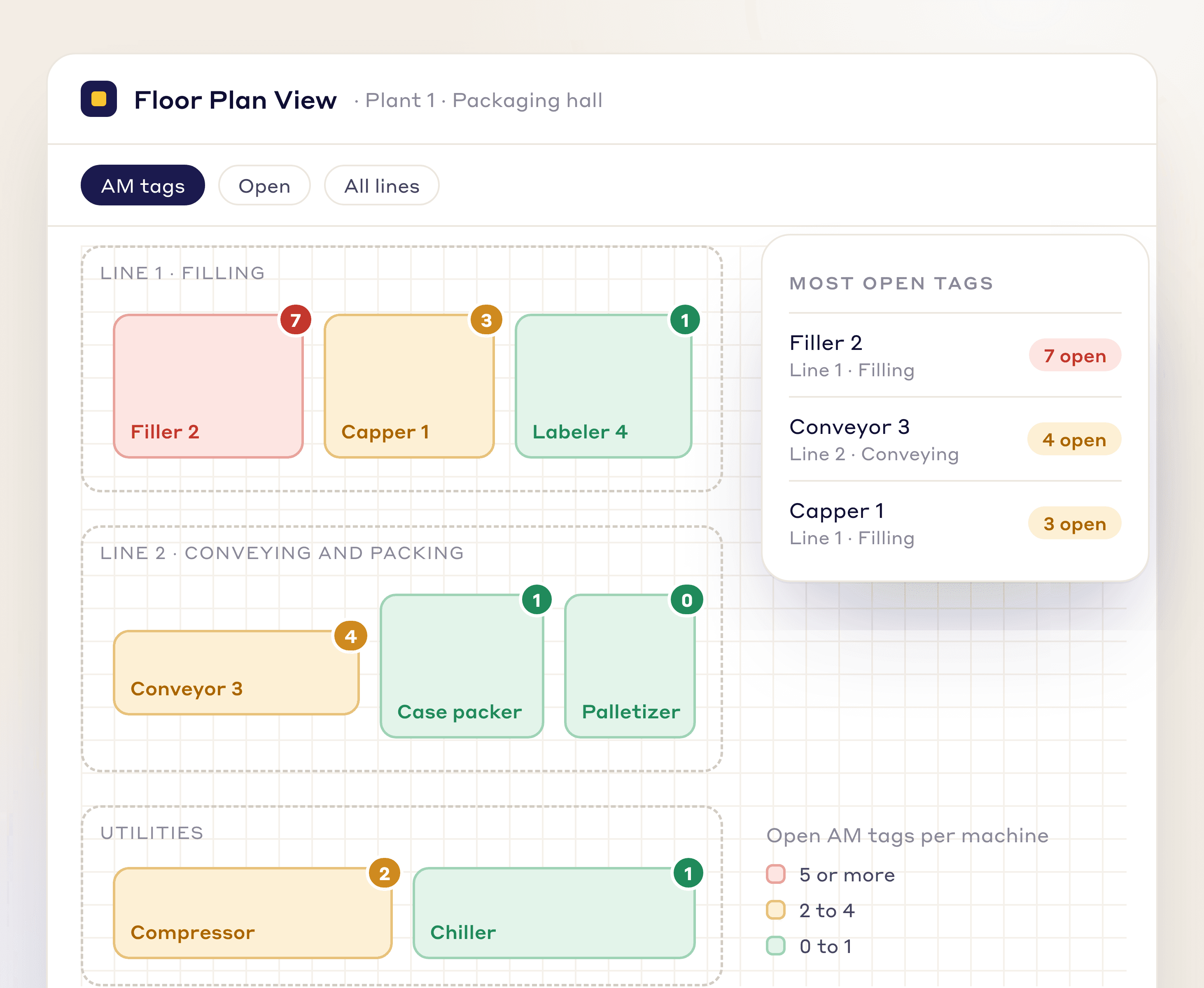
Replace the maintenance whiteboard: upload your facility layout and LeanSuite builds a live equipment health map of open tags on every machine.
LEAN AI IMAGE RECOGNITION
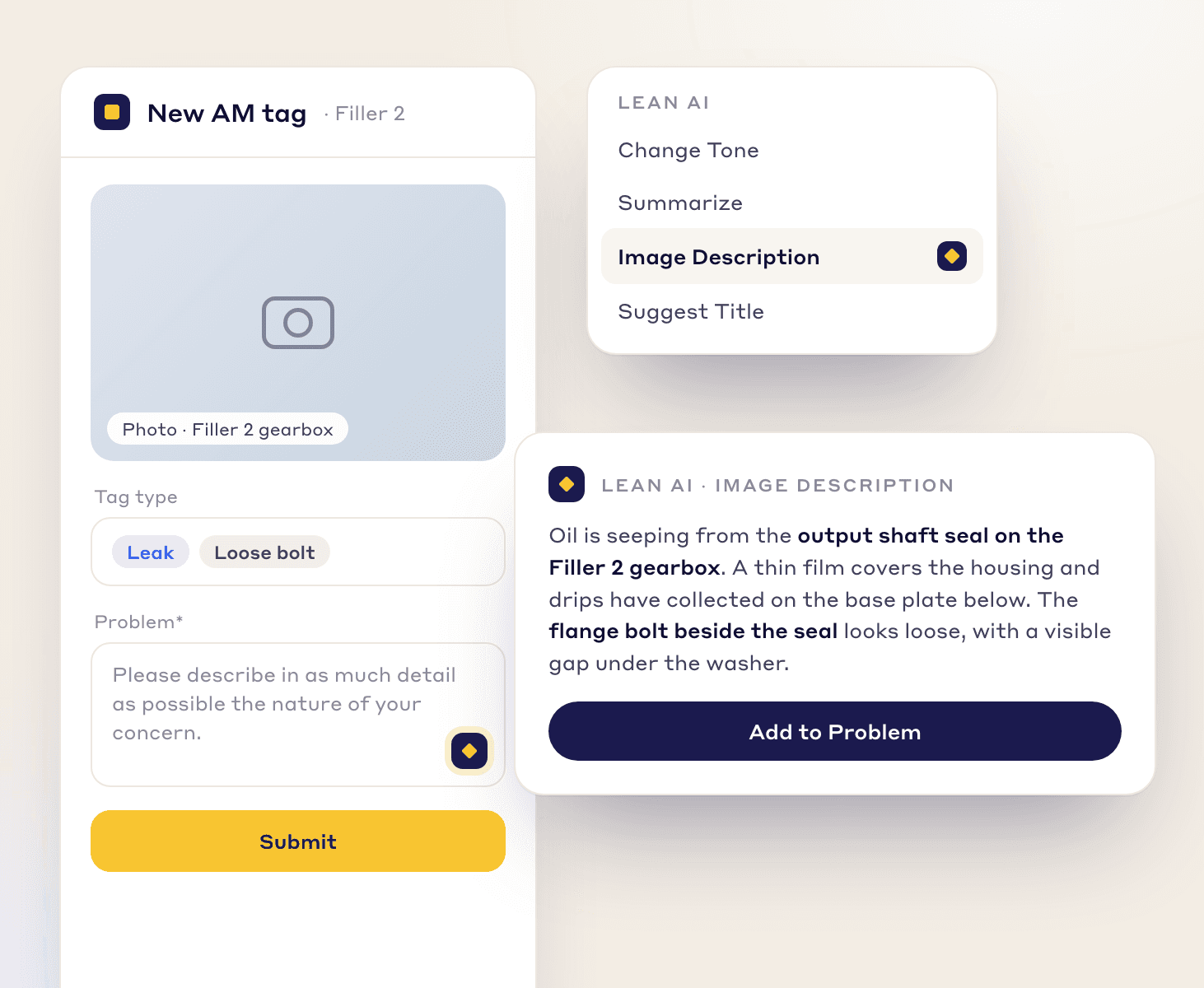
Operators snap a photo of a leak or a loose fitting, and Lean AI writes a detailed description, so reports are quick and consistent.
AUTOMATION
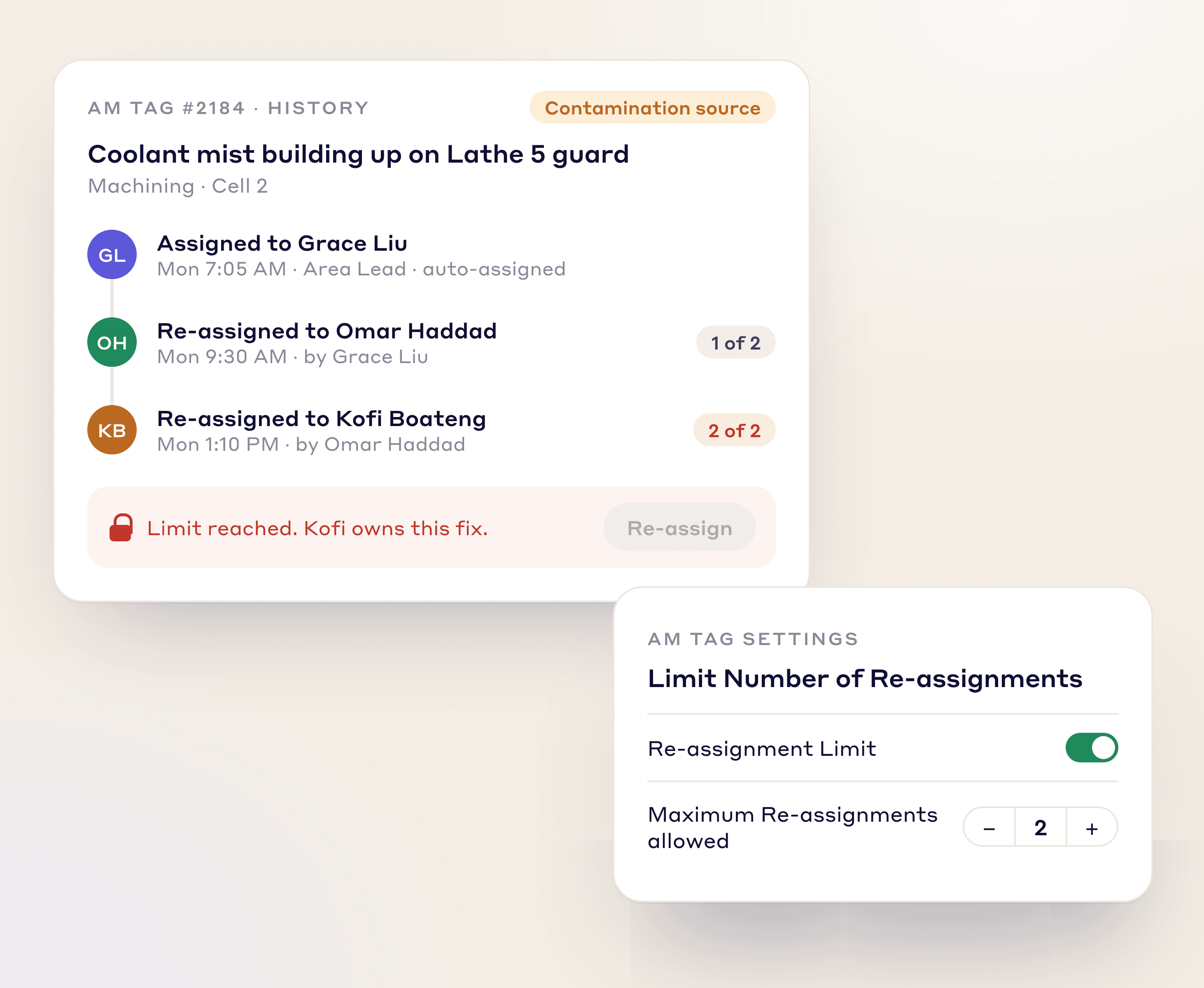
Rules route each tag, set its due date, and cap reassignments, so every abnormality has an owner.
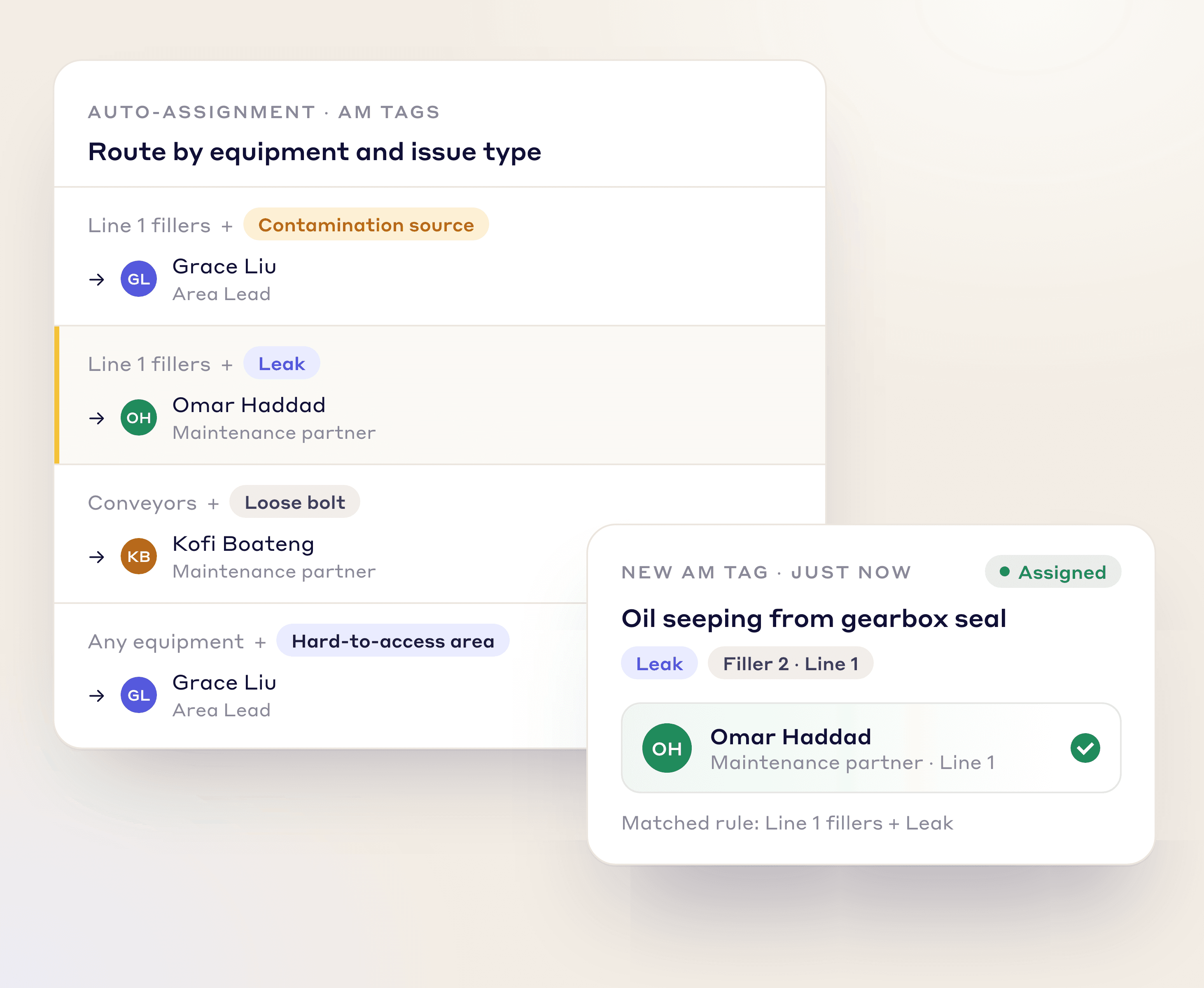
Route each tag to the right Area Lead or Maintenance partner based on the equipment and issue type.
Set due dates for AM tasks automatically from priority, so urgent tags are handled first.
Cap how many times a tag can be reassigned, so it can't bounce between people.
Tag types
Sort every abnormality by type for cleaner tracking and analysis, and create custom tags for any process or department.
Identify and eliminate sources of dirt, dust, and debris.
Flag areas that are difficult to clean, inspect, or lubricate.
Document oil, air, or water leaks for immediate attention.
Flag any loose fasteners or connections during inspections.
A CONNECTED SYSTEM
Autonomous maintenance tags feed straight into your continuous improvement and maintenance work.
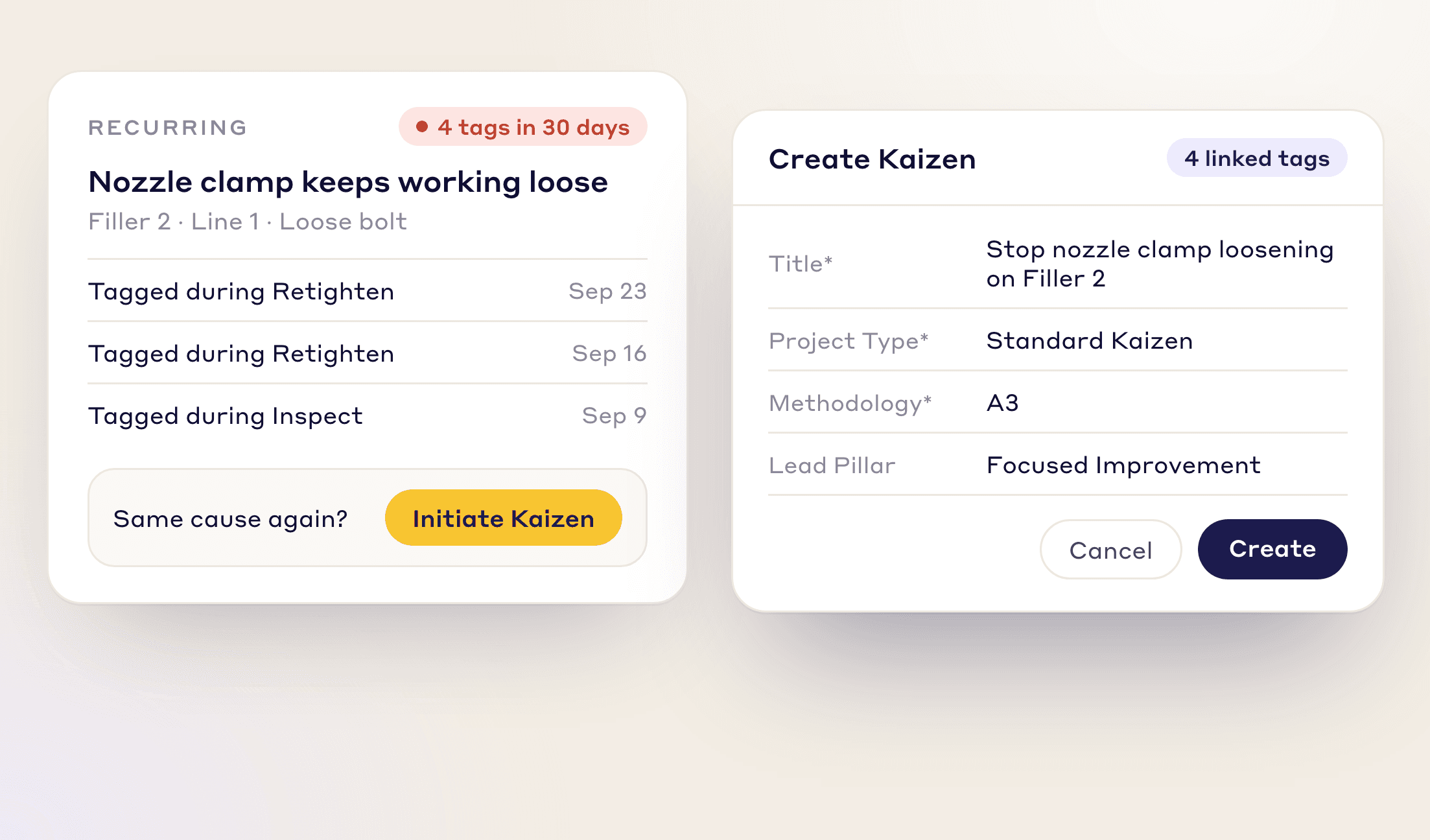
Same abnormality again? Escalate a recurring problem into a Kaizen or A3 project in one click and fix the root cause.
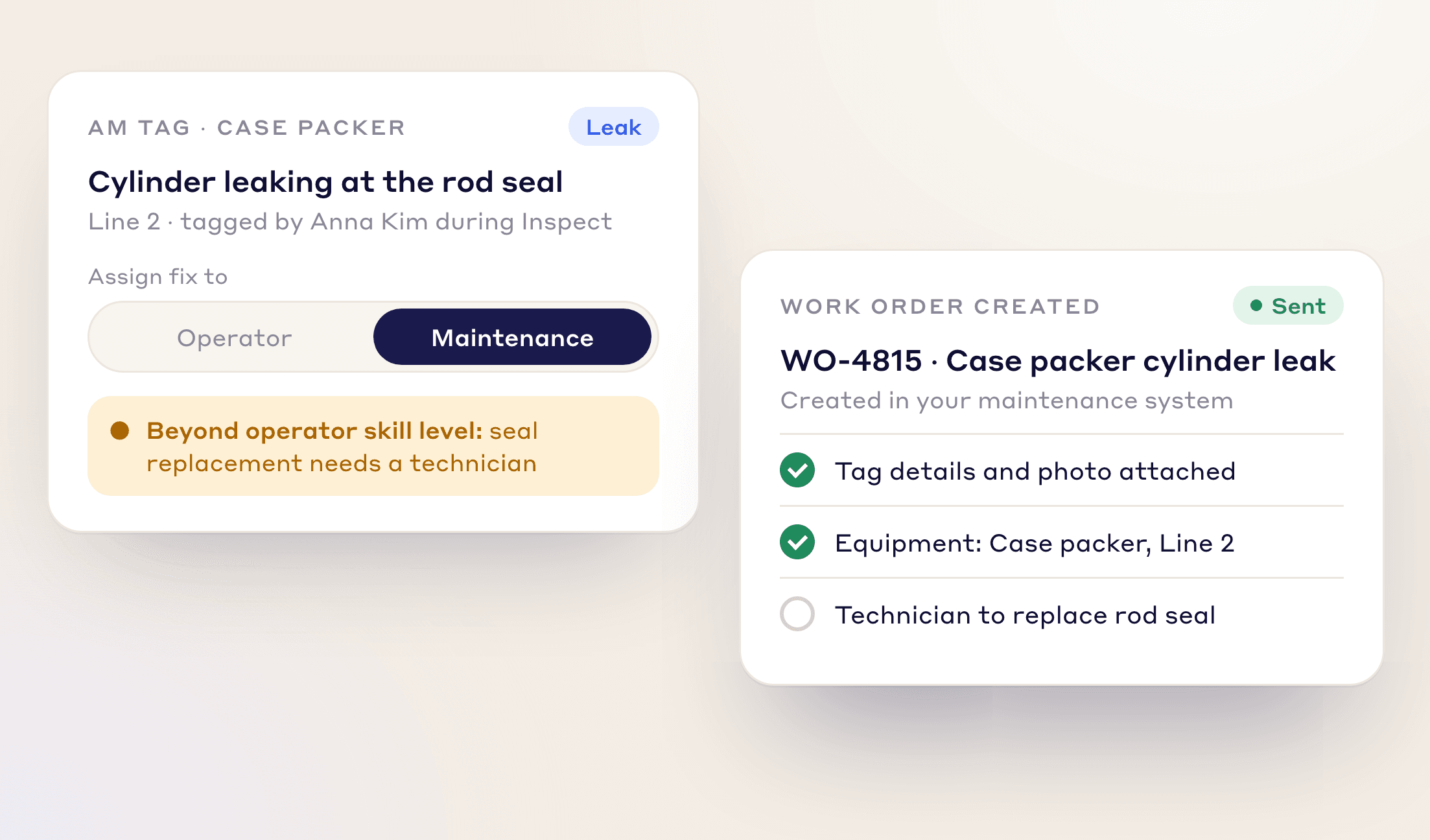
When an operator tags an issue beyond their skill level, LeanSuite creates the work order and routes it to maintenance. LeanSuite is not a CMMS and works alongside yours.
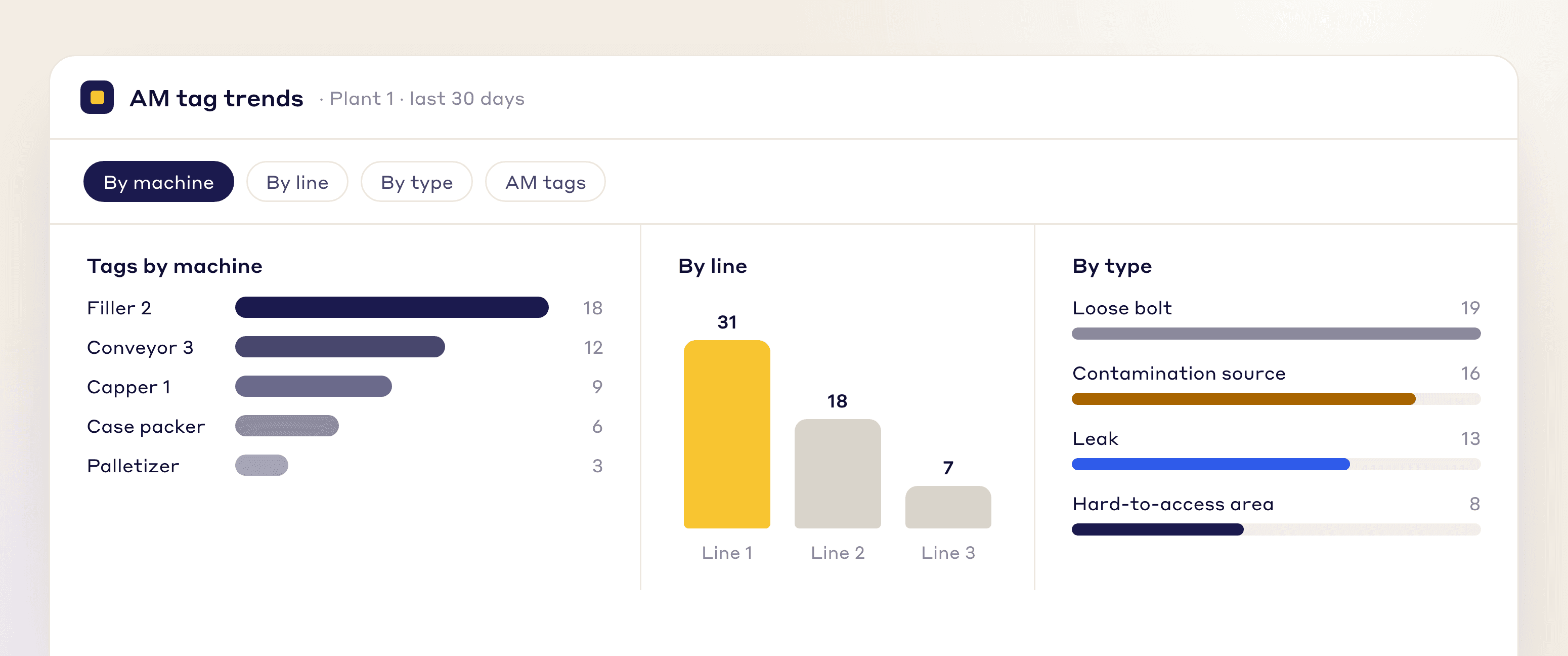
Break tag data down by machine, line, or type to see where to reduce minor stops and prevent major breakdowns.
RCA, Kaizen, work orders, tags and best practices follow your own steps, fields and approvals.
At each stage you set who can move it, what must be valid first, what updates on its own and who is told.
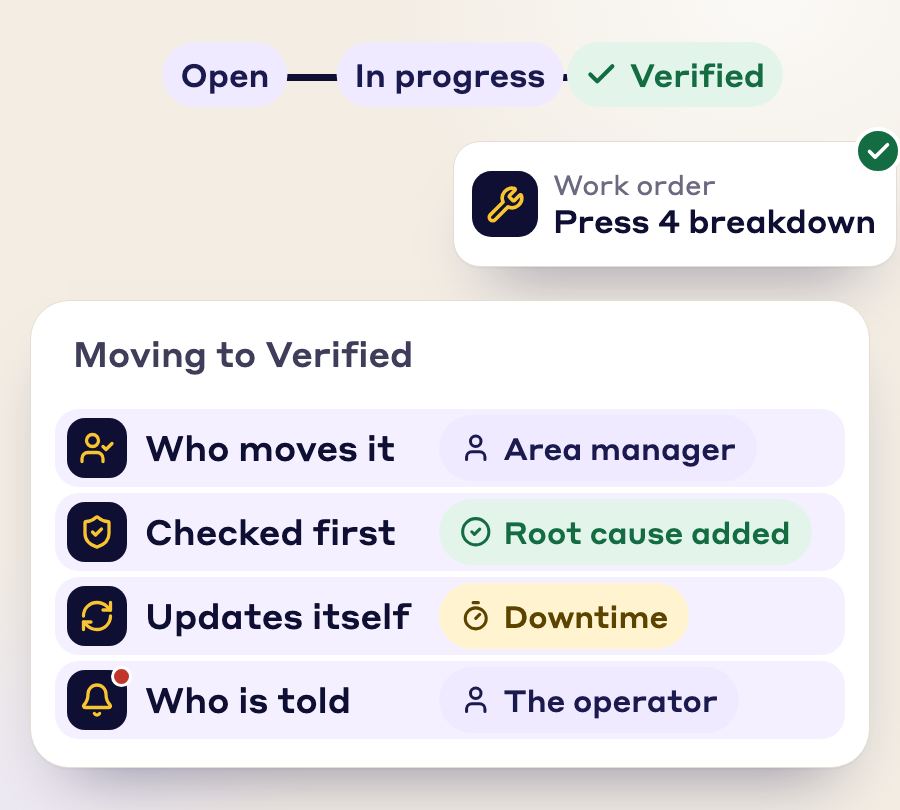
One issue becomes a tag, an RCA, a work order, a Kaizen and a best practice. Nobody retypes it.
Photos, SOP, checklist and signatures stay attached and linked.
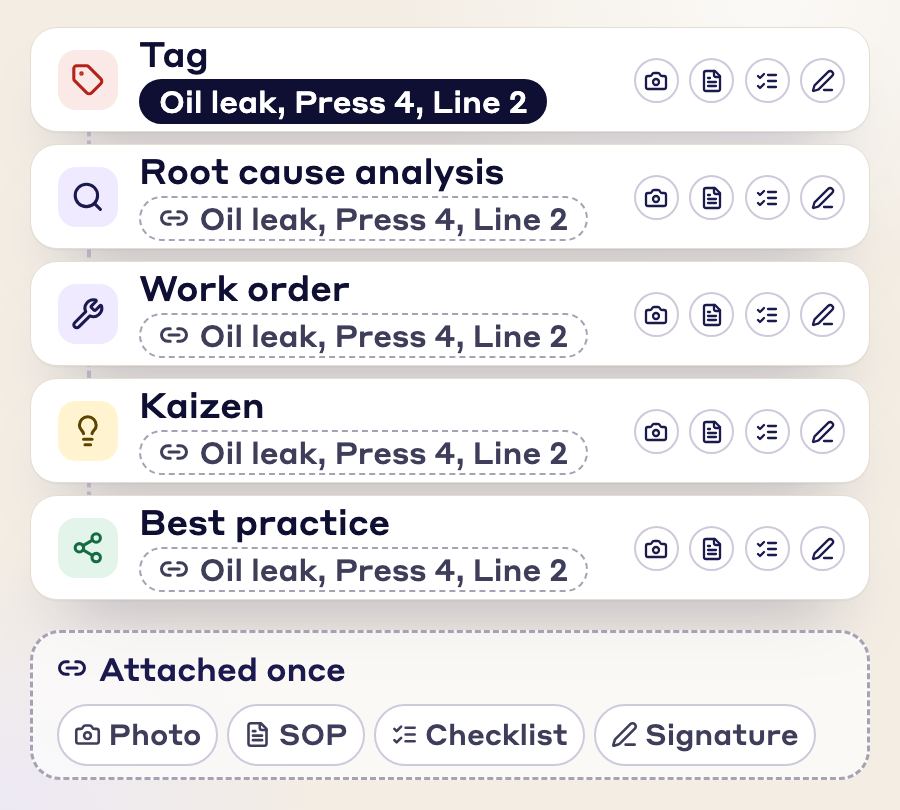
Every module is connected to every other, so you enter the same information once and the paperwork stays linked to each document.
FAQs
An autonomous maintenance (AM) tag marks an abnormality an operator finds on their own equipment, such as a leak, a loose bolt or a source of contamination, so it gets fixed instead of forgotten. In LeanSuite, operators raise AM tags from the equipment's QR code during CILR checks.
During their CILR (Clean, Inspect, Lubricate, Retighten) checks. They scan the QR code on the equipment, snap a photo, categorize the abnormality and add a note, and the Area Lead and Maintenance team are notified automatically.
The AM tag types are sources of contamination, hard-to-access areas, leaks, and loose fittings and bolts. You can also create custom tags for any process or department.
Either one. You assign the fix to the operator or to maintenance, set a due date and track it to completion. Rules can route each tag to the right Area Lead or Maintenance partner based on the equipment and issue type.
Upload your facility layout and LeanSuite builds a live equipment health map of the open tags on every machine. You can also break tag data down by machine, line or type.
Yes. An answer rule on the checklist can raise a tag when a check fails, or require a photo or comment first.
Yes. Operators can dictate a tag in the mobile app instead of typing it.
FREE RESOURCES
Not ready for software yet? Start with these free resources.
See how LeanSuite brings clarity and control to your autonomous maintenance program.