
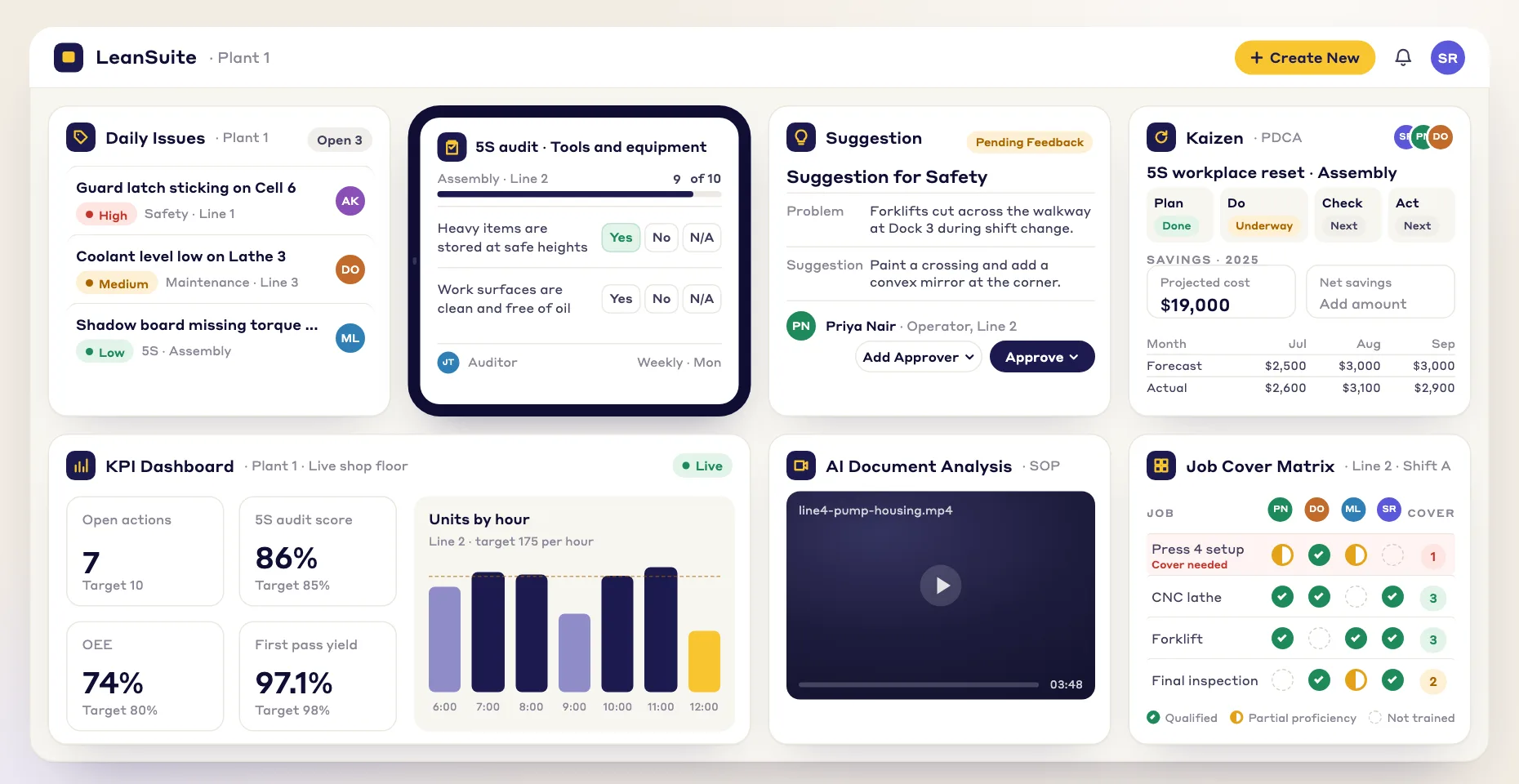
Which steps make the changeover long?
Every checklist logs how long each step took, so the Kaizen module shows which steps to attack.
SMED software for faster changeovers: run each changeover as a digital checklist, get missing tools to the line fast, use step times to cut every setup, and let AI split a filmed changeover into internal and external tasks.
By clicking "Schedule Demo," you agree to the use of your data in accordance with LeanSuite's Privacy Notice, including for marketing purposes.
What it answers
Film one changeover on a phone, or run it from a checklist on a tablet. Either way you end up with step times to work from.
Every checklist logs how long each step took, so the Kaizen module shows which steps to attack.
The AI marks each task in a filmed changeover as internal or external and flags tasks that can run in parallel.
The shorter sequence becomes the changeover checklist that operators follow on a tablet at the line.
Enter the hourly cost of downtime and the minutes saved, and the Kaizen module works out the annual savings.
The Capacity Drain
Every idle minute during a changeover is lost output.
Tribal Knowledge
Setup times vary by shift because know-how lives in people's heads.
The Missing Tool Search
Fifteen minutes spent looking for a wrench while the line stands idle.
First-Run Scrap
Wrong settings scrap the first parts of every run.
Standardized Execution
Visual steps mean every operator runs the changeover the same way.
Instant Escalation
Alert tooling and materials teams from the tablet so the changeover doesn't stall.
Data-Driven Improvement
Baseline every setup, aim Kaizen events at the slow steps and prove the annual savings.
HOW IT WORKS
Lean Creator runs the changeover checklist, Issue Management flags missing items, and Kaizen & Projects turns step times into improvement projects.
LEAN CREATOR
Digitize & Standardize
Operators follow visual changeover steps on a tablet, and prep work moves from "internal" to "external" setup.
Drag-and-drop checklist builder with photo & video attachments per step
Pre-changeover trigger: auto-assign prep tasks 30 min before line stops
Role-based views: operators see simple steps, supervisors see the full audit trail
LeanAI converts existing PDF/Excel checklists into digital forms automatically
ISSUE MANAGEMENT
Escalate & Resolve
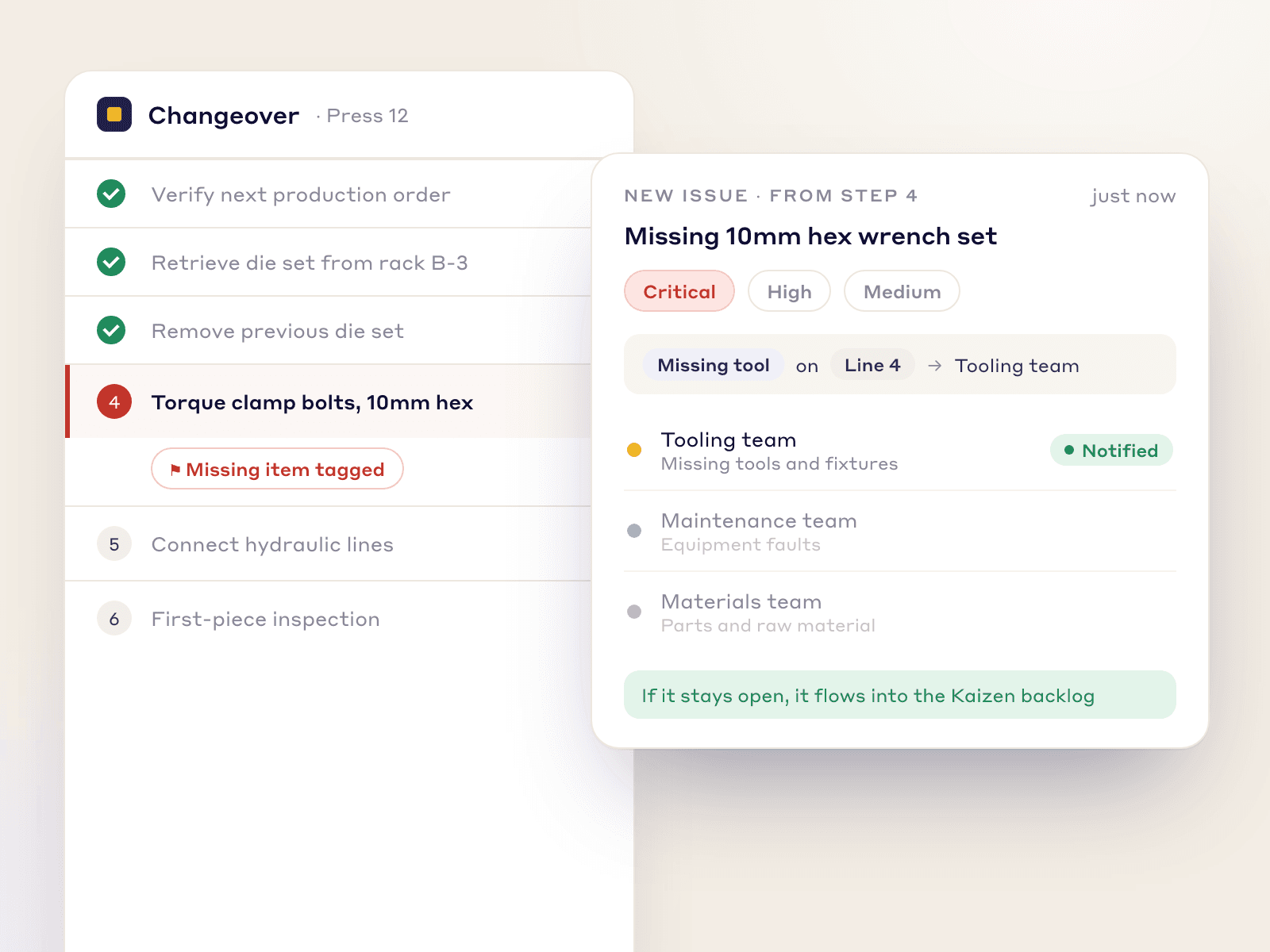
Missing a die or a 10mm wrench? Operators tag it from the tablet and the right team is alerted.
One-tap issue from the active checklist, without switching apps
Instant push notification to the right team: maintenance, tooling, or materials
Built-in severity (Critical, High, Medium) with routing by rule
Unresolved issues flow into the Kaizen backlog for root-cause work
KAIZEN & PROJECTS
Analyze & Improve
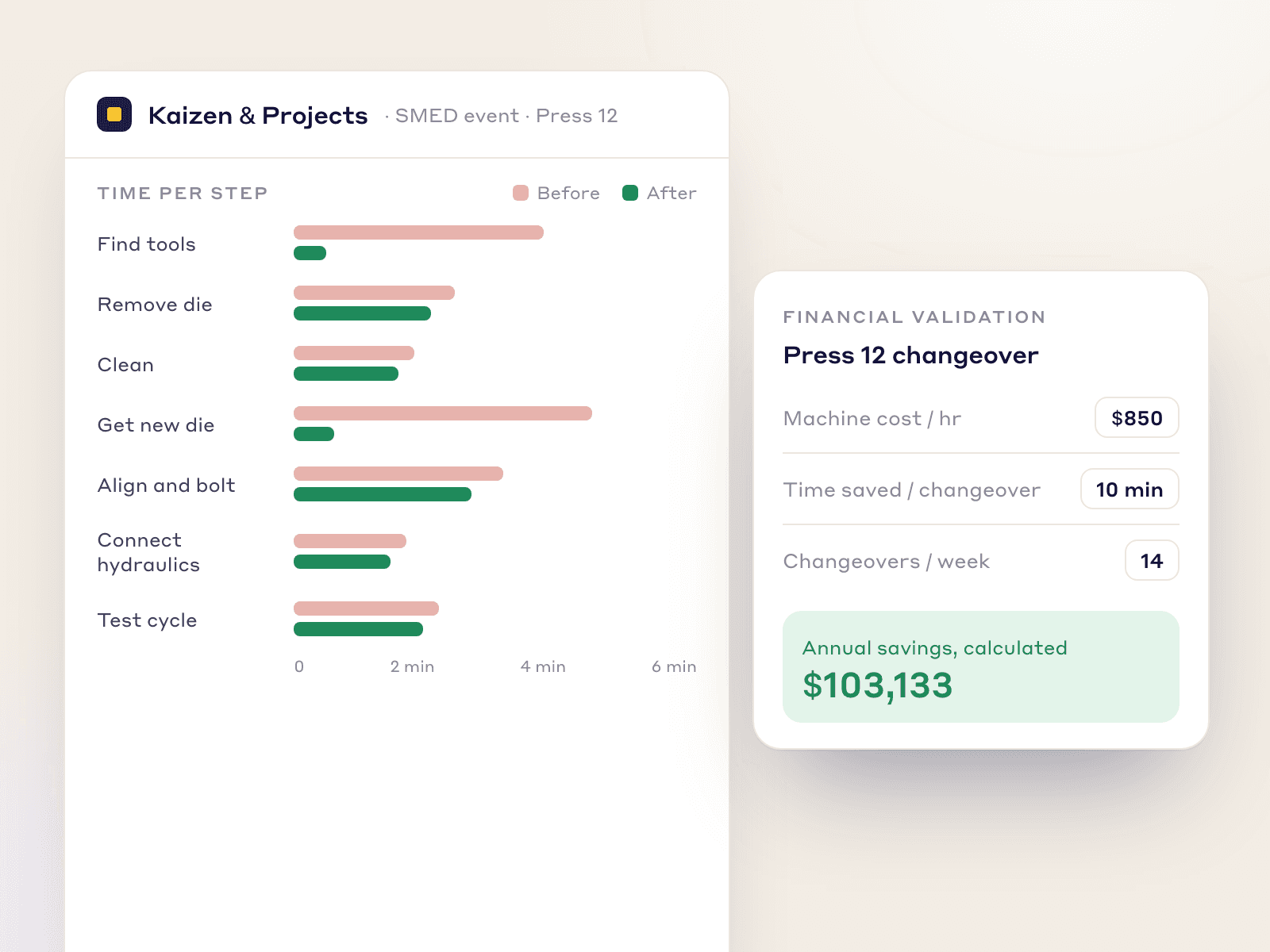
Every checklist logs how long each step took, so the Kaizen module shows which steps to attack.
Per-step timing shows which tasks make the changeover long
Financial validation: enter machine cost per hour and get the annual savings
Spaghetti diagram builder: map operator motion to redesign workstation layout
One-click before/after reports for leadership review
AI SMED analysis from video
Vision AI splits a filmed changeover into tasks, marks each internal or external, and proposes a shorter sequence.
Record from the last good part of the old run to the first good part of the new one, on a phone.
Drop the video into LeanSuite, pick SMED and tag the machine.
The AI tags each task internal or external, keeps the clip behind every call and flags tasks that can run in parallel.
Take the proposed shorter sequence into the Lean Creator changeover checklist that operators run at the line.
THE LEAN SCIENCE
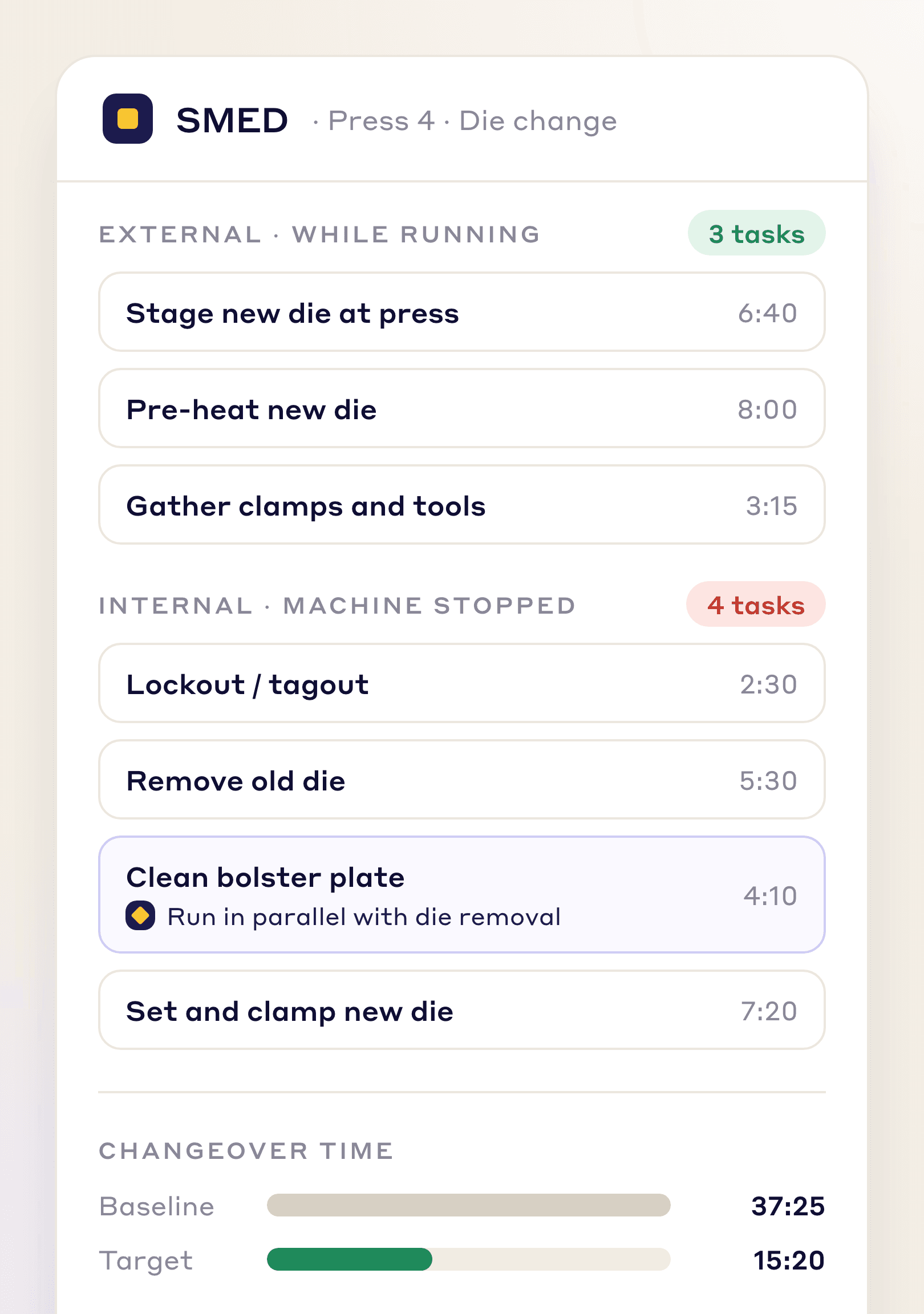
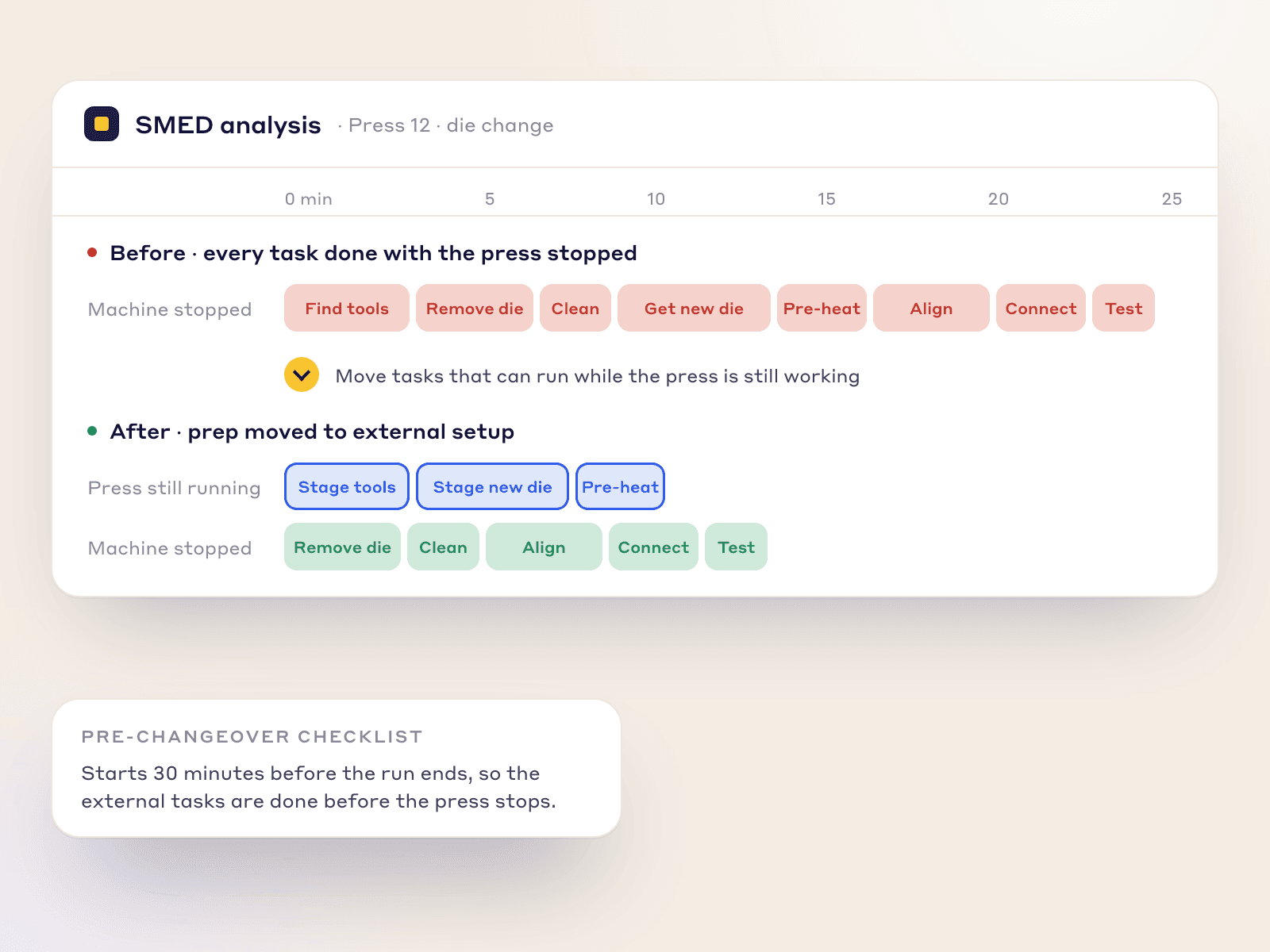
SMED converts tasks done with the machine stopped into tasks done while it runs.
Pre-Staging Workflows
A "Pre-Changeover Checklist" starts 30 minutes before the run ends, so tools are staged while it runs.
Spaghetti Diagrams
Map operator motion during a changeover in the Kaizen module and redesign the workstation on data.
From video to checklist
The AI does the sorting and the first draft. Your team decides what is right and runs it.
You
A phone on the real changeover, from the last good part of the old run to the first good part of the new one.
You
Drop the video into LeanSuite, pick SMED and tag the machine.
The AI
Each task marked internal or external, with the clip behind every call and a shorter sequence proposed.
You
Correct the draft, publish the sequence as the changeover checklist, then run it at the line and watch the step times.
Who it is for
Simple visual steps on a tablet, and a one-tap way to tag a missing tool without leaving the checklist.
The full audit trail of each changeover and the step times, so slow shifts and slow steps show up.
A drafted internal/external split from video, per-step timing and Kaizen projects aimed at the slow steps.
The annual savings of a faster setup, and before/after reports for review.
Honest limits
PROVEN ON THE FACTORY FLOOR
We built LeanSuite for the problems plants face running production lines every day, from the first shift huddle to multi-site rollouts.
SOC 2 Type 1 report
First module live in under a week
Unlimited users per facility
99.5% monthly uptime commitment
FAQs
SMED (single-minute exchange of die) cuts changeover time by moving setup tasks outside the machine stop and streamlining the rest, aiming for under ten minutes.
Operators run a timed digital checklist and tag missing tools from the same screen; Kaizen projects then target the slowest steps.
Yes. LeanSuite's AI SMED changeover analysis splits a filmed changeover into internal and external tasks and proposes a shorter sequence.
No. You record the changeover and upload the video, and the AI analyses that file. The checklist side runs on a tablet at the line.
No. You can start with the digital checklist and its step times. Film a changeover when you want the AI to sort the tasks into internal and external.
Yes. Upload an existing Excel or PDF checklist and Lean AI converts it into an interactive digital form.
Yes. Daily Standard Work can schedule a checklist to an asset, so whoever runs that machine sees it.
Changeover time hits OEE Availability; LeanSuite records exact start and end times for your KPI dashboards.
Enter the hourly cost of downtime and the minutes saved in the Kaizen module, and it calculates annualized savings.
FREE RESOURCES
Not ready for software yet? Start with these free resources.
Book a demo and see the internal/external split built from a changeover video, then run as a checklist. Vision AI is priced separately.