

Free template
Standard work sheet template
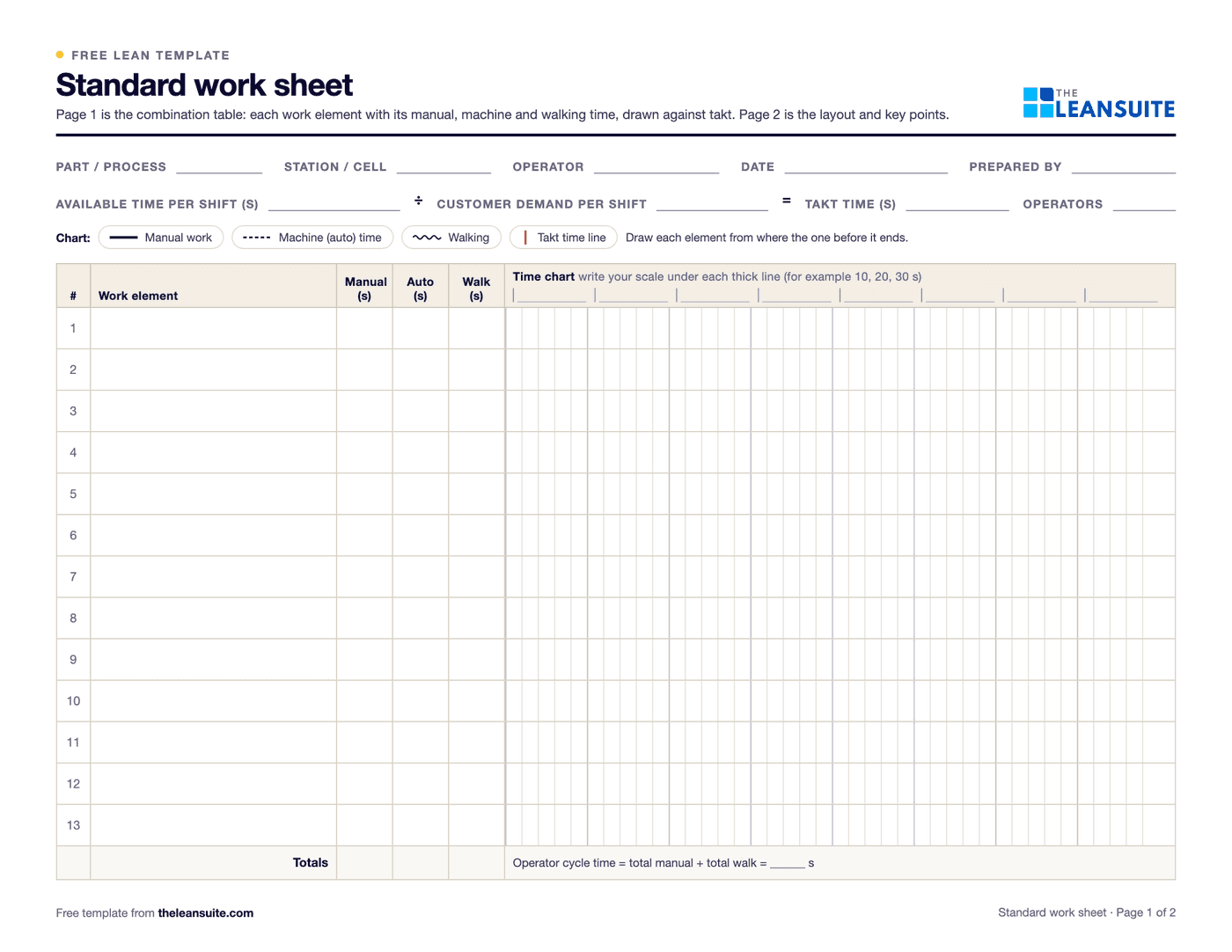
A standard work sheet records the current best way to do one operator's job against takt time. This template combines two standard work forms. Page 1 is a standardized work combination table: each work element with its manual, machine (auto) and walking time, drawn on a time chart against the takt time line. Page 2 is the standard work sheet itself: a sketch of the station layout with the operator's path, quality checks, safety points and standard WIP. Together they hold the three elements of standard work: takt time, the work sequence and standard in-process stock.
Free to use: print it, copy it and edit it for your team. Enter your name and work email once to download.
When to use it
When to use a standard work sheet
- When you set up a new station or line and need to write down the method that meets takt.
- When demand changes, to recalculate takt and see which operators are over or under it.
- In a kaizen event, to record the current method before changing it and the new method after.
- To train new operators on the sequence and the key points, alongside a job breakdown sheet.
How to fill it in
- 1
Work out takt time
Available working time per shift, in seconds, divided by customer demand per shift. For example, 27,000 seconds and 900 units give a takt time of 30 seconds.
- 2
Split the job into work elements
Watch the operator for several cycles and list each element in order as a short action, such as load part in press.
- 3
Time each element
Record the manual, machine (auto) and walking time of each element in seconds, from several observed cycles.
- 4
Draw the time chart
Start each element where the one before it ended: manual time as a solid line, machine time as a dashed line and walking as a wavy line. Draw takt as a red vertical line. The Excel version draws the chart for you.
- 5
Compare cycle time with takt
Operator cycle time is total manual plus walking time. Over takt means the work must be rebalanced or waste removed. Also check that each machine finishes before the operator comes back to it.
- 6
Sketch the layout and key points
On page 2, draw the station from above, number the elements where they happen, join them with the operator's path, and mark quality checks, safety points and each standard WIP piece.
- 7
Approve it and post it
Sign it off, display it at the station and update it whenever the method, the layout or takt changes.
A filled-in example
Illustrative, not a benchmarkOne operator running two machines and a gauge in a machining cell, with a takt time of 60 seconds.
- Load and start machine 1: 10 s manual, 40 s machine time, 3 s walk to machine 2.
- Unload, load and start machine 2: 15 s manual, 45 s machine time, 3 s walk to the gauge.
- Gauge the part and put it on the outgoing rack: 12 s manual, 4 s walk back to machine 1.
- Operator cycle time: 37 s manual + 10 s walking = 47 s, 13 s under takt.
- Machine check: machine 2 needs 15 + 45 = 60 s from the start of loading, longer than the 47 s cycle, so the operator waits 13 s there every cycle.
- Standard WIP: one part in each machine and one at the gauge, three pieces.
On paper the cycle is 47 seconds, but the wait at machine 2 makes it 60, with no margin to takt. Shortening machine 2's loading or machine time comes before giving this operator more work.
Common mistakes
Writing the ideal, not what happens
Time the real job at the station over several cycles. A standard nobody can meet is ignored.
Leaving out walking
Walking is part of the cycle. Without it the job looks shorter than it is.
Confusing cycle time with takt time
Takt is the pace demand sets; cycle time is how long the job takes. The sheet exists to compare the two.
Filling in only one of the forms
The combination table shows timing and the layout shows where things happen. With only one, part of the standard is missing.
Posting it and never updating it
When the method, the layout or demand changes, update the sheet, or it stops being the standard.
Download the template
Free to use: print it, copy it and edit it for your team. Enter your name and work email once to download.
Do this in LeanSuite
LeanSuite's AI watches a video of your best operator and writes the work instruction, with numbered steps, photos, safety notes and torque values, and an engineer reviews the draft before it goes to the shop floor.
See Digital Work InstructionsIn the lean glossary
Free tools
FAQ
Standard work sheet template: common questions
More free templates
All templates- 5S audit checklist template25 checks, five per S, scored 1 to 5, with a score summary and a chart of the five S's.
- Gemba walk checklistA walk plan and route, 30 prompts in six groups and a findings table with owners and due dates.
- A3 problem solving templateThe standard seven-box A3 on one landscape sheet, from background to follow-up.
- PDCA templateOne improvement cycle on one landscape page: plan, do, check against the goal, then standardize or adjust.
- 5 Whys templateA problem statement, five why rows with evidence, the root cause and the countermeasure.
- 8D report templateD0 to D8 on three pages: team, is/is not, containment, occurrence and escape causes, actions and closure.
- Skills matrix templatePeople by skills, a 0 to 4 scale, a training column and a coverage row that shows the gaps.
- SMED changeover worksheetChangeover steps with times, internal or external, what can move, ideas and before/after totals.
- Kaizen event charter templateScope, team and roles, baseline and target metrics, a five-day schedule, risks and sign-off.