
Green Belt and Black Belt programs: Run your belt program in one place, not in a spreadsheet
Every Green Belt and Black Belt project in its method with gate reviews, a sponsor and coach on each, savings Finance signs off, and the whole program by plant against its target. The roll-up builds itself.
The program, end to end
From project charter to verified savings
Every project in your method
DMAIC, A3, PDCA or your company's own method, each with its own phases. Gate reviews between stages decide what moves on.
A lead, sponsor and coach on each
Every belt project names its lead, sponsor, coach and team, and the savings credit is split between them.
See who has time
Planned against actual hours per person, so your best problem-solvers aren't buried in small tasks while big losses wait.
Savings Finance signs off
Hard and soft savings, cost avoidance and capital spend are recorded, and a DMAIC can't close until Finance verifies the savings.
Results by plant, against target
The Glidepath shows closed, projected and carried-over savings against target, month by month, for each plant and the company.
Belts on the skills matrix
Run belt training as courses with certifications, and show who holds which belt on the skills matrix next to their other skills.
In LeanSuite
What your program office sees
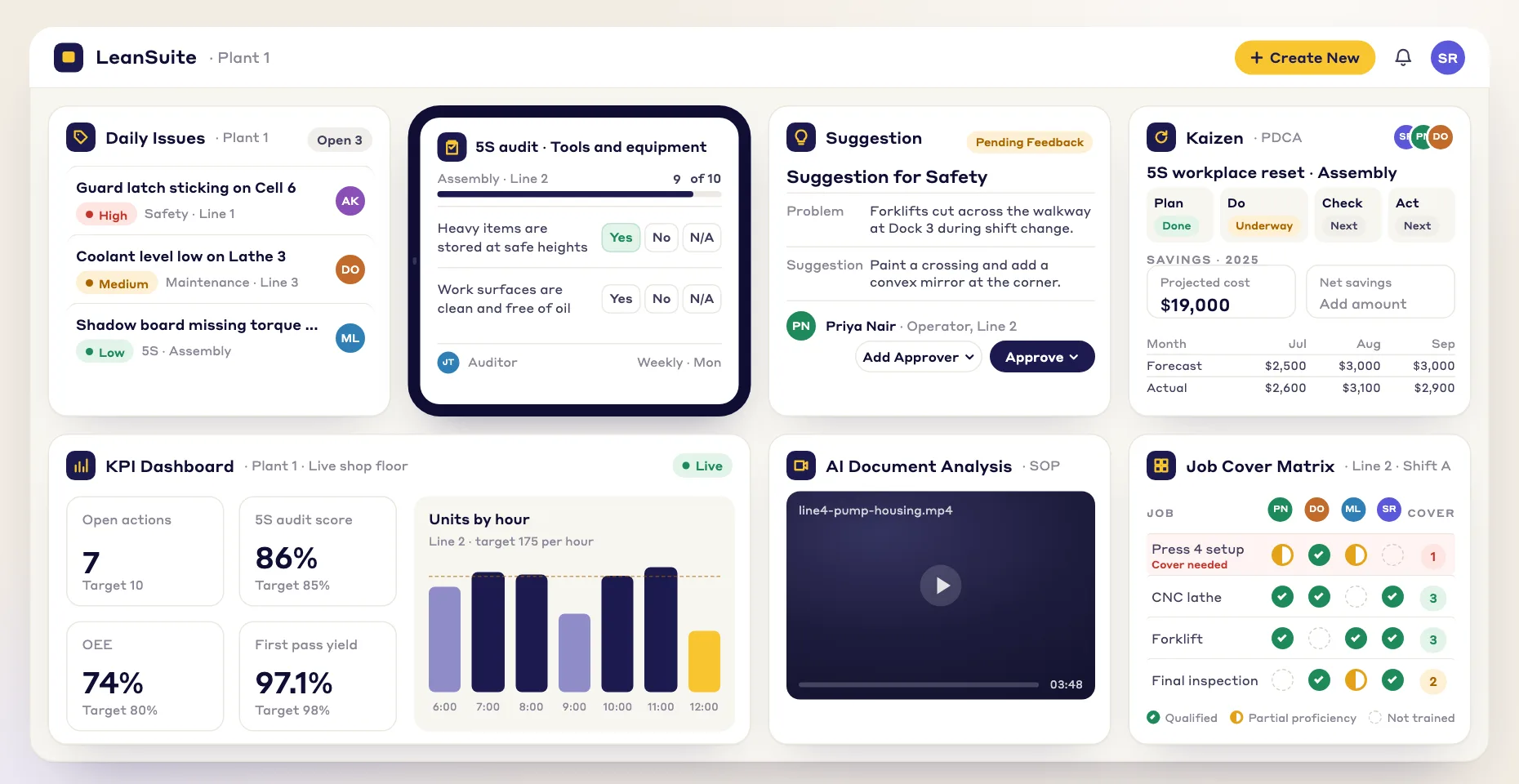
Screens from LeanSuite, on sample data.
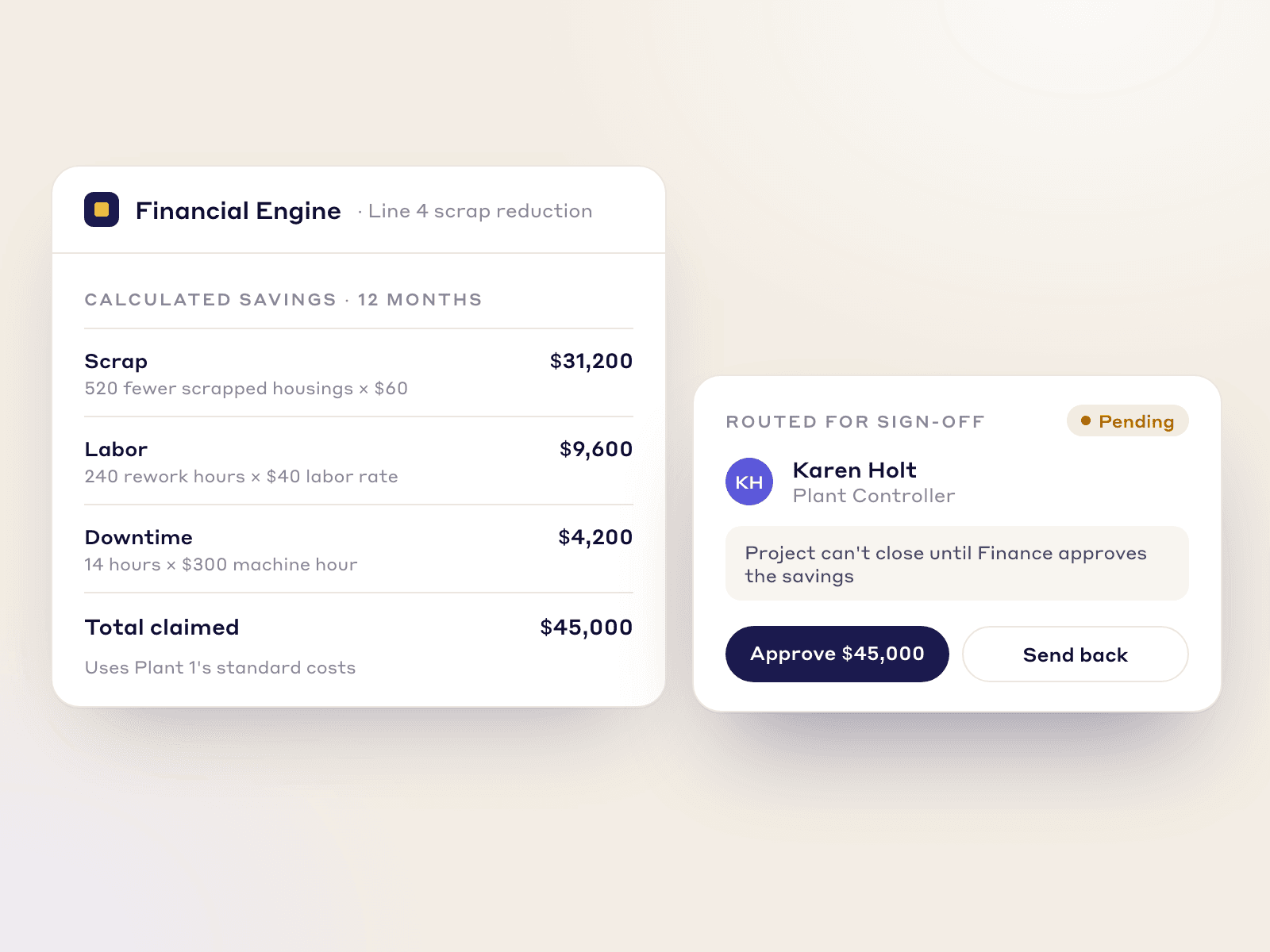
From Control to verified savings
When a DMAIC reaches Control, its savings go to the plant controller to verify before the project closes.
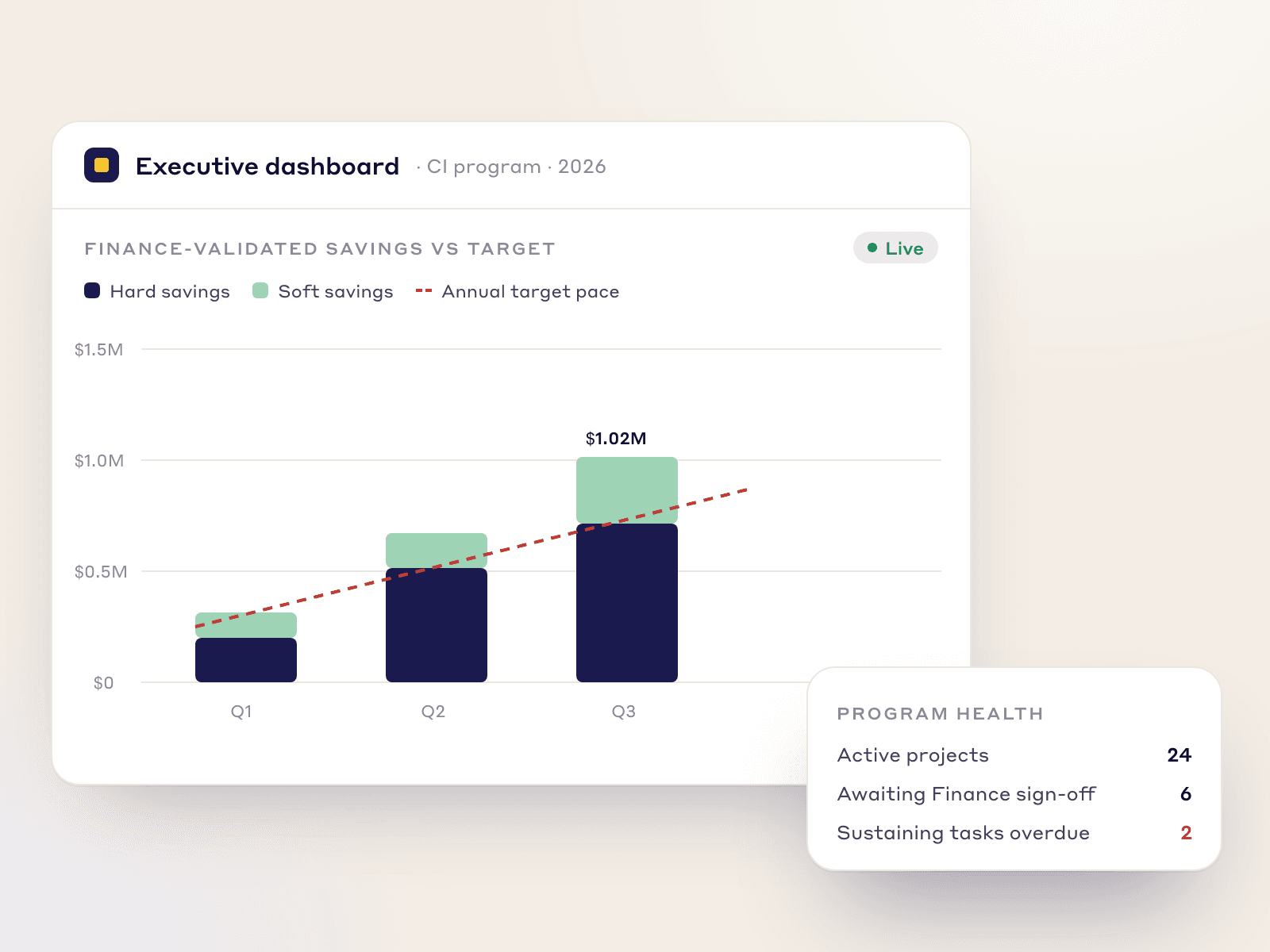
The program against its target
Validated savings by quarter against the annual target, hard and soft savings kept apart.
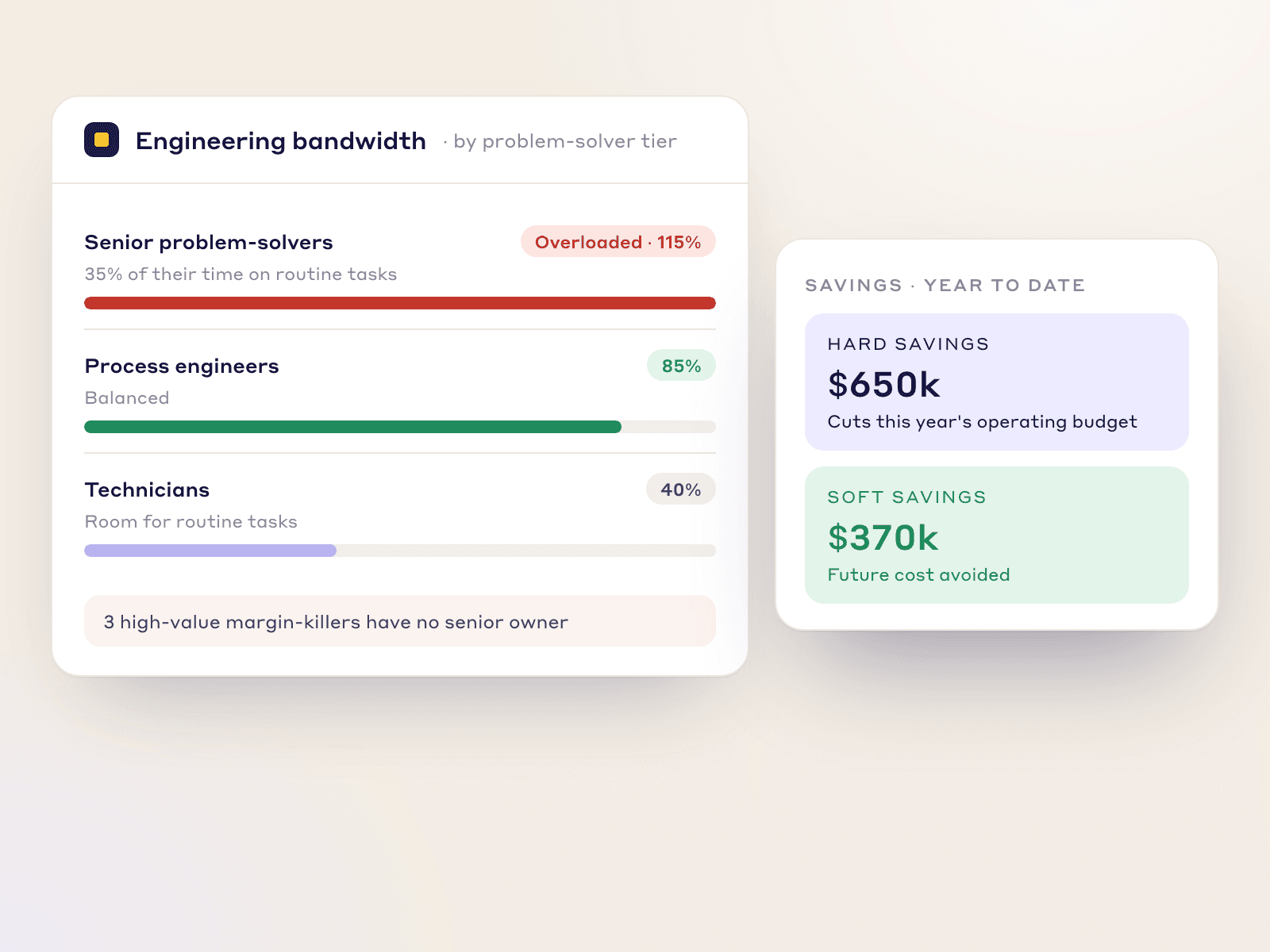
Who has capacity
Planned against actual hours by problem-solver tier, so you see who is overloaded before you assign the next project.
Moving off Excel
What changes for the program office
| In a spreadsheet | In LeanSuite |
|---|---|
| A tab per project, updated when someone remembers | Each project's phase, owner and next gate visible to everyone |
| Savings typed in by the project lead | Savings verified by Finance before the project closes |
| A monthly roll-up built by hand for each site | Savings by plant and month against target, always current |
| No view of who is already stretched | Planned against actual hours for every problem-solver |
FAQs
Belt programs
Yes. DMAIC, A3, PDCA and PDSA are ready to use, or you define your own method with its own phases. Gate reviews between stages decide whether a project moves on.
Yes. Each project names its lead, sponsor, coach and team, and the savings credit can be split between them.
Yes. Savings go to Finance, for example the plant controller, to verify, and a DMAIC cannot close until they are verified.
Yes. The Glidepath shows closed, projected and carried-over savings against target month by month, and validated savings can be viewed by plant and for the company.
Yes. You see planned against actual hours per person, so you can check who has time before assigning a new project.
Yes. Belt training can run as courses with certifications in the LMS, and belt levels can sit on the skills matrix with the rest of each person's skills.