
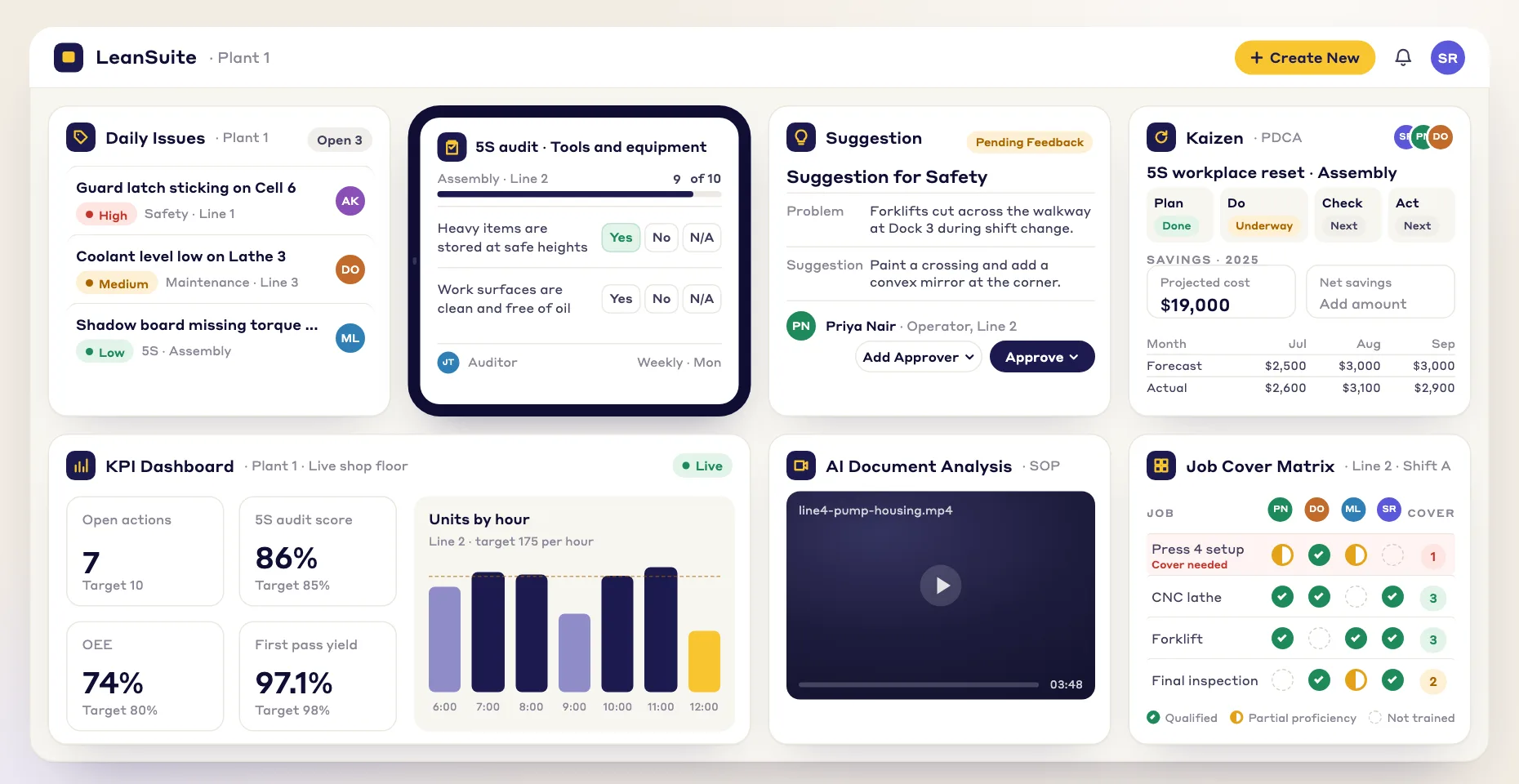
Buyer's guide
Cost savings tracking software for improvement projects
Short answer
Cost savings tracking software records what each improvement project saves, calculates it the same way for every project, routes it to Finance for verification and adds it up against the year's target. For operations and continuous improvement teams it replaces the savings spreadsheet: every kaizen, project and CapEx job carries its own savings, hard and soft savings are kept apart, and only verified numbers reach leadership. In LeanSuite this is the CI portfolio, with savings calculated from your own labor, downtime and scrap rates and signed off by Finance before a project closes.
Last updated:
The usual problem is not that savings go untracked. It is that the engineers' total and the number Finance can find in the accounts are different, so nobody trusts either. Savings tracking software exists to make those two numbers the same: one rule for what counts, one calculation, one sign-off.
This guide is about savings from operational improvement: kaizen events, DMAIC projects, loss reduction and CapEx. Procurement teams also use the phrase for negotiated price savings with suppliers, which is a different job this page does not cover. If you want to start on paper, the free cost savings tracker has the same columns this guide describes. If you are comparing tools, see best continuous improvement software.
What it does
The six jobs cost savings tracking software does
For each one: what it is for, how teams do it in a spreadsheet, and what software should add.
- 1
One rule for what counts
Agree with Finance what a hard saving is, which rates to use, when a saving starts and for how many months it is counted.
- On paper
- Rules that live in one CI manager's head, so every project is counted a little differently.
- What software should add
- The rules set once for the plant and applied to every project, so the totals can be added up.
- 2
The calculation from your own rates
Turn hours saved, scrap avoided and downtime removed into money, using the plant's own standard costs.
- On paper
- Each engineer's own formula in their own spreadsheet.
- What software should add
- Labor, downtime and scrap rates entered once, and each project's savings calculated from them.
- 3
Finance sign-off before a project closes
Someone outside the project checks the claim before it is counted.
- On paper
- An email to the controller, answered weeks later or not at all.
- What software should add
- A workflow that routes the savings to the plant controller and keeps the project open until they sign off.
- 4
Hard savings, soft savings and cost avoidance kept apart
Report the money that leaves the budget separately from time freed and costs avoided, so leadership knows what is in the P&L.
- On paper
- One savings column that mixes all three.
- What software should add
- Separate fields for each kind of saving, and reports that never add them into one number by accident.
- 5
A glide path against the target
Show month by month whether closed and open projects will reach the year's savings target.
- On paper
- A chart rebuilt by hand before each review.
- What software should add
- Closed, projected and carried-over savings plotted against the target, with budgeted, forecast and actual savings kept apart.
- 6
A check that the savings hold
Confirm 30, 60 and 90 days after a project closes that the process has not slipped back.
- On paper
- A reminder nobody sets.
- What software should add
- Sustainment checks scheduled when the project closes, with the owner reminded and the result recorded.
Worked example
Four kinds of savings, and how each should be checked
Most CI programs report these four separately. The test of a savings tracker is whether it keeps them apart from the first entry to the board report.
| Kind | What it is | Example | How Finance checks it |
|---|---|---|---|
| Hard savings | Spending goes down and the reduction shows in the accounts. | Less material bought after scrap on a line is halved; overtime hours no longer paid. | Against the cost before and after, from scrap reports, payroll or invoices. |
| Soft savings | Time or capacity is freed, but nobody pays less yet. | Operator hours freed by a shorter changeover, with no change in headcount or overtime. | The hours are confirmed; the money counts only when the hours are used or removed. |
| Cost avoidance | A future cost that will not happen because of the change. | A planned extra shift no longer needed because a bottleneck was removed. | Against a documented plan or quote that the change made unnecessary. |
| CapEx | Money spent on equipment or a project, tracked against the return it was approved for. | A new fixture bought to remove a manual adjustment. | Against the approved request, with payback from the one-time cost and the annual saving. |
How to choose
How to choose cost savings tracking software: a 10-point checklist
Take this list into every demo, including ours. Ask the vendor to show each point with one of your real projects.
- 1
Savings are calculated from your own rates
If every engineer uses their own formula, the total means nothing.
In the demo: Enter your labor, downtime and scrap rates and show how a project's savings are worked out from them.
LeanSuite: You enter your plant's standard costs for labor, machine downtime and scrap, and savings are calculated from your own financial baseline.
- 2
Finance signs off before a project closes
Savings Finance has not checked are the savings the CFO doubts.
In the demo: Close a project and show who has to approve its savings first.
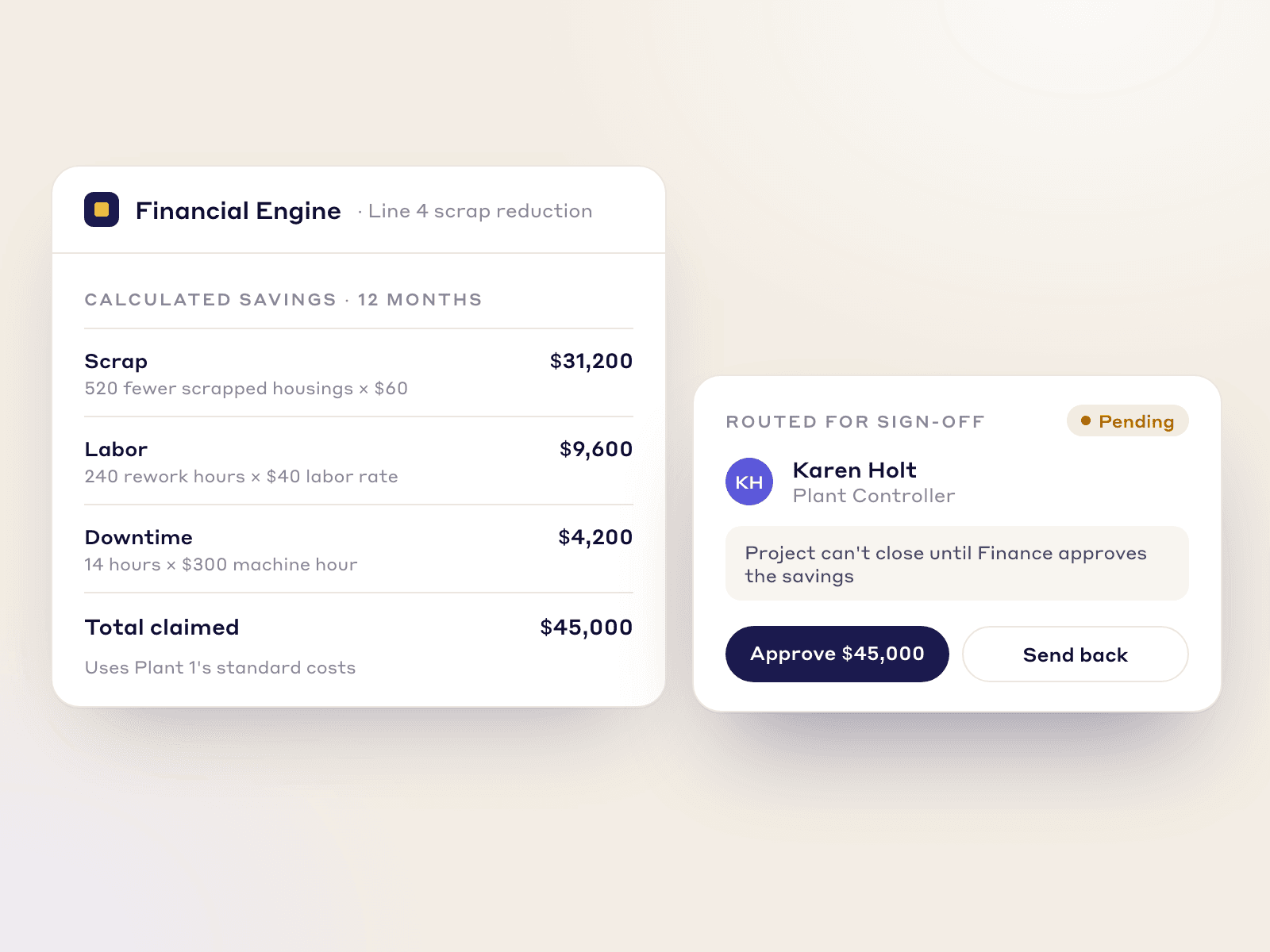
LeanSuite: Before a project is marked closed, the calculated savings are routed to the plant controller for digital verification, and only Finance-approved savings reach corporate reporting.
- 3
The approval rule can depend on the amount
A small kaizen should not wait as long as a large project, and a large claim needs more eyes.
In the demo: Set a rule so that projects above an amount you choose need an extra review.
LeanSuite: Stage gates can require review above a savings amount you set, for example the plant controller's sign-off before the ROI reaches the dashboard.
- 4
Hard and soft savings are separate
Mixing them is the fastest way to lose Finance's trust.
In the demo: Log one hard and one soft saving and show the report that keeps them apart.
LeanSuite: Hard and soft savings, cost avoidance and CapEx are tracked separately.
- 5
Budgeted, forecast and actual are kept apart
Leadership needs to know what was promised, what is expected and what has been delivered.
In the demo: Show the three for one project and a view of which projects are slipping.
LeanSuite: Budgeted, forecast and actual savings are kept apart, and a variance view shows which projects are slipping.
- 6
A glide path shows whether the target will be met
A year-end total arrives too late to act on.
In the demo: Show savings against the year's target, month by month, with open projects included.
LeanSuite: The glide path shows closed, projected and carried-over savings against the target month by month, and targets can be set by department with seasonality by month.
- 7
Savings come from real projects, not a separate list
A savings list kept apart from the projects drifts away from what was actually done.
In the demo: Start a project from a loss and show its savings joining the portfolio total.
LeanSuite: Kaizen & Projects runs every improvement from charter to closure, and a Kaizen can be started in one click from a ranked list of losses in Loss and cost management.
- 8
It checks that savings hold after closure
A process that slips back three months later takes the saving with it.
In the demo: Close a project and show the follow-up checks it schedules.
LeanSuite: You can schedule 30, 60 and 90-day verification audits after a Kaizen closes to check that the savings hold.
- 9
History and costs come with the savings
Leadership asks what the program returned against what it cost, and what last year looked like.
In the demo: Import last year's project list and show a project's costs next to its savings.
LeanSuite: During onboarding our team helps bulk-import past project logs from Excel, and each project records its one-time and ongoing costs next to its savings.
- 10
Plant and corporate see the same numbers
Each plant keeping its own total is how the corporate number stops adding up.
In the demo: Show savings by plant and the roll-up across sites.
LeanSuite: One live portfolio rolls up projects, timelines and savings across every plant, and verified savings feed the executive dashboard.
Do you need software?
Spreadsheet or software?
A well-kept spreadsheet is a fine savings tracker for a small program. This is when it stops being enough.
Paper is enough when
- One site, a few dozen projects a year and one person who keeps the tracker.
- Finance already reviews every line in a monthly meeting.
- You are still agreeing the savings rules with Finance. Settle them in a spreadsheet first.
- Nobody outside the plant needs the numbers.
Software pays when
- The engineers' savings total and Finance's number are different, and the CFO trusts neither.
- Several plants report savings, each in its own way.
- Projects close with no sign-off, and the savings are never checked again.
- Someone rebuilds the glide path by hand before every review.
- Hard and soft savings end up in one number in the board report.
- Projects stall after the kaizen event and nobody sees it until the year-end total is short.
How to
How to start tracking savings in software, in 6 steps
- 1
Write the savings rules with Finance
What counts as hard, which labor, downtime and scrap rates to use, when a saving starts and how long it is counted. The project savings validation checklist lists the questions.
- 2
Enter your standard costs
Load the plant's rates once so every project is calculated from the same baseline. The kaizen savings calculator shows the arithmetic.
- 3
Bring in this year's projects
Import the projects you already track, with owner, area, kind of saving and status, so the glide path starts from where you are.
- 4
Set the target and the approval rule
Set the year's target by department and decide who signs off, and above what amount a project needs extra review.
- 5
Run the monthly review from the software
Use the glide path and the list of slipping projects in the review instead of a slide built the day before.
- 6
Add sustainment checks, then expand
Schedule 30, 60 and 90-day checks on closed projects. When one plant's numbers hold up, add the next. This is the 1-1-90 method: one area, one pain point, 90 days, then expand.
Common pitfalls
Counting soft savings as hard
Hours freed are not money saved until the hours are used or removed. Report them apart.
Counting a saving forever
Agree how many months a saving is counted, usually the first year, or the total grows with no new work.
Sign-off after the fact
If Finance sees the savings only at year end, the arguments happen at year end. Sign off before the project closes.
Ignoring the cost of the change
A saving with no one-time cost recorded has no payback. Log what the change cost to make.
Chasing the total instead of the losses
Start projects from the biggest losses, ranked by cost, rather than from whatever is easiest to claim.
In LeanSuite
Where LeanSuite fits
LeanSuite tracks savings inside the work that produces them. Here is what each part does, as its product page describes it, and what it does not do.
What it does not do
- LeanSuite is not an accounting system or an ERP. Savings are calculated from the rates you enter and verified by your Finance team; the general ledger stays where it is.
- It is not a procurement tool for tracking negotiated price savings with suppliers.
- The savings figures shown in LeanSuite screenshots are sample data. No customer savings result is published on this page.
CI portfolio
Every improvement project and its savings in one place, with Finance verifying the savings from every Kaizen and a glide path tracking them against target.
CI portfolioLoss and cost management
Import your loss data, get a loss tree that puts a cost on each loss, start a Kaizen from the top of the list and track the savings as you remove them.
Loss and cost managementKaizen & Projects
Every project follows the method and workflow set for its type, from a quick Kaizen to a DMAIC project, with reminders for 30, 60 and 90-day sustaining tasks.
Kaizen & ProjectsCapEx and stage-gate projects
Engineering and CapEx projects run through stage-gates with an auditable trail, next to the rest of the portfolio.
CapEx project tracking
Your path to a demo
- 1 · 3 to 5 minutesTry the ideas and kaizen pathApprove an idea, turn it into a Kaizen, watch its expected savings join the portfolio total and share a finished Kaizen with two plants. Sample data, in your browser.Start the demo
- 2 · A call with our teamBook a demo on your own routineBring the savings spreadsheet you use today and your Finance team's rules. We will load a few of your projects on the call and show the sign-off and the glide path.Book a 45-minute demo
- 3 · 90 daysPilot it on one areaOur team sets it up on your lines, the first module is live in under a week, and you decide at day 90.See the 90-day pilot
Free resources
Free savings trackers, templates and calculators
Start in Excel with these. Each page has a filled-in example.
- TemplateCost savings trackerA savings log with hard and soft savings, payback and Finance's sign-off, plus a glide path against the year's target.
- TemplateProject savings validation checklistThe gate between a project's claim and a reported saving: 20 checks, a claims register and a six-month sustainment check.
- TemplateCost-benefit analysis templateUp to three options side by side with costs, hard and soft benefits, payback, NPV and the benefit-cost ratio.
- TemplateKaizen event trackerEvery kaizen event on one sheet: status, roles, the metric against target, open actions and the 30, 60 and 90 day checks.
- TemplateCapEx request formA capital request with options, costs, benefits, payback and NPV, and the approval levels the amount needs.
- TemplateLoss tree worksheetBreak one big loss number into area, line, machine, loss type and cause, and stop at the cause a team can fix.
- TemplateCost deployment matrixWCM cost deployment on paper and in Excel: loss quantities by process, causal and resultant losses, the cost of each loss, a Pareto and the projects that recover them.
- TemplateCost of poor quality (COPQ) worksheetCost of quality by prevention, appraisal, internal and external failure, with COPQ as a share of sales.
- Free toolKaizen savings calculatorYearly savings, payback in months and first-year ROI of an improvement, from time saved, scrap avoided and its costs.
- Free toolDowntime cost calculatorWhat an hour, an event and a year of unplanned downtime cost, from lost output, idle labour, scrap and overtime.
- Free toolCost of poor quality (COPQ) calculatorTotal COPQ and cost of quality, and each as a share of revenue, from the four quality cost categories.
Compare tools and read more
- Best continuous improvement softwareSix tools compared on methods, savings and pricing.
- CI portfolioFinance-verified savings and a glide path against target.
- Loss and cost managementA loss tree that puts a cost on each loss.
- Kaizen softwareWhat kaizen software should do and how to choose it.
- CapEx project trackingStage-gate projects with an auditable trail.
- Green Belt and Black Belt programsBelt projects with Finance-verified savings.
- Reducing COPQPutting a cost on scrap, rework and warranty.
- LeanSuite ROIHow to work out what the software returns.
- Best operational excellence softwarePlatforms for running an OpEx program.
FAQ
Cost savings tracking software: buyer questions
Cost savings tracking software records what each improvement project saves, calculates it the same way for every project, routes it to Finance for verification and adds it up against the year's target. For operations teams it replaces the savings spreadsheet and keeps hard savings, soft savings, cost avoidance and CapEx apart.
Hard savings are reductions in spending that show up in the accounts, such as less material bought or fewer overtime hours paid. Soft savings are time or capacity freed without anyone paying less yet. Most programs report them separately and have Finance verify the hard savings.
Take the cost per year before the change and after it, from real data such as scrap reports, overtime hours or invoices. The difference is the annual saving. Record the one-time cost of the change too, so you can work out the payback.
Someone in Finance who is not on the project, usually the plant controller. In LeanSuite the calculated savings are routed to the plant controller for digital sign-off before a project closes, and stage gates can require extra review above an amount you set.
A chart of closed, projected and carried-over savings against the year's target, month by month. It shows early whether open projects will be enough to reach the target.
For one site and a few dozen projects a year, often yes, as long as the rules are written down and Finance reviews every line. Software pays when several plants report savings, when projects close without sign-off or when the glide path is rebuilt by hand every month.
Yes. During onboarding the LeanSuite team helps you bulk-import past project logs from Excel, so your dashboards start with a baseline.
LeanSuite is not an ERP. In Loss and cost management you can upload loss data from spreadsheets, your ERP or MES and map the columns once, or connect your existing data lake. Savings are calculated from the standard costs you enter.
LeanSuite is one flat price per facility with unlimited users. A 90-day pilot costs $3,000 per facility. Ask for a quote on the pricing page.
See it on your own floor's routine
Bring the routine you want to fix first, and we'll show how LeanSuite runs it and what a 90-day pilot covers.