
Buyer's guide
Gemba walk software: what it should do and how to choose
Short answer
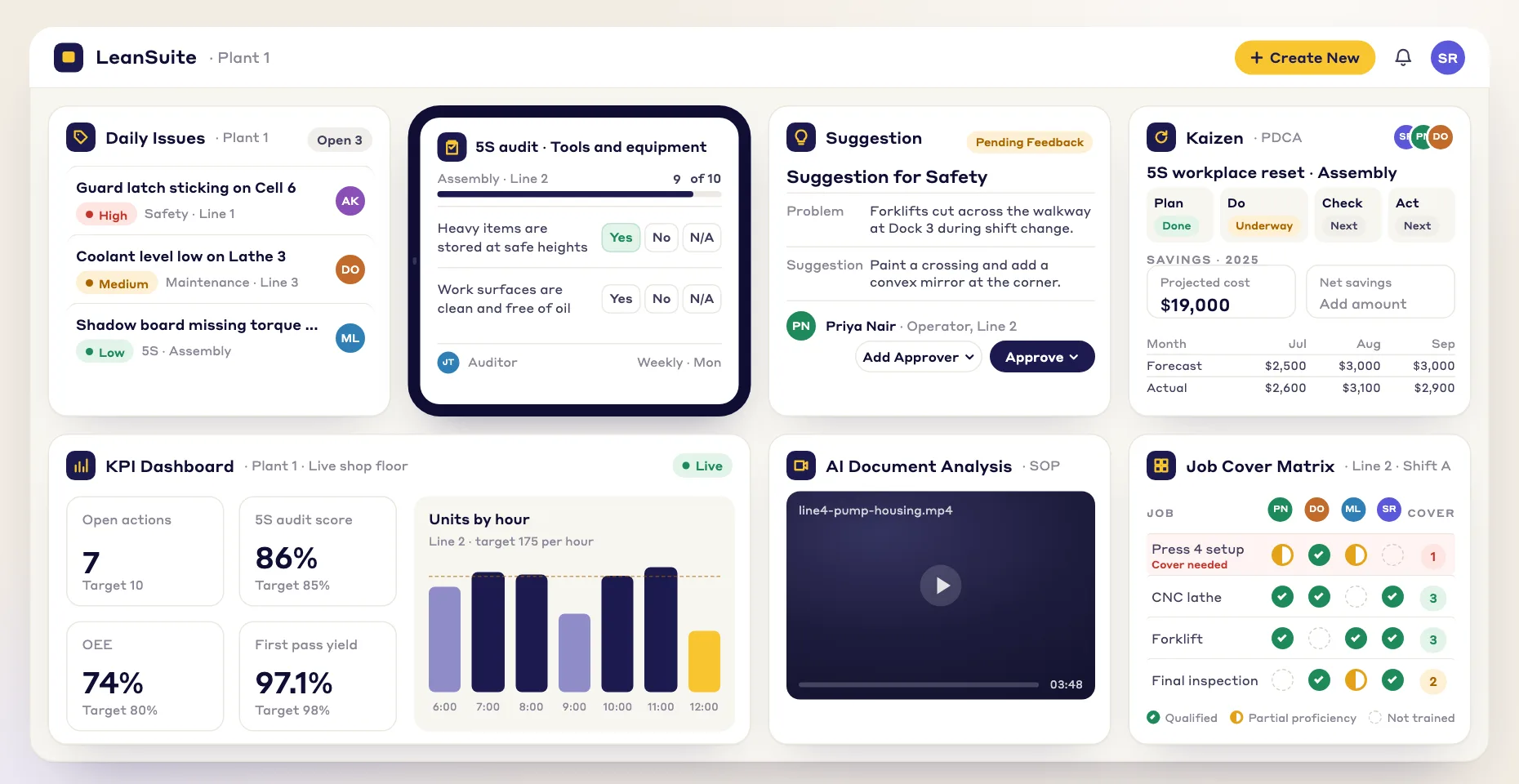
Gemba walk software helps leaders plan, record and follow up the walks they make to the place where the work is done. It holds the walk plan and its questions, schedules walks to the people who should make them, lets the walker capture notes and photos on a phone at the line, and turns what they saw into issues, actions or improvement projects with owners. LeanSuite runs gemba walks as checklists in Audit Management, with findings that go to Daily Issue Management, tiered meetings and Kaizen & Projects.
Last updated:
A gemba walk is not an audit. The walker goes to see, ask and listen, and the point is to understand how the work is really done and what gets in the way. That makes software a poor fit if it turns the walk into a scored form. What software is good for is the part that usually fails: the notes that are written up later from memory, the promises made at the line that nobody tracks, and the walks that quietly stop happening.
This guide covers what to look for and how to start. For the method itself, read what a gemba walk is and the gemba walk questions. If you are comparing tools, see best gemba walk software.
What it does
The six jobs gemba walk software does
For each one: what it is for, how leaders do it on paper, and what software should add.
- 1
A walk plan with a purpose
Decide where to go, what to look at and what to ask, so the walk has a theme and is not a tour.
- On paper
- A pocket card of questions, or no plan at all.
- What software should add
- A walk checklist per route or theme, built once, with the questions and what good looks like, shared across leaders and plants.
- 2
A schedule that holds
Leaders walk on a set rhythm, and a missed walk is noticed.
- On paper
- A slot in a leader's calendar that is the first thing moved when the day gets busy.
- What software should add
- Walks scheduled to a person or a role with a repeat rule, a reminder before each one and missed walks shown to the people who should care.
- 3
Capture at the line
Record what you see and hear while you are there, not from memory at a desk.
- On paper
- Scribbled notes, typed up later if at all.
- What software should add
- Notes, answers and photos on a phone or tablet, at the line, in a few taps.
- 4
Findings with owners
Every problem seen and every promise made on the walk gets an owner and a date.
- On paper
- A list in a notebook that only the walker reads.
- What software should add
- A finding turned into an issue, an action or an improvement project from the walk, with the photo attached.
- 5
Follow-up at the next huddle
The team sees what the leader found and what is being done about it, so the walk builds trust instead of fear.
- On paper
- Nothing, which is why teams learn to dread the walk.
- What software should add
- Findings that appear on the team's board and are reviewed at the tier meeting until they are closed.
- 6
A record of what leaders saw
See which areas are visited, which problems keep coming back and which leaders are walking.
- On paper
- A stack of cards nobody adds up.
- What software should add
- Completion by leader and area, and every finding in one list, so repeat problems show.
Worked example
A gemba walk, an audit, a safety walk and a waste walk
All four happen on the floor and all four can run from the same checklist tool, but they have different purposes. Software should support each without turning a gemba walk into a scored audit.
| Walk | The purpose | What gets recorded | In LeanSuite |
|---|---|---|---|
| Gemba walk | Understand how the work is done and what gets in the way; show respect for the people doing it. | Observations, questions asked and answers, photos, and the follow-ups agreed. | A gemba walk checklist in Audit Management; findings become tags, actions or Kaizens. |
| Audit (5S, LPA, standard work) | Check that a defined standard is being followed. | An answer to each question, a score, and the non-conformances. | Audit Management, with scoring, pass marks and rules that raise an action on a failed answer. |
| Safety walk or behavior observation | Find hazards and at-risk behavior before they cause an injury. | Hazards and safe and at-risk behaviors by category. | Safety walk checklists in Audit Management, and behavior observations logged on a phone during gemba walks. |
| Waste walk | Find and name the eight wastes in a process. | Each waste seen, by type, with where and how much. | Waste observation forms in Loss and cost management. |
How to choose
How to choose gemba walk software: a 9-point checklist
Take this list into every demo, including ours. Ask the vendor to show each point on a phone, on the floor if you can.
- 1
You can build the walk you actually do
Every plant's walks are different, and a fixed form gets ignored.
In the demo: Build a walk with your own questions, a free-text observation and a photo.
LeanSuite: You build the gemba walk checklist in Lean Creator, or let the AI draft it, with text, yes or no, rating and photo answers, and publish it when it is ready.
- 2
Capture is quick at the line
If it takes longer to type than to see, the notes get written up later or not at all.
In the demo: Complete a walk on a phone with gloves on and a photo of one finding.
LeanSuite: Leaders complete the walk checklist on a phone or tablet with photos and comments.
- 3
A finding becomes an action without retyping
Most of what a walk finds is lost between the walk and the system where work is assigned.
In the demo: Turn one observation into an action with an owner and a due date, from the walk.
LeanSuite: Each finding can become an issue tag, an action with an owner or a Kaizen, from the walk.
- 4
Findings reach the team's meeting
The team should hear about the walk from its own board, not from rumor.
In the demo: Show where the finding appears for the team leader the next morning.
LeanSuite: Daily Issue Management and Lean Studio tiered meetings sit in the same platform, so an issue raised on the walk can be reviewed and escalated at the huddle.
- 5
Walks run on a schedule, and misses show
Leader walks are the first thing to slip in a busy week.
In the demo: Schedule a weekly walk for a role and show what happens when it is missed.
LeanSuite: Walks are scheduled in Daily Standard Work to a person, a role or a machine with a repeat rule; assignees get a reminder before it is due and missed audits show in red.
- 6
Safety observations fit in the same walk
Leaders on the floor see hazards and behaviors as well as process problems.
In the demo: Log a safe and an at-risk behavior during a walk and show where they go.
LeanSuite: With Behavior-Based Safety, supervisors and peers log safe and at-risk behaviors on their phones during gemba walks, by category such as PPE, Line of Fire or Ergonomics.
- 7
The record shows patterns
One walk finds a problem; twenty walks show which problems keep coming back.
In the demo: Show completion by area and every finding from last month in one list.
LeanSuite: A live dashboard shows completion across the plant, and one report lists every flagged answer across all audits and walks.
- 8
Every leader and plant uses the same walk
Multi-site leaders want to compare what they see across plants.
In the demo: Share a walk template with a second plant.
LeanSuite: A template can be shared with every plant, or cloned from the Template Marketplace.
- 9
IT can approve it quickly
Security review is usually the longest wait before go-live.
In the demo: Ask for the security report, single sign-on providers and the uptime commitment in writing.
LeanSuite: LeanSuite is SOC 2 Type 1 compliant, supports single sign-on through SAML 2.0 or OAuth with Microsoft Entra ID and Okta, and commits to 99.5% monthly uptime.
Do you need software?
Paper card or software?
Many of the best gemba walkers use a pocket card and a notebook. This is when that is enough and when software helps.
Paper is enough when
- One leader, one area, and follow-ups the leader closes personally within the week.
- You are learning to walk. Use the free gemba walk checklist on paper until the habit is there.
- The walk is about respect and conversation, and nothing found needs to go to another team.
- Nobody needs to see the walks across areas or plants.
Software pays when
- Notes are written up from memory, or not at all.
- Promises made at the line are forgotten, and teams stop raising problems.
- Several leaders walk the same areas and nobody can see what the others found.
- Findings need to reach maintenance, quality or safety, not only the walker.
- Leaders' walks quietly stop and nobody notices for weeks.
- You want to see which problems keep coming back across walks and plants.
How to
How to start gemba walk software on one route, in 6 steps
- 1
Pick one route and one theme
Choose one area and one thing to understand, such as how material reaches the line. The gemba walk field guide helps you plan it.
- 2
Write the walk questions
A handful of open questions and the things to look at. The gemba walk questions and gemba walk examples are starting points.
- 3
Decide where findings go
Agree which findings become an issue for the team, which go to maintenance or safety, and which start a project.
- 4
Schedule the walks
Put the walk on a repeating schedule for the leaders who should make it, and tell the team when and why you are coming.
- 5
Close the loop at the huddle
Review the walk's findings at the next tier meeting so the team sees what happened to what they told you.
- 6
Review after a month, then add a route
Look at what the walks found and what was closed, then add the next route or leader. This is the 1-1-90 method: one area, one pain point, 90 days, then expand.
Common pitfalls
Turning the walk into an audit
If every walk ends in a score, people prepare for it instead of showing you how the work is done. Keep audits and walks separate.
Looking at the phone instead of the work
Capture what you need and put the device away. The conversation matters more than the form.
Findings with no follow-up
A walk that finds problems and fixes none teaches the team that raising problems is pointless.
Walking only when something is wrong
If leaders only appear after a problem, the walk feels like an inspection. Walk on a rhythm.
Blaming people for what you see
Ask why the process makes the problem possible. Blame ends the honest answers.
In LeanSuite
Where LeanSuite fits
In LeanSuite a gemba walk is one of the checks you build and schedule in Audit Management, with the follow-up in the same platform. Here is what each part does, as its product page describes it, and what it does not do.
What it does not do
- There is no separate gemba walk module. A walk is a checklist built in Lean Creator and scheduled in Audit Management, so it looks and behaves like the plant's other checks.
- Lean Voice, which turns what you say on a walk into notes, is coming soon and is not available yet.
- No gemba walk customer result is published for LeanSuite, so this page makes no claim about results.
Audit Management
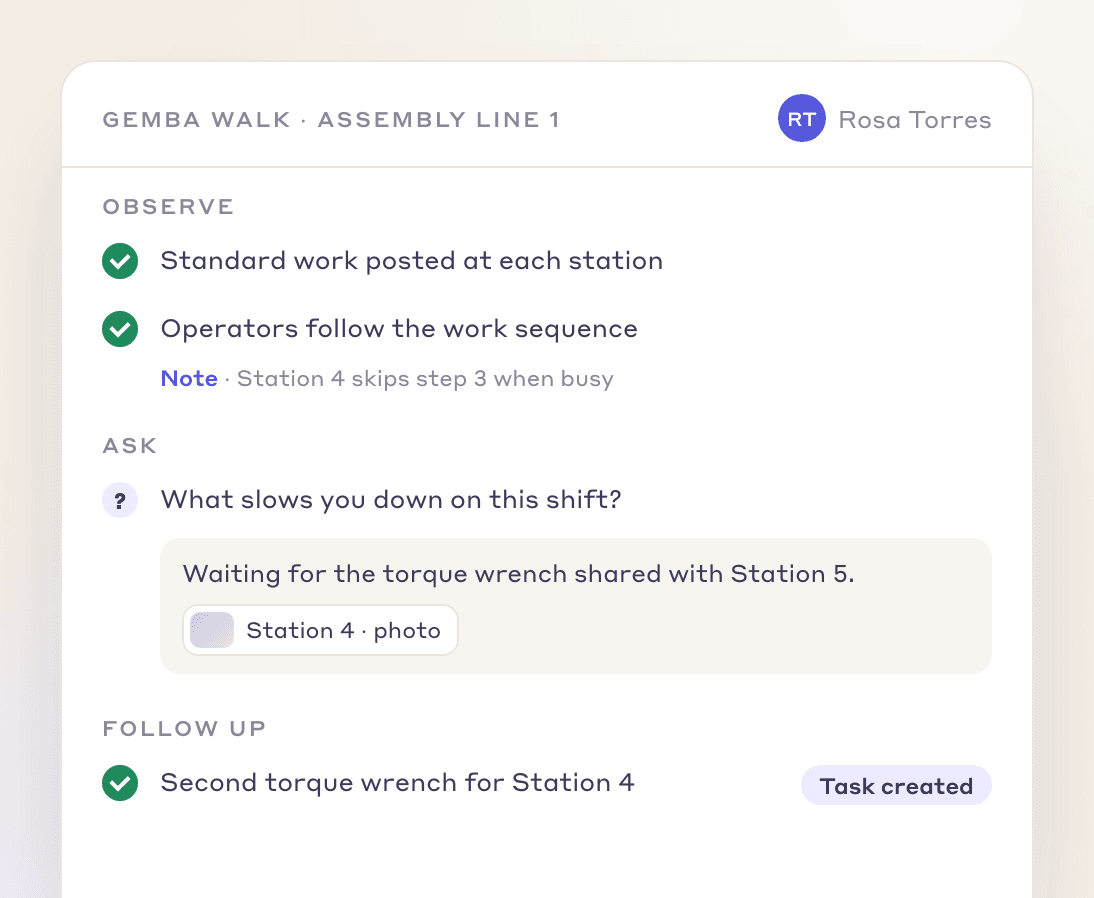
Build a gemba walk checklist, schedule it, complete it on a phone or tablet with photos and comments, and turn findings into tags, actions or Kaizens.
Audit ManagementDaily Issue Management
A finding becomes an issue with an owner and a due date, escalated through the tiers until it is closed.
Daily Issue ManagementBehavior-Based Safety
Supervisors and peers log safe and at-risk behaviors on their phones during gemba walks.
Behavior-Based SafetyLoss and cost management
Digital gemba walks and waste observation forms to find and remove the eight wastes.
Loss and cost management
Your path to a demo
- 1 · 3 to 5 minutesTry the audits and standard work pathRun a check on a tablet, fail an item and add its photo, see the action it creates and submit it. Sample data, in your browser.Start the demo
- 2 · A call with our teamBook a demo on your own routineBring the walk card or questions you use today for one area. We will build the walk in LeanSuite on the call and show where a finding goes.Book a 45-minute demo
- 3 · 90 daysPilot it on one areaOur team sets it up on your lines, the first module is live in under a week, and you decide at day 90.See the 90-day pilot
Free resources
Free gemba walk checklists and guides
Start on paper with these. Each page has a filled-in example.
- TemplateGemba walk checklistA walk plan and route, 30 prompts in six groups and a findings table with owners and due dates.
- TemplateGemba walk field guideA 20-page pocket guide: the rules, 48 questions by area with good and warning answers, a 30-day route and the follow-through loop, plus an action-log workbook.
- TemplateWaste walk checklist (TIMWOODS)32 things to look for across the eight wastes, with where and how much, and a findings log with dot votes, owners and dates.
- TemplateManagement safety tour formA leader's scheduled safety walk: observation form, operator interview, tally, actions, rota and a tour log with a dashboard.
- TemplateLeader standard work templateA team leader's daily, weekly and monthly routine with a box per day, follow-ups and a weekly review.
- Template5S audit checklist template25 checks, five per S, scored 1 to 5, with a score summary and a chart of the five S's.
- TemplateLayered process audit (LPA) checklist20 yes, no or N/A checks at the station, a layer and frequency matrix, question banks for four processes and a findings table.
- Lean Studio boardKaizen Action TrackerTrack kaizen actions with owners, due dates and live status.
Compare tools and read more
- Best gemba walk softwareSeven tools compared, with who each one fits.
- What is a gemba walkThe method, step by step.
- Gemba walk questionsQuestions to ask, and why you ask each one.
- Gemba walk examplesWhat to look for and what to ask.
- Gemba walks vs auditsThe key differences.
- Digital gemba walksRunning walks on a phone in manufacturing.
- Layered process audit softwareWhen the check is an audit, not a walk.
- Leader standard workWhere the walk fits in a leader's routine.
- Audit ManagementBuild, schedule and run any shop floor check.
FAQ
Gemba walk software: buyer questions
Gemba walk software helps leaders plan, record and follow up the walks they make to the place where the work is done. It holds the walk plan and questions, schedules walks, captures notes and photos on a phone at the line and turns findings into issues, actions or improvement projects with owners.
Yes. Several tools run gemba walks on a phone or tablet, either as a dedicated app or as a checklist inside a wider platform. In LeanSuite the walk is a checklist completed on a phone or tablet, on the web, iOS or Android.
An audit checks that a defined standard is followed and usually ends in a score. A gemba walk is about seeing how the work is really done, asking questions and understanding what gets in the way. Both can be recorded in the same tool, but they should not be confused.
The area and theme of the walk, a handful of open questions, the things to look at, space for observations and photos, and the follow-ups agreed with owners and dates. Keep it short so the walker looks at the work, not the form.
Often enough to be a habit rather than an event. Many plants have team leaders and supervisors walk daily and managers weekly, with the rhythm written into leader standard work.
In LeanSuite, yes. With Behavior-Based Safety, supervisors and peers log safe and at-risk behaviors on their phones during gemba walks, by category such as PPE, Line of Fire or Ergonomics.
Yes. In LeanSuite you upload the existing checklist as a PDF, or describe the walk, and Lean AI builds a digital version that you review before you publish it.
With LeanSuite the first module is typically live in under a week, with our team helping digitize your first checklists. Start with one route for about 90 days before adding more.
LeanSuite is one flat price per facility with unlimited users, so adding leaders does not change the price. A 90-day pilot costs $3,000 per facility. Ask for a quote on the pricing page.
See it on your own floor's routine
Bring the routine you want to fix first, and we'll show how LeanSuite runs it and what a 90-day pilot covers.