
Buyer's guide
Layered process audit software: what it should do and how to choose
Short answer
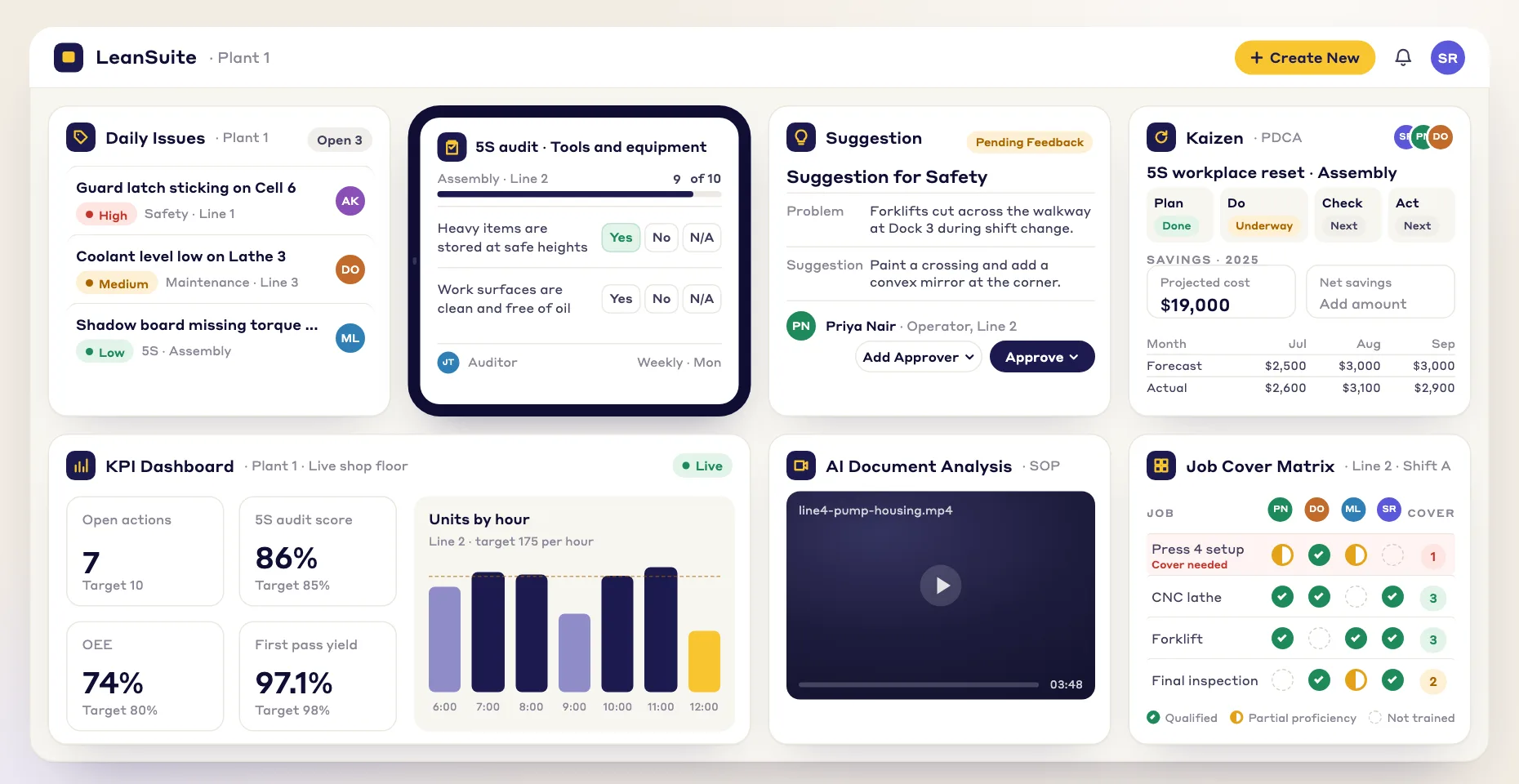
Layered process audit software runs a plant's layered process audits (LPAs): short, frequent checks that the key steps of a process are being followed, done by several layers of the organization, each on its own schedule. It holds the checklist, schedules it to every layer, puts the questions on a phone or tablet at the station, records the answers with evidence and turns every failed answer into an action with an owner. LeanSuite runs LPAs in Audit Management, next to 5S audits, gemba walks and daily issues.
Last updated:
An LPA is not a full process audit. It takes a few minutes, it asks the same handful of questions about the steps that cause defects when they slip, and it is repeated often enough that drift is caught within a shift. Operators and team leaders check daily, supervisors weekly and managers monthly, so the same standard is looked at by people at different distances from the work. If the method is new to you, read what a layered process audit is first.
Software does not write good questions or walk to the station for you. What it fixes is the schedule nobody keeps, the binder of findings nobody reads and the missed night-shift audit nobody notices. This guide covers what to look for and how to start. If you are already comparing vendors, see best layered process audit software; automotive suppliers working to IATF 16949 can go straight to LPA software for automotive plants.
What it does
The six jobs layered process audit software does
For each one: what it is for, how plants run it on paper, and what software should add.
- 1
One checklist per process
Write the few questions that matter for one process: the steps, settings and checks that cause a defect or a safety risk when they are skipped.
- On paper
- A long generic checklist copied to every line, so auditors stop reading it.
- What software should add
- A checklist built once per process, with the answer types you need, revision control, and the same template shared with every plant that runs the process.
- 2
A schedule for every layer
Each layer audits on its own cadence, on every shift, without anyone building the rota by hand each week.
- On paper
- A spreadsheet rota or a kamishibai board, kept current by one supervisor.
- What software should add
- The same checklist scheduled separately for each layer, to a person, a role or a machine, with a repeat rule and a reminder before it is due.
- 3
The check at the station
The auditor stands at the process and answers each question from what is in front of them, in a few minutes.
- On paper
- A clipboard, or the form filled in later at a desk.
- What software should add
- The checklist on a phone or tablet, with yes or no answers, numbers and ratings, so the audit is done where the work is.
- 4
Evidence
A No has to be believable and specific, so the owner knows exactly what to fix.
- On paper
- A tick in the No column and a note in the margin.
- What software should add
- A required photo on the questions that need one, a comment on a failed answer, and a time stamp on every response.
- 5
A failed answer becomes an action
Every No gets an owner and a due date, and is followed until it is closed. AIAG CQI-8 calls this closing the loop.
- On paper
- A findings column on the back of the sheet that is read once a month.
- What software should add
- A rule on the answer that raises an issue, assigns a corrective action or starts an improvement project, with the finding attached.
- 6
Reports by layer and by question
Show whether every layer is doing its audits and which questions fail most, so the checklist and the process can both be improved.
- On paper
- A monthly tally that nobody has time to make.
- What software should add
- Completion by layer and area, the most common non-conformances, and a list of every flagged answer, across shifts and plants.
Worked example
Who audits, how often, and what each layer looks for
A common pattern for a plant LPA program. Your layers and frequencies will depend on your process and your customers, but the point is the same: more frequent checks closer to the work, and every layer on the same standard.
| Layer | How often | What this layer checks | What software must do |
|---|---|---|---|
| Operators and team leaders | Every shift or daily | The station is ready: settings, gauges in date, the current standard work at the station, error-proofing working. | Put the check on the device at the station at the start of the shift and flag it when it is late. |
| Supervisors | Weekly | The same questions on a station they did not check last week, plus whether last week's findings were closed. | Rotate which station each supervisor is scheduled to, and show the open findings next to the check. |
| Managers | Monthly | Whether the lower layers are doing their audits honestly and whether the standard still fits the process. | Show completion by layer and the questions that fail most, so the manager audits the system as well as the station. |
| Plant leadership | Monthly or quarterly | Which findings keep coming back and need a project, and which questions have found nothing for months and should be replaced. | Report repeat findings by question and start an improvement project from them. |
How to choose
How to choose layered process audit software: a 10-point checklist
Take this list into every demo, including ours. Ask the vendor to show each point on their own product, with your checklist if you can.
- 1
One checklist can be scheduled for every layer
If every layer needs its own copy of the checklist, the copies drift apart and the layers stop checking the same standard.
In the demo: Build one LPA checklist and schedule it daily to team leaders, weekly to supervisors and monthly to managers.
LeanSuite: You build the checklist once in Lean Creator and schedule it separately for each layer in Daily Standard Work, to a person, a role or a machine, with a repeat rule.
- 2
Missed audits are visible without a report
An LPA program usually fails on missed audits, not failed ones.
In the demo: Skip an audit and show what the auditor and the supervisor see the next morning.
LeanSuite: Assignees get an email reminder before an audit is due, and missed audits show in red on the calendar and the Kanban board.
- 3
Your current checklist can be brought in quickly
Retyping a binder of checklists delays go-live by weeks.
In the demo: Give the vendor your current LPA form and ask how it becomes a digital audit.
LeanSuite: Upload the existing checklist as a PDF, or describe the audit, and Lean AI builds a digital version that you review before you publish it.
- 4
The answer types fit the questions
Some LPA questions are yes or no, some are a reading, some need a signature.
In the demo: Add a yes or no question, a number with a limit and a photo question to one checklist.
LeanSuite: Question types include yes or no, multiple choice, number, slider, rating, text, date and signature, and a question can require a photo or ask a follow-up.
- 5
A failed answer starts the fix by rule
Findings that wait for someone to type them into another system are findings that wait.
In the demo: Answer No on a critical question. What is created, who owns it and when is it due?
LeanSuite: A rule on the answer can raise an issue tag for maintenance or support, assign a corrective action plan or launch a Kaizen project, with the finding attached.
- 6
Scores and pass marks are optional, not the point
A score helps compare areas, but a high score with open findings is a bad audit.
In the demo: Set a pass mark and show a report that passes with one critical No.
LeanSuite: Each answer can carry points and the checklist a pass mark, and each report shows its score and pass or fail next to the flagged answers.
- 7
Reports show completion and repeat failures
You need to know which layers are auditing and which questions keep failing.
In the demo: Ask for completion by layer and area, and the questions that failed most last month.
LeanSuite: Reports track completion and the most common non-conformances, and one report lists every flagged answer across all audits.
- 8
One template works across plants
Multi-plant programs need the same questions everywhere, and a view across sites.
In the demo: Share a checklist with a second plant and show the corporate view.
LeanSuite: A template can be shared with every plant or cloned from the Template Marketplace, and corporate sees audit performance across sites.
- 9
Every audit leaves a record you can show a customer
Customer and registrar audits ask for proof that LPAs happened and that findings were closed.
In the demo: Pull the history of one question on one line for the last quarter.
LeanSuite: Every audit, finding and corrective action is time-stamped and logged, and each scheduled audit can be tied to the requirement it covers.
- 10
Every layer can sign in, at a price that does not grow per auditor
LPAs only work if operators and team leaders take part, and many of them have no company email.
In the demo: How does an operator with no email sign in, and what does it cost when every layer audits?
LeanSuite: Frontline staff sign in with an employee ID, and LeanSuite is one flat price per facility with unlimited users, as a custom quote.
Do you need software?
Paper, a kamishibai board or software?
Plenty of good LPA programs started on paper. This is when paper is still enough and when software starts to pay.
Paper is enough when
- One line, a handful of questions and one supervisor who reviews the sheets every week.
- The questions are new. Run them on paper for a few weeks to learn which ones find real problems before you build them in software.
- A kamishibai board at the line is already read in the daily huddle and its findings are closed.
- No customer asks to see the audit record.
Software pays when
- Audits on the night shift or the weekend are missed and nobody notices until a complaint.
- Findings are written down and never get an owner.
- You run LPAs on several lines or several plants and want the same questions and one view of completion.
- A customer or registrar asks for proof of the audits and the closed findings.
- Someone spends hours each month building the rota and the tally.
- You cannot tell which questions fail most, so the checklist never improves.
How to
How to start layered process audit software on one line, in 6 steps
- 1
Pick one line and the defects that matter
Choose a line with a known quality or safety risk and list the process steps that cause it when they slip. Those steps become your questions.
- 2
Write a short checklist
Keep it to a few minutes at the station. The LPA checklist and the layered process audit questions are a starting point.
- 3
Set the layers and the cadence
Decide who audits at each layer and how often, then put it on a schedule. The internal audit schedule template shows the layout on paper.
- 4
Decide what a No triggers
Agree which failed answers stop the line, which become an issue for the team and which start a project, and who owns each.
- 5
Run it for a month, then fix the questions
Look at completion by layer and the questions that fail most. Rewrite questions that never find anything and split any that take too long.
- 6
Copy it to the next line
When the first line runs on time and its findings close, share the template with the next line. This is the 1-1-90 method: one area, one pain point, 90 days, then expand.
Common pitfalls
Too many questions
A checklist that takes half an hour is the one that gets skipped. Keep each layer's audit to a few minutes.
Counting audits done instead of findings closed
A program with perfect completion and a pile of open findings is not working. Report closure as well as completion.
Managers who audit from the office
The value of the upper layers is seeing the process themselves. An audit completed at a desk is a form, not an audit.
A question set that never changes
Questions that have found nothing for months should be replaced with ones aimed at today's problems.
Blaming the operator for a No
A failed answer is information about the process. If people fear a No, the answers stop being honest.
In LeanSuite
Where LeanSuite fits
LeanSuite runs LPAs inside Audit Management, next to the other checks a plant runs and the work that follows a finding. Here is what each part does, as its product page describes it, and what it does not do.
What it does not do
- LeanSuite's pages do not describe question rotation or randomization. If your customer's LPA requirement expects rotating questions, dedicated LPA tools on our comparison list offer it.
- LeanSuite is not an automotive quality suite. APQP, PPAP and control plans are covered by templates and guides on this site, not by a module.
- No LPA customer result is published for LeanSuite, so this page makes no claim about defect or audit-finding reductions.
Audit Management
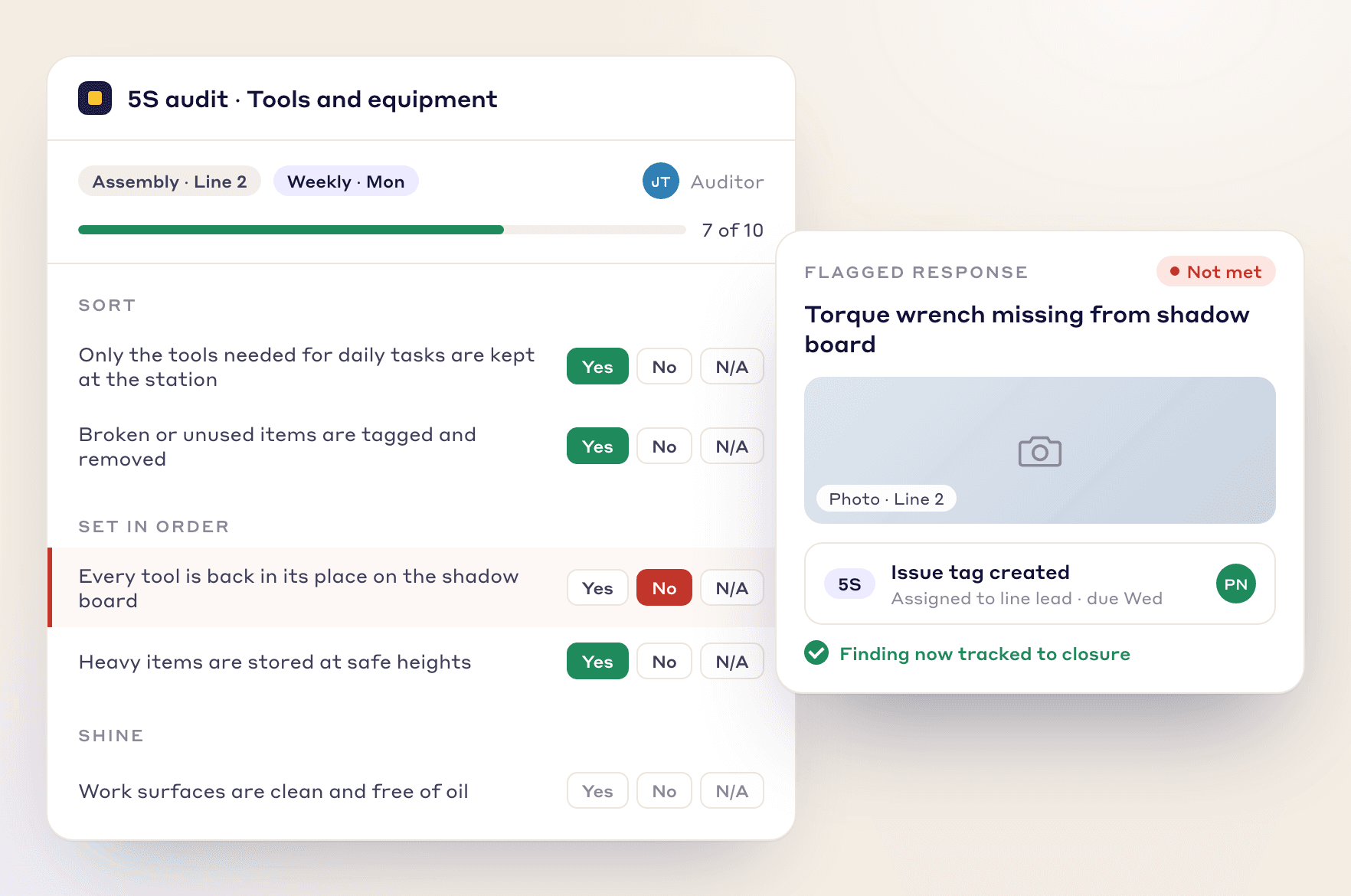
Build any audit in Lean Creator, schedule it in Daily Standard Work, complete it on a phone or tablet with photo evidence and see completion on a live dashboard.
Audit ManagementKamishibai board software
Audit cards by cadence and layer: red until the check is done, green after, and every finding tracked to an action.
Kamishibai board softwareDaily Issue Management
A failed answer can raise an issue tag with an owner and a due date, which can be escalated through the tiers.
Daily Issue ManagementKaizen & Projects
A finding that keeps coming back can launch a Kaizen project from the audit in one click.
Kaizen & Projects
Your path to a demo
- 1 · 3 to 5 minutesTry the audits and standard work pathRun an audit on a tablet, fail an item and add its photo, see the action it creates and submit the audit for a score. Sample data, in your browser.Start the demo
- 2 · A call with our teamBook a demo on your own routineBring the LPA checklist you use today for one line. We will rebuild it in LeanSuite on the call, schedule it for each layer and show what a No triggers.Book a 45-minute demo
- 3 · 90 daysPilot it on one areaOur team sets it up on your lines, the first module is live in under a week, and you decide at day 90.See the 90-day pilot
Free resources
Free LPA checklists, boards and templates
Start on paper with these, then move the one that works into software. Each page has a filled-in example.
- TemplateLayered process audit (LPA) checklist20 yes, no or N/A checks at the station, a layer and frequency matrix, question banks for four processes and a findings table.
- Lean Studio boardKamishibai Audit BoardTrack recurring audit T-cards on a daily/weekly/monthly cadence.
- TemplateInternal audit schedule templateA year of internal audits planned by risk: the programme, the register, the auditors and the findings.
- TemplateStandard work audit checklist24 checks of a job against its written standard, ten timed cycles, and each gap sorted by cause before anyone acts.
- Template5S audit checklist template25 checks, five per S, scored 1 to 5, with a score summary and a chart of the five S's.
- TemplateVisual management audit checklist29 checks of whether anyone can tell normal from abnormal at a glance, scored by group, with a trend and actions.
- TemplateGemba walk checklistA walk plan and route, 30 prompts in six groups and a findings table with owners and due dates.
- TemplateLeader standard work templateA team leader's daily, weekly and monthly routine with a box per day, follow-ups and a weekly review.
- Lean Studio boardKaizen Action TrackerTrack kaizen actions with owners, due dates and live status.
Compare tools and read more
- Best layered process audit softwareSeven LPA tools compared, with who each one fits.
- What is a layered process auditThe layers, the questions and a worked schedule.
- Layered process audit questionsExample questions by process and layer.
- LPA software for automotive plantsWhat to audit at stamping, welding, molding, crimp and torque.
- Kamishibai board softwareAudit cards by cadence and layer.
- Audit ManagementBuild, schedule and run any shop floor audit.
- Gemba walk softwareHow a gemba walk differs from an audit, and what software should do for it.
- Best audit management softwareTools for every kind of plant audit.
- IATF 16949 in plain languageWhere LPAs sit among the automotive requirements.
FAQ
Layered process audit software: buyer questions
Layered process audit software runs a plant's layered process audits: short, frequent checks that key process steps are being followed, done by several layers of the organization on their own schedules. It holds the checklist, schedules it to every layer, puts it on a phone or tablet at the station and turns failed answers into actions with owners.
A full process audit is long, infrequent and done by a trained auditor. An LPA takes a few minutes, asks a small set of questions about the steps that matter most, and is repeated often by people at several levels, from team leaders to plant managers. The two work together.
A common pattern is operators and team leaders every shift or daily, supervisors weekly and managers monthly, with plant leadership reviewing the program monthly or quarterly. Set the frequency by the risk of the process and what your customers require.
Many automotive customers require LPAs, and AIAG CQI-8 is the common guideline. Software is not required, but it makes the schedule, the evidence and the closed findings easy to show. Our automotive LPA page covers what to audit by process.
LeanSuite's pages do not describe question rotation or randomization. You build one checklist per process and schedule it for each layer. If your program requires rotating questions, a dedicated LPA tool is the better fit, and our comparison list names them.
Yes. In LeanSuite you upload the existing checklist as a PDF, or describe the audit, and Lean AI builds a digital version. You review it as a draft before you publish and schedule it.
Yes. In LeanSuite an audit can be scheduled to a person, a role or an asset, and when it is assigned to an asset the history stays with the asset.
No. The LPA is the audit system. A kamishibai board is a visual way to schedule it, with one card per check showing red until the check is done. Many plants keep the board at the line and run the checklist, schedule and findings in software.
With LeanSuite the first module is typically live in under a week, with our team helping digitize your first checklists. A sensible first step is one line for about 90 days before copying the template to the next.
LeanSuite is one flat price per facility with unlimited users, so adding auditors does not change the price. A 90-day pilot costs $3,000 per facility. Ask for a quote on the pricing page.
See it on your own floor's routine
Bring the routine you want to fix first, and we'll show how LeanSuite runs it and what a 90-day pilot covers.