
Free training deck
Updated · About 40 minutes
FMEA training presentation
FMEA (failure mode and effects analysis) is a structured way for a team to find how a product or process could fail before it does, rate each risk and act on the worst first. This free deck teaches it in about 40 minutes. Its 16 editable slides cover design and process FMEA, the severity, occurrence and detection ratings, the steps to run one, RPN versus action priority, writing good failure modes, an illustrative worked example with the arithmetic, the common mistakes, a mini FMEA activity and four check questions with answers. Every slide has speaker notes.
Free to use: print it, copy it and edit it for your team. Enter your name and work email once to download.
 The title FMEA, find the failure before it happens, on a navy background with the LeanSuite logo.
A look inside
What is in the 16 slides
For quality and process engineers, team leaders, supplier quality staff and anyone joining an FMEA team. Widescreen, in plain language, with speaker notes on every slide.
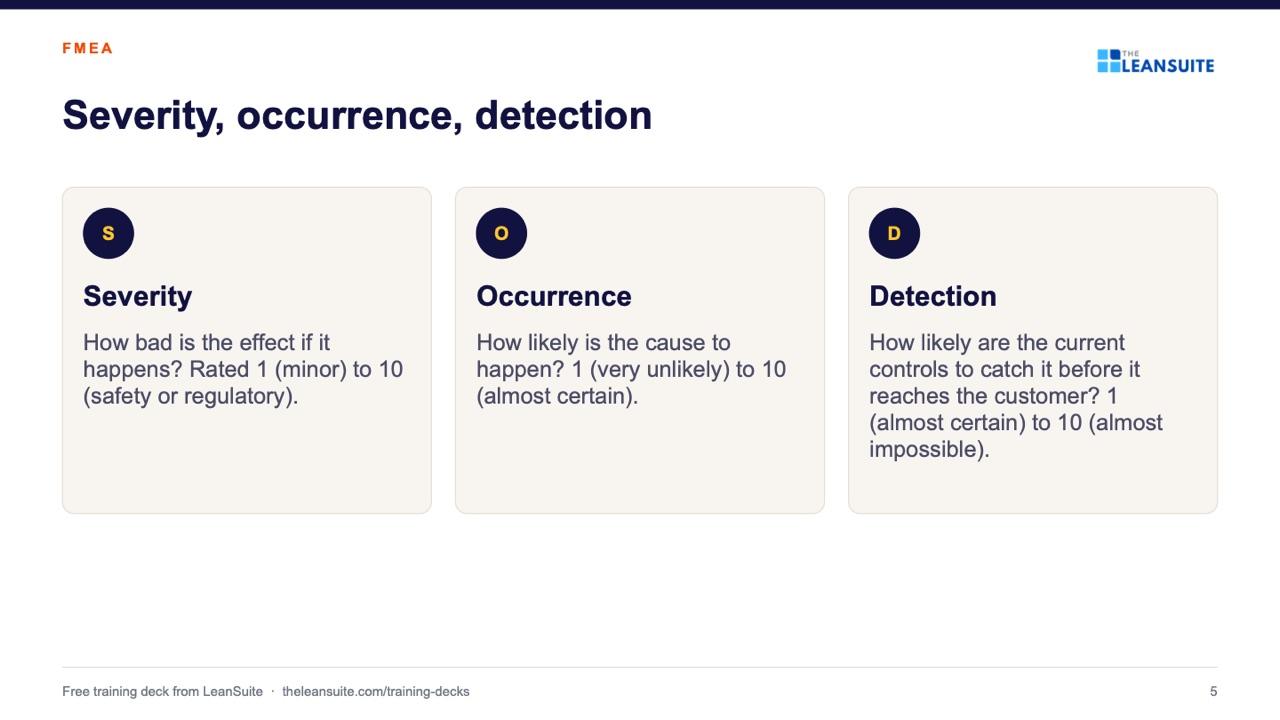
Slide 5: Severity, occurrence, detection 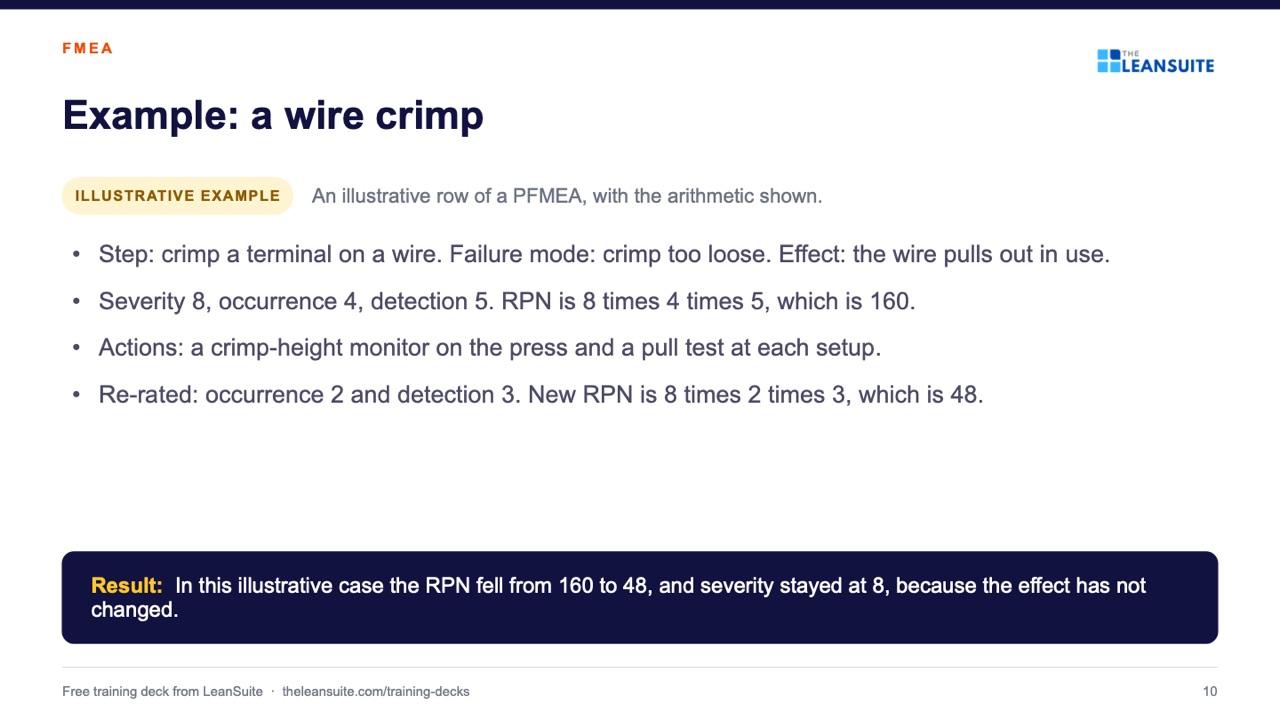
Slide 10: Example: a wire crimp 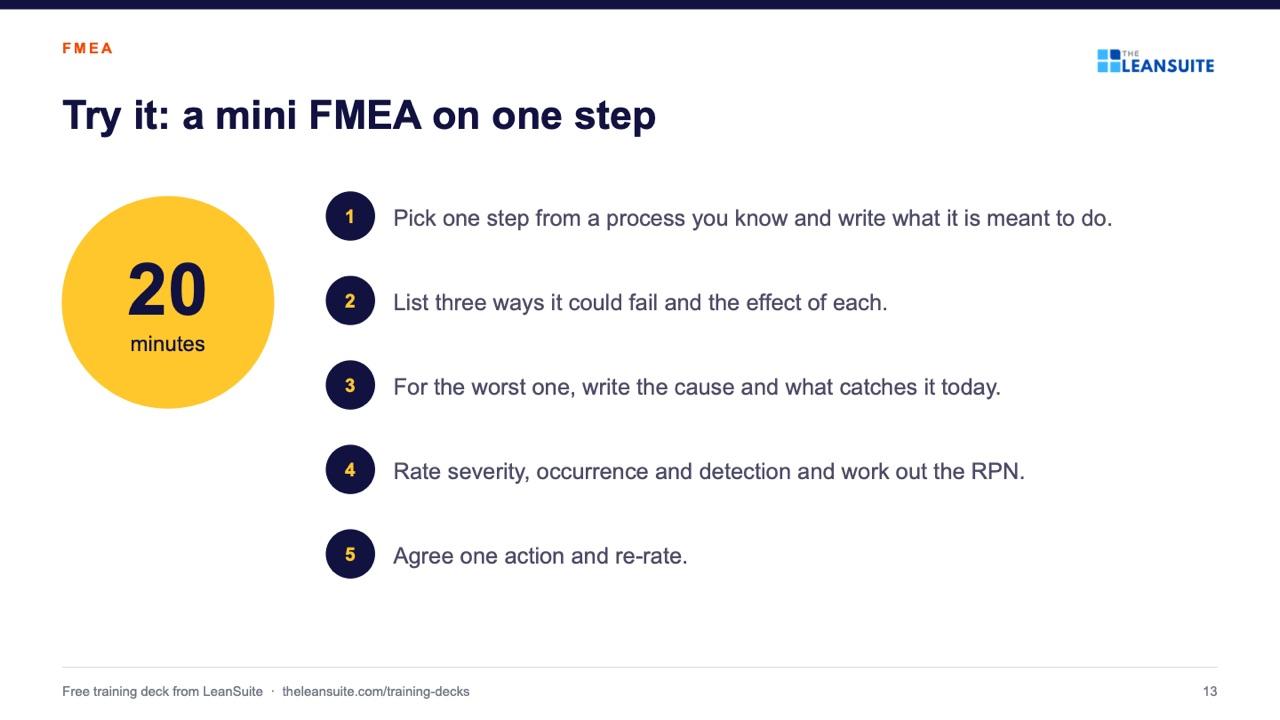
Slide 13: Try it: a mini FMEA on one step
- 1FMEA: find the failure before it happensCover
- 2AgendaWhat FMEA is · Ratings and how to run one · RPN and action priority · Example, mistakes, activity and check questions
- 3What FMEA isFMEA, failure mode and effects analysis, is a structured way to find how a product or process could fail, before it does.
- 4DFMEA and PFMEADesign FMEA (DFMEA) and process fmea (pfmea)
- 5Severity, occurrence, detectionSeverity, Occurrence, Detection
- 6How the table readsLeft to right: process step, failure mode, effect, severity.
- 7How to run an FMEASet the scope and pick the team. Draw the process flow.
- 8RPN and action priorityRisk priority number (RPN) and action priority (ap)
- 9Writing a good failure modeVague wording is the most common reason an FMEA is not useful.
- 10Example: a wire crimpAn illustrative row of a PFMEA, with the arithmetic shown.
- 11What happens after the FMEAThe high priorities become actions with an owner and a date.
- 12Common mistakesOne engineer fills in the sheet alone at a desk.
- 13Try it: a mini FMEA on one stepA 20-minute team activity
- 14Check your understanding4 check questions
- 15AnswersThe answers, to discuss
- 16Key points and next stepsNext: pick one process and book the first FMEA meeting.
The 40-minute session, slide by slide
- Slides, about: 20 minutes
- Activity (slide 13): 20 minutes
Present · 12 slides
- 1FMEA: find the failure before it happens
- 2Agenda
- 3What FMEA is
- 4DFMEA and PFMEA
- 5Severity, occurrence, detection
- 6How the table reads
- 7How to run an FMEA
- 8RPN and action priority
- 9Writing a good failure mode
- 10Example: a wire crimp
- 11What happens after the FMEA
- 12Common mistakes
Do the activity · 1 slide
- 13Try it: a mini FMEA on one step
Check and follow up · 3 slides
- 14Check your understanding
- 15Answers
- 16Key points and next steps
About 20 minutes of slides and 20 minutes of activity. Present: slides 1 to 12 (FMEA: find the failure before it happens; Agenda; What FMEA is; DFMEA and PFMEA; Severity, occurrence, detection; How the table reads; How to run an FMEA; RPN and action priority; Writing a good failure mode; Example: a wire crimp; What happens after the FMEA; Common mistakes). Do the activity: slide 13 (Try it: a mini FMEA on one step). Check and follow up: slides 14 to 16 (Check your understanding; Answers; Key points and next steps).
How to run it
Running the session
- 1
Prepare
Read the speaker notes once and swap the illustrative example for one from your own area if you have it. Print the PDF if people like a handout.
- 2
Present
The slides take about 20 minutes. Every slide has notes, so you can talk from them rather than read the slide.
- 3
Do the activity
Pick one step from a process you know and write what it is meant to do. The activity slide takes the team through it step by step; allow 20 minutes.
- 4
Check and follow up
Ask the check questions before showing the answers, then agree one next step with an owner and a date before people leave.
The check questions
- 1. What is the difference between a failure mode and an effect?
- The failure mode is the way the step fails. The effect is what the next step or the customer sees.
- 2. How is RPN calculated?
- Severity times occurrence times detection.
- 3. What does a high detection rating mean?
- The current controls are unlikely to catch the failure before it reaches the customer.
- 4. Why is looking only at RPN risky?
- A severe failure with a low occurrence or good detection can have a low RPN and still need action.
Templates and guides to go with it
- PFMEA template (process FMEA)Failure modes, effects and causes rated for severity, occurrence and detection, with RPN before and after action.
- Design FMEA (DFMEA) templateA design FMEA worksheet with S, O, D and RPN before and after action, a class column and a design rating guide.
- Control plan templateWhat is checked at each step, against which limits, how, how often, and what to do when a result is out.
- Topic: Quality managementEvery guide we have on the subject, sorted.
Read more
FAQ
FMEA training presentation: common questions
Failure mode and effects analysis. It is a structured way to find how a product or process could fail, rate each risk and act on the worst first.
About 40 minutes: roughly 20 minutes of slides, a 20-minute mini FMEA activity and the check questions.
No. It is an introduction for people joining an FMEA team. The handbook is the reference for rating scales and the action priority tables, so use its current edition for customer work.
Yes. The PowerPoint file is fully editable, including the speaker notes. Many teams replace the illustrative example with a step from their own process.
More free training decks
- 5S training presentationSort, set in order, shine, standardize and sustain in 16 slides, with a 15-minute sort activity and a quiz.View deck
- Kaizen training presentationWhat kaizen is, its principles, PDCA and four steps to a first improvement in 17 slides, with an activity and a quiz.View deck
- Autonomous maintenance training presentation: the 7 stepsThe 7 steps of jishu hozen, who does what and how step audits work, in 19 slides with notes and a quiz.View deck
- 8 wastes of lean training presentationValue vs waste, the 8 wastes (TIMWOODS) with examples, muda, mura and muri and a waste walk, in 17 slides.View deck
- Gemba walk training presentationGo see, ask why, show respect: how to plan, run and follow up a gemba walk, in 16 slides with a practice walk.View deck
- Root cause analysis training presentation: 5 whys and fishboneDefine, contain, the 5 whys, the fishbone diagram and verifying the cause, in 18 slides with a team activity.View deck
- TPM training presentation: the 8 pillarsWhat TPM is, the six big losses, OEE and the 8 pillars, in 19 slides with a loss-spotting activity.View deck
- Manufacturing excellence pillars training presentationThe 20 pillars, cost deployment, the 7-step approach, model areas and audits, in 17 slides.View deck
- Obeya room training presentationWhat an obeya is, what goes on its walls and how to run the meetings, in 15 slides with a design activity.View deck
- DMAIC training presentationDefine, measure, analyze, improve and control, with the main tools of each phase, in 16 slides.View deck
- SMED training presentationInternal and external setup, the four SMED stages and how to halve a changeover, in 16 slides.View deck
- Kanban training presentationPull instead of push: how a kanban loop works, the card types, the rules and how to size it, in 16 slides.View deck
- Lockout tagout (LOTO) training presentationHazardous energy, lockout versus tagout and the six steps in order, with a walk-round activity, in 17 slides.View deck
Training is the start. Keeping it going is the hard part.
See how plants run their audits, improvements and follow-ups in LeanSuite, on a call built around your own problem.
Book a 45-minute demo