

Free template
Kaizen event charter template
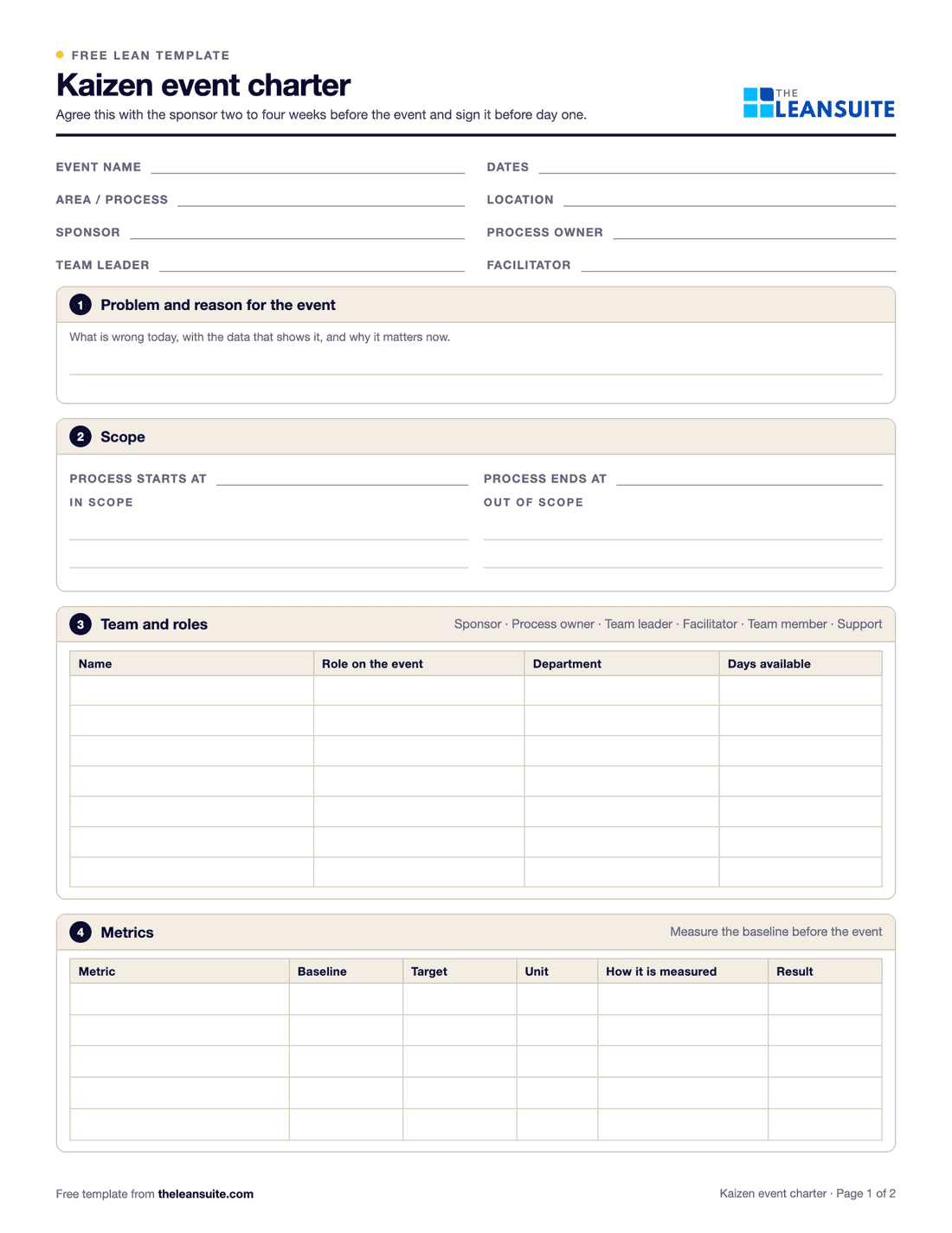
A kaizen event charter is the short agreement, signed before a kaizen event starts, that sets its scope, the team and their roles, the metrics it will move from baseline to target, the day-by-day schedule, the risks and who signs off. It keeps a short, intense improvement event focused on one process and one goal. This template covers all of that on two portrait pages, with a typical five-day schedule you can change.
Free to use: print it, copy it and edit it for your team. Enter your name and work email once to download.
When to use it
When to write a kaizen event charter
- Two to four weeks before a kaizen event, when the sponsor and the team leader agree what it is for.
- When the event needs people, time or money from more than one department.
- To brief the team on day one, and at the report-out to compare results with the targets.
How to fill it in
- 1
Name the event and the people
The event, the area or process, dates, location, sponsor, process owner, team leader and facilitator.
- 2
Write the problem and the reason
What is wrong today, with the data that shows it, and why it matters now.
- 3
Set the scope
Where the process starts and ends, what is in scope and what is not. The out-of-scope list prevents arguments on day three.
- 4
Choose the team and roles
Include people who do the work every day, plus support from maintenance, quality or engineering as needed, and check they are free for the whole event.
- 5
Fill in the metrics
For each metric, the baseline, the target, the unit and how it is measured. Measure the baseline before the event, not during it.
- 6
Adjust the schedule
The template has a typical five-day plan. Write your own plan, times and people next to it.
- 7
List risks and constraints
For example production that cannot stop or parts that arrive late, with how you will handle each one and who owns it.
- 8
Sign it off
The sponsor, the process owner and the team leader sign before day one, and set the report-out and 30-day follow-up dates.
A filled-in example
Illustrative, not a benchmarkA five-day event to cut lead time through a packing area.
- Scope: from the packing line infeed to wrapped pallets; the warehouse is out of scope.
- Metrics: lead time through packing from 2 days to 1, work in progress from 120 cases to 60, first pass yield from 94% to 98%.
- Team: two packers, a forklift driver, a maintenance technician, the area supervisor as team leader and a CI engineer as facilitator.
- Risk: packing cannot stop for more than four hours a day, so trials run on the second shift.
Everyone knows before day one what the event is for, where it stops, and how success will be measured at the report-out.
Common mistakes
A scope that is too big
“Improve the plant” is not an event. One process, one goal, one week.
No baseline before day one
Without a measured starting point, the results cannot be proved at the report-out.
No one on the team who does the work
The people who run the process know where the waste is and have to live with the new method.
An absent sponsor
The sponsor should clear obstacles during the week and attend the report-out.
No plan for open actions
Some actions always remain after day five. Give each one an owner and a date, and hold the 30-day review.
In LeanSuite
Use this as a Lean Studio board
The same method is one of the 30 ready-made board templates in Lean Studio, LeanSuite's whiteboard: Kaizen Event Report, summarize a kaizen event: before and after states, measured results, and the actions.
- Start from the Kaizen Event Report template once the charter is agreed: before, after, results and actions on one board.
- Fill the before panel from the charter and the after panel on the last day, with a Column Graph widget for before-and-after numbers.
- Move the actions to a Kaizen Action Tracker board and give each an owner and a date.
Worked example · sample data
The sample report closes a changeover event on press 2. Before: 42 minutes on average, with the die pre-heated inside the press and tools fetched from the tool room part-way through. After: 29 minutes across 12 changeovers, with the die pre-heated off-line on a stand and a changeover cart carrying every tool. Results: 13 minutes saved per changeover, and with three changeovers a day, 39 minutes of press time back each day. Three follow-up actions carry the gain: a second pre-heat stand by 30 June (T. Nguyen), the updated standard by 14 June (M. Osei), and training for the night setter by 21 June (A. Kaur). The actions moved to the kaizen action tracker, and the 30-day check was booked for the week of 7 July.
Open this board in LeanSuite
Kaizen Event Report is one of the 30 ready-made boards in Lean Studio, LeanSuite's whiteboard. Try LeanSuite in your browser, or run it on your own lines for 90 days.
What Lean Studio isHow to run a Kaizen Event Report session
- 1Fill the before panel from the charter before the event starts: the problem, the baseline numbers and a photo of the area.
- 2Update the board each day of the event so the team sees the story forming, and so the report is written by the end of the last day, not the week after.
- 3Measure the after state the same way the before was measured, on the last day, and put both numbers side by side.
- 4List every follow-up action with an owner and a date, then move them to a kaizen action tracker for the 30-day follow-up.
- 5Present the report at the board in ten minutes to the sponsor and the area, and check the result again at 30 days.
Common mistakes
- Before numbers estimated after the event. Measure them before, or the result cannot be trusted.
- A report full of activities and no measured result.
- Follow-up actions with no dates, so the gain erodes within a month.
- Writing the report a week later, when the details have gone.
- Not training the other shifts. An event that changed the day shift changed a third of the line.
Where it goes next in LeanSuite
- The event runs as a Kaizen project: projected and actual savings, hard and soft, are recorded against plant targets, every action has an owner and a due date, and Presentation mode turns the project into slides for the review. Kaizen & Projects
- Training the night setter is a skill level on the skills matrix that rises when the trainer signs off on a tablet. Competency Management
Download the template
Free to use: print it, copy it and edit it for your team. Enter your name and work email once to download.
Do this in LeanSuite
LeanSuite manages every improvement project, from a small Kaizen event to a full DMAIC project, in one visual hub and tracks each one through to results.
See Continuous Improvement SoftwareIn the lean glossary
Free tools
FAQ
Kaizen event charter template: common questions
More free templates
All templates- 5S audit checklist template25 checks, five per S, scored 1 to 5, with a score summary and a chart of the five S's.
- Gemba walk checklistA walk plan and route, 30 prompts in six groups and a findings table with owners and due dates.
- A3 problem solving templateThe standard seven-box A3 on one landscape sheet, from background to follow-up.
- PDCA templateOne improvement cycle on one landscape page: plan, do, check against the goal, then standardize or adjust.
- 5 Whys templateA problem statement, five why rows with evidence, the root cause and the countermeasure.
- 8D report templateD0 to D8 on three pages: team, is/is not, containment, occurrence and escape causes, actions and closure.
- Skills matrix templatePeople by skills, a 0 to 4 scale, a training column and a coverage row that shows the gaps.
- Standard work sheet templateTakt time, each element's manual, machine and walk time on a time chart, key points and standard WIP.
- SMED changeover worksheetChangeover steps with times, internal or external, what can move, ideas and before/after totals.